
1. Introduction
The OPPWONG OPPWONGemr2qpu35g Mobile Game Keyboard Mouse Converter is designed to enhance your mobile gaming experience by allowing the use of a keyboard and mouse on compatible Android and iOS devices. This adapter utilizes Bluetooth 4.0 for a stable, low-latency connection, providing a PC-like gaming environment on your smartphone or tablet.
2. Package Contents
Please verify that all items listed below are included in your package:
- 1 x Mobile Game Keyboard Mouse Converter
- 1 x Type-C Cable
- 1 x User Manual
3. Product Overview
Familiarize yourself with the components and design of your Mobile Game Keyboard Mouse Converter.

Figure 3.1: Top-down angled view of the OPPWONG Mobile Game Keyboard Mouse Converter, showcasing its compact, hexagonal design and textured surface.

Figure 3.2: The converter connected to a smartphone via a Type-C cable, demonstrating its ability to charge the phone while in use. A keyboard and mouse are also connected to the converter.
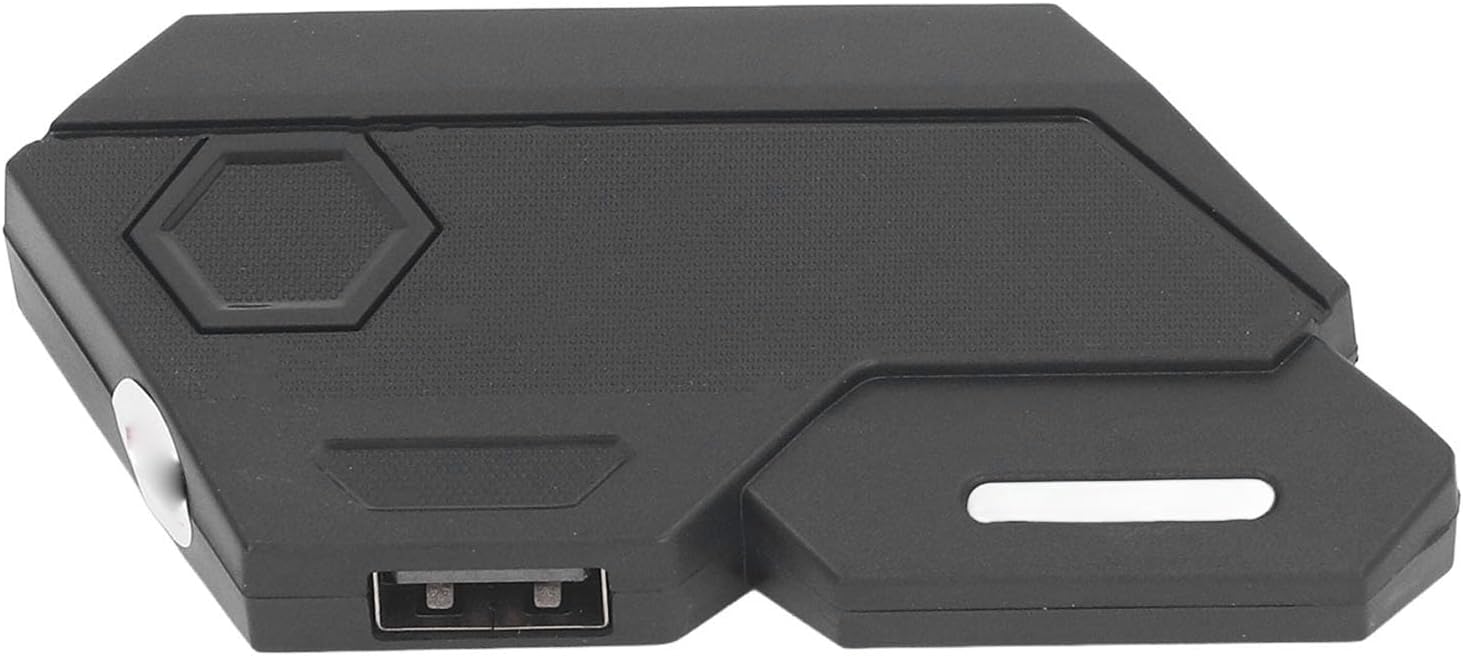
Figure 3.3: Side view of the converter, highlighting one of the USB-A ports for peripheral connection and a white indicator light.

Figure 3.4: An angled perspective of the converter, clearly showing multiple USB-A ports available for connecting a keyboard, mouse, or other USB devices.

Figure 3.5: A direct top-down view of the converter, emphasizing its textured surface and hexagonal design elements.

Figure 3.6: The OPPWONG converter displayed next to its accompanying Type-C charging cable, as included in the package.
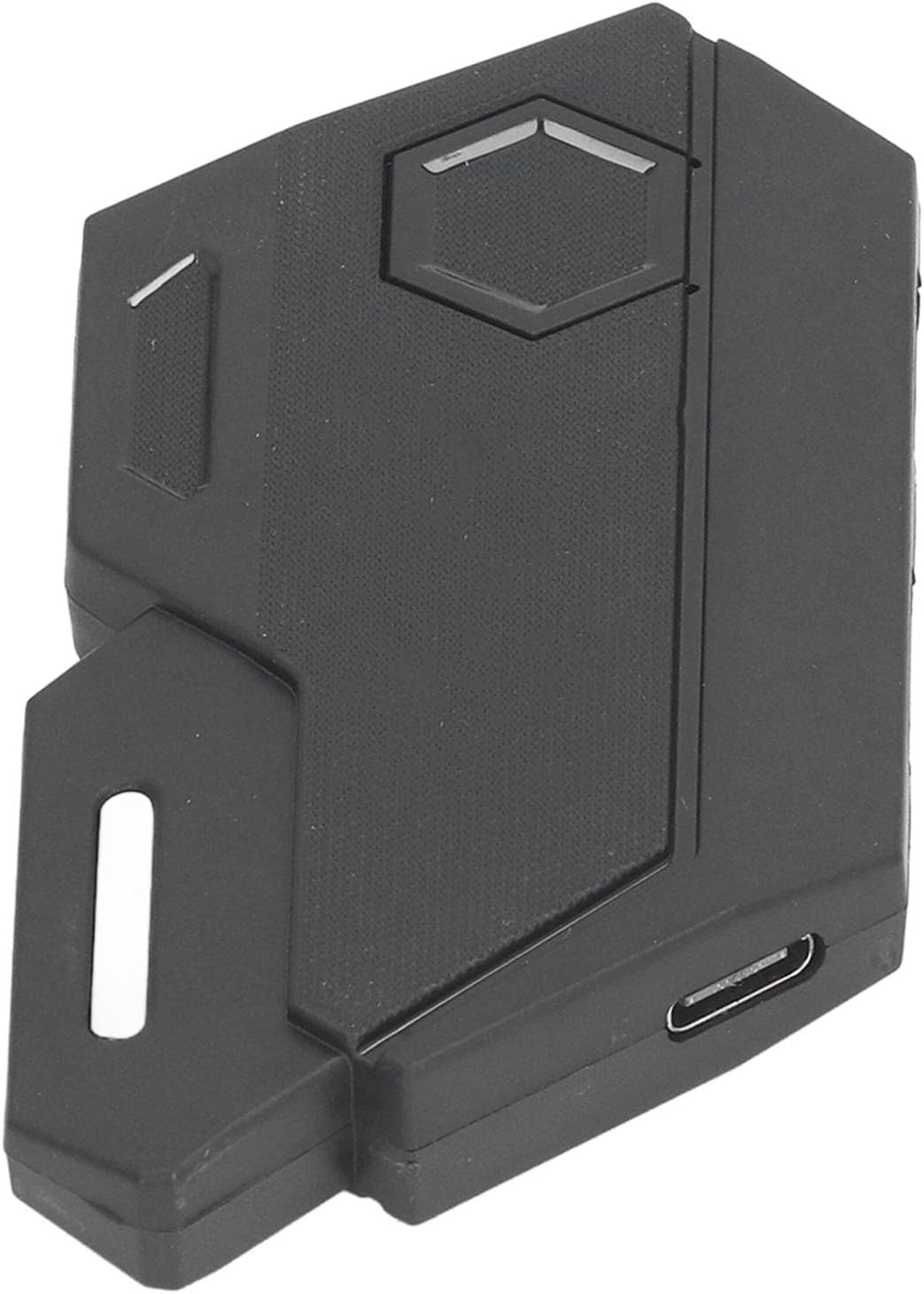
Figure 3.7: Close-up side view of the converter, highlighting the Type-C input port used for power supply and charging the connected mobile device.

Figure 3.8: Another angled view of the converter, providing a clear look at the USB-A ports and the elongated indicator light on the side.

Figure 3.9: A detailed close-up of the indicator light slot on the side of the converter, which illuminates to show device status.
4. Setup Instructions
Follow these steps to connect and begin using your Mobile Game Keyboard Mouse Converter:
- Power Connection: Connect the provided Type-C cable to the converter's Type-C input port and then to a 5V 2A power adapter (not included) or a power source. The converter will power on.
- Peripheral Connection: Plug your USB keyboard and USB mouse into the available USB-A ports on the converter.
- Mobile Device Connection: Connect your mobile phone or tablet to the converter using a suitable cable (e.g., Type-C to Type-C, USB-A to Type-C, or Lightning to USB-A, depending on your phone's port and the converter's output port if applicable for data transfer, otherwise ensure Bluetooth is ready for pairing).
- Bluetooth Pairing:
- Enable Bluetooth on your mobile device (Android or iOS).
- Search for available Bluetooth devices. The converter should appear as "MixElite" or a similar identifier.
- Select the converter to pair. Once paired, the indicator light on the converter may change status (e.g., solid blue).
- Game Launch: Launch your desired mobile game. The converter is designed to be plug-and-play, meaning no special game APP downloads are required.
- Configuration (if necessary): Some games may require in-game settings adjustments for keyboard and mouse control. Refer to your game's specific settings for customization.
5. Operating Instructions
Once set up, operating the converter is straightforward:
- Gaming Control: Your connected keyboard and mouse will now function as input devices for your mobile game, providing a more precise and responsive control experience similar to PC gaming.
- Charging During Play: The converter features a fast-charging interface that supports 5V 2A output. This allows you to charge your mobile device simultaneously while playing, ensuring extended gaming sessions without interruption.
- Indicator Light: Observe the indicator light on the converter for status updates (e.g., power on, Bluetooth connection status).
6. Maintenance
To ensure the longevity and optimal performance of your converter, follow these maintenance guidelines:
- Cleaning: Use a soft, dry cloth to wipe the surface of the converter. Avoid using harsh chemicals, solvents, or abrasive cleaners.
- Storage: Store the converter in a cool, dry place away from direct sunlight and extreme temperatures.
- Handling: Handle the device with care. Avoid dropping it or subjecting it to strong impacts.
- Port Care: Ensure that the USB and Type-C ports are free from dust and debris. Do not force connectors into ports.
7. Troubleshooting
If you encounter issues with your converter, refer to the following common problems and solutions:
- Converter Does Not Power On:
- Ensure the Type-C power cable is securely connected to both the converter and a working power source (5V 2A recommended).
- Try a different Type-C cable or power adapter.
- Keyboard/Mouse Not Responding:
- Verify that the keyboard and mouse are properly plugged into the converter's USB-A ports.
- Test the keyboard and mouse directly on a computer to ensure they are functional.
- Ensure the converter is successfully paired with your mobile device via Bluetooth.
- Bluetooth Connection Issues:
- Make sure Bluetooth is enabled on your mobile device.
- Unpair and re-pair the converter from your mobile device's Bluetooth settings.
- Ensure the converter is within close proximity to your mobile device.
- Restart both your mobile device and the converter.
- Mobile Device Not Charging:
- Confirm that the converter is receiving adequate power (5V 2A).
- Check the cable connecting the converter to your mobile device for damage or improper connection.
- Ensure your mobile device supports charging through the connected port.
- Input Lag or Delay:
- Ensure there are no other strong wireless interference sources nearby.
- Close unnecessary background applications on your mobile device to free up resources.
- Verify that your mobile device meets the minimum requirements for the game being played.
8. Specifications
| Feature | Detail |
|---|---|
| Model Number | OPPWONGemr2qpu35g |
| Material | ABS |
| Connection Type | Bluetooth 4.0 |
| Compatibility | Android, iOS systems |
| Power Output (for charging) | 5V 2A |
| Package Dimensions | 4.72 x 3.94 x 1.18 inches |
| Item Weight | 1.87 ounces |
| Manufacturer | OPPWONG |
9. Warranty and Support
For product support, technical assistance, or warranty inquiries, please contact your retailer or the manufacturer, OPPWONG. Please retain your proof of purchase for warranty claims.