
1. Introduction
This manual provides essential information for the safe and efficient use of your Panasonic KX-TGU130EXB digital cordless phone. Please read these instructions carefully before using the product and retain them for future reference.

Image 1.1: The Panasonic KX-TGU130EXB cordless phone handset and base unit.
2. Package Contents
Verify that your package contains the following items:
- Base Unit
- Handset
- AC Adapter
- Rechargeable AAA Batteries (x2)
3. Setup
3.1 Battery Installation
- Open the battery compartment cover on the back of the handset.
- Insert the two supplied AAA rechargeable batteries, observing the correct polarity (+/-).
- Close the battery compartment cover securely.
3.2 Connecting the Base Unit
- Connect the AC adapter to the base unit and plug it into a standard electrical outlet.
- Connect the telephone line cord (not always included, may require separate purchase) to the base unit and then to your telephone wall jack or router.
3.3 Initial Battery Charge
Place the handset on the base unit. The handset will begin charging. Allow the handset to charge for at least 7 hours before initial use to ensure optimal battery performance.
4. Operating Instructions
4.1 Handset Overview

Image 4.1: Key features of the handset and base unit, including the extra-large screen, favorite call indicator, large format keys, ECO mode, answering machine button, and call blocking button.
4.2 Making and Receiving Calls
- Making a Call: Press the green call button, then dial the number. Alternatively, dial the number first and then press the green call button.
- Receiving a Call: When the phone rings, press the green call button.
- Ending a Call: Press the red end call button or place the handset back on the base unit.
4.3 Volume Adjustment
During a call, use the navigation buttons (up/down arrows) on the handset to adjust the earpiece volume. The handset offers an enhanced volume level, up to twice as loud as standard Panasonic DECT phones (e.g., KX-TG68 series).
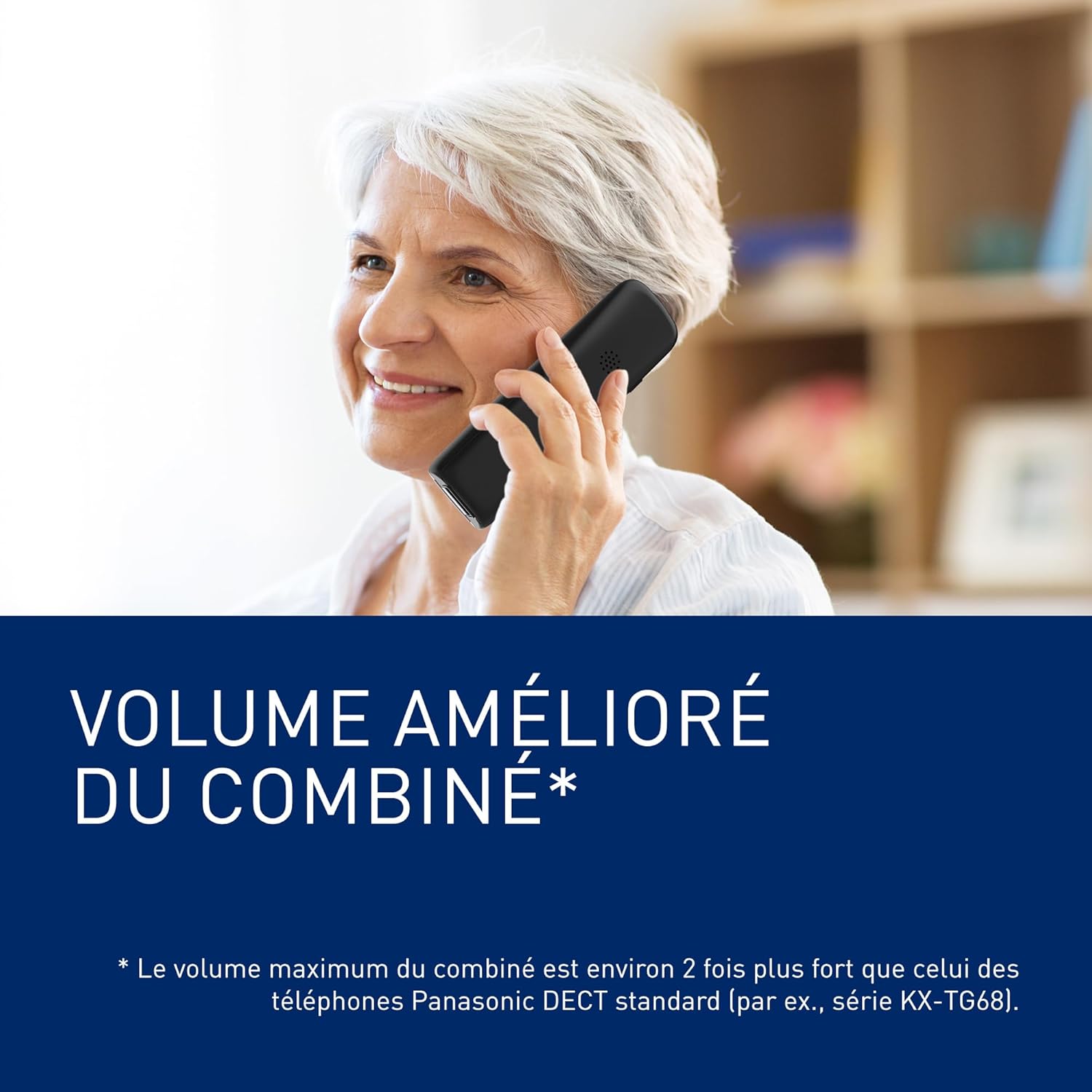
Image 4.2: The handset provides enhanced volume for clearer conversations.
4.4 Large Buttons and Clear Display
The handset features large, illuminated, and clearly identified buttons for easy dialing. The 1.8-inch monochrome FullDot backlit LCD provides impressive clarity and brightness, ensuring text and numbers are readable even in low light conditions.

Image 4.3: Large format keys improve visibility and simplify dialing.
4.5 Favorite Call Function
The intuitive Fav Call button allows you to instantly recognize and quickly dial up to 3 favorite contacts. This feature requires caller ID service from your telephone provider.

Image 4.4: The Favorite Call feature allows clear identification of preferred contacts.
4.6 Call Blocking
Avoid unwanted calls using the automated and unwanted call blocking functions. The dedicated call block button allows you to prevent unsolicited callers from calling again. This feature requires a subscription to a caller ID service from your telephone provider.

Image 4.5: The call blocking feature helps manage unwanted calls.
4.7 Answering Machine
The integrated digital answering machine records incoming messages when you are unavailable. Use the controls on the base unit to play, skip, or delete messages. The handset can also be used to access answering machine functions.
4.8 Hearing Aid Compatibility
The KX-TGU130EXB is certified ETS 300 381, optimized for hearing aids with induction coils to minimize sound interference.
Image 4.6: The phone is compatible with hearing aids for improved accessibility.
5. Maintenance
5.1 Cleaning
Wipe the phone and base unit with a soft, dry cloth. Do not use liquid or abrasive cleaners.
5.2 Battery Care
Use only the specified rechargeable AAA batteries. Non-rechargeable batteries can cause damage or explosion. If the phone will not be used for an extended period, remove the batteries from the handset.
6. Troubleshooting
- No Dial Tone: Ensure the telephone line cord is securely connected to both the base unit and the wall jack/router. Check if the AC adapter is properly plugged in.
- Poor Sound Quality: Ensure the handset is within range of the base unit. Check for interference from other electronic devices. If using hearing aids, ensure the compatibility feature is active.
- Answering Machine Language: Some units may have default answering machine messages in a specific language (e.g., German, as noted in some user reviews). Consult the full user manual (often available online from Panasonic) for instructions on changing the answering machine language, as this setting may not be accessible via the handset menu.
- Handset Not Charging: Ensure the handset is correctly seated on the base unit and the charging contacts are clean. Verify the AC adapter is connected.
7. Specifications
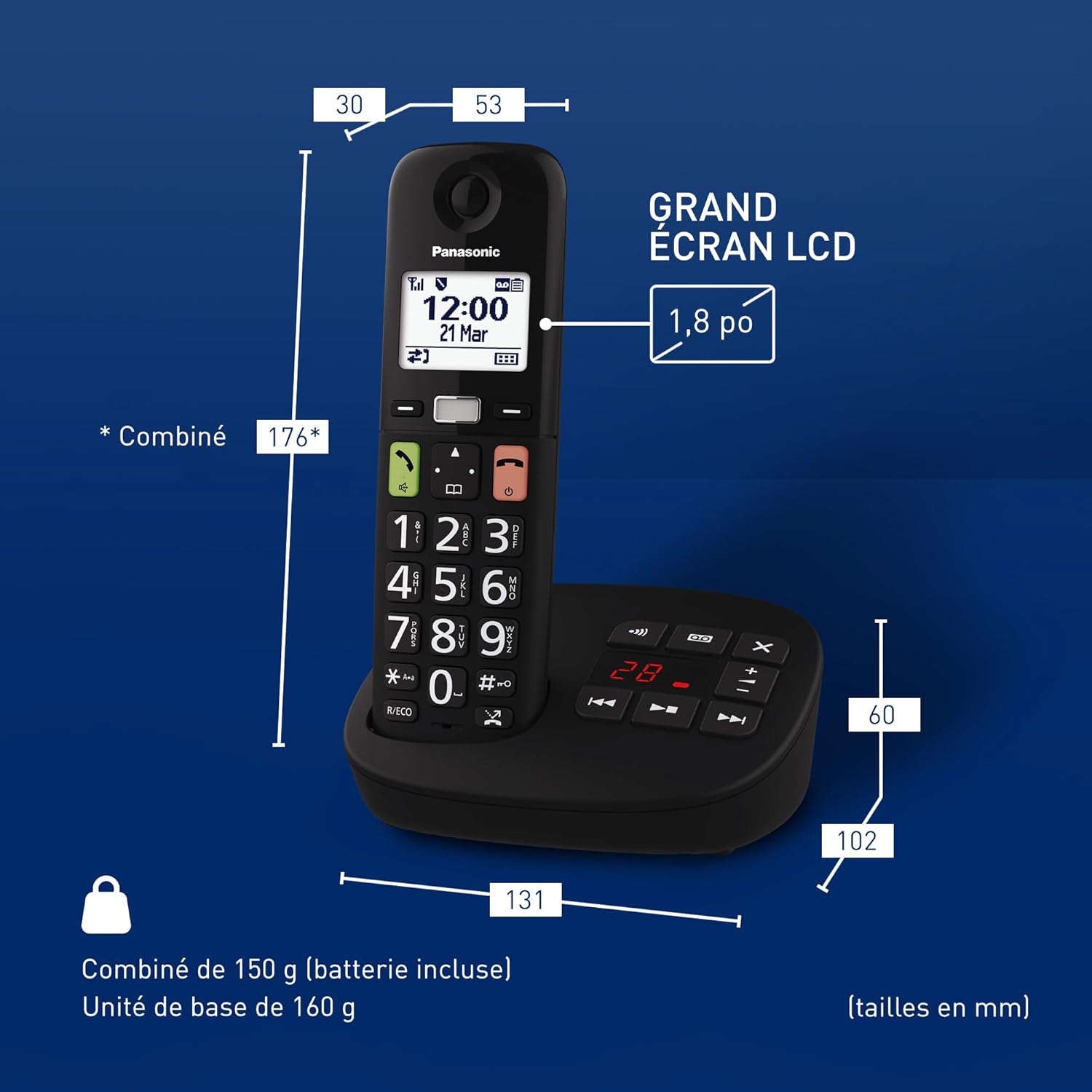
Image 7.1: Dimensions of the handset and base unit (measurements in mm).
| Feature | Detail |
|---|---|
| Model Number | KX-TGU130EXB |
| Brand | Panasonic |
| Color | Black |
| Phone Type | Cordless |
| Answering System Type | Digital |
| Handset Weight | 150 g (battery included) |
| Base Unit Weight | 160 g |
| Handset Dimensions (L x W x H) | 176 x 53 x 30 mm (approx.) |
| Base Unit Dimensions (L x W x H) | 102 x 131 x 60 mm (approx.) |
| Battery Type | 2 x AAA rechargeable batteries (included) |
| Talk Time | Up to 8 hours |
| Display | 1.8-inch monochrome FullDot backlit LCD |
| Compatible Devices | Hearing aids, answering machine |
| Regional Compatibility | Germany, Switzerland, Spain, Italy, France, Belgium, Netherlands, Greece |

Image 7.2: Regional compatibility for KX-TGU series phones, including KX-TGU130EXB.
8. Warranty and Support
For warranty information and technical support, please refer to the warranty card included with your product or visit the official Panasonic website for your region. You can also contact Panasonic customer service for assistance.