1. Introduction
This manual provides detailed instructions for the Blütezeit AC 110V Sliding Gate Opener Control Board, a replacement PCB (Printed Circuit Board) designed for specific Blütezeit AC sliding gate opener models. It covers compatibility, installation considerations, operation, and troubleshooting to ensure proper functionality of your gate system.
2. Safety Information
- Always disconnect power to the gate opener before performing any installation, maintenance, or troubleshooting on the control board.
- Installation should be performed by qualified personnel familiar with electrical systems and gate opener mechanics.
- Ensure all wiring connections are secure and correctly matched to prevent damage to the control board or the gate motor.
- Keep the control board dry and protected from environmental elements.
3. Compatibility and Versions
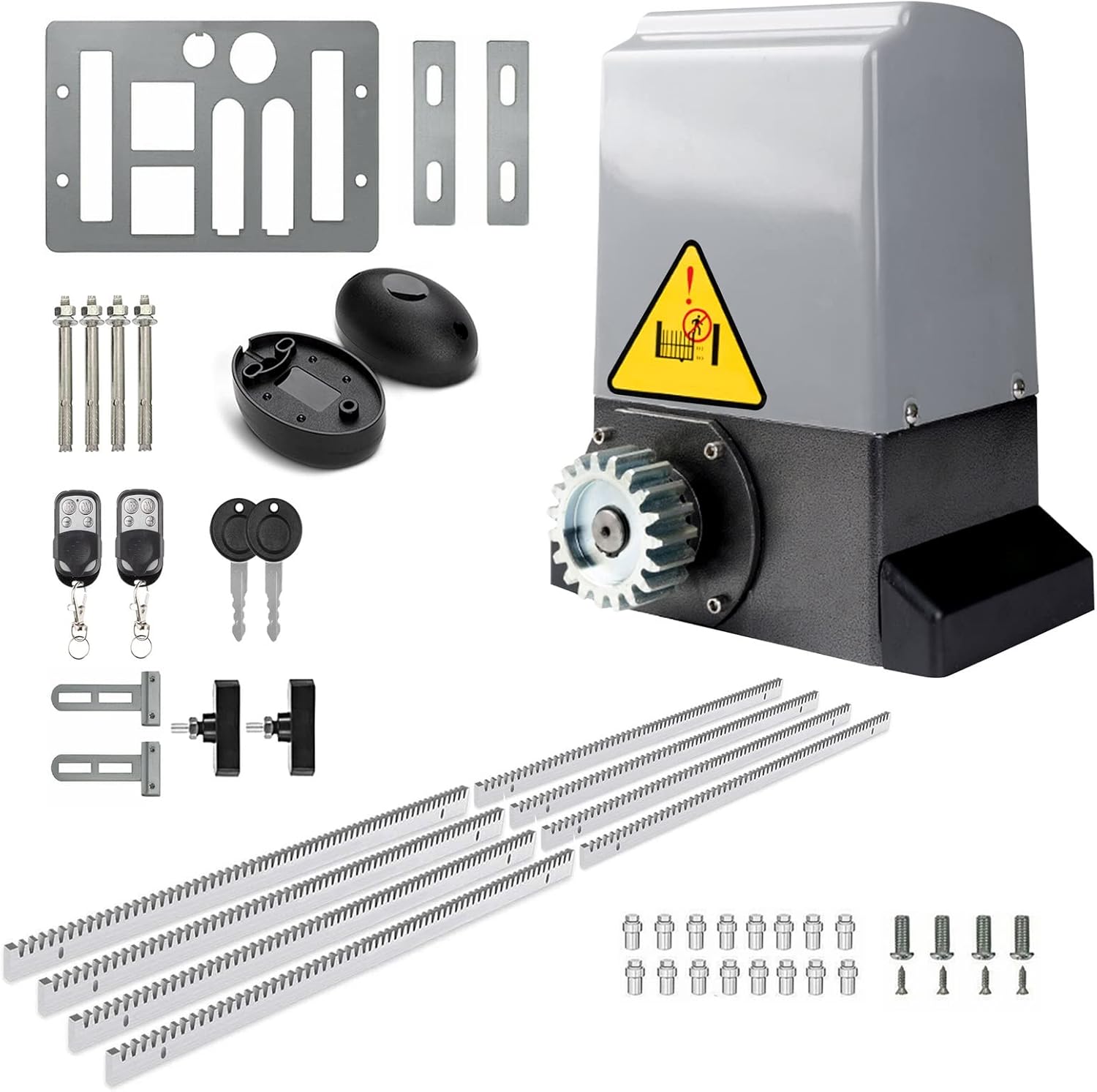
This control board is specifically designed for Blütezeit AC Sliding Gate Openers. It is crucial to confirm the correct version (24-bit or 32-bit) before purchase and installation to ensure compatibility with your existing remote controls.
- Compatible Models: Designed for ME-GO-800, ME-GO-1200, ME-GO-1800, ME-GO-2400 series Blütezeit AC sliding gate openers.
- 24-bit Version: Compatible with SILVER remote controls.
- 32-bit Version: Compatible with BLUE-film remote controls.
- Frequency: Operates on a 433MHz fixed code system. It is NOT compatible with rolling code motors or gate openers from other brands.

Silver remote controls, compatible with 24-bit PCB.
Blue-film remote controls, compatible with 32-bit PCB.
4. Product Overview
The Blütezeit AC 110V Control Board is the central processing unit for your sliding gate opener, managing motor functions, safety features, and remote control signals. Key components include DIP switches for settings, a learning key for remote pairing, and various terminal blocks for connections.

Top view of the Blütezeit AC 110V Control Board (24-bit version), showing various components and connection points.
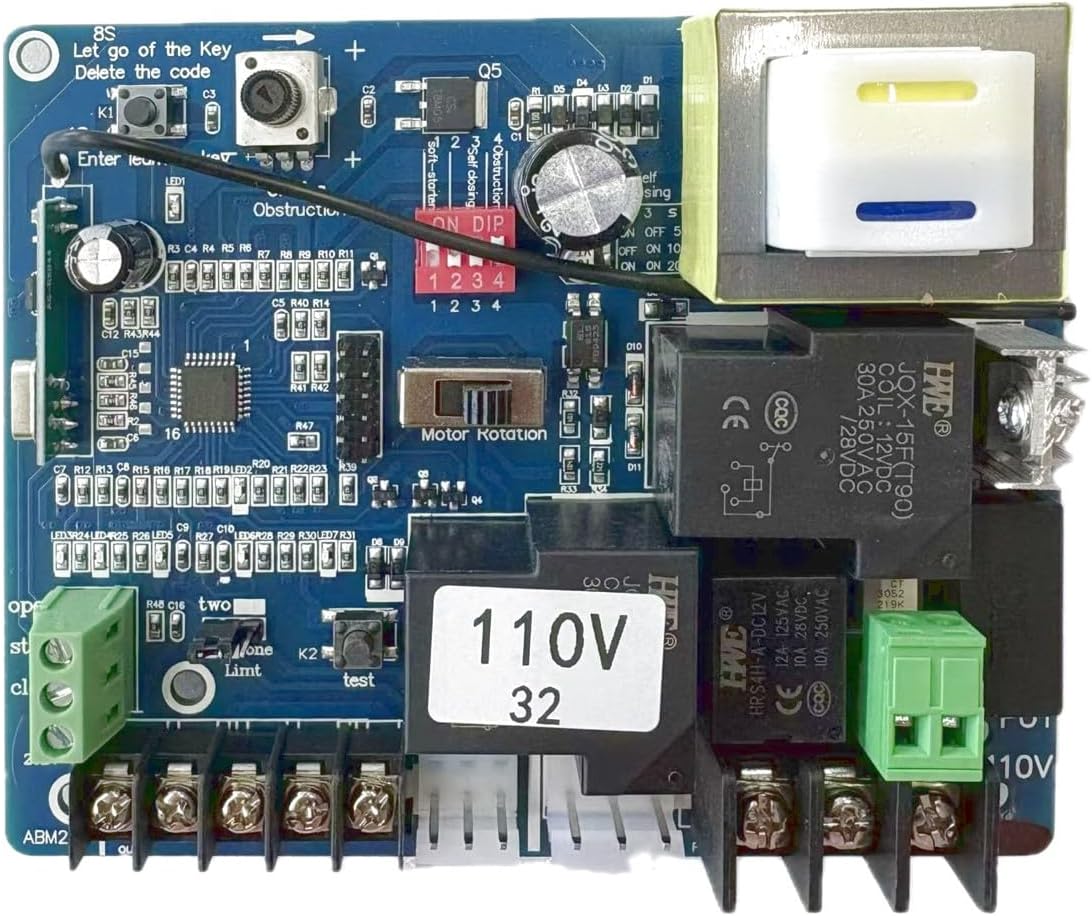
Top view of the Blütezeit AC 110V Control Board (32-bit version), highlighting the '110V 32' label.
5. Setup and Installation
This control board is a replacement component. Refer to your original Blütezeit AC Sliding Gate Opener manual for specific wiring diagrams and installation procedures. The following steps provide general guidance for replacing the PCB:
- Power Disconnection: Ensure the main power supply to the gate opener is completely disconnected before beginning any work.
- Documentation: Take photos of the existing wiring connections on the old control board for reference. Label wires if necessary.
- Removal: Carefully disconnect all wires and mounting screws holding the old control board in place.
- Installation: Mount the new Blütezeit AC 110V Control Board in the same position.
- Wiring: Reconnect all wires to their corresponding terminals on the new board, using your documentation as a guide. Pay close attention to power input (L, N, PE), motor connections, limit switch connections, and accessory connections (e.g., photo sensors, warning lights).
- Initial Check: Before restoring power, double-check all connections for security and correctness.
- Power Restoration: Restore power to the gate opener.
6. Operating Instructions
6.1 Remote Control Pairing (Learning Code)
To pair a new remote control with the control board:
- Locate the 'Learning Key' button on the control board (often labeled 'Learn' or 'Code').
- Press and hold the 'Learning Key' button for approximately 2-3 seconds until the LED indicator (often labeled 'LED1') illuminates.
- While the LED is illuminated, press any button on the remote control you wish to pair. The LED should flash or turn off, indicating successful pairing.
- Repeat for additional remote controls.
- To clear all paired remote codes, press and hold the 'Learning Key' button for approximately 8 seconds until the LED turns off, then release. All previously learned codes will be deleted.
6.2 DIP Switch Settings
The control board features DIP switches to configure various operational parameters. Refer to the labels on the board next to the DIP switch block for specific functions. Common settings include:
- Self-Closing Time: Adjusts the delay before the gate automatically closes after opening. Settings may include OFF, 5s, 10s, 20s.
- Obstruction Sensitivity: Configures how sensitive the gate is to obstructions.
- Motor Rotation: If the gate opens when it should close, or vice-versa, this switch can reverse the motor's direction.
Always test the gate's operation after changing DIP switch settings to ensure desired behavior and safety.
7. Maintenance
The Blütezeit AC 110V Control Board requires minimal maintenance. However, regular checks can prolong its lifespan and ensure reliable operation:
- Visual Inspection: Periodically inspect the board for any signs of damage, corrosion, or loose connections.
- Cleanliness: Keep the control board free from dust, dirt, and moisture. Use a soft, dry brush or compressed air for cleaning.
- Environmental Protection: Ensure the gate opener's housing is sealed and protects the control board from rain, humidity, and extreme temperatures.
8. Troubleshooting
If you encounter issues with your gate opener after installing the control board, consider the following common problems and solutions:
| Problem | Possible Cause | Solution |
|---|---|---|
| Gate does not respond to remote. | Incorrect PCB version; Remote not paired; Remote battery low; Interference. | Confirm PCB version matches remote type (24-bit/silver, 32-bit/blue-film). Re-pair remote. Replace remote battery. Check for local interference. |
| Gate opens when it should close (or vice-versa). | Motor rotation setting incorrect. | Adjust the 'Motor Rotation' DIP switch setting on the control board. |
| Gate stops unexpectedly or reverses. | Obstruction detected; Limit switch issue; Overload. | Check for physical obstructions. Inspect limit switches for proper function and adjustment. Reduce gate friction if possible. |
| No power to the control board. | Power supply issue; Blown fuse. | Check main power supply. Inspect and replace the fuse on the control board if blown (ensure correct fuse rating). |
If troubleshooting steps do not resolve the issue, contact Blütezeit customer support for further assistance.
9. Specifications
| Manufacturer | Blütezeit |
| Model Number | ME-GO-PCB-AC |
| Compatibility | Blütezeit AC Sliding Gate Openers (ME-GO-800, ME-GO-1200, ME-GO-1800, ME-GO-2400 series) |
| Voltage | AC 110V |
| Versions Available | 24-bit, 32-bit |
| Remote Frequency | 433MHz Fixed Code |
| Item Weight | 9.6 ounces |
| Product Dimensions | 5.12 x 4.33 x 1.57 inches |
| Included Components | 1 x AC110V PCB (24-bit or 32-bit) |
| Date First Available | August 27, 2024 |
10. Warranty and Support
Blütezeit provides reliable customer support to assist with product inquiries, compatibility confirmation, and replacement processes. For any questions or assistance, please contact Blütezeit customer service through the official channels provided with your product or on the Blütezeit website.
Please retain your proof of purchase for warranty claims. Specific warranty terms and conditions may apply and are typically outlined in the original gate opener manual or product documentation.


