
1. Introduction
Thank you for choosing BrizLabs Permanent Outdoor Lights. This manual provides detailed instructions for the installation, operation, and maintenance of your 50ft 30 LED RGBCW Smart Eave Lights. Designed for year-round outdoor use, these lights offer versatile lighting options for holidays and daily ambiance, controllable via smart app and voice commands.

Image: The BrizLabs Permanent Outdoor Lights product packaging, showing the 50ft length and 30 LED count, alongside a smartphone displaying the BrizLabs app interface for light control. Individual light pods are also visible.
2. What's in the Box
Upon opening the package, please verify that all components are present and undamaged:
- 1 x 50ft Smart Permanent Outdoor Lights (with 30 LED pods)
- 1 x User Manual
- Mounting accessories (screws, clips)
3. Product Features
- Holiday & Year-Round Lighting: Multiple preset scene modes and DIY customization for various occasions like Christmas, Halloween, and Easter. Each LED can be independently adjusted for color and design.
- Smart App & Voice Control: Control lights via the BrizLabs app (change colors, set timers, adjust brightness/speed, sync to music, group lights). Compatible with Alexa and Google Assistant for hands-free voice control. Note: Compatible with 2.4G WiFi only (not 5G).
- Outdoor Durability: Crafted with anti-UV materials and rated IP65 waterproof for reliable performance in rain, snow, and extreme temperatures (-4°F to 140°F). Lifespan of up to 20,000 hours.
- 16 Million Colors + Warm White + Cool White: Triple-LED design (RGB, warm white, cool white) for dynamic colors and cozy white lighting.
- Sync with Music: 8 built-in music modes allow lights to dynamically adjust to the beat. Sensitivity is adjustable via the app.
- Customizable Effects & Colors: 16 million colors, dynamic effects (Flow, Chase, Jump), individual LED control. 100° beam angle for wider coverage.
- Schedule Function: Set automated lighting schedules with the built-in timer for specific on/off times.
4. Setup and Installation
4.1 Planning Your Installation
Before installation, plan the layout of your lights to ensure optimal coverage and aesthetic appeal. Consider the length (50ft) and the spacing of the 30 LED pods. Ensure the power source is within reach of the light string's power adapter.
4.2 Physical Installation
- Mounting Location: Identify suitable locations such as eaves, gables, or other outdoor structures where the lights can be securely attached.
- Secure Attachment: Use the provided mounting screws and clips to firmly attach each light pod to the desired surface. Ensure each light is securely fastened to prevent detachment due to wind or other weather conditions.
- Cable Management: Route the cables neatly and securely to avoid tripping hazards and protect them from damage.
- Power Connection: Connect the light string to the power adapter and then plug the adapter into a suitable outdoor power outlet. Ensure the outlet is protected from water.
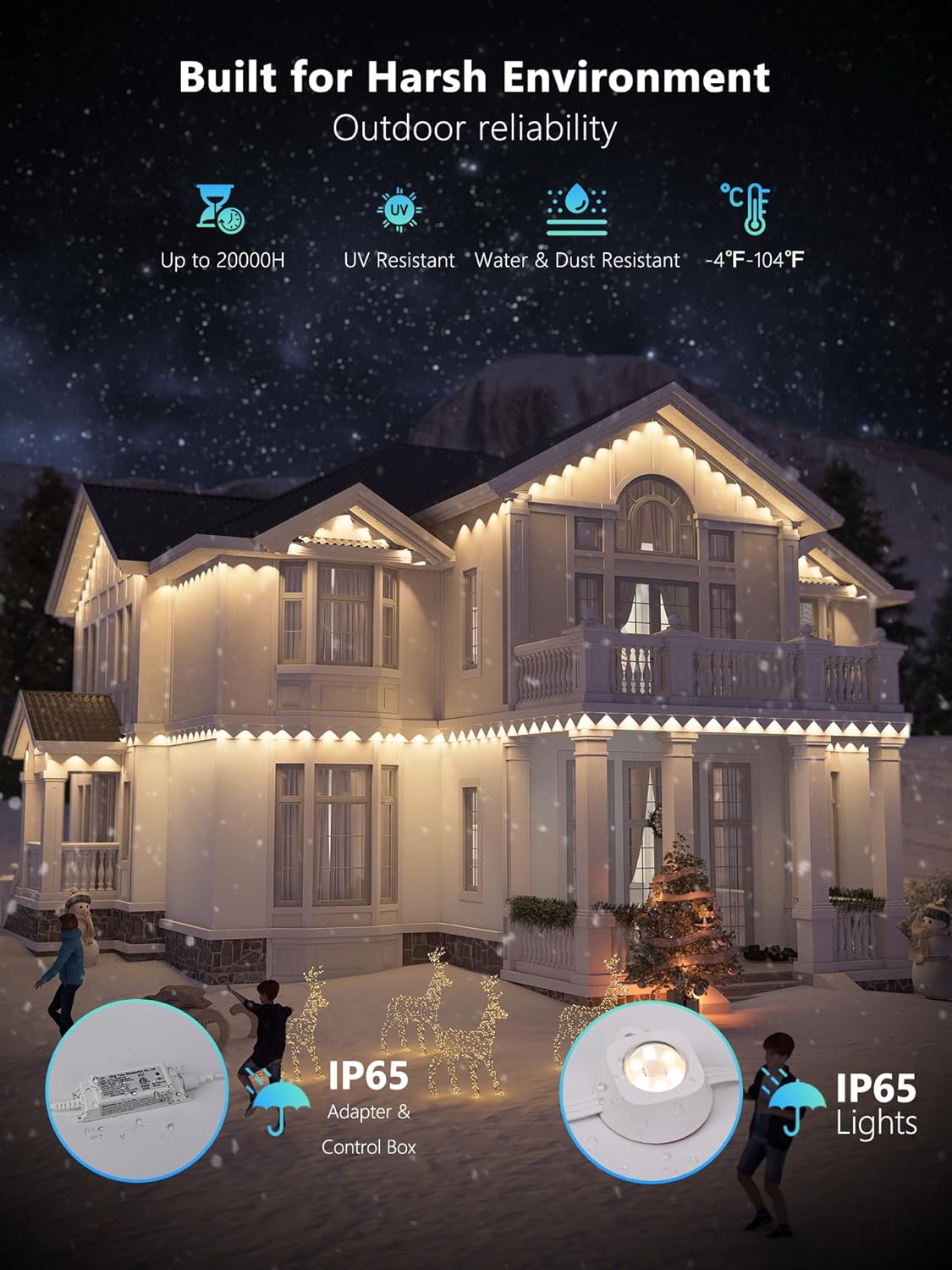
Image: An illustration of a house illuminated by BrizLabs Permanent Outdoor Lights in a snowy environment, highlighting the product's durability features such as IP65 waterproof rating, UV resistance, and temperature tolerance (-4°F to 140°F).
4.3 App Download and Connection
- Download the BrizLabs App: Search for "BrizLabs" in your smartphone's app store (Google Play Store for Android or Apple App Store for iOS) and download the official application.
- Create an Account: Open the app and follow the on-screen instructions to create a new user account or log in if you already have one.
- Connect to Wi-Fi: Ensure your smartphone is connected to a 2.4GHz Wi-Fi network. The lights are not compatible with 5GHz networks.
- Add Device: In the BrizLabs app, tap the "+" icon or "Add Device" option. Follow the pairing instructions provided in the app to connect your Permanent Outdoor Lights. This typically involves putting the lights into pairing mode (refer to app instructions for specific steps).
5. Operating Instructions
5.1 Basic App Control
Once connected, the BrizLabs app provides full control over your lights:
- Color Selection: Choose from 16 million colors, including warm white and cool white options.
- Brightness & Speed: Adjust the intensity of the lights and the speed of dynamic effects.
- Scene Modes: Select from various preset scene modes for different holidays or moods.
- DIY Customization: Create your own unique lighting patterns and color sequences. Each LED can be controlled individually.

Image: A house illuminated with a vibrant rainbow of colors from the BrizLabs Permanent Outdoor Lights, with a smartphone displaying the app's DIY customization interface, allowing users to design their own lighting patterns.
5.2 Voice Control (Alexa & Google Assistant)
To enable voice control, link your BrizLabs account with your Amazon Alexa or Google Assistant app. Refer to the respective voice assistant's instructions for linking smart home devices.
- Example Commands:
- "Alexa, turn [Light Name] to warm white."
- "Hey Google, set [Light Name] to red."
- "Alexa, dim [Light Name] to 50%."
- "Hey Google, turn off [Light Name]."

Image: A house illuminated by BrizLabs Permanent Outdoor Lights in a warm white setting, with icons for BrizLabs APP, Work With Google Assistant, and Work With Amazon Alexa, demonstrating hands-free voice control capabilities.
5.3 Music Sync Mode
Activate the music sync feature in the BrizLabs app. The lights will respond to ambient sound or music played nearby, creating dynamic light shows. You can adjust the sensitivity of the music detection within the app settings.
5.4 Scheduling and Timers
Use the app's scheduling function to automate your lighting. Set specific times for the lights to turn on or off, or activate countdown timers for special events.
6. Maintenance
BrizLabs Permanent Outdoor Lights are designed for minimal maintenance due to their durable construction. Follow these guidelines to ensure longevity:
- Cleaning: Periodically wipe the light pods and cables with a soft, damp cloth to remove dirt and debris. Do not use harsh chemicals or abrasive cleaners.
- Inspection: Regularly inspect the cables and connections for any signs of wear, damage, or loose fittings. Ensure all mounting points remain secure.
- Weather Protection: While IP65 waterproof, avoid submerging the lights or exposing them to extreme pressure washing. Ensure the power adapter is in a protected location.
7. Troubleshooting
| Problem | Possible Cause | Solution |
|---|---|---|
| Lights do not turn on. | No power, loose connection, faulty adapter. | Check power outlet, ensure all connections are secure. Test adapter if possible. |
| Cannot connect to Wi-Fi. | Incorrect Wi-Fi band (5GHz), weak signal, incorrect password. | Ensure your router is broadcasting a 2.4GHz network. Move lights closer to the router. Double-check Wi-Fi password. Reset lights to pairing mode. |
| Lights flicker or behave erratically. | Unstable power, software glitch, damaged light pod. | Unplug and replug the lights. Restart the BrizLabs app. Check for physical damage to light pods or wiring. |
| Voice control not working. | Account not linked, incorrect device name, internet connectivity issue. | Verify BrizLabs account is linked in Alexa/Google Home app. Use the exact device name. Check internet connection. |
8. Specifications
| Attribute | Detail |
|---|---|
| Model Number | PL01 |
| Light Type | LED (RGBCW) |
| Length | 50ft |
| Number of LEDs | 30 |
| Power Source | Corded Electric |
| Voltage | 30 Volts (DC) |
| Wattage | 36 watts |
| White Brightness | 50 Lumens |
| Beam Angle | 100° |
| Water Resistance Level | IP65 Waterproof |
| Operating Temperature | -4°F to 140°F (-20°C to 60°C) |
| Lifespan | Up to 20,000 hours |
| Control Method | App Control, Voice Control (Alexa, Google Assistant) |
| Wi-Fi Compatibility | 2.4GHz only |
| Material | Plastic |
9. Warranty and Support
BrizLabs products are designed for quality and durability. For specific warranty information, please refer to the documentation included with your purchase or contact BrizLabs customer support directly.
- Return Policy: Products purchased on Amazon typically have a 30-day return/replacement policy. Please check Amazon's return policy for the most current information.
- Manufacturer Support: For technical assistance, troubleshooting beyond this manual, or warranty claims, please contact BrizLabs customer service.
- BrizLabs Store: Visit the official BrizLabs Store on Amazon for more products and information: BrizLabs Amazon Store