
Tovendor F5020D
TOVENDOR F5020D Electric Water Flosser User Manual
Model: F5020D
1. Introduction
Thank you for choosing the TOVENDOR F5020D Electric Water Flosser. This device is designed to provide an effective and convenient solution for daily oral hygiene, complementing your brushing routine. It utilizes a high-pressure water stream to remove food particles and plaque from between teeth and below the gumline, promoting healthier teeth and gums. Please read this manual thoroughly before first use to ensure proper operation and maintenance.
2. Safety Information
- Do not immerse the main unit in water for extended periods. The device is IPX7 waterproof, meaning it can withstand immersion in up to 1 meter of water for 30 minutes, but prolonged submersion is not recommended.
- Ensure the charging port cover is securely closed during use and cleaning to maintain waterproof integrity.
- This product is intended for oral cleaning only. Do not use it for any other purpose.
- Keep out of reach of children. This device is not a toy.
- Do not use if you have an open wound on your tongue or in your mouth.
- Consult your dentist before use if you have had oral surgery or have severe periodontal disease.
- Use only clean water or dentist-recommended oral rinse solutions. Do not use corrosive or abrasive cleaning agents.
- Do not disassemble or attempt to repair the device yourself. Contact customer support for assistance.
- Charge the device using the provided USB cable and a 5V 1A power adapter (not included).
3. Package Contents
Verify that all items are present in your package:
- TOVENDOR F5020D Electric Water Flosser Main Unit
- Standard Jet Tips (3 pieces)
- Orthodontic Tip (1 piece)
- Tongue Scraper Tip (1 piece)
- USB Charging Cable
- User Manual

Image: The TOVENDOR F5020D Electric Water Flosser main unit, along with its five interchangeable tips and packaging box.
4. Product Overview
Familiarize yourself with the components of your water flosser:
- Nozzle/Tip
- Nozzle Release Button
- On/Off Button
- Mode Button
- Mode Indicator Lights (Normal, Soft, Pulse)
- Charging Indicator Light
- Water Tank
- Water Tank Inlet Plug
- Charging Port (with waterproof cover)
5. Setup
5.1 Initial Charging
Before first use, fully charge the device for approximately 4 hours. A full charge provides 25-30 days of usage.
- Open the waterproof cover on the charging port.
- Connect the USB charging cable to the device and a 5V 1A USB power source (e.g., power bank, 5V adapter, PC/laptop USB port).
- The charging indicator light will illuminate during charging. It will turn off or change color when fully charged (refer to specific model behavior if different).
- After charging, securely close the waterproof cover.

Image: The water flosser connected to a USB charging cable, illustrating the charging process and indicating a 4-hour full charge for 25 days of use.
5.2 Attaching a Nozzle
- Select the desired nozzle tip.
- Insert the nozzle into the hole on the top of the main unit until it clicks into place.
- To remove, press the nozzle release button and pull the nozzle out.
5.3 Filling the Water Tank
- Open the water tank inlet plug.
- Fill the 300ml water tank with lukewarm water or an oral rinse solution.
- Close the water tank inlet plug securely to prevent leakage.
6. Operating Instructions
6.1 Power On/Off
- Press the On/Off button to turn the device on.
- Press the On/Off button again to turn the device off.
- The device has a 120-second auto-off feature to protect the motor.
6.2 Selecting a Mode
- With the device on, press the Mode button to cycle through the available modes: Normal, Soft, and Pulse.
- The corresponding indicator light will illuminate to show the selected mode.
- The device features a memory function, retaining your last used mode for convenience.

Image: A close-up of the water flosser's control panel, showing the On/Off button, Mode button, and indicator lights for Normal, Soft, and Pulse modes.
6.3 Flossing Technique
- Lean over a sink and place the nozzle tip into your mouth, aiming it at your gumline at a 90-degree angle.
- Close your lips slightly to prevent splashing, but allow water to flow from your mouth into the sink.
- Start with the Soft mode, especially for first-time users or those with sensitive gums.
- Turn on the device and guide the water stream along your gumline, pausing briefly between teeth.
- Work from your back teeth towards your front teeth, covering both the inner and outer surfaces of your teeth.
- Continue until you have cleaned all areas of your mouth.
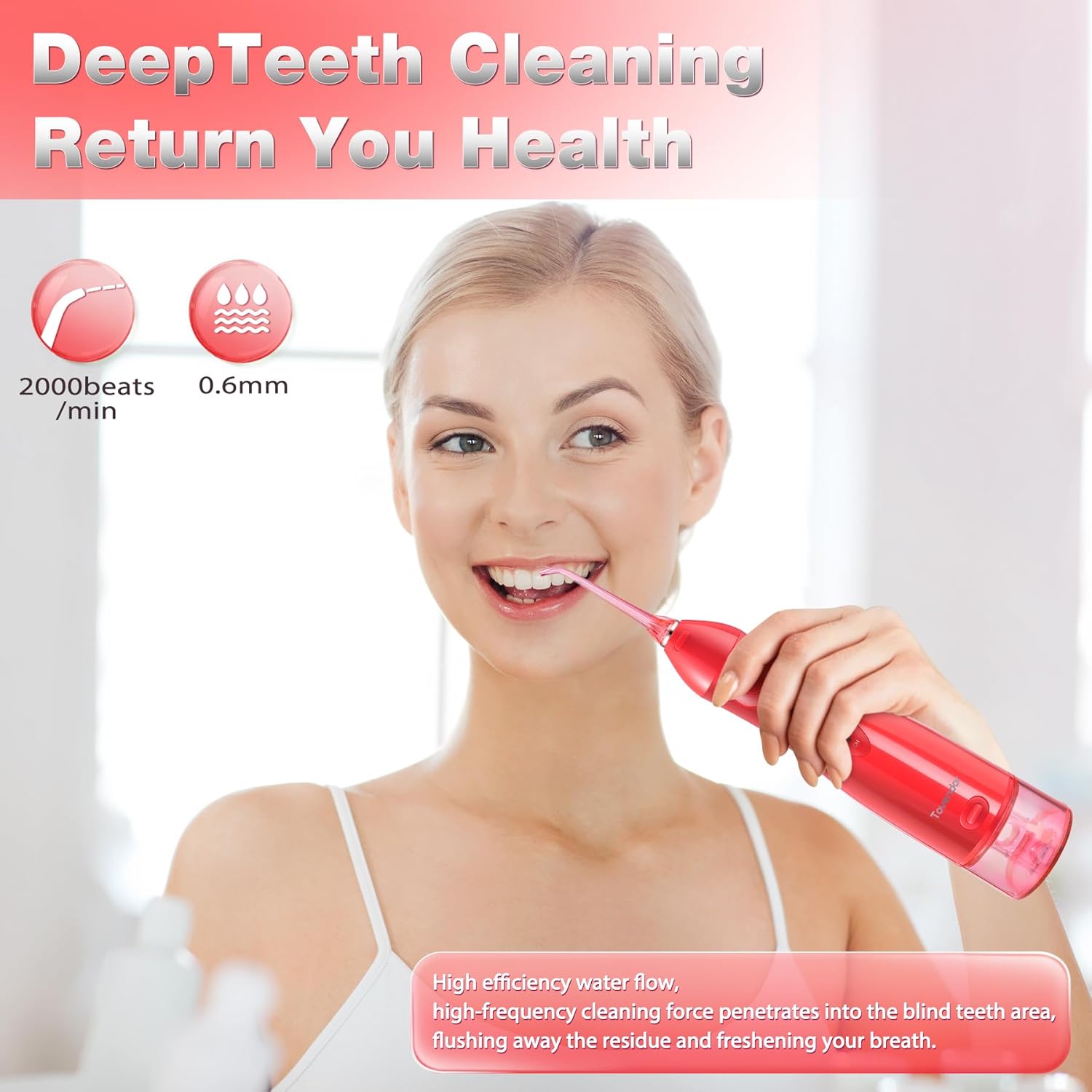
Image: A woman demonstrating the use of the water flosser, highlighting its effectiveness in deep teeth cleaning with high-frequency water flow.
7. Modes and Nozzles
7.1 Operating Modes
- Normal Mode: Provides a strong water pressure for effective daily cleaning and plaque removal.
- Soft Mode: Offers a gentle water pressure, suitable for new users, individuals with sensitive gums, or those with dental work.
- Pulse Mode: Delivers pulsating water streams for gum massage and enhanced cleaning, improving blood circulation in the gums.
7.2 Nozzle Tips
The TOVENDOR F5020D includes 5 specialized nozzle tips to address various oral care needs:
- Standard Jet Tips (3): For general daily cleaning, effectively removing food debris and plaque between teeth and along the gumline.
- Orthodontic Tip (1): Designed for cleaning around braces, wires, and other orthodontic appliances.
- Tongue Scraper Tip (1): Helps remove bacteria and food particles from the tongue surface to combat bad breath.
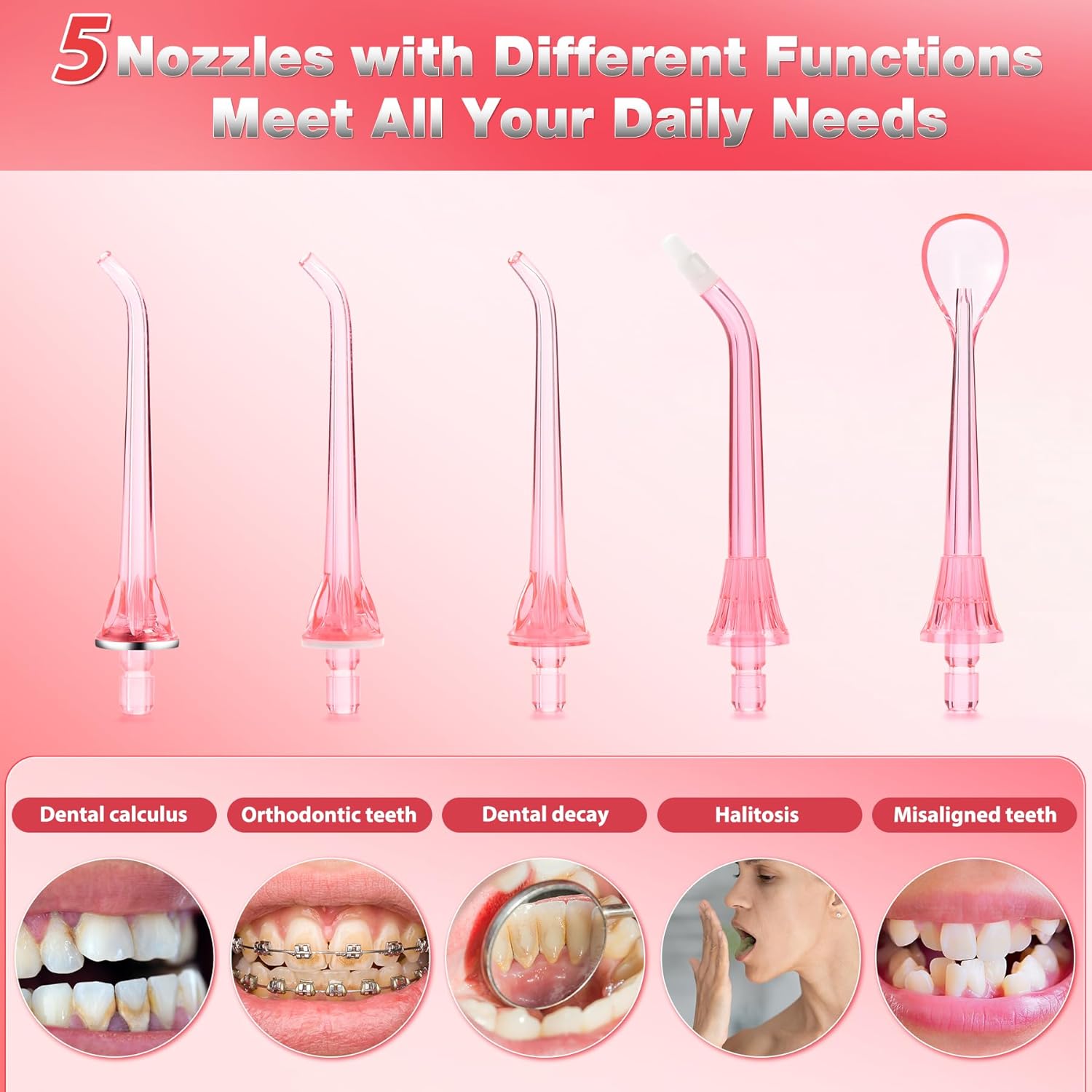
Image: An illustration of the five distinct nozzle tips included with the water flosser, each designed for specific oral hygiene purposes such as general cleaning, orthodontic care, and tongue cleaning.
8. Maintenance and Cleaning
8.1 Cleaning the Main Unit
- After each use, empty any remaining water from the tank.
- Wipe the exterior of the device with a soft, damp cloth.
- Do not use abrasive cleaners or harsh chemicals.
8.2 Cleaning the Water Tank
- The 300ml water tank is detachable for easy cleaning.
- To detach, hold the main unit firmly and pull the water tank downwards.
- Rinse the tank thoroughly with water. For deeper cleaning, you can use a mild soap solution and then rinse completely.
- Allow the tank to air dry before reattaching.
- To reattach, align the tank with the main unit and push upwards until it clicks into place.

Image: The water flosser with its detachable 300ml water tank removed, demonstrating how to easily fill and clean the tank under a faucet.
8.3 Cleaning Nozzle Tips
- Remove the nozzle tip from the device.
- Rinse the tip under running water.
- For optimal hygiene, it is recommended to replace nozzle tips every 3 months or sooner if they show signs of wear.
9. Troubleshooting
| Problem | Possible Cause | Solution |
|---|---|---|
| Device does not turn on. | Low battery. | Charge the device fully. |
| Weak water pressure. | Water tank is empty or low. | Refill the water tank. |
| Weak water pressure. | Nozzle tip is clogged. | Remove and clean the nozzle tip. |
| Water leaks from the device. | Water tank not properly attached. | Ensure the water tank is securely clicked into place. |
| Water leaks from the device. | Water tank inlet plug is not closed. | Ensure the water tank inlet plug is securely closed. |
| Water leaks from the device. | Charging port cover is open. | Ensure the charging port cover is securely closed. |
10. Specifications
| Model Number | F5020D |
| Product Dimensions | 3.5 x 2.4 x 9.3 inches |
| Item Weight | 14.89 ounces |
| Water Tank Capacity | 300ML |
| Power Source | Battery Powered (1 Lithium Ion battery, included) |
| Charging Time | Approx. 4 hours |
| Usage Time (Full Charge) | 25-30 days |
| Waterproof Rating | IPX7 |
| Special Features | 300ML Large water tank, Rechargeable, Multiple functional tips for teeth cleaning, 3 Modes, Memory Function, 120-second Auto-off |
| Manufacturer | SHENZHEN RISUN TECHNOLOGY CO., LTD. |
11. Warranty and Support
For warranty information or technical support, please refer to the product packaging or contact TOVENDOR customer service directly. Keep your purchase receipt as proof of purchase.