
1. Introduction
This manual provides essential information for the safe and effective use of your Emomo HX66P2U2R Recessed Power Strip. This unit is designed to provide convenient power access with two standard AC outlets, one USB-A port, and one USB-C port, suitable for integration into electric sofas, office desks, or other furniture. Please read this manual thoroughly before installation and operation.
2. Safety Information
To prevent injury or damage to the product, always observe the following safety precautions:
- Indoor Use Only: This device is intended for indoor use in dry locations. Do not expose to moisture or liquids.
- Electrical Rating: Ensure the total power consumption of connected devices does not exceed 1440W (120V~12A). Overloading can cause overheating and fire.
- Do Not Open: Do not attempt to disassemble or modify the unit. There are no user-serviceable parts inside. Opening the unit voids the warranty and may expose you to electric shock.
- Proper Installation: Ensure the unit is securely installed according to the instructions to prevent accidental dislodgement.
- Ventilation: Do not obstruct the ventilation slots on the unit.
- Children and Pets: Keep out of reach of children and pets.
3. Product Overview
The Emomo HX66P2U2R is a compact recessed power solution. It features two standard AC power outlets, one USB-A port, and one USB-C port for charging various electronic devices.

Figure 3.1: Front view of the Emomo HX66P2U2R recessed power strip, showing the two AC outlets, USB-A and USB-C ports, and the attached power cord.

Figure 3.2: Detailed view highlighting the USB-A and USB-C charging ports on the power strip's front panel.
4. Specifications
| Model | HX66P2U2R |
| Material | ABS Fireproof Material |
| Input | 120V~12A 60Hz, Max: 1440W |
| Output | 120V~12A 60Hz, Max: 1440W |
| USB Output | USB-A + Type-C: 5V3A, 9V2A, 12V1.5A |
| Power Cord Length | 6.8 ft |
| Package Dimensions | 9 x 7 x 3 inches |
| Item Weight | 12.8 ounces |
| Manufacturer | Emomo |
| Brand | Uetmulik |
| Color | Black |
5. Setup and Installation
The Emomo HX66P2U2R is designed for recessed installation. Follow these steps for proper setup:
- Measure and Mark: Determine the desired location for the power strip. Measure the required cutout dimensions. The unit's front panel measures approximately 17 cm (6.7 inches) in length and 5.5 cm (2.16 inches) in width. The recommended cutout length is 15 cm (5.9 inches).
- Cut the Opening: Carefully cut an opening in the furniture surface according to the measured cutout dimensions. The depth of the unit is approximately 4 cm (1.57 inches).
- Insert the Unit: Gently insert the power strip into the prepared opening. Ensure the front panel sits flush with the surface.
- Secure the Unit: Use the provided screws to secure the power strip to the furniture through the mounting holes on the front panel.
- Connect to Power: Route the 6.8 ft power cord to a standard 120V AC wall outlet and plug it in.
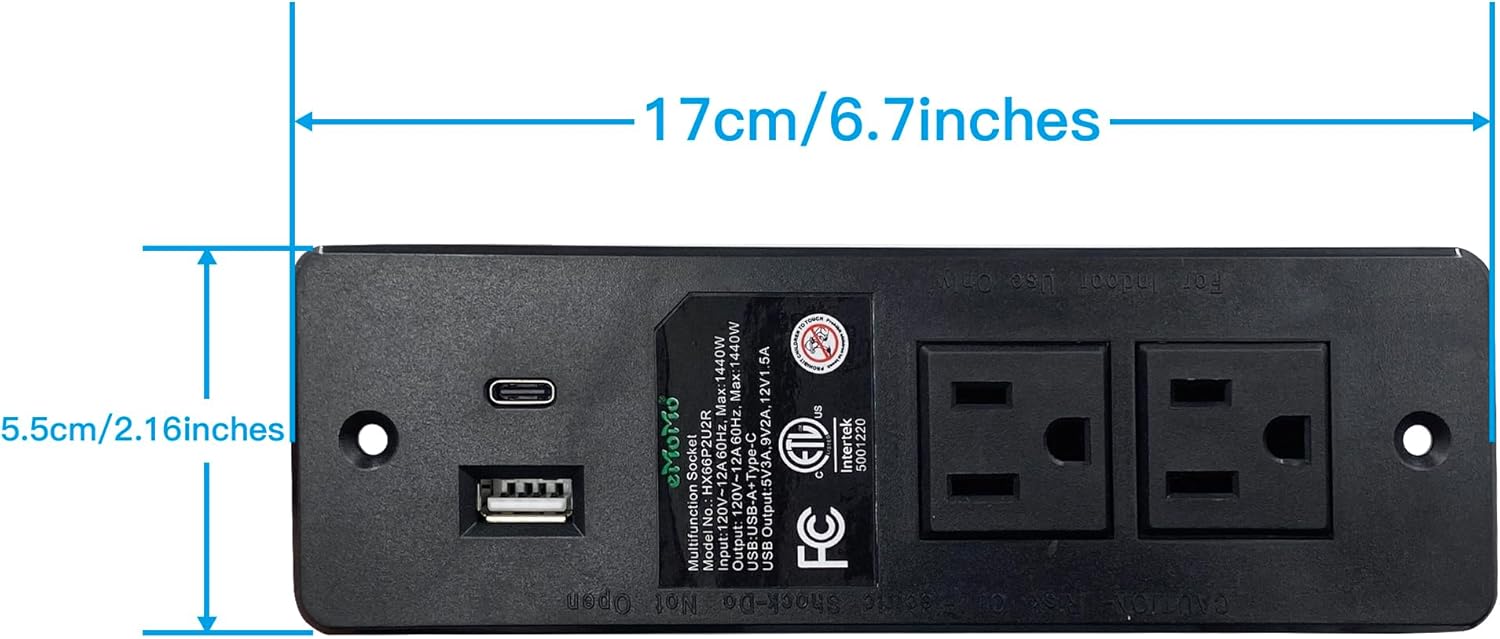
Figure 5.1: Top-down view illustrating the overall length (17 cm / 6.7 inches) and width (5.5 cm / 2.16 inches) of the power strip's faceplate.

Figure 5.2: Front view indicating the recommended cutout length of 15 cm (5.9 inches) for installation.
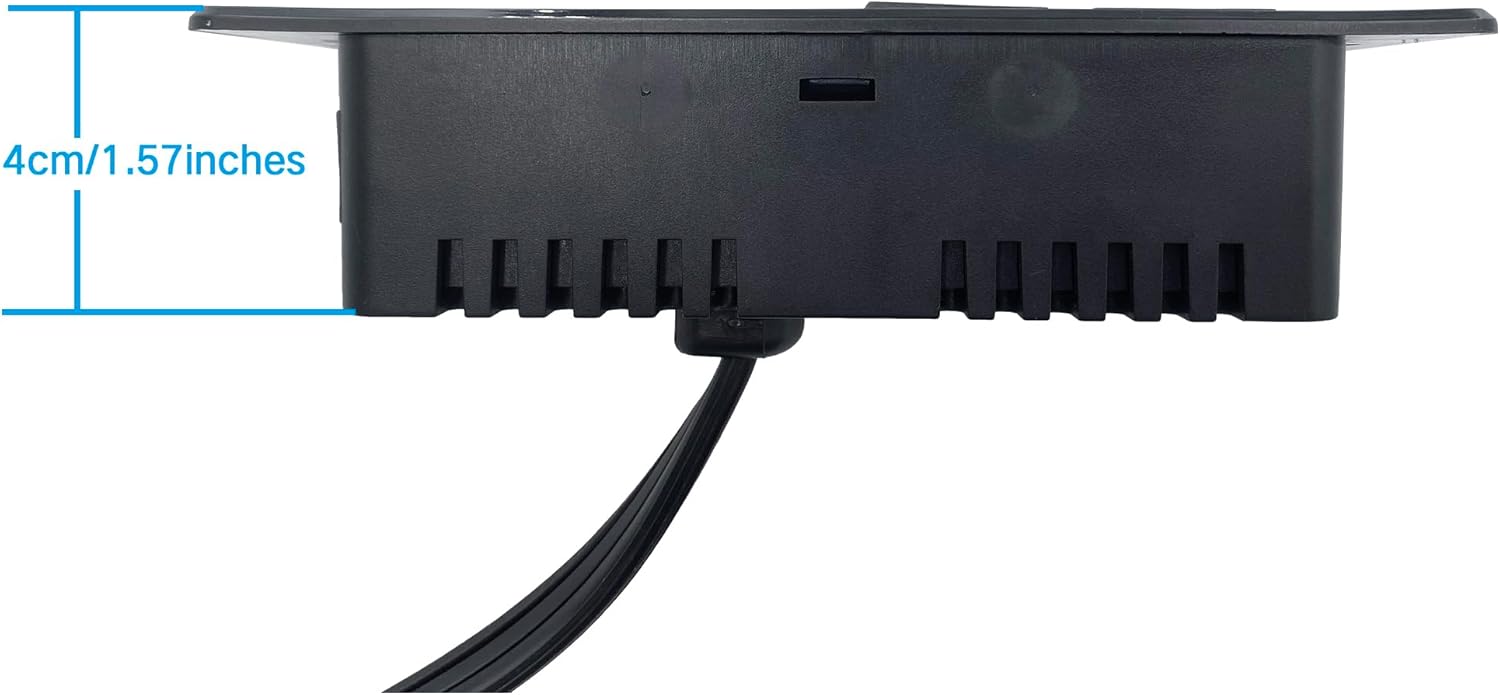
Figure 5.3: Side view displaying the depth of the recessed power strip, which is approximately 4 cm (1.57 inches).

Figure 5.4: Close-up image of the standard 3-prong power plug attached to the power strip's cord.
6. Operating Instructions
Once installed and connected to a power source, the Emomo HX66P2U2R is ready for use.
- AC Outlets: Plug your electronic devices (e.g., lamps, laptops, small appliances) into the two standard AC outlets. Ensure devices do not exceed the total 1440W rating.
- USB-A Port: Connect your USB-A compatible devices (e.g., smartphones, tablets) using a suitable USB-A cable for charging.
- USB-C Port: Connect your USB-C compatible devices (e.g., newer smartphones, tablets, small laptops) using a suitable USB-C cable for fast charging. The USB ports support various output voltages (5V3A, 9V2A, 12V1.5A) to optimize charging for different devices.
7. Maintenance
Regular maintenance ensures the longevity and safe operation of your power strip.
- Cleaning: Disconnect the power strip from the wall outlet before cleaning. Use a dry, soft cloth to wipe the surface. Do not use liquid cleaners or abrasive materials.
- Inspection: Periodically inspect the power cord and the unit for any signs of damage, such as frayed wires, cracks, or loose connections. If damage is found, discontinue use immediately and contact customer support.
8. Troubleshooting
If you encounter issues with your Emomo HX66P2U2R, refer to the following common problems and solutions:
- No Power to Outlets/USB Ports:
- Ensure the power strip's main plug is securely inserted into a functioning wall outlet.
- Check the wall outlet by plugging in another known working device.
- Verify that the total load of connected devices does not exceed 1440W. Unplug some devices if overloaded.
- USB Devices Not Charging:
- Ensure the USB cable is properly connected to both the power strip and the device.
- Try a different USB cable or device to rule out cable/device issues.
- Confirm your device is compatible with the USB charging specifications (5V3A, 9V2A, 12V1.5A).
- Unit Feels Warm:
- It is normal for the unit to feel slightly warm during operation. However, if it feels excessively hot, immediately unplug all devices and the power strip from the wall outlet. This may indicate an overload or malfunction.
9. Warranty and Support
This product is manufactured by Emomo and sold under the Uetmulik brand. For any questions, technical assistance, or warranty inquiries, please contact Uetmulik customer support through your purchase platform. Please have your model number (HX66P2U2R) and purchase details ready when contacting support.