
Introduction
This manual provides instructions for the X-TMAGA 2.4GHz Radio Controller, spare part number XT18-Remote control. This remote control is designed as a 100% applicable replacement part for 1/18 scale RC cars, specifically compatible with models HS18305, HS14323, HS18-05, and HS16-83.
The package includes one (1) XT18-Remote control unit. It operates on a 2.4GHz frequency for reliable communication with your RC vehicle.
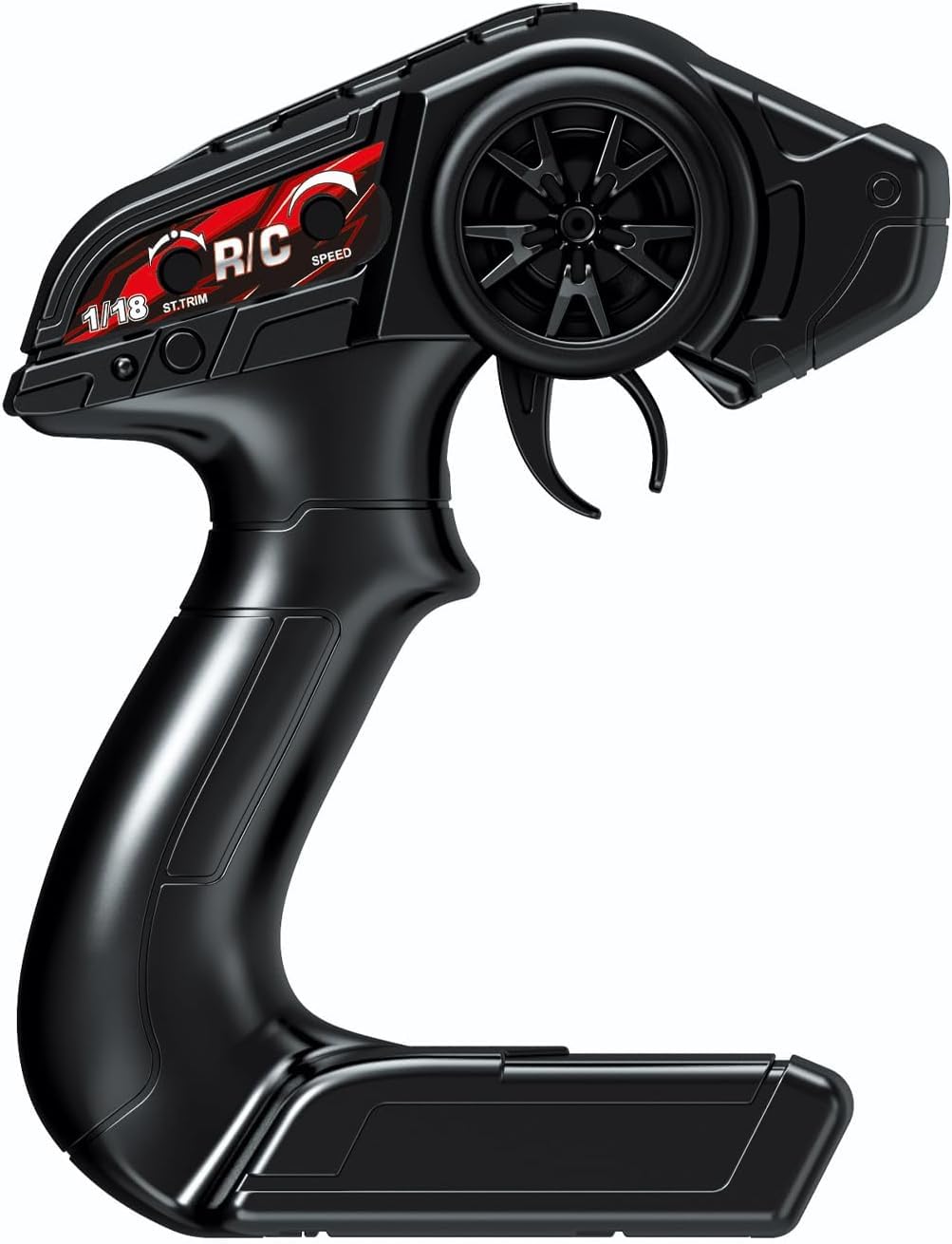
Image: The X-TMAGA 2.4GHz RC Car Radio Controller, showing its ergonomic design and control layout.
Setup Instructions
- Unpackaging: Carefully remove the remote control from its packaging.
- Battery Installation: Locate the battery compartment on the remote control. Insert the required batteries (not included) according to the polarity indicators. Ensure the battery compartment cover is securely closed.
- Pairing with RC Car:
This remote control is designed to pair with compatible X-TMAGA RC cars, specifically models HS18305 or HS14323. The pairing process typically involves:
- Ensure both the RC car and the remote control are powered off.
- Turn on the RC car.
- Immediately turn on the remote control.
- The remote control and car should automatically attempt to pair. Look for an indicator light on both devices to confirm successful pairing (e.g., a solid light instead of blinking).
- If pairing does not occur automatically, consult your specific RC car's manual for detailed pairing instructions, as procedures may vary slightly between models.
Operating Instructions
Once the remote control is successfully paired with your RC car, you can begin operation. Familiarize yourself with the controls before driving.
- Throttle Trigger: Pull the trigger towards you to accelerate forward. Push the trigger away from you to brake or reverse.
- Steering Wheel: Turn the steering wheel left or right to control the direction of the RC car.
- Trim Adjustments: If your RC car does not drive straight when the steering wheel is centered, use the steering trim dial (if present) to fine-tune the steering. Similarly, a throttle trim dial may be available to adjust the neutral throttle position.
- Power Switch: Always turn off the RC car first, then the remote control, after use.
Note: Specific advanced functions or additional buttons may vary depending on your RC car model. Refer to your RC car's manual for comprehensive operating details.
Maintenance
Proper maintenance ensures the longevity and optimal performance of your remote control.
- Cleaning: Wipe the remote control with a soft, dry cloth. Avoid using harsh chemicals or solvents.
- Battery Care: Remove batteries if the remote control will not be used for an extended period to prevent leakage. Use high-quality batteries.
- Storage: Store the remote control in a cool, dry place, away from direct sunlight and extreme temperatures.
- Avoid Impact: Protect the remote control from drops and impacts, which can damage internal components.
Troubleshooting
If you encounter issues with your remote control, refer to the following common troubleshooting steps:
| Problem | Possible Solution |
|---|---|
| Remote control does not power on. | Check battery installation and ensure batteries are fresh. Replace if necessary. |
| RC car does not respond to remote. |
|
| RC car drives erratically or not straight. | Adjust the steering trim on the remote control. Check for any physical damage to the car's steering mechanism. |
| Short operating range. | Ensure the remote control's antenna (if external) is fully extended. Avoid operating in areas with significant radio interference. Check battery levels. |
If problems persist, contact X-TMAGA customer support or refer to the specific RC car's manual for further assistance.
Specifications
| Feature | Detail |
|---|---|
| Item Name | 1/18 RC Car 2.4GHz Radio Controller |
| Spare Part Number | XT18-Remote control |
| Quantity | 1 PCS |
| Compatibility | HS18305, HS14323, HS18-05, HS16-83 RC Cars |
| Brand | X-TMAGA |
| Manufacturer Part Number | 18301-29 |
| Material Type | Plastic |
| Item Weight | 3.2 ounces |
| Recommended Age | 14 years and up |
Warranty and Support
This product is an original X-TMAGA spare part, designed for 100% applicability with specified models. For warranty information, please refer to the documentation provided with your original X-TMAGA RC car or visit the official X-TMAGA website.
For technical support or further inquiries, please contact X-TMAGA customer service through their official channels. Keep your purchase receipt and product model information handy when contacting support.
You can visit the X-TMAGA Store on Amazon for more information and related products.