1. Introduction
This manual provides instructions for the GZXNKEY IYZ-C01C DIY Key Fob Replacement Kit. This kit is designed to allow users to replace and program a new key fob for compatible vehicles without requiring dealership services. Please read all instructions carefully before proceeding with installation and programming.
2. Compatibility
Ensure your vehicle is compatible with this key fob replacement kit. This kit is designed for vehicles that use FCC ID: IYZ-C01C / M3N5WY783X. It supports regular key/keyed ignition vehicles without an ignition guard only, and does not support push-start button vehicles.
Compatible Vehicle Models:
- 2008-2016 Chrysler Town and Country
- 2008-2019 Dodge Grand Caravan
- 2009-2010 Dodge Journey
- 2011-2013 Dodge Durango
- 2008-2013 Jeep Grand Cherokee
- 2009-2014 Volkswagen Routan
Important: Verify the FCC ID and the appearance of your original key fob matches the product before attempting to use this kit.
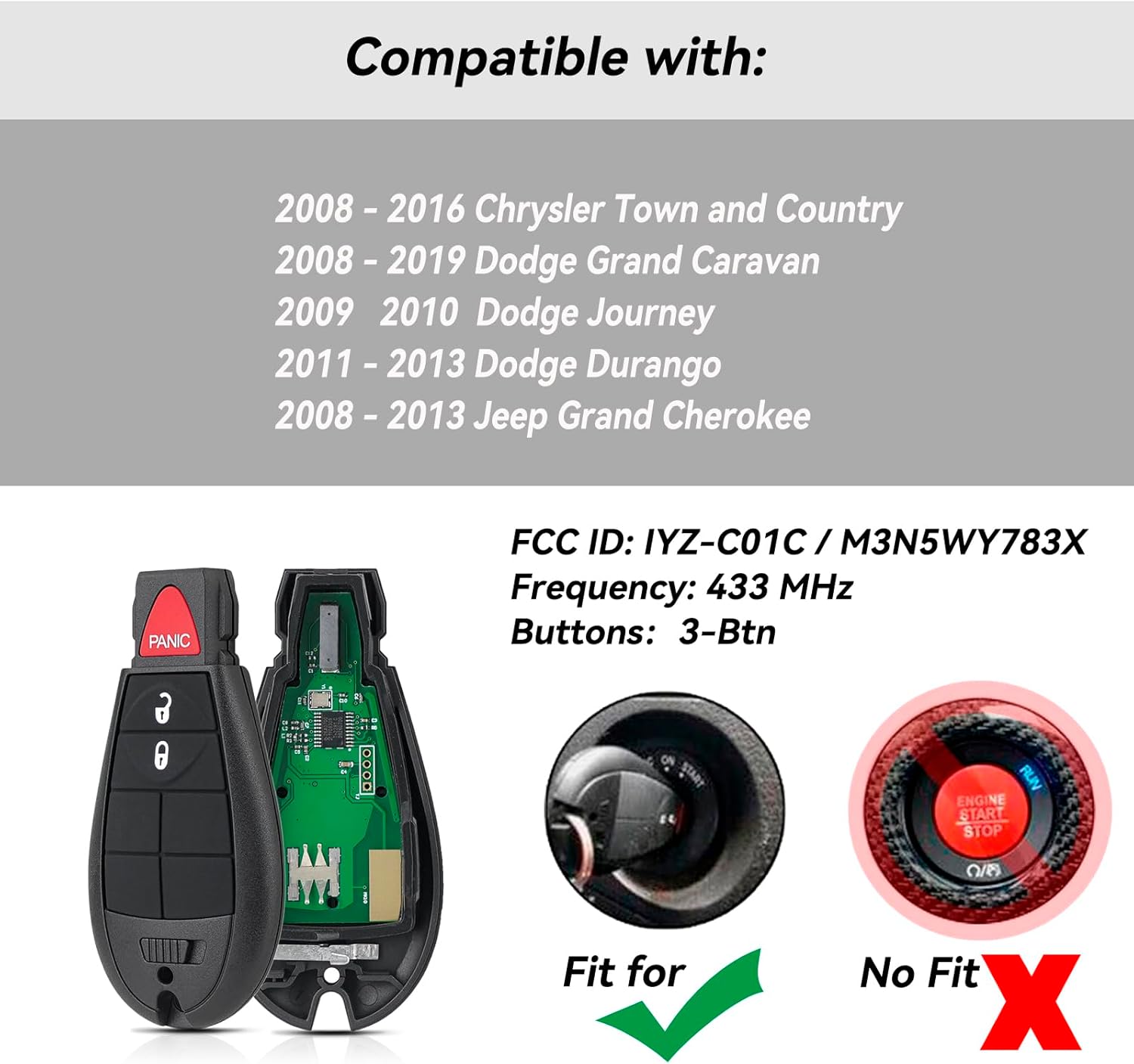
Figure 2.1: Compatibility chart and FCC ID for the key fob.
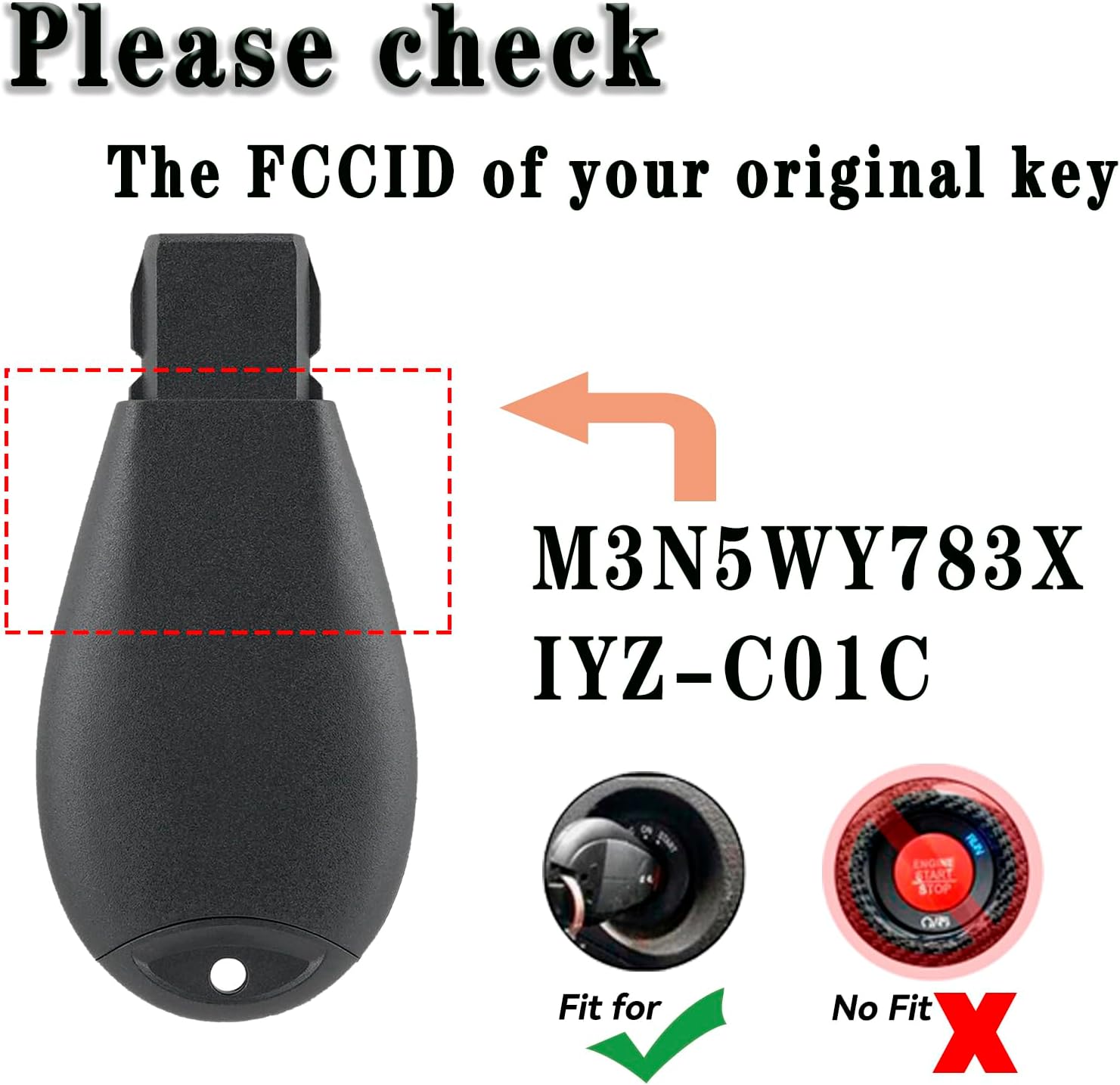
Figure 2.2: Visual guide for checking FCC ID and ignition type compatibility.
3. Package Contents
The GZXNKEY IYZ-C01C DIY Key Fob Replacement Kit typically includes the following items:
- 1x Remote Key Fob (with pre-installed CR2032 battery)
- 1x Uncut Key Blade
- 1x OBD-II Programmer (if included in your specific kit version)
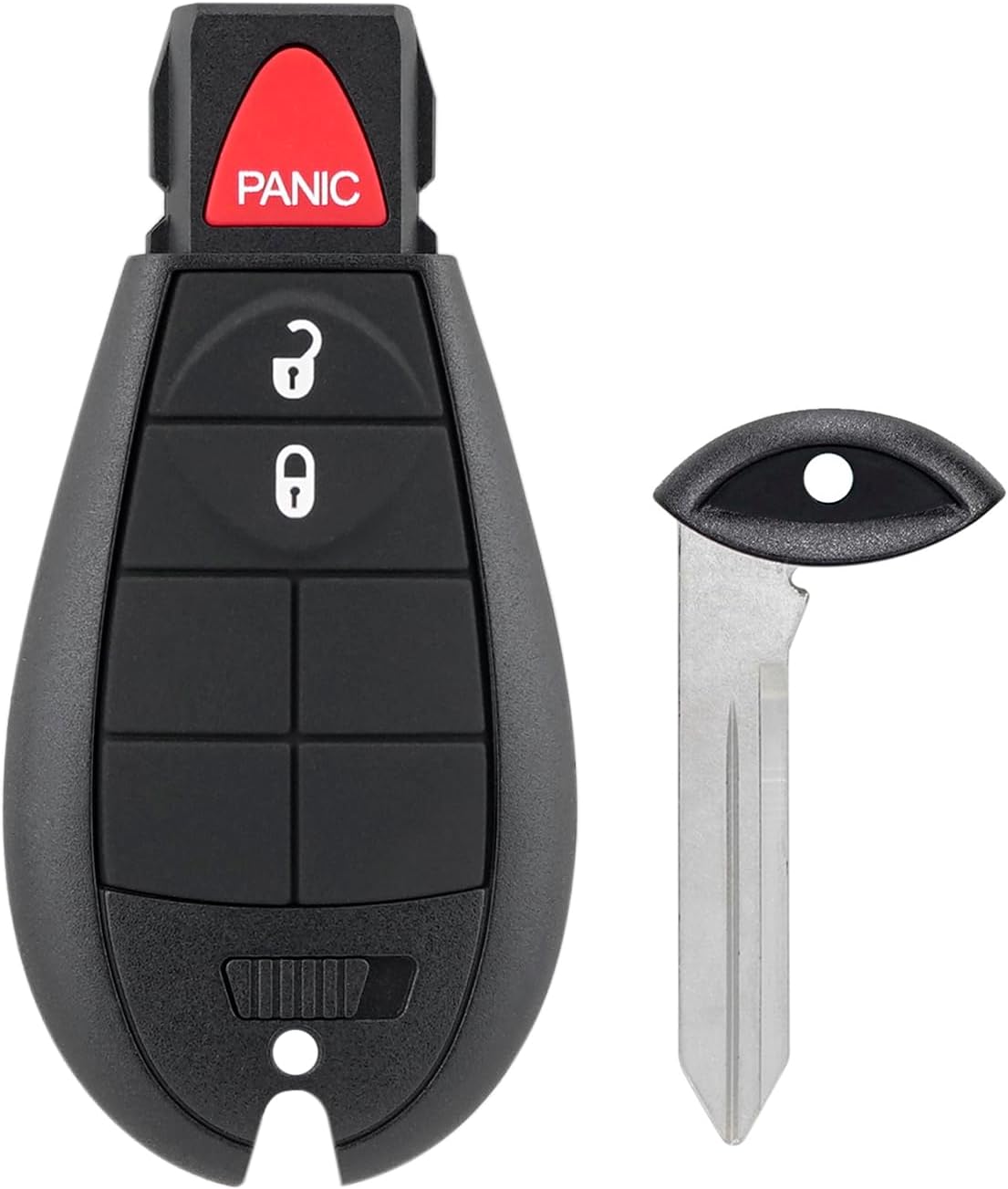
Figure 3.1: Components of the key fob kit, including the remote and uncut key blade.
4. Setup and Programming
This kit allows for DIY replacement and programming. You will need a working original car key to complete the programming process. The key fob comes with a pre-installed and tested battery.
4.1 Key Blade Cutting
- Take the uncut key blade to a qualified locksmith or hardware store.
- Have the new key blade cut to match your existing working key.
4.2 Key Fob Programming (Using OBD-II Programmer)
If your kit includes an OBD-II programmer, follow these general steps. Specific instructions may vary slightly depending on the programmer model. Always refer to any specific instructions provided with your programmer.

Figure 4.1: Example of an OBD-II programmer for key fob setup.
- Locate OBD-II Port: Find your vehicle's OBD-II diagnostic port, usually located under the dashboard on the driver's side.
- Connect Programmer: Plug the OBD-II programmer firmly into the vehicle's OBD-II port.
- Ignition On: Insert your existing working key into the ignition and turn it to the 'ON' position (do not start the engine).
- Follow Programmer Prompts: The programmer will typically have indicator lights or a screen. Follow the instructions provided by the programmer to enter programming mode. This may involve pressing buttons on the programmer.
- Program New Fob: When prompted, insert the new key fob into the ignition and turn it to the 'ON' position. The programmer will guide you through the steps to register the new fob with your vehicle's system.
- Test Fob: Once programming is complete, remove the programmer and test all functions of the new key fob (lock, unlock, panic, and starting the vehicle).
- Program Additional Fobs: If you have multiple new fobs to program, repeat the programming steps for each additional fob within the same programming session, if the programmer allows.
Note: The programming process typically requires a working original key. If you do not have a working key, professional assistance may be required.
5. Operating Instructions
Once programmed, your new key fob will operate the following functions:
- Lock Button: Press once to lock all vehicle doors.
- Unlock Button: Press once to unlock the driver's door, press twice to unlock all doors.
- Panic Button: Press and hold to activate the vehicle's alarm system. Press again to deactivate.
- Remote Start (if applicable): Refer to your vehicle's owner's manual for remote start procedures, as this function may require specific button sequences or vehicle features.
6. Maintenance
6.1 Battery Replacement
The key fob uses one CR2032 coin cell battery. If the remote functions become unreliable or stop working, the battery may need replacement.
- Carefully open the key fob casing using a small flat-head screwdriver or a coin in the designated slot.
- Remove the old CR2032 battery.
- Insert a new CR2032 battery with the positive (+) side facing up.
- Snap the key fob casing back together securely.
6.2 General Care
- Avoid exposing the key fob to extreme temperatures, direct sunlight for extended periods, or moisture.
- Do not drop the key fob or subject it to strong impacts.
- Clean the exterior with a soft, dry cloth if necessary.
7. Troubleshooting
If you encounter issues with your GZXNKEY IYZ-C01C key fob, consider the following troubleshooting steps:
- Fob Not Responding:
- Check the battery. Replace it with a new CR2032 battery if necessary.
- Ensure you are within range of the vehicle.
- Verify that the key fob was programmed correctly. If unsure, attempt the programming steps again.
- Vehicle Not Starting:
- Ensure the key blade is cut correctly and can turn the ignition.
- The transponder chip inside the fob must be correctly programmed for the vehicle to start. Re-attempt programming if necessary.
- Programming Failure:
- Ensure your vehicle is fully compatible (FCC ID, ignition type).
- Confirm that you have a working original key present during the programming process.
- Follow the programmer's instructions precisely. Any deviation can cause failure.
- Ensure the vehicle's battery is adequately charged. Low voltage can interfere with programming.
- Intermittent Functionality:
- This could indicate a weak battery in the fob or interference. Try replacing the battery.
If problems persist after following these steps, contact customer support for further assistance.
8. Specifications
| Feature | Detail |
|---|---|
| Model Number | IYZ-C01C |
| FCC ID | IYZ-C01C / M3N5WY783X |
| Item Weight | 1.76 ounces |
| Package Dimensions | 3.94 x 2.76 x 0.75 inches |
| Battery Type | 1 CR2032 (included) |
| Connectivity Technology | Radio Frequency |
| Special Feature | Ergonomic design |
9. Support
For any questions regarding the GZXNKEY IYZ-C01C DIY Key Fob Replacement Kit, please contact our customer service team. We are dedicated to providing quality service and assistance.

