
Introduction
Thank you for choosing the aqxreight Portable Air Compressor. This device is designed for efficient and convenient inflation of various items, including car tires, bike tires, and sports balls. It features an auto shut-off function to prevent over-inflation and a powerful 7500mAh battery for long-lasting performance. Please read this manual thoroughly before use to ensure proper operation and maintenance.
Package Contents
Before using the air compressor, please verify that all items are present in the package:
- 1 x Tire Inflator
- 4 x Nozzles
- 1 x USB Cable
- 1 x Manual (this document)
- 1 x Storage Bag

Image: The portable air compressor unit shown with its accessories, including various nozzles, a USB cable, and a storage bag.
Product Components
Familiarize yourself with the main components and controls of the air compressor:

Image: Labeled diagram of the air compressor's control panel and display, indicating the function of each button and indicator.
- Mode Icon: Indicates the current inflation mode (e.g., car, bike, ball).
- Tire Pressure Display: Shows the current and target pressure.
- Battery Display: Indicates the remaining battery charge.
- Tire Pressure Unit Icon: Displays the selected pressure unit (PSI, BAR, KPA, KG/CM²).
- Start/Pause Button: Initiates or pauses the inflation process.
- Decrease Tire Pressure Button (-): Reduces the target pressure setting.
- Increase Tire Pressure Button (+): Increases the target pressure setting.
- Mode Key:
- Short press to toggle between preset inflation modes.
- Long press to toggle between pressure units (PSI, BAR, KPA, KG/CM²).
- Illumination Key: Turns the built-in LED light on or off, and switches illumination modes (e.g., steady light, flashing).
Setup
1. Charging the Air Compressor
Before first use, fully charge the air compressor. Connect the provided USB cable to the charging port on the device and to a compatible USB power adapter (not included). The battery display will indicate charging status. A full charge ensures optimal performance.
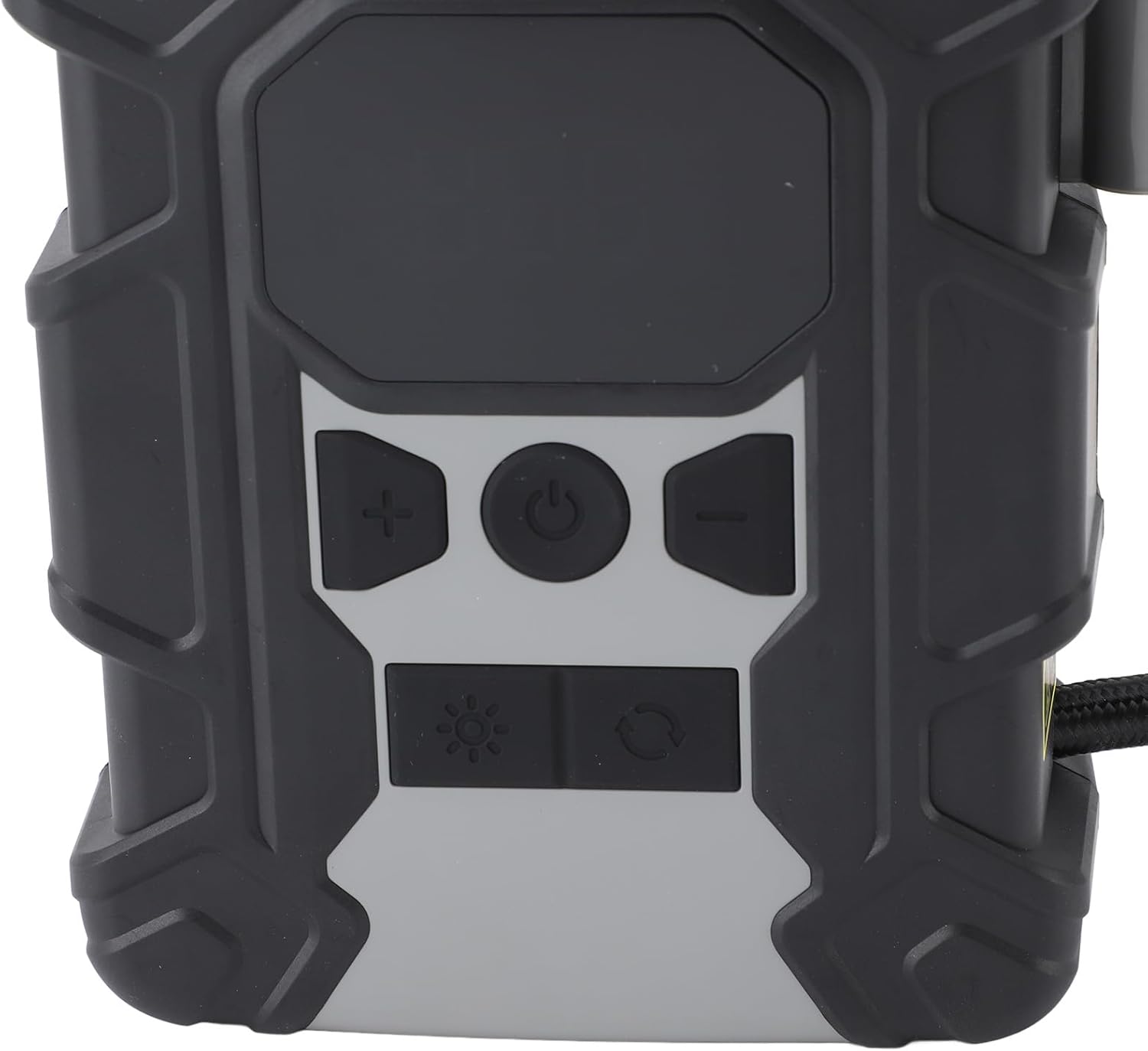
Image: Detail of the USB charging ports located on the side of the air compressor.
2. Attaching the Air Hose and Nozzle
- Uncoil the air hose from its storage slot on the device.
- Screw the air hose securely onto the air outlet port of the compressor.
- Select the appropriate nozzle for the item you wish to inflate.
- Attach the selected nozzle to the end of the air hose. For Schrader valves (common on car and bike tires), simply press the nozzle onto the valve stem and lock the lever. For other items, screw on the appropriate adapter.
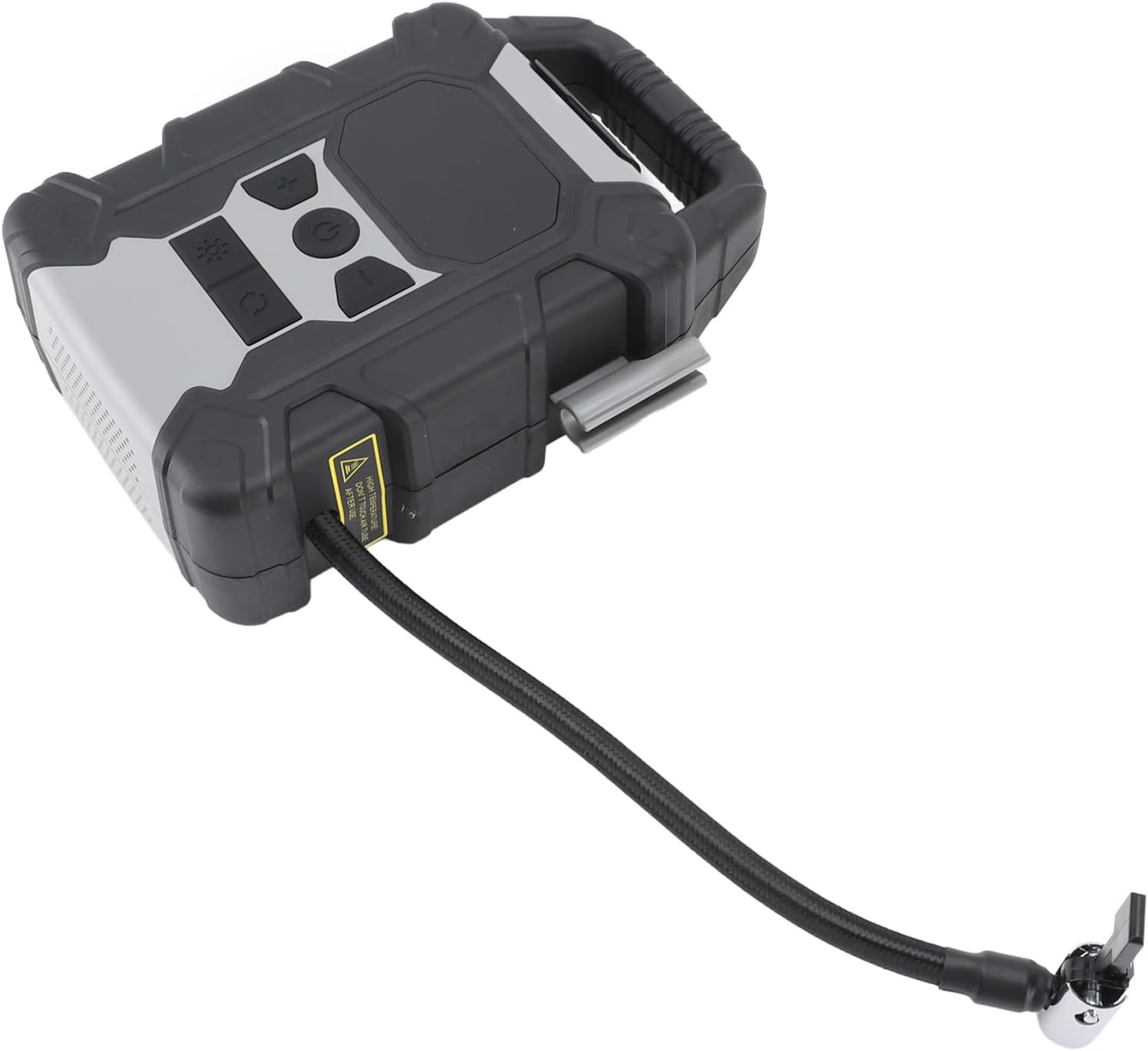
Image: The portable air compressor with its flexible air hose and valve connector attached.
Operating Instructions
1. Powering On/Off
- To power on, press and hold the Start/Pause button (power symbol) for a few seconds until the display illuminates.
- To power off, press and hold the Start/Pause button again until the display turns off. The device will also automatically power off after a period of inactivity.
2. Selecting Mode and Pressure Unit
- Mode Selection: Short press the Mode Key (circular arrow icon) to cycle through different inflation modes (e.g., car, motorcycle, bicycle, ball). Each mode may have a default pressure setting.
- Unit Selection: Long press the Mode Key to switch between pressure units: PSI, BAR, KPA, and KG/CM².
3. Setting Target Pressure
- After selecting the desired mode and unit, use the Increase (+) and Decrease (-) buttons to adjust the target pressure. The digital display will show the set pressure.
- Refer to your item's manufacturer recommendations for correct inflation pressure.
4. Starting and Stopping Inflation
- Connect the nozzle securely to the item's valve. The display will show the current pressure of the item.
- Press the Start/Pause button to begin inflation. The compressor will operate, and the display will show the increasing pressure.
- The compressor will automatically stop once the target pressure is reached. This auto shut-off feature prevents over-inflation.
- To manually stop inflation at any time, press the Start/Pause button again.
- Carefully disconnect the nozzle from the item's valve.
5. Using the Illumination Light
- Press the Illumination Key (sun icon) to turn on the LED light.
- Press again to cycle through different light modes (e.g., steady light, flashing, SOS).
- Press a third time to turn off the light.
Maintenance
- Cleaning: Wipe the exterior of the compressor with a soft, damp cloth. Do not use harsh chemicals or abrasive cleaners. Ensure the device is powered off and disconnected from any power source before cleaning.
- Storage: Store the air compressor in a cool, dry place, away from direct sunlight and extreme temperatures. Use the provided storage bag to protect it from dust and damage.
- Battery Care: To prolong battery life, charge the device regularly, even if not in frequent use. Avoid completely draining the battery before recharging. Do not store the device with a fully depleted battery for extended periods.
- Hose and Nozzles: Inspect the air hose and nozzles regularly for any signs of wear, cracks, or damage. Replace if necessary to ensure proper sealing and inflation.
Troubleshooting
| Problem | Possible Cause | Solution |
|---|---|---|
| Compressor does not turn on. | Battery is depleted. | Charge the compressor using the USB cable. |
| Compressor inflates slowly or not at all. |
|
|
| Compressor stops before reaching target pressure. |
|
|
| Inaccurate pressure reading. | Nozzle not properly sealed to valve. | Ensure a tight seal between the nozzle and the item's valve. |
Specifications
| Feature | Detail |
|---|---|
| Model Number | aqxreightwmask8gry2 |
| Power | 120W |
| Battery Capacity | 7500mAh Polymer Lithium Battery |
| Maximum Inflation Pressure | ≤150 PSI |
| Air Flow | 25L/min |
| Pressure Units | PSI, Bar, Kpa, Kg/cm² |
| Charging Input | 5V 2A, 9V 2A |
| Power Bank Output | 5V 2A |
| Item Weight | 2.33 pounds (Approx. 1058g) |
| Package Dimensions | 8.27 x 6.3 x 2.76 inches |
Warranty Information
Specific warranty details for the aqxreight Portable Air Compressor are typically provided at the point of purchase or within separate documentation included with the product. Please retain your proof of purchase for warranty claims. For detailed warranty terms and conditions, contact the seller or manufacturer directly.
Customer Support
If you encounter any issues or have questions regarding the aqxreight Portable Air Compressor that are not addressed in this manual, please contact the seller through the platform where you purchased the product. You may also visit the official aqxreight store on Amazon for additional information and support resources: aqxreight Amazon Store.