
1. Introduction
Thank you for choosing the CHUMPOSH Pro Car Vacuum ST-6655 Plus. This versatile 4-in-1 device is designed to provide powerful and convenient cleaning for your car, home, and office. It functions as a vacuum cleaner, air duster, air blower, and inflator, offering a comprehensive solution for various cleaning and inflation needs. Please read this manual carefully before use to ensure proper operation and maintenance.
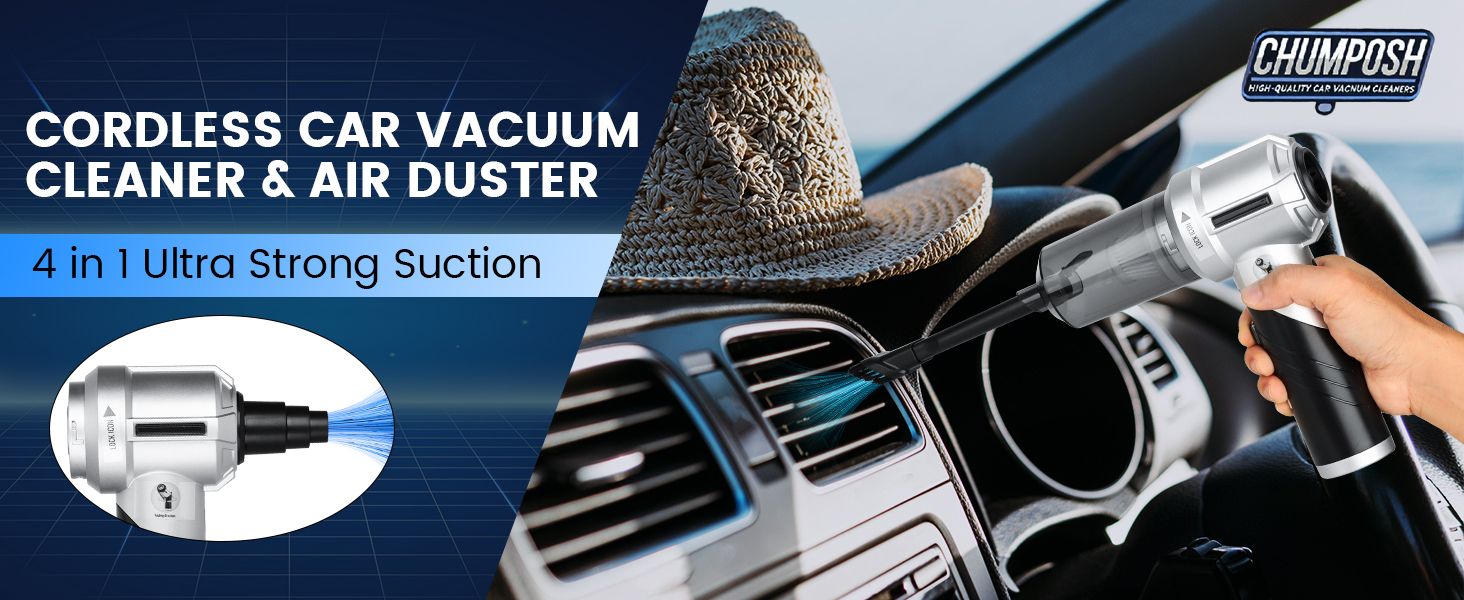
Image: The CHUMPOSH Pro Car Vacuum ST-6655 Plus demonstrating its multi-functional capabilities.
2. Safety Instructions
To ensure safe operation and prevent damage, please observe the following safety precautions:
- Do not immerse the device in water or other liquids.
- Keep the device away from heat sources, direct sunlight, and flammable materials.
- Do not use the device to vacuum liquids, hot ashes, sharp objects, or hazardous materials.
- Ensure the dust cup and filters are correctly installed before operation.
- Do not block the air inlets or outlets during use.
- Keep out of reach of children.
- Use only the provided charging cable and adapter.
- If the device is damaged, do not attempt to repair it yourself. Contact customer service.
3. Product Overview and Package Contents
Familiarize yourself with the components included in your package:

Image: Detailed view of the product packaging list with all accessories.
- Fuselage (Main Unit)
- Long and Flat Suction Mouth + Brush
- Blow Long Nozzle + Brush
- Fine Steel Filter Element
- Short Blowing Nozzle
- Small Inflator Nozzle
- USB Charging Cable
- Large Inflator Nozzle
- Multi-function Air Blower
- Fine Steel Filter Element (Spare)
- Filter (HEPA) x2
- Storage Bag
4. Setup
4.1 Initial Charging
Before first use, fully charge the device. Connect the provided USB-C charging cable to the charging port on the vacuum and plug the other end into a suitable USB power adapter (not included). The indicator light will show red during charging and turn green when fully charged. A full charge typically takes 2.5 to 3 hours.

Image: Charging process and indicator lights.
4.2 Attaching Accessories
The CHUMPOSH Pro Car Vacuum ST-6655 Plus is designed for easy attachment of various nozzles and brushes. Simply align the desired accessory with the suction or blowing port and push firmly until it clicks into place. To remove, pull the accessory gently.
4.3 Foldable Design
The vacuum features a 90-degree foldable design for compact storage. To fold, gently push the release button (if present) or rotate the handle until it locks into the folded position. To unfold, reverse the process.

Image: Foldable design for portability and storage.
5. Operating Instructions
5.1 Power On/Off and Suction Levels
Press the power button to turn on the vacuum. The device may have multiple suction levels (e.g., 9000PA, 12000PA, 18000PA). Press the power button repeatedly to cycle through the suction levels. Press and hold the power button to turn off the device.

Image: Suction power levels.
5.2 Vacuuming Function
Attach the appropriate nozzle for your cleaning task. The long flat suction mouth with brush is ideal for crevices and car interiors. The floor brush is suitable for larger flat surfaces like carpets or upholstery.
- For Car Interiors: Use the long flat suction mouth or brush attachment to clean dust and debris from seats, floor mats, and tight spaces.
- For Home/Office: Utilize the floor brush for carpets or the crevice tool for keyboards and furniture gaps.

Image: Examples of vacuuming applications.
5.3 Air Blower and Inflator Function
To use the blowing function, attach the desired blowing nozzle to the exhaust port of the device. The various nozzles allow for different applications:
- Air Duster: Use the short or long blowing nozzle to remove dust from keyboards, electronics, or delicate surfaces.
- Inflator: Attach the small or large inflator nozzle to inflate items like life rings, air beds, or other inflatables.
- Air Extractor: The device can also be used to extract air from compression bags.

Image: Examples of blowing and inflating applications.
6. Maintenance
6.1 Emptying the Dust Cup
Regularly empty the dust cup to maintain optimal suction power. To empty, twist and detach the dust cup from the main unit. Dispose of collected debris and reattach the dust cup securely.
6.2 Cleaning the Filters
The device features a dual filtration system with a washable HEPA filter and a fine steel filter. For best performance, clean the filters after every few uses.
- Fine Steel Filter: This filter can be rinsed under running water. Ensure it is completely dry before reinserting.
- HEPA Filter: The HEPA filter can be cleaned with a brush to remove dust. It can also be gently rinsed with water. Allow it to air dry completely for at least 24 hours before reinstallation. The HEPA filter should be replaced every 2-3 months depending on usage.

Image: Washable fine steel filter cleaning.
6.3 Storage
Store the vacuum and its accessories in the provided storage bag in a cool, dry place, away from direct sunlight and extreme temperatures.
7. Troubleshooting
| Problem | Possible Cause | Solution |
|---|---|---|
| Device does not turn on | Battery is depleted. | Charge the device fully. |
| Low suction power | Dust cup is full. Filters are clogged. Obstruction in nozzle. | Empty dust cup. Clean or replace filters. Check and clear any obstructions. |
| Device stops working shortly after turning on | Battery is low. Overheating protection activated. | Recharge the battery. Allow the device to cool down before resuming use. |
| Charging indicator light not working | Charging cable or adapter is faulty. | Try a different USB-C cable or power adapter. |
8. Specifications
| Feature | Detail |
|---|---|
| Brand | CHUMPOSH |
| Model Name | car vacuum ST-6655 Plus |
| Special Features | Cordless, Foldable, HEPA, Portable, Washable Filter |
| Filter Type | HEPA Filter |
| Is Cordless? | Yes |
| Capacity | 400 Milliliters |
| Wattage | 90 watts |
| Charging Time | 2.5 - 3 Hours |
| Maximum Suction | 18000 PA |
| Recommended Uses | Car, Office, Home, Sofa |
| Form Factor | Handheld |
| Color | Black |
| Product Dimensions | 7.2"L x 3.1"W x 9.8"H |
| Noise Level | 70 dB |
| Battery Life | 15-30 minutes (depending on suction level) |
| Connectivity Technology | USB |
9. Warranty and Support
CHUMPOSH is committed to providing high-quality products and excellent customer service.
- 30-Day Return Policy: Enjoy a 30-day no-reason return or exchange policy.
- 365-Day Replacements: Replacements and accessories are available within 365 days of purchase.
- Lifetime Service: We offer lifetime after-sales service for every customer.
- Customer Support: Our responsive customer service team is available to assist with any questions within 24 hours.
For support, please refer to the contact information provided with your purchase or visit the official CHUMPOSH website.