
1. Introduction
This manual provides comprehensive instructions for the assembly, operation, and maintenance of your Merax Twin Size Lift Up Storage Bed Frame. This bed frame features integrated LED lighting, USB and Type-C charging ports, and a hydraulic lift mechanism for under-bed storage. Please read this manual thoroughly before assembly and use to ensure safe and correct operation.
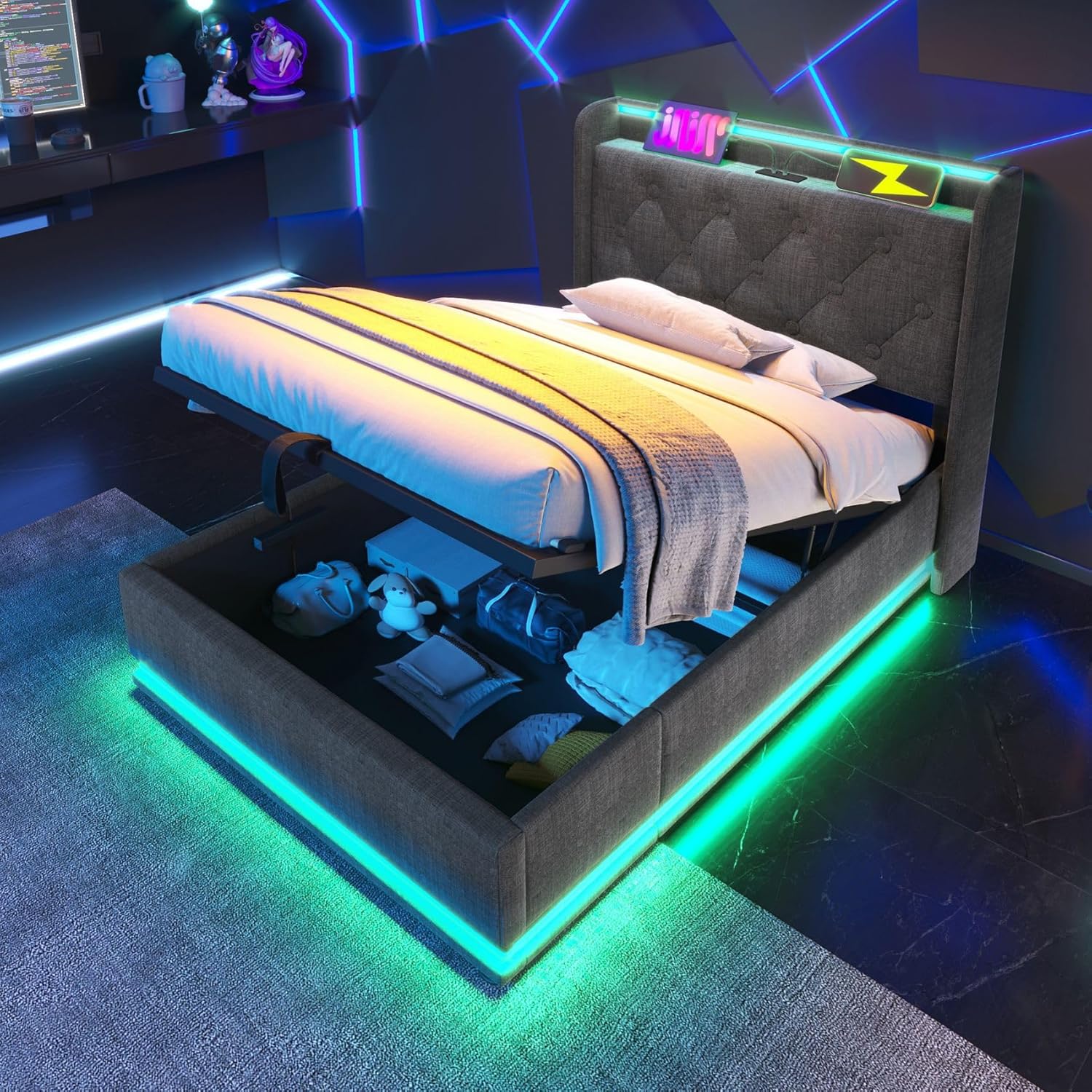
Image 1.1: The Merax Twin Size Lift Up Storage Bed Frame with its under-bed storage compartment open, illuminated by LED lights. The headboard features integrated charging ports.
2. Safety Information
Caution: This product has a maximum weight capacity of 200lbs. Improper use of the hydraulic lift system may result in injury. Be aware of pinch points between the headboard and the mattress or bed frame. Handle metal components with care to avoid sharp edges. Ensure proper assembly to prevent instability or collapse.
Always follow the assembly instructions carefully. Do not allow children to operate the hydraulic lift mechanism unsupervised. Keep small parts away from children during assembly.
3. Package Contents
Before beginning assembly, verify that all components listed in the included installation manual are present and undamaged. The package typically includes:
- Headboard with integrated LED lights and charging ports
- Side rails and footboard with LED light strip
- Hydraulic lift mechanism and support frame
- Wooden slats and support bars
- Hardware pack (screws, bolts, washers, Allen wrench)
- LED remote control
- Installation Manual

Image 3.1: An exploded view of the bed frame components, highlighting the headboard, side rails, and the integrated LED light strip along the base.
4. Assembly Instructions
Assembly typically requires two people. All parts are labeled for easy identification. Refer to the detailed step-by-step instructions and diagrams provided in the separate Installation Manual included with your product. Ensure all connections are secure before use.
Key Assembly Steps:
- Unpack all components and verify against the parts list.
- Attach the side rails to the headboard and footboard.
- Install the hydraulic lift mechanism and support frame.
- Place the wooden slats onto the support frame.
- Connect the LED light strip and charging unit power cables.
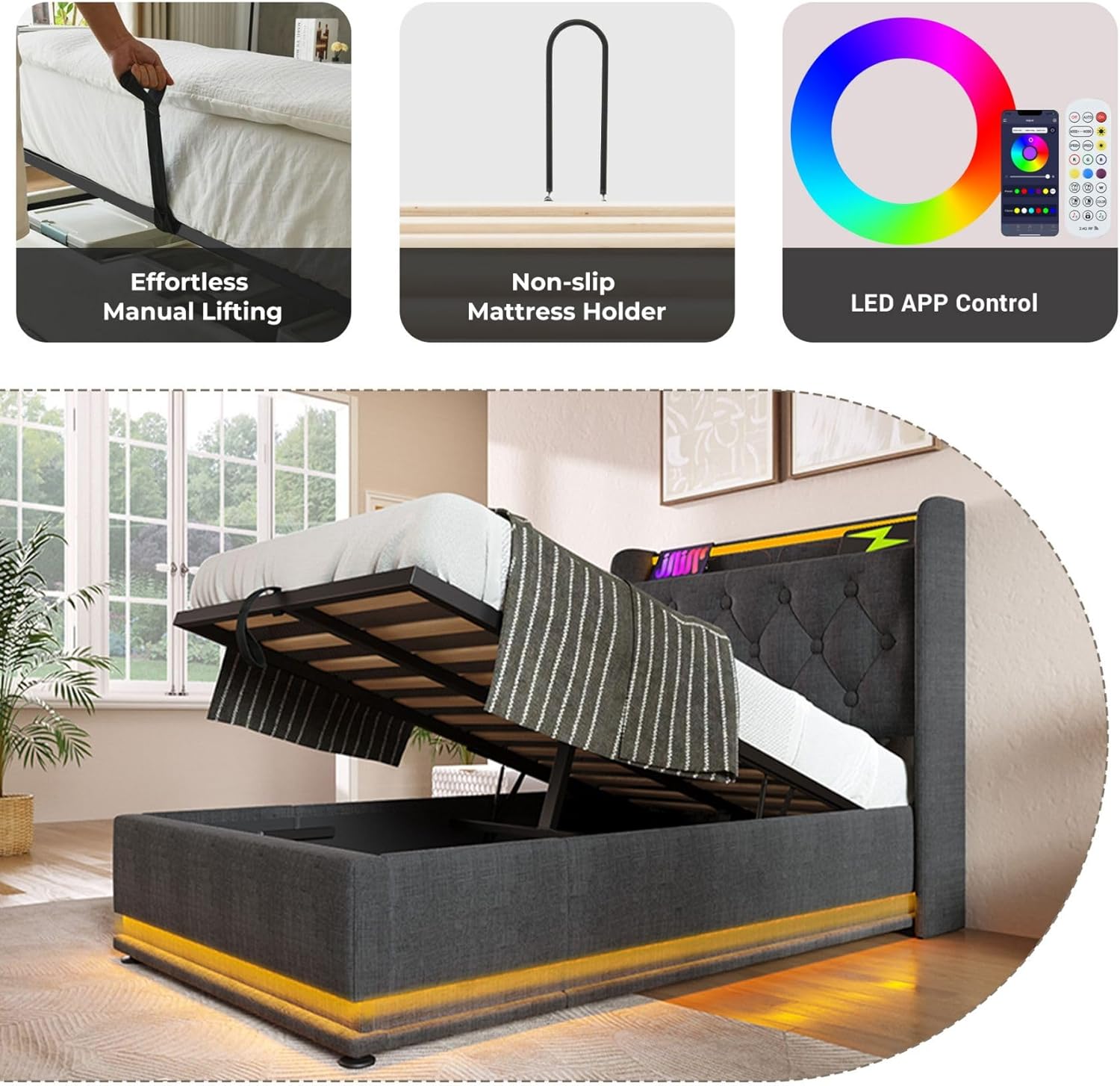
Image 4.1: The bed frame with the mattress support lifted, revealing the hydraulic mechanism and the spacious under-bed storage area.
5. Operating Instructions
5.1 LED Lighting System
The 360-degree wrap-around LED light strip can be controlled via a dedicated button, a remote control, or a smartphone application. It supports multiple dynamic light modes, a timer function, and music synchronization.
- Button Control: Locate the control button on the headboard or side rail to cycle through basic light modes and turn the lights on/off.
- Remote Control: Use the provided remote to access a wider range of colors, brightness adjustments, and dynamic effects.
- Smartphone App: Download the designated app (details in the Installation Manual) to unlock over 60,000 colors, advanced dynamic modes, music sync, and timing functions.
Image 5.1.1: The bed frame showcasing its LED lights, with illustrations of the remote control and smartphone app interface for light customization.
Video 5.1.2: This video demonstrates the various features of the Merax Lift Up Storage Bed, including the LED lighting effects and the hydraulic storage mechanism.
5.2 USB and Type-C Charging Ports
The headboard is equipped with USB and Type-C charging ports, allowing you to conveniently charge your electronic devices while in bed. Simply connect your device's charging cable to the appropriate port.

Image 5.2.1: A close-up view of the integrated USB and Type-C charging ports located on the headboard of the bed frame.
5.3 Hydraulic Lift Storage
To access the under-bed storage, gently pull the fabric strap located at the foot of the bed. The hydraulic mechanism will assist in lifting the mattress support frame. To close, push the frame down until it locks securely into place. Avoid placing excessive weight on the lifted frame.

Image 5.3.1: The bed frame with the mattress support lifted, showcasing the ample storage space underneath, filled with various items.
6. Maintenance
- Fabric Care: For the upholstered headboard and frame, use a soft, damp cloth for general cleaning. For spills, blot immediately with a clean cloth. Avoid harsh chemicals.
- LED Lights: The LED lights are designed for long-term use. If issues arise, check power connections. Do not attempt to replace individual LEDs.
- Hydraulic System: Periodically check the hydraulic pistons for smooth operation. Do not apply lubricants unless specifically instructed by the manufacturer.
- General: Ensure all screws and bolts remain tight. Retighten as necessary to maintain structural integrity.
7. Troubleshooting
| Problem | Possible Cause | Solution |
|---|---|---|
| LED lights not working | Power cable disconnected; remote battery low; app not connected | Check power connections; replace remote battery; re-pair app |
| USB/Type-C ports not charging | Power cable disconnected; device incompatible | Ensure bed frame is powered; try a different device/cable |
| Hydraulic lift difficult to operate | Too much weight on mattress; mechanism stiff | Remove excess weight; ensure mechanism is clear of obstructions |
| Bed frame unstable/noisy | Loose connections; uneven floor | Retighten all bolts and screws; adjust bed frame on a level surface |
8. Specifications
| Feature | Detail |
|---|---|
| Size | Twin |
| Product Dimensions | 81"L x 44.2"W x 40.7"H |
| Special Features | 360 surround LED lights, Buttons/Apps/Remote Control, Lift Up hydraulic storage, USB Type-C charging, Upholstered Headboard |
| Color | Linen Grey |
| Material | Linen, Wood, Metal |
| Compatible Mattress Size | Twin (8-10" thickness recommended) |
| Maximum Weight Capacity | 200 lbs |
| Item Weight | 86.1 pounds |
| Assembly Required | Yes |

Image 8.1: A diagram illustrating the dimensions of the Merax Twin Size Lift Up Storage Bed Frame, including length, width, and height measurements.
9. Warranty and Support
For warranty information, please refer to the documentation included with your purchase or contact Merax customer support directly. If you encounter any issues or have questions regarding your bed frame, please reach out to Merax customer service for assistance. Contact details can typically be found on the manufacturer's website or in your purchase confirmation.