
1. Introduction
This manual provides detailed instructions for the assembly, operation, and maintenance of your JFHID SS16520 Large Anti-Theft Package Delivery Box. Please read this manual thoroughly before installation and use to ensure proper function and safety.

Image 1: The JFHID SS16520 Package Delivery Box, shown with its top lid and main door open, revealing internal storage space.
2. Safety Instructions
- Always wear appropriate safety gear, such as gloves, during assembly to prevent injury.
- Ensure the package box is installed on a stable, level surface to prevent tipping.
- Securely anchor the box to the ground, porch, or fence using the provided hardware to prevent theft or accidental movement.
- Keep children and pets away from the unit during assembly and installation.
- Do not attempt to modify the product in any way, as this may compromise its security features and warranty.
3. Package Contents
Please verify that all components are present before beginning assembly:
- Main Body Panels (various sizes)
- Top Lid
- Main Access Door
- Anti-Theft Baffle
- Lock and Keys (2 sets)
- Door Handle
- Assembly Hardware (screws, washers, nuts)
- Mounting Brackets (2)
- Steel Wire (for securing)
- Work Gloves (1 pair)
- Screwdriver
- L-shape Wrench
- Instruction Manual

Image 2: An illustration showing the various components included in the package, along with a simplified three-step assembly diagram.
4. Assembly Instructions
Assembly typically takes about an hour for one person. Having an additional person may assist with the process. A power drill is recommended for faster assembly.
Step-by-Step Assembly:
- Prepare Components: Unpack all components and lay them out. Refer to the parts list to ensure all pieces are present.
- Assemble the Main Body: Connect the side panels to the back panel and base using the provided screws and L-shape wrench. Ensure all connections are tight and secure.
- Install the Anti-Theft Baffle: Position the anti-theft baffle inside the upper section of the box as indicated in the diagram. This mechanism guides packages into the secure lower compartment.
- Attach the Top Lid: Secure the top lid to the main body using the designated hinges and screws. Ensure the lid opens and closes smoothly.
- Install the Main Access Door: Attach the main access door to the front of the lower compartment. Install the door handle and the lock mechanism. Test the lock with the provided keys.
- Secure the Unit (Optional but Recommended): Use the included mounting brackets and steel wire to anchor the package box to a fixed structure such as a porch, fence, or curbside. This enhances security and stability.

Image 3: Examples of suitable installation locations, including a porch, fence, and curbside, demonstrating the unit's versatility.
5. Operation
Receiving Packages:
Delivery personnel can open the top lid and place packages into the drop slot. The anti-theft baffle ensures that once a package is dropped, it cannot be retrieved from the top opening.
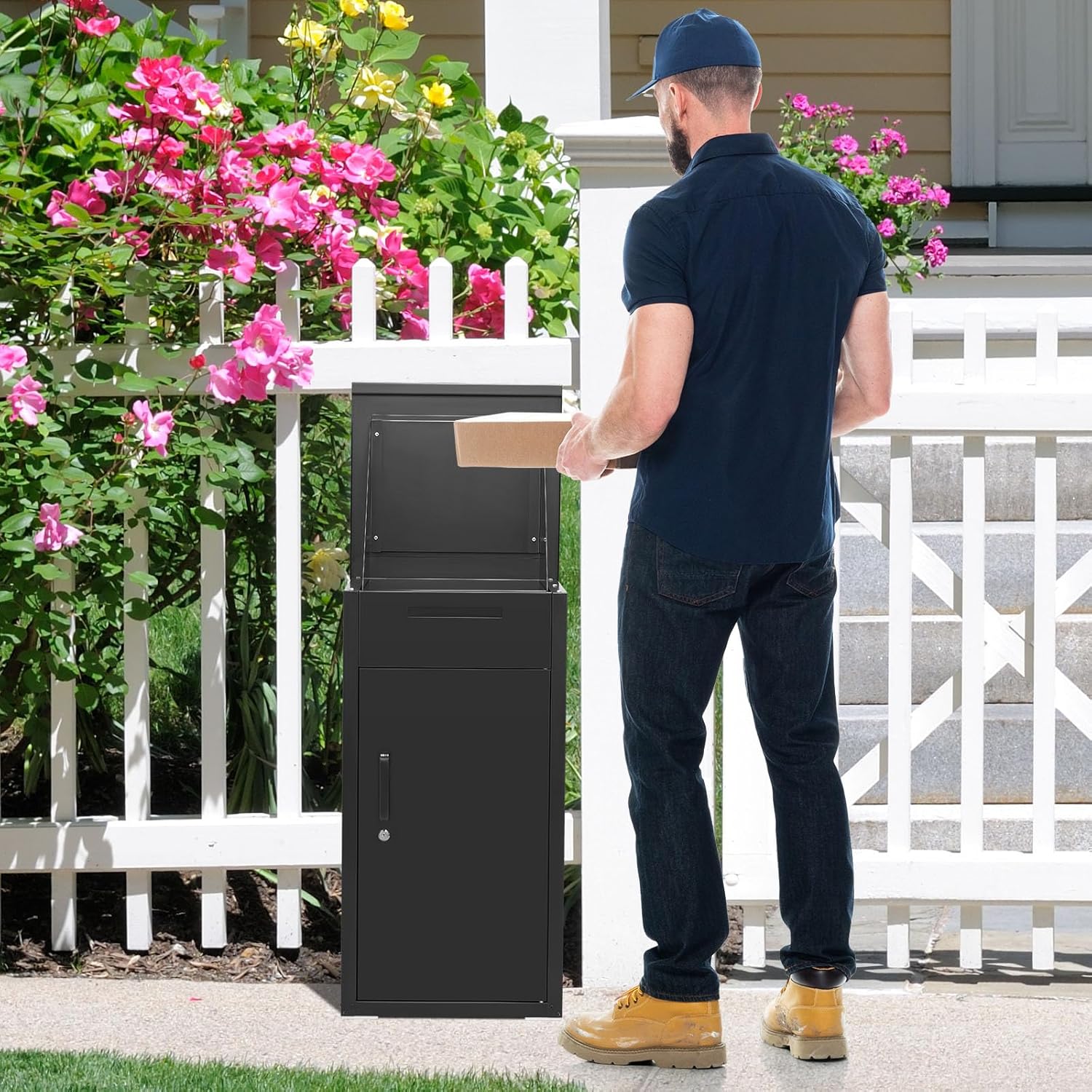
Image 4: A delivery person placing a package into the top compartment of the JFHID delivery box.
Retrieving Packages and Mail:
To retrieve packages, use the key to unlock the main access door located on the front of the box. The lower compartment provides ample space for multiple parcels.

Image 5: A user retrieving packages from the secure lower compartment of the JFHID delivery box.
The separate letter delivery slot, located above the main access door, is designed for smaller items like bills, notices, and standard mail.

Image 6: Detailed view of the package box features, highlighting the door handle, lock, and letter delivery slot.
6. Maintenance
- Cleaning: Wipe the exterior with a damp cloth and mild detergent as needed. Avoid abrasive cleaners that could damage the finish.
- Lubrication: Periodically lubricate the lock mechanism and hinges with a silicone-based spray to ensure smooth operation.
- Inspection: Regularly check all screws and connections for tightness. Re-tighten if necessary. Inspect the steel wire and mounting brackets for any signs of wear or damage.
- Weather Resistance: The galvanized steel construction provides weather resistance. However, prolonged exposure to extreme weather conditions may require additional protective measures.
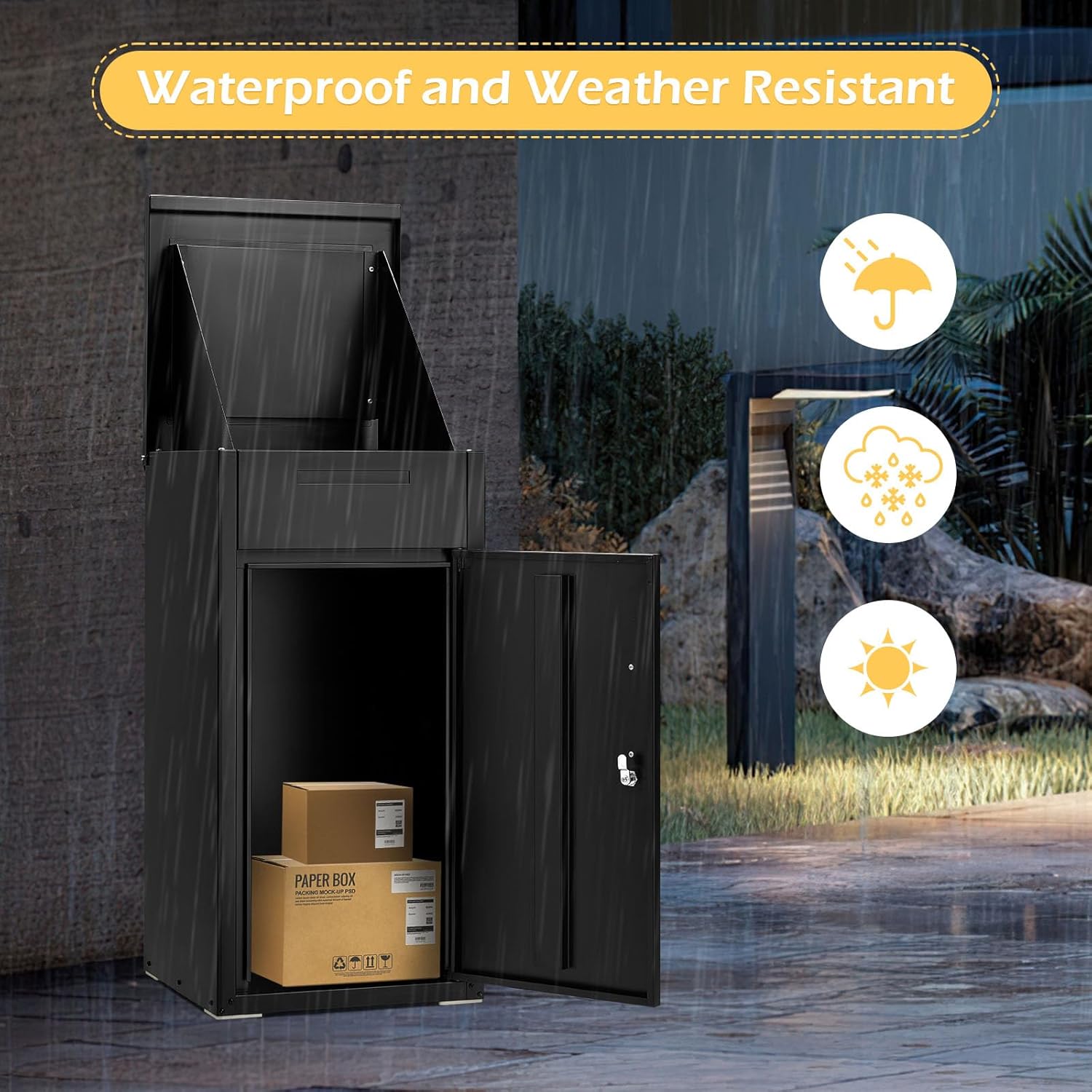
Image 7: The package delivery box demonstrating its weather-resistant properties during rainfall.
7. Troubleshooting
- Door is Stiff/Hard to Open: Apply lubricant to the hinges and lock mechanism. Check for any obstructions.
- Keys Not Working: Ensure you are using the correct key. If the lock is jammed, try lubricating it. Do not force the key.
- Packages Not Dropping: Check the anti-theft baffle for obstructions. Ensure packages are not too large for the drop slot.
- Unit Feels Unstable: Verify that all mounting hardware is securely fastened. Re-tighten any loose screws or anchors.
8. Specifications
| Feature | Detail |
|---|---|
| Model Number | SS16520 |
| Material | Galvanized Steel |
| Color | Black |
| Product Dimensions (D x W x H) | 16" x 17" x 38.3" |
| Item Weight | 39.4 pounds |
| Included Security Features | Lockable, Anti-theft Baffle |
| Mounting Type | Surface Mount |
| Access Location | Front, Top |

Image 8: A diagram illustrating the key dimensions of the JFHID SS16520 package delivery box.
9. Warranty and Support
For warranty information or customer support, please refer to the contact details provided with your purchase documentation or visit the official JFHID website. If you have any concerns, JFHID customer service is available to provide effective support.