
1. Product Overview
The Yoocaa Hydroponic System IGS-67 is an indoor smart garden designed for growing herbs, vegetables, and flowers without soil. It features an 8-pod capacity, an adjustable LED grow light with full spectrum capabilities, an automatic timer for light and water pump cycles, and convenient app control for managing settings. The system promotes healthy plant growth with minimal effort, making it suitable for any home or kitchen environment.
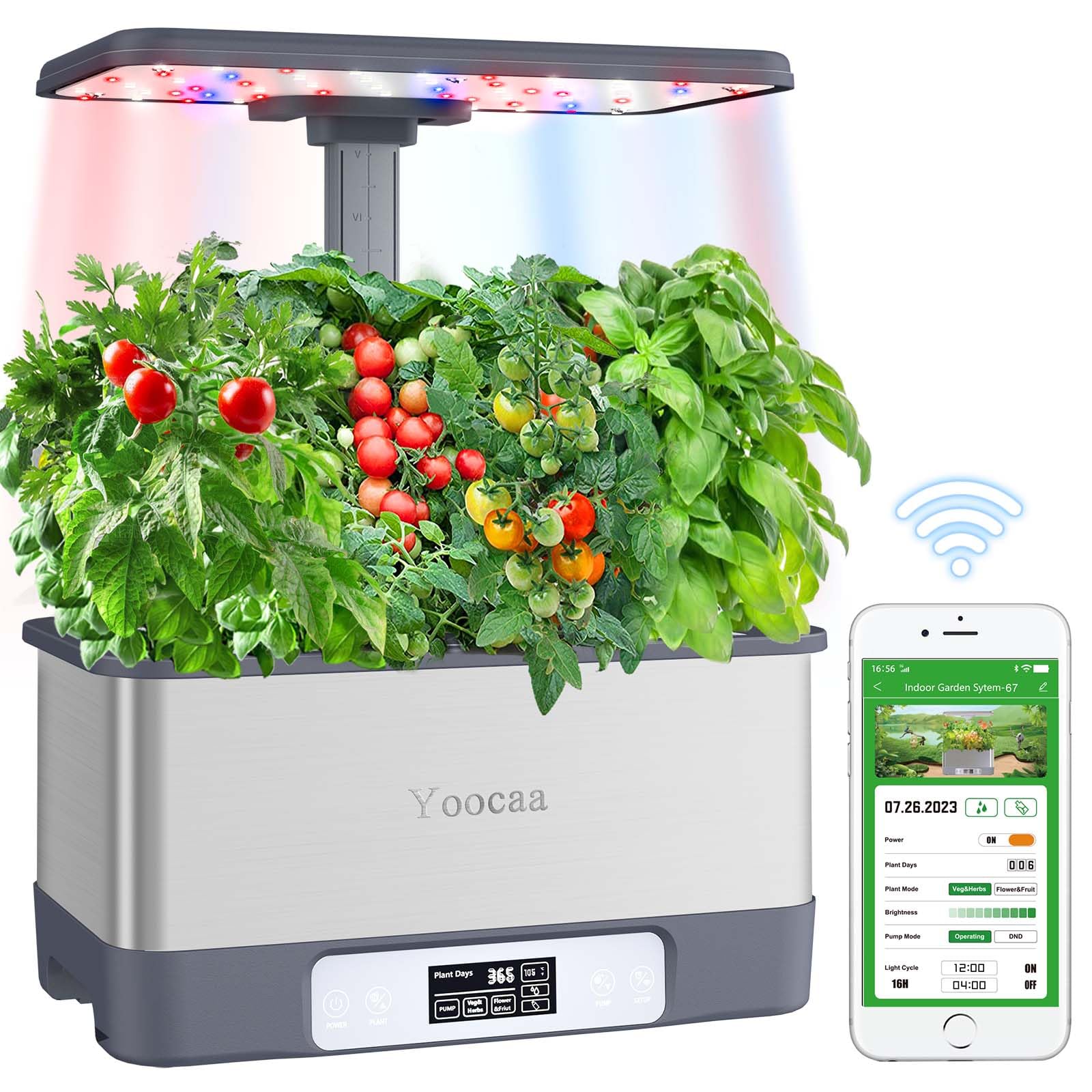
Figure 1: Yoocaa Hydroponic System IGS-67 with plants, demonstrating adjustable light height.
2. Package Contents
Carefully unpack all items and ensure the following components are present:
- Hydroponic System Base Unit
- LED Grow Light Panel
- Adjustable Light Pole
- 8 Planting Baskets
- 8 Grow Sponges
- Plant Food (Nutrient A & B)
- Power Adapter
- 8 Dome Covers

Figure 2: Complete package contents of the Yoocaa Hydroponic System IGS-67.
3. Setup Instructions
- Unpack Components: Remove all parts from the packaging and place them on a clean, flat surface.
- Assemble Light Pole: Insert the adjustable light pole into the designated slot on the base unit. Ensure it is securely seated.
- Attach LED Grow Light: Slide the LED grow light panel onto the top of the adjustable light pole until it clicks into place.
- Insert Planting Baskets: Place the 8 planting baskets into the holes on the top cover of the base unit.
- Prepare Grow Sponges: Insert one grow sponge into each planting basket.
- Fill Water Reservoir: Open the water fill port and carefully pour fresh water into the reservoir until it reaches the indicated maximum fill line. Do not overfill.
- Add Nutrients: Follow the instructions on the Plant Food bottles (Nutrient A & B) to add the appropriate amount of nutrient solution to the water reservoir. Mix gently.
- Connect Power: Plug the power adapter into the system and then into a standard electrical outlet. The system will power on.

Figure 3: System dimensions and assembly points.
4. Operating Instructions
4.1 Planting Seeds
- Place 2-3 seeds into the pre-cut hole of each grow sponge.
- Cover the planting baskets with the dome covers to create a humid environment for germination. Remove dome covers once seedlings emerge.
4.2 LED Grow Light Operation
The LED grow light operates on an automatic cycle of 16 hours ON and 8 hours OFF. This cycle is optimized for most plant growth. The light features full-spectrum LEDs with adjustable modes:
- Red Light: Promotes root development and flowering/fruiting.
- Blue Light: Enhances leaf growth and overall plant structure.
- White Light: Provides balanced light for all growth stages.
Adjust the light height as your plants grow to maintain an optimal distance (typically 2-4 inches above the tallest plant canopy).

Figure 4: LED Grow Light Modes and their functions.
4.3 Water Pump Function
The integrated water pump automatically circulates water and nutrients for 30 minutes ON and 30 minutes OFF, ensuring consistent oxygenation and nutrient delivery to the plant roots. This low-noise design operates at less than 20dB.

Figure 5: Low noise operation of the water pump.
4.4 App Control
The Yoocaa Hydroponic System IGS-67 can be controlled via a dedicated smartphone application. This allows for convenient management of light modes, timers, and growth settings.
- Download App: Scan the QR code in the quick start guide or search for the 'Yoocaa Smart Garden' app in your device's app store.
- Pair Device: Follow the in-app instructions to connect your hydroponic system to your Wi-Fi network and pair it with the app.
- Manage Settings: Use the app to adjust light brightness, switch between growth modes (e.g., Vegetables, Flowers & Fruits), and monitor the system's status.

Figure 6: App interface for controlling the hydroponic system.

Figure 7: Wireless app control functionality.
5. Maintenance
5.1 Water Level
Check the water level regularly. Refill with fresh water as needed to maintain the optimal level, especially as plants grow and consume more water.
5.2 Nutrient Solution Replacement
For best results, completely drain and replace the nutrient solution every 2-3 weeks. This prevents nutrient imbalances and ensures plants receive fresh nutrients.
5.3 Cleaning
Periodically clean the water reservoir and the water pump to prevent algae buildup and ensure proper pump function. Disconnect power before cleaning.
6. Troubleshooting
- Plants not growing or wilting:
Check water level and nutrient concentration. Ensure the LED grow light is functioning and at the correct height. Verify the water pump is circulating water. - Water pump not working:
Ensure the power adapter is securely connected. Check for any blockages in the pump or tubing. Clean the pump if necessary. - App connectivity issues:
Ensure your Wi-Fi network is active and the system is within range. Try restarting the app and re-pairing the device if connection is lost. - Algae growth in reservoir:
This is common. Ensure the reservoir cover is properly sealed to block light. Regularly clean the reservoir and replace the nutrient solution.
7. Specifications
| Model Number | IGS-67 |
| Dimensions (LxWxH) | 26 x 14 x 48 cm |
| Item Weight | 1.7 kg |
| Number of Pods | 8 |
| Max Plant Height | 45 cm |
| LED Grow Light Cycle | 16 hours ON / 8 hours OFF |
| Water Pump Cycle | 30 minutes ON / 30 minutes OFF |
| Noise Level | <=20dB |
8. Warranty and Support
For any questions, technical support, or warranty inquiries regarding your Yoocaa Hydroponic System IGS-67, please contact Yoocaa customer service through the retailer's platform or the official Yoocaa website. Please have your model number (IGS-67) and purchase information ready when contacting support.


