
Generickoqagyhp1b-12
User Manual for Headset Ipx4 for F8 for Headset Running for 5.2 Earpiece Earbuds Stereo Ear Hook Single Ear Headsets (White)
Brand: Generic
Introduction
This manual provides detailed instructions for the operation and maintenance of your new Generic Headset. Please read this manual thoroughly before using the product to ensure proper function and to extend the lifespan of your device. Keep this manual for future reference.
Safety Information
- Do not expose the headset to extreme temperatures, humidity, or corrosive environments.
- Avoid dropping or subjecting the headset to strong impacts.
- Do not disassemble, repair, or modify the headset yourself. Refer to qualified service personnel.
- Keep the headset away from children and pets.
- Use only the provided charging cable or a certified equivalent.
- Prolonged exposure to loud sounds may cause hearing damage. Adjust volume to a safe level.
Package Contents
Please check the package contents upon opening. If any items are missing or damaged, contact customer support.
- 1 x Earpiece
- 1 x Instruction Manual
- 2 x Ear Cap
- 1 x Charging Cable
Product Overview
Familiarize yourself with the components of your headset.
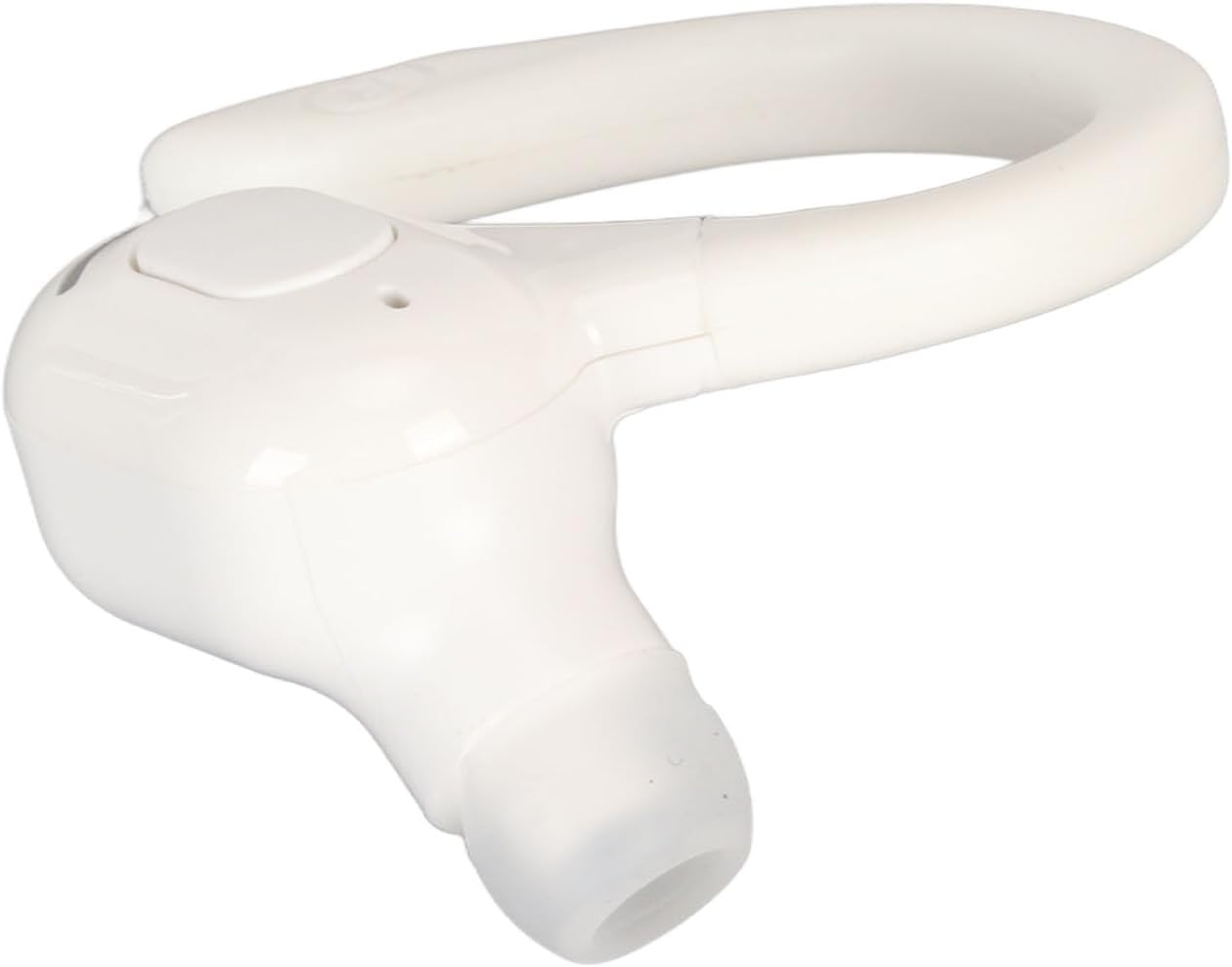
Figure 1: Front angled view of the Generic Headset, showing the ear hook and earpiece.

Figure 2: Side view of the headset, highlighting the main control button and the ear hook design.

Figure 3: Bottom view of the headset, clearly showing the charging port for power input.
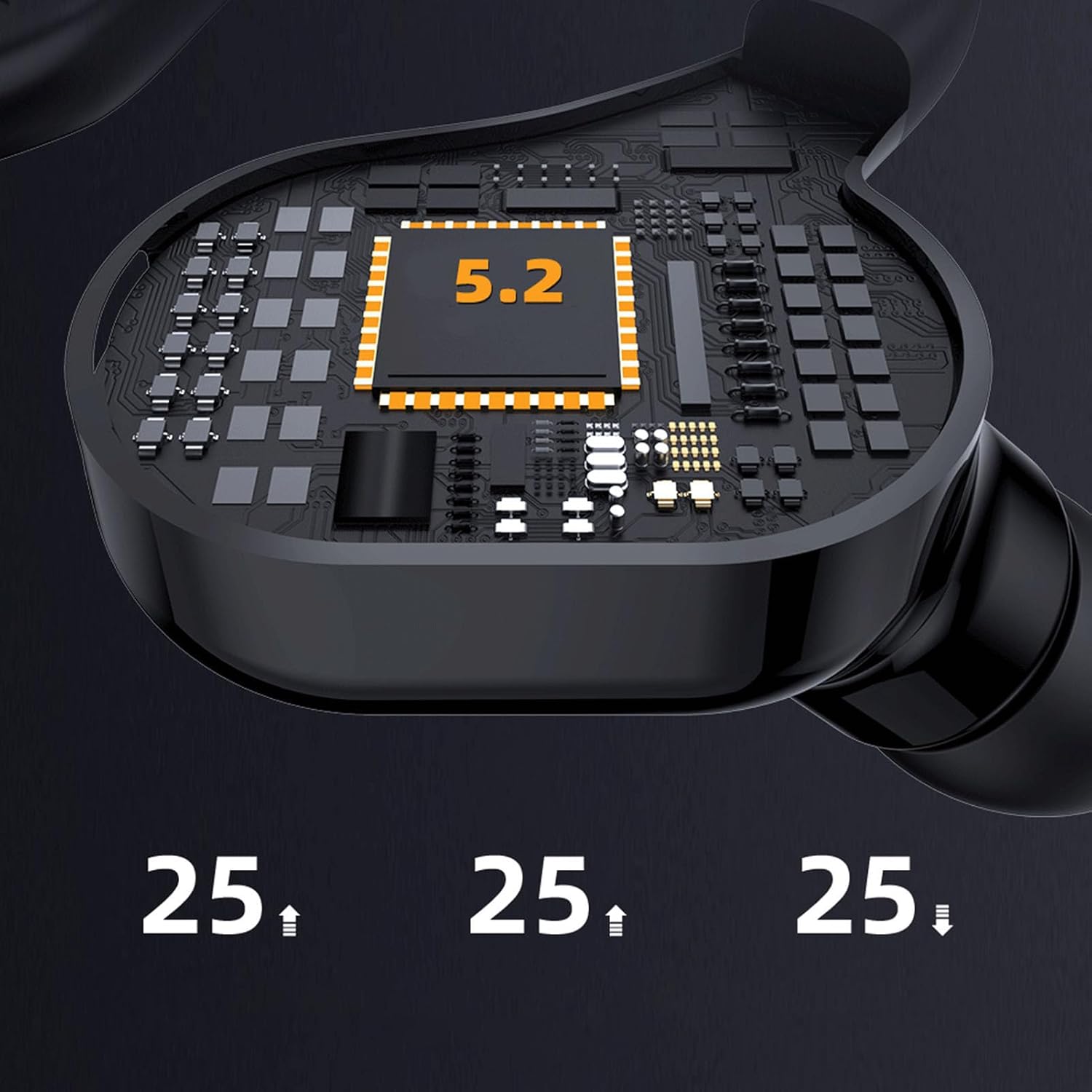
Figure 4: Close-up of the internal chip, indicating Bluetooth 5.2 technology for stable and efficient wireless connection.
Key Components:
- Earpiece: The part that fits into your ear.
- Ear Hook: Provides stability and comfort by wrapping around the ear.
- Multi-function Button: Used for power, pairing, call control, and music playback.
- Charging Port: For connecting the charging cable.
- LED Indicator: Displays status such as power, charging, and pairing.
- Microphone: For voice calls.
Setup
1. Charging the Headset
Before first use, fully charge the headset.
- Connect the charging cable to the headset's charging port (refer to Figure 3).
- Connect the other end of the cable to a USB power source (e.g., computer USB port, wall adapter).
- The LED indicator will show the charging status (e.g., red for charging, blue for fully charged).
- Charging typically takes approximately 1-2 hours.
2. Powering On/Off
- Power On: Press and hold the Multi-function Button for approximately 3-5 seconds until the LED indicator flashes and you hear a power-on prompt.
- Power Off: Press and hold the Multi-function Button for approximately 3-5 seconds until the LED indicator turns off and you hear a power-off prompt.
3. Pairing with a Device (Bluetooth 5.2)
The headset uses Bluetooth 5.2 for a stable and fast connection.
- Ensure the headset is powered off.
- Press and hold the Multi-function Button for about 5-7 seconds until the LED indicator flashes red and blue alternately. This indicates pairing mode.
- On your device (smartphone, tablet, computer), enable Bluetooth.
- Search for available Bluetooth devices. The headset will appear as "F8" or similar.
- Select "F8" from the list to connect. Once connected, the LED indicator will flash blue slowly, and you will hear a connection prompt.
- If prompted for a password, enter "0000".
The headset will automatically attempt to reconnect to the last paired device when powered on.
Operating Instructions
Call Control
- Answer/End Call: Press the Multi-function Button once.
- Reject Call: Press and hold the Multi-function Button for 2 seconds.
- Redial Last Number: Double-press the Multi-function Button.
Music Playback
- Play/Pause: Press the Multi-function Button once.
- Next Track: Triple-press the Multi-function Button.
- Previous Track: Quadruple-press the Multi-function Button.
Note: Volume control is typically managed directly on your connected device.
Maintenance
- Cleaning: Use a soft, dry, lint-free cloth to clean the headset. Do not use abrasive cleaners, alcohol, or chemical solvents.
- Storage: When not in use, store the headset in a cool, dry place, away from direct sunlight and extreme temperatures.
- Battery Care: To preserve battery life, charge the headset regularly, even if not in frequent use. Avoid fully discharging the battery for extended periods.
- Ear Caps: The ear caps can be removed and gently cleaned with a damp cloth. Ensure they are completely dry before reattaching.
Troubleshooting
| Problem | Possible Cause | Solution |
|---|---|---|
| Headset does not power on. | Low battery. | Charge the headset fully. |
| Cannot pair with device. | Headset not in pairing mode; Bluetooth off on device; device too far. | Ensure headset is in pairing mode (flashing red/blue). Turn on Bluetooth on your device. Move device closer to headset (within 10m). |
| No sound or poor sound quality. | Volume too low; headset not connected; interference. | Increase volume on your device. Reconnect the headset. Move away from other wireless devices. |
| Call quality is poor. | Weak signal; microphone obstructed. | Move to an area with better signal. Ensure microphone is not covered. |
Specifications
| Feature | Detail |
|---|---|
| Brand | Generic |
| Model Name | Generickoqagyhp1b-12 |
| Connectivity | Bluetooth 5.2 |
| Operating Range | 5-10m / 5.5-10.9yd |
| Battery Capacity | 70mAh Built-in Lithium Battery |
| Standby Time | About 150 hours |
| Sound Quality | Lossless HIFI sound quality, HD call with intelligent voice reduction |
| Design | Ergonomic ear hook, lightweight and comfortable |
| Color | White |
| Package Dimensions | 10 x 9 x 3 cm |
| Item Weight | 18 g |
| Country of Origin | China |
Warranty and Support
This product comes with a standard manufacturer's warranty. Please refer to the warranty card included in your package for specific terms and conditions. For technical support, troubleshooting assistance, or warranty claims, please contact the retailer or manufacturer directly.
For further assistance, you may visit the product page on Amazon.sa.
Related Documents - Generickoqagyhp1b-12
 |
MINI TWS EARBUDS User Manual - Pairing, Functions, and Specifications Comprehensive user manual for the MINI TWS EARBUDS (Model XG-5.0 / xg-12), a true split wireless Bluetooth headset. Learn how to pair, use button functions, charge, and find safety precautions and technical specifications. |
 |
Premier Yarns Fleece Blanket with Edging Crochet Pattern Free crochet pattern for a cozy 42x42 inch fleece blanket featuring an adaptable, textured crochet edging. Includes materials, gauge, stitch guide, and step-by-step instructions for this beautiful home decor project. |
 |
SOUNDLOGIC XT NCE-12/2390 ANC & ENC Bluetooth TWS Earbuds - User Manual Official instruction manual for SOUNDLOGIC XT NCE-12/2390 ANC & ENC Bluetooth TWS Stereo Earbuds with LED Display. Learn about features, setup, pairing, usage, warranty, and specifications. |
 |
DALI IO-12 Kopfhörer: Anleitung, Funktionen und Technische Daten Umfassende Anleitung für die DALI IO-12 Kopfhörer. Erfahren Sie mehr über Technologie, Verbindungsmodi, Bedienung, Wartung und technische Spezifikationen. |
 |
PingaOculto Nano V5 Bluetooth Earpiece User Manual and Troubleshooting Guide Comprehensive user manual and troubleshooting guide for the PingaOculto Nano V5 Bluetooth earpiece, covering setup, operation, and common issues. Learn how to connect, use, and maintain your device. |
 |
Vita 12 x 12 Additional Shade Slat Kit Assembly Instructions Comprehensive assembly and installation guide for the Vita 12 x 12 Additional Shade Slat Kit. Includes a detailed parts list, required tools, general information, and step-by-step instructions for fitting the shade slats to your Vita pergola. |
Ask a question about this manual
Ask about setup, troubleshooting, compatibility, parts, safety, or missing instructions. Manuals+ will review the question and use this page’s manual context to help answer it.