
Introduction
This user manual provides comprehensive instructions for the XMANA Global-PTT G388 4G LTE Push-to-Talk over Cellular (PoC) radio. Designed for wide-area communication, this device utilizes 4G/LTE mobile networks to provide reliable connectivity. Please read this manual thoroughly to understand the radio's features, setup procedures, and operational guidelines for optimal performance and safety.
Package Contents
Verify that all items are present in your package:
- Global-PTT G388 4G LTE PoC Radio (2 units for 2-pack)
- Pre-installed SIM Cards (2 units for 2-pack)
- Charging Cable (Type-C)
- User Manual
Product Overview
The XMANA Global-PTT G388 is a compact and rugged PoC radio designed for ease of use and reliable communication across 4G/LTE networks. Its design allows for one-hand operation and versatile carrying options.
Component Identification
Familiarize yourself with the various components of your Global-PTT G388 radio:

Image Description: This diagram labels the key external components of the Global-PTT G388 radio. Visible parts include the antenna at the top, a screen displaying network status and channel information, the Push-to-Talk (PTT) button on the side, a flashlight, a power/volume switch, an earpiece/Type-C port, a microphone, and up/down navigation buttons. A Type-C charging port is located at the bottom.

Image Description: This image demonstrates the compact size of the Global-PTT G388 radio, shown held comfortably in a hand. The text '8cm' indicates its approximate height, highlighting its portability and ease of carrying in a pocket.
Setup
SIM Card Installation
Your Global-PTT G388 radio comes with pre-installed SIM cards and default settings. No manual SIM card installation is typically required for initial use. If you need to access the SIM card slot for maintenance or replacement, follow these steps:
- Locate the SIM card cover on the back of the radio.
- Carefully open the cover to reveal the SIM card slots.
- Ensure SIM cards are securely seated in their respective slots.
- Close the SIM card cover firmly to maintain water resistance.

Image Description: This image displays the rear of the Global-PTT G388 radio with the SIM card cover removed. Two SIM card slots are visible, each containing a pre-installed SIM card. An enlarged inset provides a clearer view of the SIM card placement within the slots, emphasizing that the radios are pre-programmed before shipping.
Initial Charge
Before first use, fully charge your radio's battery. The G388 features a 6000 mAh battery for extended operation.
- Connect the provided Type-C charging cable to the radio's Type-C port.
- Connect the other end of the cable to a compatible USB power adapter (not included) or a computer's USB port.
- The charging indicator on the radio will show charging status. Allow sufficient time for a full charge.

Image Description: This image shows the Global-PTT G388 radio being charged via its Type-C port, connected to a laptop. The text 'Type-C CHARGE 6000 mAh' indicates the charging method and the radio's battery capacity, emphasizing convenient and powerful charging.
Operation
Power On/Off
- To Power On: Rotate the power/volume switch clockwise until you hear a click and the screen illuminates.
- To Power Off: Rotate the power/volume switch counter-clockwise until you hear a click and the screen turns off.
Push-to-Talk (PTT) Function
The PTT button is located on the side of the radio.
- To transmit, press and hold the PTT button. Speak clearly into the microphone.
- Release the PTT button to listen for incoming transmissions.
Nationwide Coverage
The Global-PTT G388 utilizes 4G/LTE cellular networks for communication, providing nationwide coverage where cellular service is available.
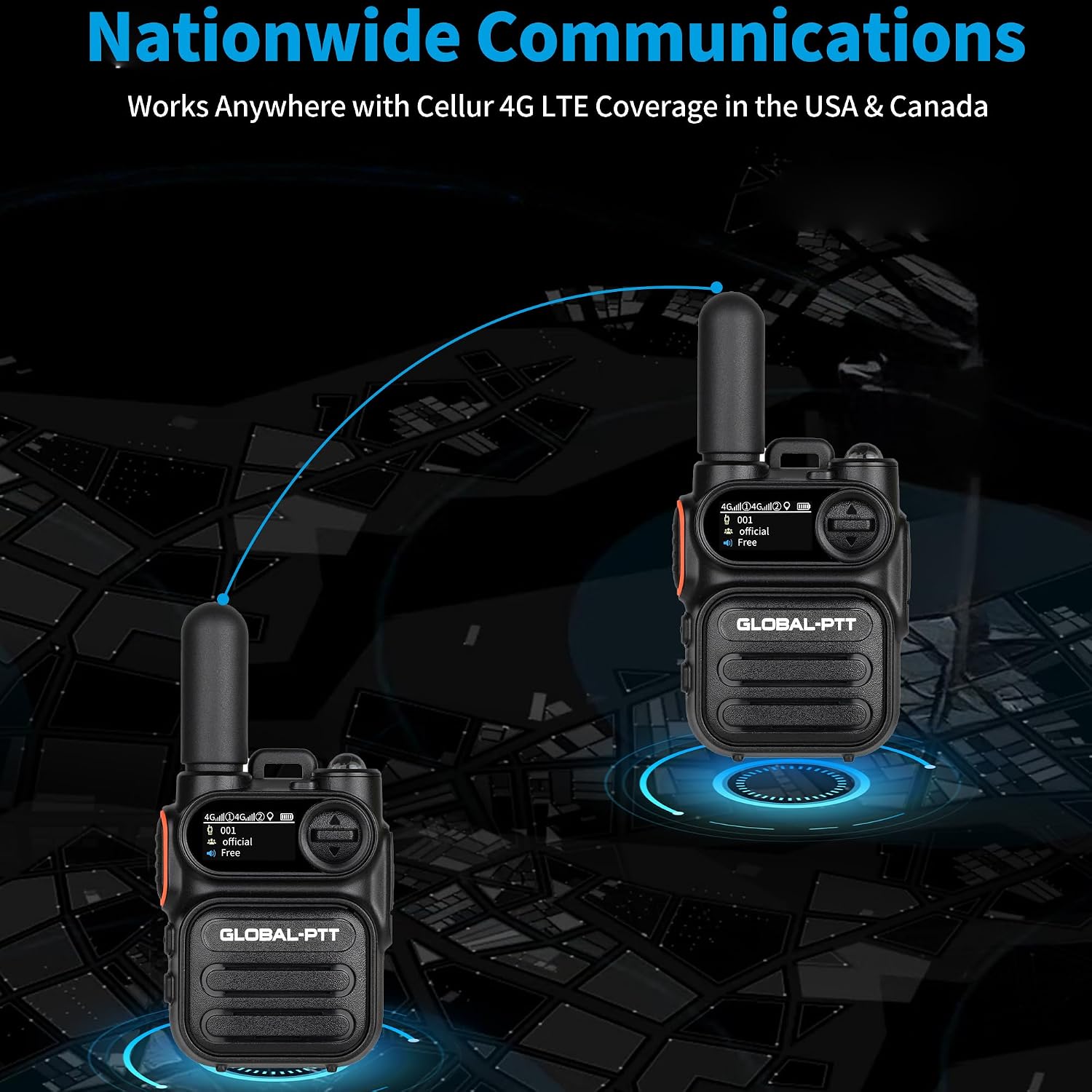
Image Description: This graphic depicts two Global-PTT radios connected by a communication link over a stylized map, symbolizing nationwide communication capabilities. The accompanying text highlights that the radios work anywhere with cellular 4G LTE coverage in the USA and Canada, demonstrating their extensive range.
Flashlight Function
The radio includes a built-in flashlight for convenience.
- To activate the flashlight, locate the dedicated flashlight button (or refer to the 'Function Key Analysis' diagram for its position).
- Press the button once to turn the flashlight on, and press it again to turn it off.

Image Description: This close-up image shows the Global-PTT G388 radio with its integrated flashlight activated, emitting a bright beam of light. The word 'flashlight' is prominently displayed, indicating this feature.
Maintenance
To ensure the longevity and optimal performance of your Global-PTT G388 radio, follow these maintenance guidelines:
- Cleaning: Use a soft, damp cloth to clean the radio's exterior. Avoid harsh chemicals or abrasive cleaners.
- Storage: Store the radio in a cool, dry place away from direct sunlight and extreme temperatures.
- Battery Care: For prolonged storage, ensure the battery is partially charged (around 50%). Avoid fully discharging the battery for extended periods.
- Water Resistance: While the radio is waterproof, ensure all ports and covers are securely closed before exposure to water to maintain its water resistance level.
Troubleshooting
If you encounter issues with your Global-PTT G388 radio, refer to the following common problems and solutions:
| Problem | Possible Cause | Solution |
|---|---|---|
| Radio does not power on | Low battery; Power switch off | Charge the battery; Ensure power switch is rotated to ON position |
| Cannot transmit or receive | No 4G/LTE signal; SIM card issue; Incorrect channel/group | Move to an area with better cellular coverage; Check SIM card seating; Verify channel/group settings |
| Poor audio quality | Weak signal; Microphone/speaker obstruction | Improve signal strength; Clear any obstructions from microphone/speaker |
| Battery drains quickly | Frequent use; Old battery | Reduce transmission time; Consider battery replacement if significantly degraded |
Specifications
Key technical specifications for the XMANA Global-PTT G388 radio:
| Feature | Detail |
|---|---|
| Model Number | G388 |
| Brand | XMANA |
| Connectivity | 4G/LTE (Push-to-Talk over Cellular) |
| Number of Channels | 2 |
| Special Features | 1 Year Data Service, High-speed Data, Operates Within 4G Coverage Areas |
| Water Resistance Level | Waterproof |
| Included Components | Walkie Talkie |
Warranty and Support
The XMANA Global-PTT G388 radio comes with a 1-Year Warranty from the date of purchase. This warranty covers manufacturing defects under normal use.
For technical support, warranty claims, or further assistance, please contact XMANA customer service through their official channels. Refer to your purchase documentation for specific contact information.