
1. Introduction
This manual provides detailed instructions for the installation, operation, and maintenance of your CZSWCH Qualcomm Android 13 Car Radio. This advanced stereo system is designed to upgrade your vehicle's infotainment experience with a 12-inch 2K IPS screen, powerful 8-core processor, and integrated wireless Carplay/Android Auto functionality. Please read this manual thoroughly before installation and use to ensure proper function and safety.
2. Product Features
- Vehicle Compatibility: Specifically designed for Dodge RAM Truck 1500/2500/3500/4500/5500 (2019-2024) new body style, compatible with OEM 5-inch and 8-inch radio models. Note: Not compatible with original 12-inch screens or factory 360 camera systems.
- Advanced Hardware: Features Android 13 operating system, Qualcomm QCM6125 (Snapdragon 665) 8-core processor, 8GB RAM, and 128GB ROM for high performance and low power consumption.
- High-Resolution Display: Equipped with a 12-inch 2K 1920*1080 IPS capacitive touch screen, supporting 4K video playback for an excellent in-car visual experience.
- Seamless Smartphone Integration: Built-in wireless Apple Carplay and wired Android Auto for easy access to navigation, music, calls, and other mobile applications like Maps, Spotify, and iTunes.
- Retained Vehicle Functions: Maintains all original steering wheel control functions for safe and convenient operation. Supports plug-and-play integration with your factory backup camera.
- Connectivity: Supports 4G LTE and Wi-Fi networks.
3. Setup & Installation
Proper installation is crucial for optimal performance. It is recommended that installation be performed by a qualified professional. Ensure the vehicle's power is disconnected before beginning installation.
3.1 Preparation
- Ensure you have all components from the packing list: car stereo, power cable, USB cables, GPS antenna, 4G antenna, RCA audio cables, external microphone, and installation brackets.
- Gather necessary tools: T20 Torx screwdriver, T15 Torx screwdriver, 7mm socket wrench, and a panel removal tool.
3.2 Disassembly of Factory Unit
- Carefully remove the rubber mat from the top dashboard tray.
- Unscrew the two T20 Torx screws located beneath the rubber mat.
- Using a panel removal tool, gently pry off the factory radio bezel, starting from the top and working your way around. The bezel is held by clips.
- Disconnect all wiring harnesses from the factory radio unit. This includes the main power connector, antenna cables, and any other connected modules.
- Remove the factory radio module by unscrewing the 7mm bolts. Disconnect all antenna and wiring plugs from the module. This module will not be reused.
- Remove the front panel of the factory unit by unscrewing the T15 screws. This panel will also not be reused.
3.3 New Unit Installation
- Connect the new wiring harnesses to the CZSWCH Android unit. Ensure all connections are secure.
- Connect the GPS antenna and Wi-Fi antenna to their respective ports on the new unit. Position the antennas on the dashboard for optimal signal reception.
- Connect the external microphone cable. Route the microphone to a suitable location near the driver for clear voice input.
- Carefully feed all wires into the dashboard opening.
- Align the new Android unit with the dashboard opening. Ensure the top clips are inserted first, then gently push the unit into place until all clips engage.
- Secure the unit using the original screws removed during disassembly.
- Reconnect the vehicle's power.
3.4 Installation Videos
Video: Detailed installation guide for the 13-inch Android radio in a 2019-2022 RAM 1500-4500.
Video: Installation process for a 13.6-inch car radio in a Dodge Ram.
3.5 Product Images

Image: Comparison of the Dodge Ram dashboard before and after installing the CZSWCH Android radio, showing the integrated 12-inch screen.
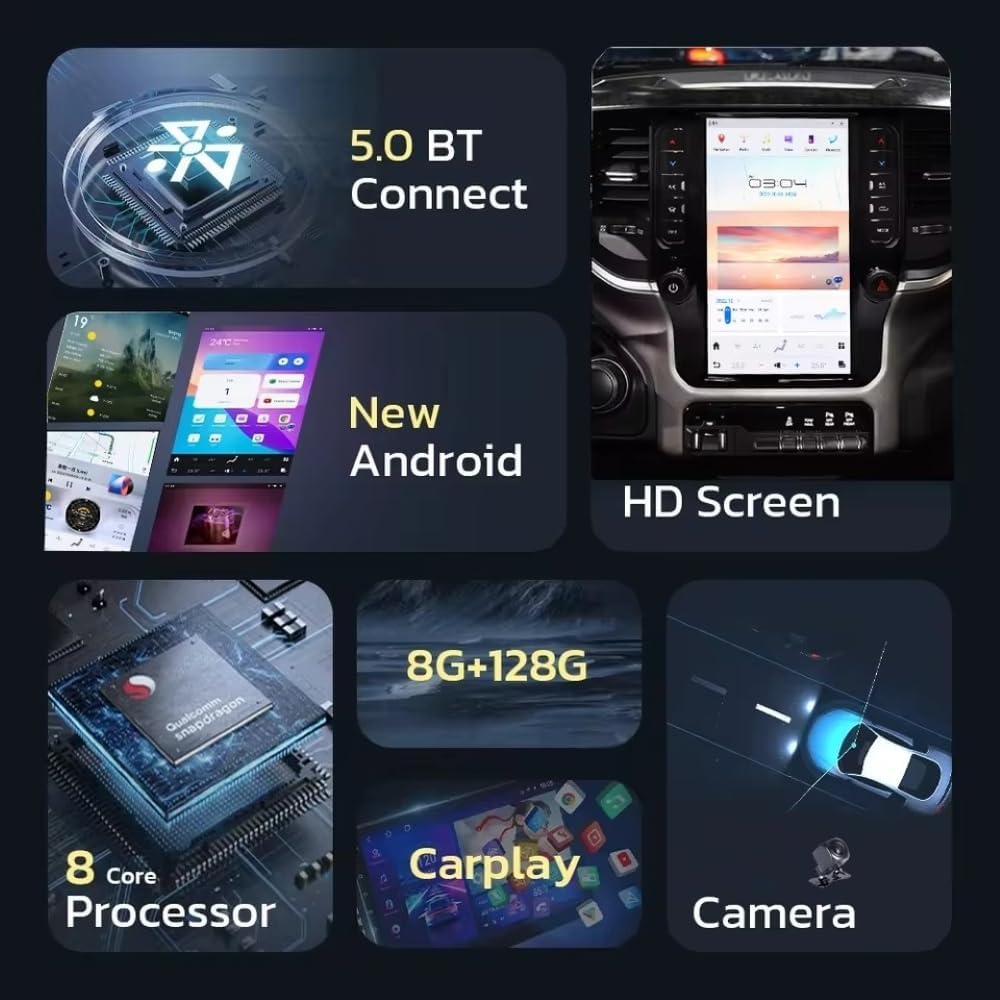
Image: Visual representation of the CZSWCH Android radio's core features, highlighting its hardware and connectivity options.

Image: The CZSWCH Android radio displaying a full-screen navigation map, illustrating its mapping capabilities.

Image: The CZSWCH Android radio showcasing its built-in wireless Carplay and Android Auto features, with a smartphone connected.

Image: The CZSWCH Android radio displaying the air conditioning control interface, indicating its integration with the vehicle's climate system.

Image: The CZSWCH Android radio illustrating its automatic day and night display modes for optimal visibility.
4. Operating Instructions
The CZSWCH Android radio features an intuitive touch interface. Navigate through applications and settings by swiping and tapping the screen. Physical buttons on the side of the unit provide quick access to essential functions like AC, Mode, and volume control.
4.1 Basic Operations
- Power On/Off: Press and hold the power button on the unit.
- Navigation: Tap the 'Navigation' icon to access map applications. The unit supports both online and offline 3D maps with voice guidance.
- Music/Video Playback: Use the 'Music' or 'HD Video Player' apps to enjoy media. The unit supports various audio and video formats.
- Bluetooth: Access the Bluetooth menu to pair your smartphone for hands-free calling and audio streaming.
- Wireless Carplay/Android Auto: Once your phone is connected via Bluetooth, select the Carplay or Android Auto app to mirror your smartphone interface on the unit.
- Climate Control: Tap the 'Climate' icon or use the physical AC buttons to access and adjust your vehicle's air conditioning settings directly from the screen.
4.2 User Interface Demonstration
Video: Demonstration of the CZSWCH Android radio's user interface, including navigation, media playback, and climate control.
Video: Overview of the Wireless Carplay and Android Auto features on the unit.
5. Specifications
- Item Model Number: DQ-RAM
- Display Size: 12 Inches
- Operating System: Android 13
- Processor: Qualcomm QCM6125 (Snapdragon 665) 8-Core
- RAM: 8GB
- ROM: 128GB
- Screen Resolution: 2K 1920*1080 IPS
- Connectivity Technology: Bluetooth 5.0, Wi-Fi, 4G LTE
- Special Features: Android Auto, Apple CarPlay, Voice Command (Touchscreen)
- Map Type: North America
- Audio Output Mode: Stereo
- Mounting Type: Dashboard Mount
- Included Components: Car Stereo, Cable
6. Troubleshooting
If you encounter issues, please refer to the following common problems and solutions:
- Backup Camera Not Working: Ensure all camera input cables are correctly connected to the designated 'FACTORY CAM INPUT' or 'REVERSE CAM INPUT' ports on the unit. Some vehicles may require specific settings adjustments within the unit's system settings to recognize the factory camera. Refer to the 'Setting Guide' within the unit's system menu for vehicle-specific camera protocols.
- Internet and Bluetooth Connectivity Issues: The unit supports simultaneous Internet (Wi-Fi/4G LTE) and Bluetooth connections. If you experience issues, verify that the Wi-Fi and Bluetooth antennas are securely connected to the unit and properly positioned for optimal signal. Check network settings within the Android system.
- Climate Control Malfunction: If climate controls are not functioning correctly, access the 'Setting Guide' in the system menu. Navigate to 'Car model/Ac' and ensure the correct vehicle model and AC protocol are selected. Incorrect settings can lead to climate control issues.
- No Sound/Audio Issues: Verify that all audio output cables are securely connected. If your vehicle has a factory amplifier, ensure the 'Factory AMP' setting is enabled in the unit's 'Setting Guide'.
- General Performance Issues: If the unit is slow or unresponsive, try restarting it. Ensure the software is up-to-date via the 'Upgrade' option in the system settings. A factory reset can also resolve persistent software issues (Note: this will erase all user data).
7. Maintenance
To ensure the longevity and optimal performance of your CZSWCH Android radio:
- Cleaning: Use a soft, lint-free cloth to clean the screen. Avoid abrasive cleaners or solvents.
- Software Updates: Regularly check for and install software updates to ensure you have the latest features and bug fixes. This can be done via the 'Upgrade' option in the system settings.
- Environmental Conditions: Avoid exposing the unit to extreme temperatures or direct sunlight for prolonged periods.
8. Warranty & Support
Your CZSWCH Android radio is backed by a one-year warranty from the date of purchase. This warranty covers manufacturing defects and ensures professional technical support.
- Technical Support: For any questions or technical assistance, please contact us via Amazon email. We are committed to responding promptly and ensuring your satisfaction.
- Protection Plans: Additional protection plans are available for purchase, including a 3-Year Protection Plan and a Complete Protect plan (monthly billing).