
TABYIK DH-CS01
TABYIK Quiet Dehumidifier Instruction Manual
Model: DH-CS01 | Color: Z-Grey
Product Overview
The TABYIK Quiet Dehumidifier is designed to efficiently remove excess moisture from small enclosed spaces, creating a more comfortable and healthier environment. It's perfect for use in bedrooms, bathrooms, closets, and RVs, helping to prevent dampness, odors, and mold growth. Its compact size and quiet operation make it an ideal addition to any living space.
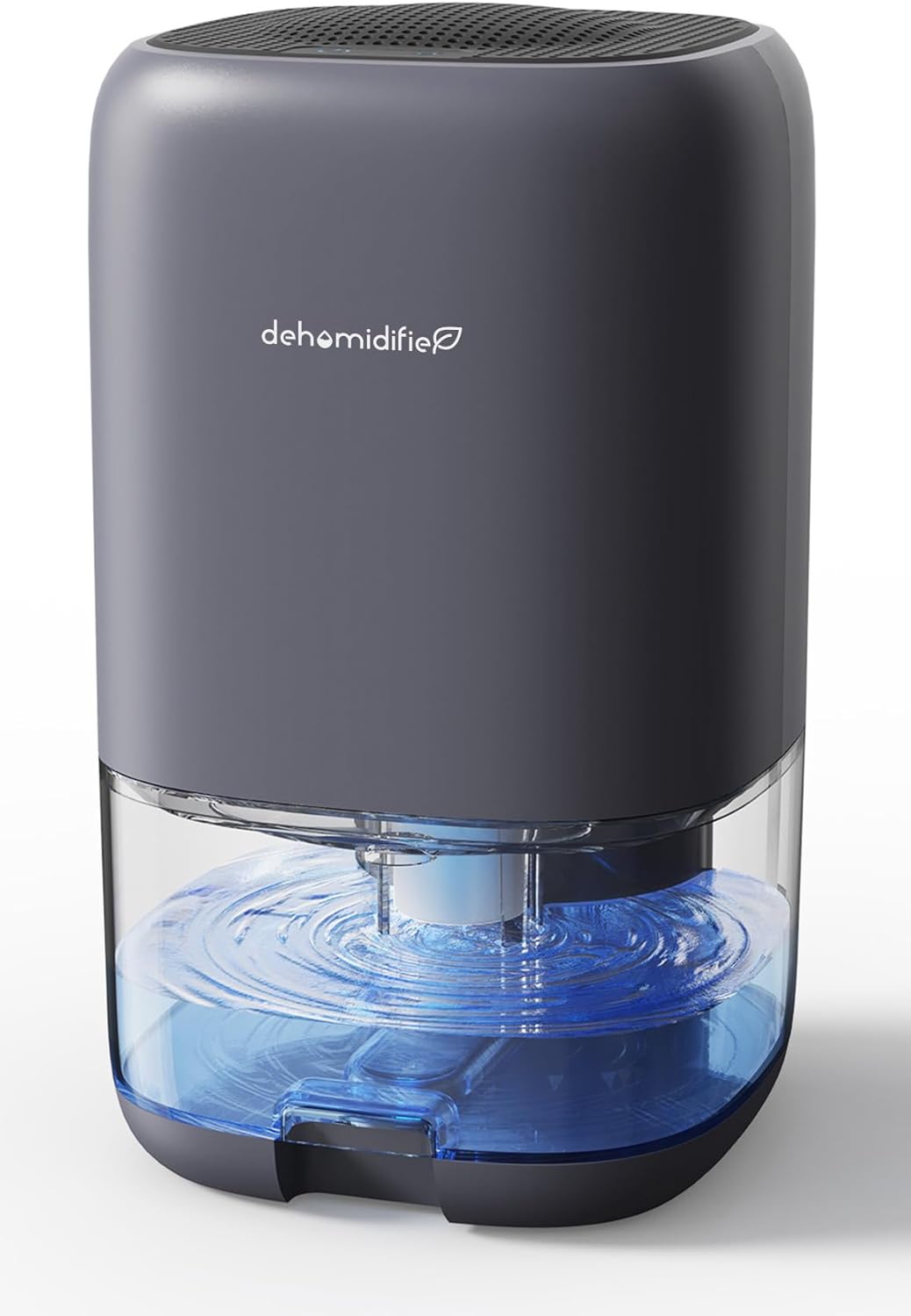
Figure 1: Front view of the TABYIK Quiet Dehumidifier.
Key Features
- High Efficiency: Collects up to 16 OZ (450 ml) of water in 24 hours at 86 ℉ and 80% relative humidity.
- Ultra-Quiet Operation: Operates at a low 28 dB, making it suitable for sleeping or working environments.
- 7-Color Ambient Light: Features romantic atmosphere lights that can be turned on or off.
- Large Transparent Tank: Equipped with a 1000ml (35OZ) visible water tank for easy monitoring and a groove design for simple removal and cleaning.
- Auto Shut-Off Protection: Automatically turns off when the water tank is 700-800ml full, with a flashing red light indicator.
- Portable Design: Compact size (5.9"D x 5.9"W x 10.1"H) with a built-in handle for easy placement and movement.
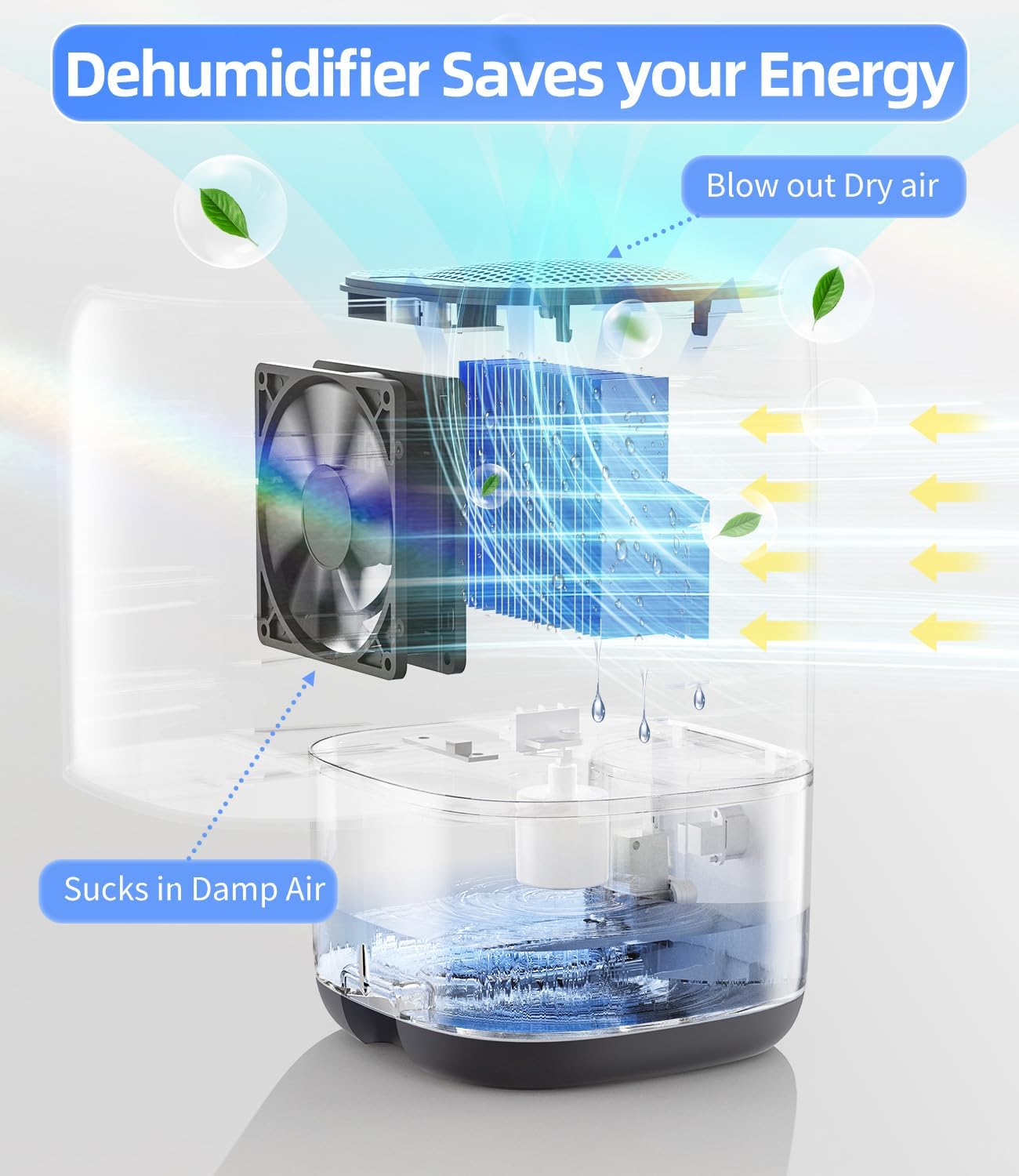
Figure 2: Internal diagram showing damp air intake and dry air output, highlighting energy efficiency.

Figure 3: The dehumidifier features a 7-color ambient light, which can be turned on, locked to a color, or turned off.

Figure 4: The unit automatically shuts off and flashes red when the water tank is full (700-800ml).
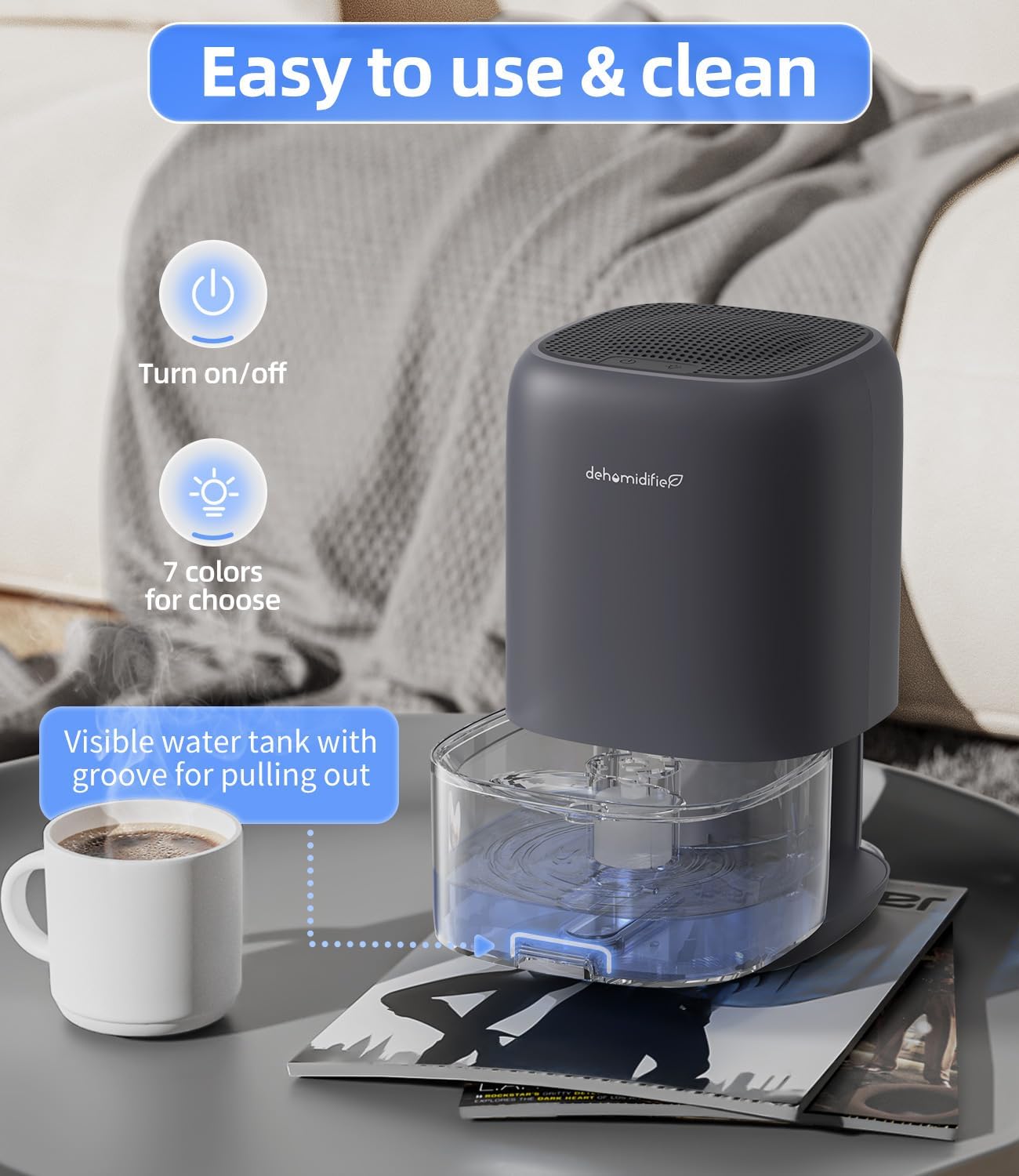
Figure 5: Its compact size makes it suitable for small spaces like bedrooms, bathrooms, closets, and RVs.
Official Product Video
Video 1: An official video demonstrating the TABYIK Dehumidifier for Home, showcasing its features and benefits.
Setup Guide
- Unboxing: Carefully remove the dehumidifier and all accessories from the packaging. Ensure all protective materials are removed.
- Placement: Place the dehumidifier on a flat, stable surface in the desired small area (e.g., bedroom, bathroom, closet, RV). For optimal performance, ensure the air inlet at the top and the air outlet at the back are not blocked. Keep the unit away from walls or other obstructions.
- Power Connection: Connect the power adapter to the DC port on the dehumidifier and then plug it into a standard electrical outlet.
- Initial Use: For best dehumidification, keep doors and windows closed in the room where the unit is operating.

Figure 6: Proper placement of the dehumidifier to ensure unblocked air intake and exhaust vents.
Operating Instructions
- Power On/Off: Press the power button (⑂) on the top of the unit to turn the dehumidifier on or off. A green light will indicate it is powered on.
- Ambient Light Control: Press the light button (💡) to cycle through the 7-color ambient lights. Press once to turn on, press again to lock on a specific color, and press a third time to turn off the light.
- Automatic Shut-Off: The dehumidifier will automatically stop operating when the water tank reaches 700-800ml capacity. The light will flash red to alert you that the tank needs to be emptied.
Maintenance
- Emptying the Water Tank: When the auto shut-off activates, gently pull out the transparent water tank from the bottom of the unit using the integrated groove. Carefully pour out the collected water.
- Cleaning the Water Tank: Rinse the water tank with clean water regularly. Ensure it is completely dry before reinserting it into the dehumidifier.
- Cleaning the Air Filter: The dehumidifier has an air filter on the back. Regularly clean the filter to maintain optimal performance. Refer to the user manual for specific instructions on accessing and cleaning the filter.
- General Cleaning: Wipe the exterior of the unit with a soft, damp cloth. Do not use abrasive cleaners or solvents.

Figure 7: The transparent water tank is easily removable for emptying and cleaning.
Troubleshooting
| Problem | Possible Cause / Solution |
|---|---|
| Low water absorption efficiency | Efficiency depends on temperature and humidity. Higher temperature and humidity values increase the speed of water collection. Ensure the room conditions are within optimal range (68℉-86℉ and 60%-80% humidity). |
| Unit not operating correctly | Ensure the air inlet at the top and the air outlet at the back are not blocked. Regularly clean the air filter. |
| Unit not turning on | Check if the power adapter is securely plugged into both the unit and the wall outlet. Ensure the water tank is correctly inserted. |
| Water tank full indicator (red light) is on, but tank is not full | Ensure the water tank is properly seated and the float sensor is not obstructed. |

Figure 8: Visual guide for common troubleshooting questions.
Product Specifications
- Brand: TABYIK
- Model Name: DH-CS01
- Color: Z-Grey
- Product Dimensions: 5.91"D x 5.91"W x 10.11"H
- Item Weight: 2.19 Pounds
- Capacity: 1000 Milliliters (35 OZ)
- Dehumidification Capacity: 0.45 Liters per Day (16 OZ/24H)
- Floor Area Coverage: Up to 280 Square Inches (suitable for small rooms)
- Wattage: 40 watts
- Operation Mode: Continuous
- Special Feature: Portable, Auto Shut-Off, 7-Color LED Light
- Included Components: User Manual
Warranty and Support
For any questions, concerns, or support regarding your TABYIK Dehumidifier, please refer to the included User Manual (PDF) or contact our support team.
- User Guide (PDF): Download Here
- Email Support: support@conopu.com
- Website: www.conopu.com
Please note: While the product is branded TABYIK, the support contact information provided in the physical manual may refer to 'Conopu'. Please use the provided contact details for assistance.
Ask a question about this manual
Ask about setup, troubleshooting, compatibility, parts, safety, or missing instructions. Manuals+ will review the question and use this page’s manual context to help answer it.