
Introduction
This manual provides essential instructions for the assembly, operation, maintenance, and troubleshooting of your Generic1 3-Drawer Slim File Cabinet with Lock. Please read this manual thoroughly before assembly and use to ensure proper function and longevity of your product. Keep this manual for future reference.
Safety Instructions
- Ensure all parts are present and undamaged before assembly. Do not proceed with assembly if any parts are missing or damaged.
- Assemble the cabinet on a soft, clean surface to prevent scratches.
- Do not overload drawers. Distribute weight evenly to maintain stability.
- Keep children away from the assembly area. Small parts can be a choking hazard.
- Always use the anti-tilt mechanism (if included) to prevent the cabinet from tipping over when drawers are open.
- Do not stand or sit on the cabinet.
Package Contents
Verify that all components are included in your package:
- Cabinet Frame (pre-assembled sections)
- 3 Drawers with slides
- Locking Mechanism with Keys
- Casters (wheels)
- Assembly Hardware (screws, bolts, etc.)
- Instruction Manual
Setup and Assembly
This file cabinet requires assembly. Follow these steps carefully:
- Unpack Components: Carefully remove all parts from the packaging. Lay them out on a protected surface.
- Attach Casters: Securely attach the four casters to the bottom of the cabinet frame using the provided screws. Ensure two of the casters are lockable and positioned at the front for stability.
- Install Drawers: Slide each drawer into its designated slot on the cabinet frame. Ensure the drawer slides engage correctly and the drawers move smoothly.
- Test Lock: Insert the key into the lock and test its function. The lock mechanism should secure all three drawers simultaneously.
Visual Reference:

Image: The file cabinet with all three drawers closed, keys inserted into the top drawer's lock, and casters visible at the base. This view shows the cabinet ready for use after assembly.
Operating Instructions
Your file cabinet is designed for efficient storage and organization.
- Opening Drawers: Pull the drawer handle gently to open. Ensure the cabinet is stable before opening multiple drawers.
- Locking Mechanism: Insert the key into the lock located on the top drawer. Turn the key to engage the locking mechanism, which secures all three drawers. Turn the key in the opposite direction to unlock. Remove the key after locking or unlocking.
- Moving the Cabinet: To move the cabinet, unlock the two front casters by pressing down on their levers. Carefully push the cabinet to its desired location. Once in place, lock the casters to prevent accidental movement.
Visual Reference:
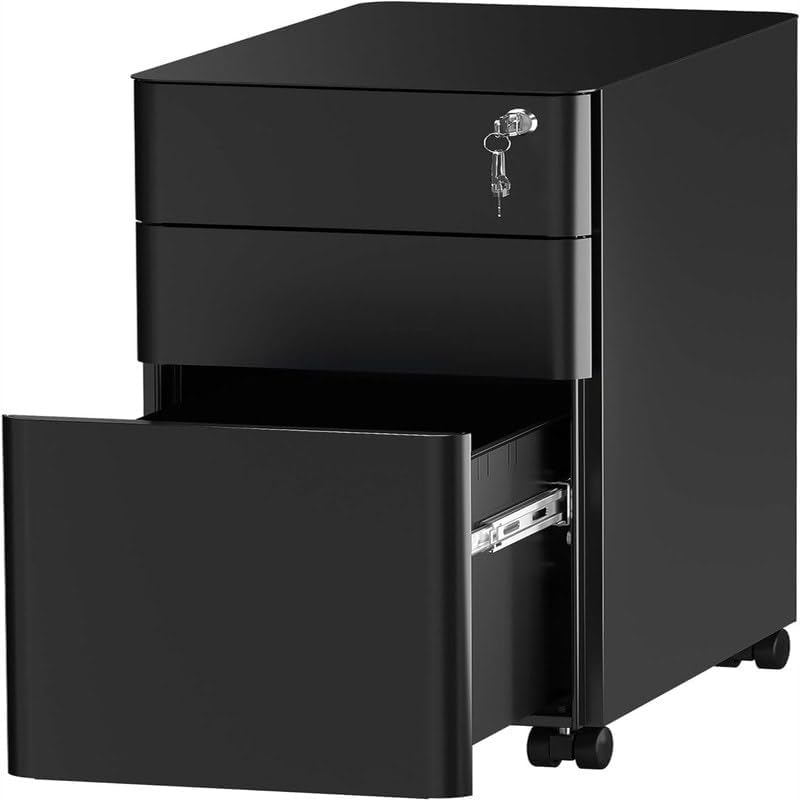
Image: The file cabinet with the bottom drawer partially open, revealing the interior and drawer slides. Keys are visible in the lock on the top drawer. This illustrates the drawer operation and locking feature.

Image: The file cabinet positioned in an office environment, with all three drawers open, showcasing its storage capacity and how it fits into a workspace.
Maintenance
Regular maintenance will help preserve the appearance and functionality of your file cabinet.
- Cleaning: Wipe the metal surfaces with a soft, damp cloth. Avoid abrasive cleaners or harsh chemicals, as they can damage the finish.
- Drawer Slides: Periodically check drawer slides for smooth operation. If they become stiff, a small amount of silicone-based lubricant can be applied.
- Lock Mechanism: Keep the lock mechanism free of dust and debris. Do not force the key if it feels stuck.
- Casters: Clean any debris from the casters to ensure smooth rolling.
Troubleshooting
If you encounter issues with your file cabinet, refer to the following common problems and solutions:
- Drawer is Sticking:
- Check if the drawer is overloaded or if items are obstructing the slides.
- Ensure the cabinet is on a level surface.
- Inspect drawer slides for damage or debris. Clean and lubricate if necessary.
- Lock Not Engaging/Disengaging:
- Ensure all drawers are fully closed before attempting to lock.
- Check if the key is fully inserted and turned correctly.
- Inspect the lock mechanism for any visible obstructions.
- Cabinet is Unstable/Wobbly:
- Verify that all casters are securely attached and locked when the cabinet is stationary.
- Ensure the cabinet is placed on a flat, level surface.
- Distribute contents evenly across drawers.
Specifications
| Feature | Detail |
|---|---|
| Product Dimensions (W x H x D) | 11.8 in. x 23.4 in. x 18.1 in. |
| Material | Metal |
| Finish | Metal Finish |
| Color | Black |
| Number of Drawers | 3 |
| Locking Mechanism | Yes |
| Mounting Type | Floor Mount (with casters) |
| Model Number | B0DF39PPN5 |
| UPC | 366440516083 |
Dimensional Diagram:
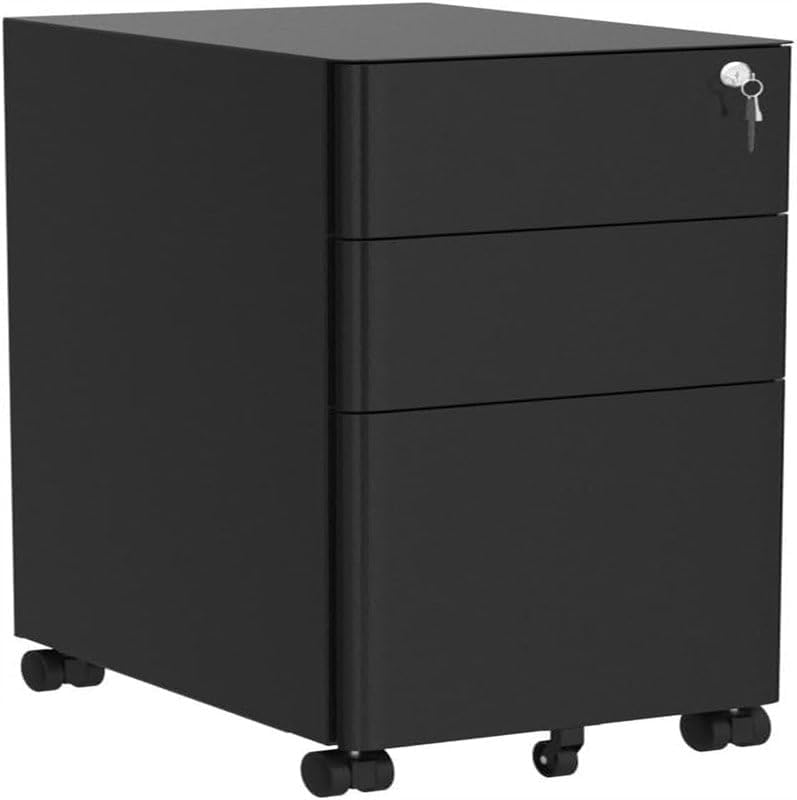
Image: A detailed diagram illustrating the precise dimensions of the file cabinet, including overall height, width, and depth, as well as internal drawer measurements.
Warranty and Support
For warranty information, please refer to the documentation provided at the time of purchase or contact the seller directly. If you require technical support or have questions not covered in this manual, please reach out to the product's manufacturer or the retailer from whom you purchased the item.