1. Introduction
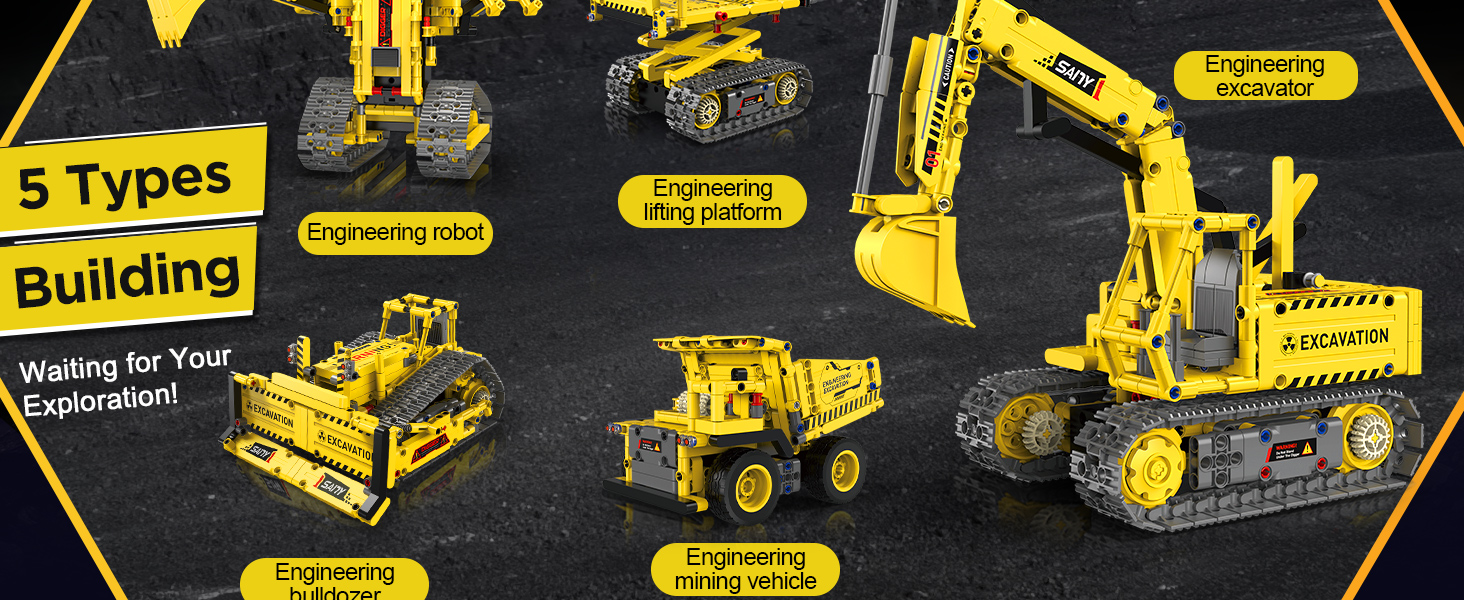
The okk 5-in-1 STEM Robot Building Kit provides an engaging and educational experience for children aged 8-12. This kit allows for the construction of five distinct models: an excavator, a lifting crawler vehicle, a mining vehicle, a bulldozer, and an excavator robot. Each model can be controlled via a dedicated remote control or a smartphone application, offering various interactive modes including programming and path following. This manual provides essential information for assembly, operation, maintenance, and troubleshooting.

2. Safety Information
WARNING: CHOKING HAZARD - Small Parts. Not suitable for children under 3 years old. Adult supervision is recommended during assembly and play to ensure safe handling of small components.
3. What's in the Box
Please verify that all components are present before beginning assembly:
- 555+ Pcs Building Blocks
- Remote Control
- Instruction Manual (Detailed picture-based guide)
4. Assembly Instructions
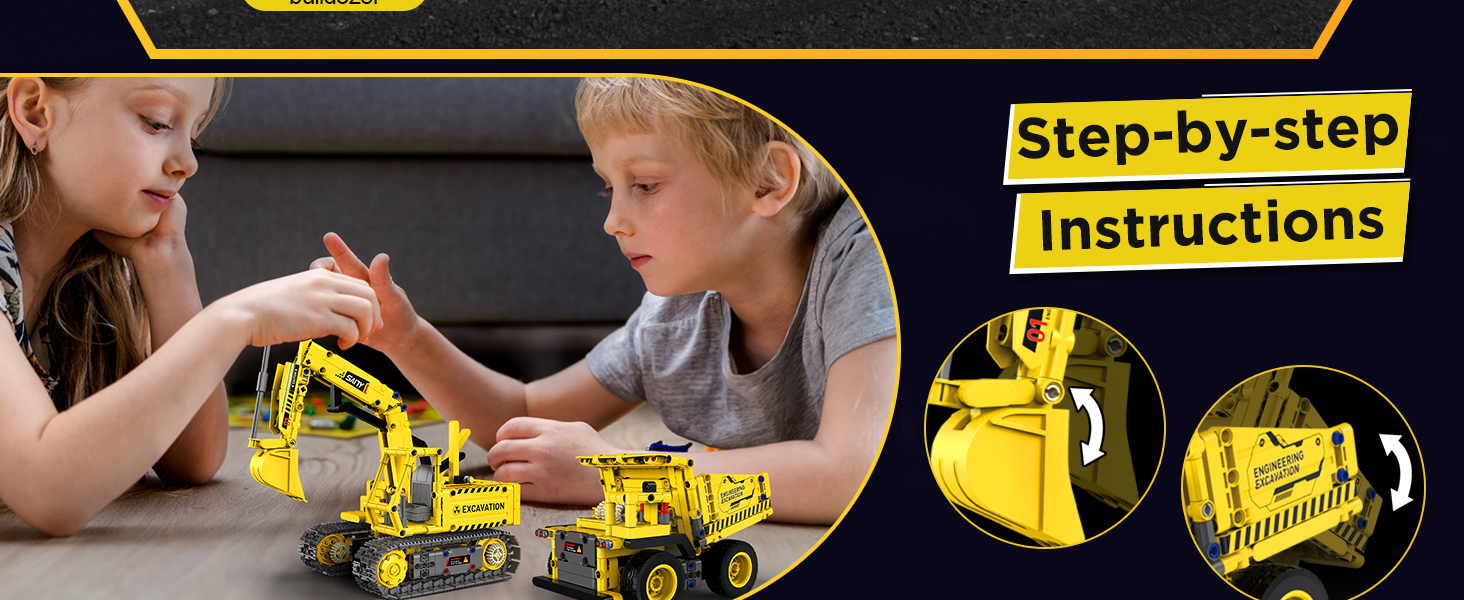
This kit includes a comprehensive, step-by-step, picture-based instruction manual. Follow the diagrams carefully to assemble your chosen robot model. It is recommended to sort the building blocks by type and size before starting to facilitate the assembly process.
The kit allows for the construction of five distinct models:
- Excavator
- Lifting Crawler Vehicle
- Mining Vehicle
- Bulldozer
- Excavator Robot
5. Powering the Robot
The robot requires batteries for operation. Please note that batteries are not included in the package and must be purchased separately.
- Robot: Requires 1 Nonstandard Battery (included with the main control unit, but may need charging or initial activation).
- Remote Control: Requires batteries (type not specified, typically AA or AAA, refer to the included manual for exact type and quantity).
Ensure batteries are inserted with correct polarity. Do not mix old and new batteries, or different types of batteries.
6. Operating Instructions
The robot can be controlled using either the included remote control or a dedicated smartphone application.
6.1 Remote Control Operation
After inserting batteries into the remote control and ensuring the robot is powered on, establish a connection as per the detailed instructions in the included manual. The remote control allows for basic directional movement (forward, backward, left, right) and potentially other functions depending on the model built.
6.2 App Control Operation
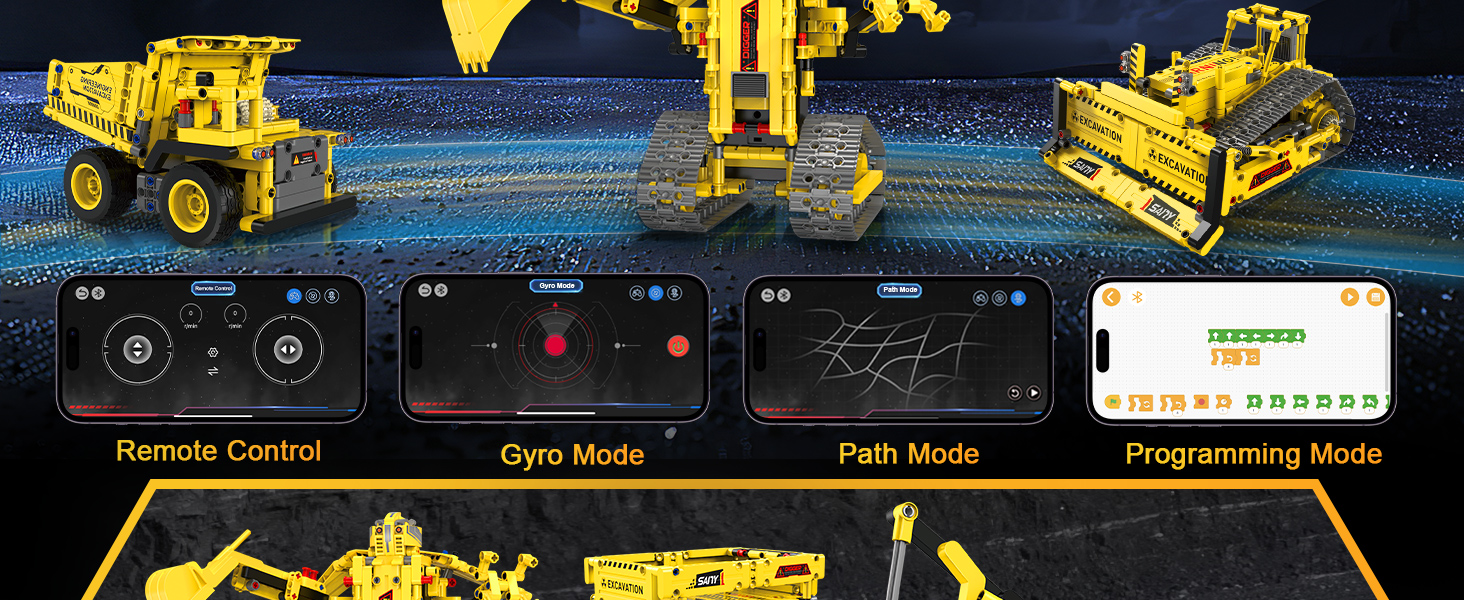
Download the official okk robot control application from your device's app store. Follow the in-app instructions to pair your robot with your smartphone via Bluetooth. The app offers multiple control modes:
- Remote Control Mode: Virtual joystick for directional movement.
- Gyro Mode: Control the robot's movement by tilting your smartphone.
- Path Mode: Draw a path on your screen, and the robot will follow it.
- Programming Mode: Drag-and-drop block-based coding interface to create custom sequences of actions for the robot.
7. Maintenance
To ensure the longevity and proper functioning of your okk robot kit, follow these maintenance guidelines:
- Cleaning: Use a soft, dry cloth to wipe down the blocks and electronic components. Avoid using water or cleaning solutions directly on electronic parts.
- Storage: Store the kit in a cool, dry place away from direct sunlight and extreme temperatures. Keep components organized to prevent loss.
- Battery Care: Remove batteries from the robot and remote control if the kit will not be used for an extended period to prevent leakage.
- Inspection: Periodically check for any loose or damaged parts. Replace any broken components if possible, or contact support for assistance.
8. Troubleshooting
If you encounter issues with your okk robot kit, refer to the following common troubleshooting steps:
- Robot Not Responding:
- Ensure the robot's power switch is in the 'ON' position.
- Check if the robot's battery is charged or properly inserted.
- Verify that the remote control has fresh batteries and is correctly paired with the robot.
- If using the app, ensure Bluetooth is enabled on your device and the robot is paired.
- Movement Issues:
- Inspect the tracks or wheels for any obstructions or loose connections.
- Ensure all gears are properly aligned and engaged.
- Check for any loose building blocks that might be impeding movement.
- App Connection Problems:
- Restart the app and your smartphone.
- Turn the robot off and on again.
- Ensure your smartphone's operating system is up to date.
- Programming Errors:
- Review your programming sequence for logical errors.
- Test smaller segments of your program to isolate the issue.
If problems persist, consult the detailed troubleshooting section in the included instruction manual or contact okk customer support.
9. Specifications
| Feature | Detail |
|---|---|
| Product Dimensions | 4 x 5 x 5 inches |
| Item Weight | 2.35 pounds |
| Model Number (ASIN) | B0DF3177HN |
| Manufacturer Recommended Age | 6 years and up |
| Batteries Required | 1 Nonstandard Battery (included for robot), additional batteries for remote control (not included) |
| Number of Pieces | 555+ |
| Control Methods | Remote Control, APP Control (Remote, Gyro, Path, Programming Modes) |
10. Warranty and Support
For warranty information, product support, or to inquire about replacement parts, please refer to the contact details provided in the original product packaging or visit the official okk website. Keep your purchase receipt as proof of purchase for any warranty claims.


