1. Introduction
This manual provides detailed instructions for the operation and maintenance of your Generic Wireless Sound Card Earphones. These earphones are designed for live broadcasting, audio editing, singing, and listening, offering a versatile audio solution.
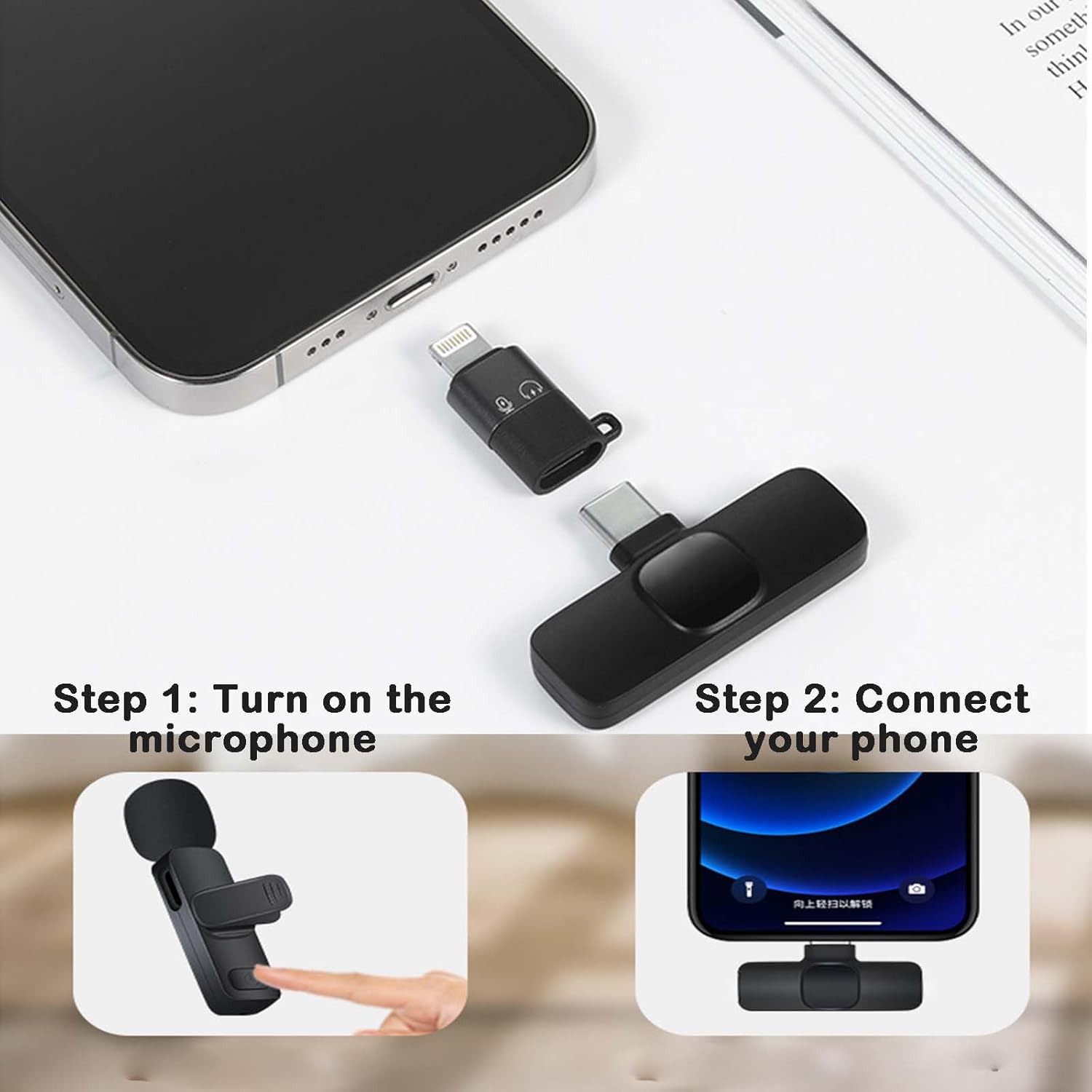
Image: The Generic Wireless Sound Card Earphones, showcasing their design and components.
2. Setup
Follow these steps to set up your Wireless Sound Card Earphones for first-time use.
2.1 Charging the Device
Before initial use, ensure the earphones are fully charged. Connect the provided Type-C charging cable to the charging port on the device and a suitable power source. The power display will indicate charging status.

Image: Illustration of the internal battery, indicating its large capacity for extended use.

Image: The accurate power display on the earphone unit, showing real-time battery level.
2.2 Connecting to a Device
The earphones can connect wirelessly via Bluetooth or directly using the included microphone and receiver for live streaming.
- Wireless Connection (Bluetooth):
- Ensure the earphones are powered on.
- Activate Bluetooth on your smartphone or audio device.
- Search for "Wireless Sound Card Earphones" in the list of available devices and select to pair.
- A confirmation sound will indicate successful pairing.
- Live Streaming Connection (Microphone & Receiver):
- Step 1: Turn on the microphone. Press and hold the power button on the microphone unit until the indicator light illuminates.
- Step 2: Connect the receiver to your phone. Insert the appropriate receiver (Lightning for iOS or Type-C for Android) into your phone's charging/data port. The receiver will automatically connect to the microphone.
- Once connected, you can begin live broadcasting or recording.

Image: Visual guide for connecting the microphone and receiver to a smartphone for live streaming.

Image: Collage showing universal compatibility, three-button function, comfortable in-ear style, and memory card slot with Type-C charging.
3. Operating Instructions
Understand how to use the various functions of your earphones.
3.1 Basic Controls
The earphones feature a three-button control system for media playback and calls.
- Power On/Off: Press and hold the multi-function button.
- Play/Pause: Single press the multi-function button.
- Volume Up/Next Track: Press the '+' button for volume up, long press for next track.
- Volume Down/Previous Track: Press the '-' button for volume down, long press for previous track.
- Answer/End Call: Single press the multi-function button during an incoming call or active call.
- Reject Call: Long press the multi-function button during an incoming call.
3.2 Bluetooth and Card Mode Switching
The earphones support both Bluetooth streaming and playback from a TF memory card.
- To switch between Bluetooth mode and TF card mode, use the designated mode switch button or follow the instructions in the device's menu if applicable.
- Insert a TF memory card into the dedicated slot to play music directly from the card, even when your phone's battery is low.

Image: The earphone unit displaying the option to switch between Bluetooth and TF card playback modes.
4. Key Features
- Bluetooth 5.4 Connectivity: Enjoy stable and efficient wireless audio transmission.
- Integrated Sound Card: Provides sound card level audio output for enhanced live broadcasting and audio editing.
- Intelligent Noise Reduction: Minimizes ambient noise for clear audio capture and playback.
- 188D Surround Sound Quality: Delivers an immersive listening experience.
- Accurate Power Display: Real-time battery level indication to prevent unexpected power loss.
- Waterproof and Sweatproof Design: Suitable for various environments and activities.
- TF Card Playback: Listen to music directly from a memory card without needing a connected device.
- Type-C Charging: Modern and convenient charging interface.
- Comfortable In-Ear Style: Ergonomically designed for extended wear.
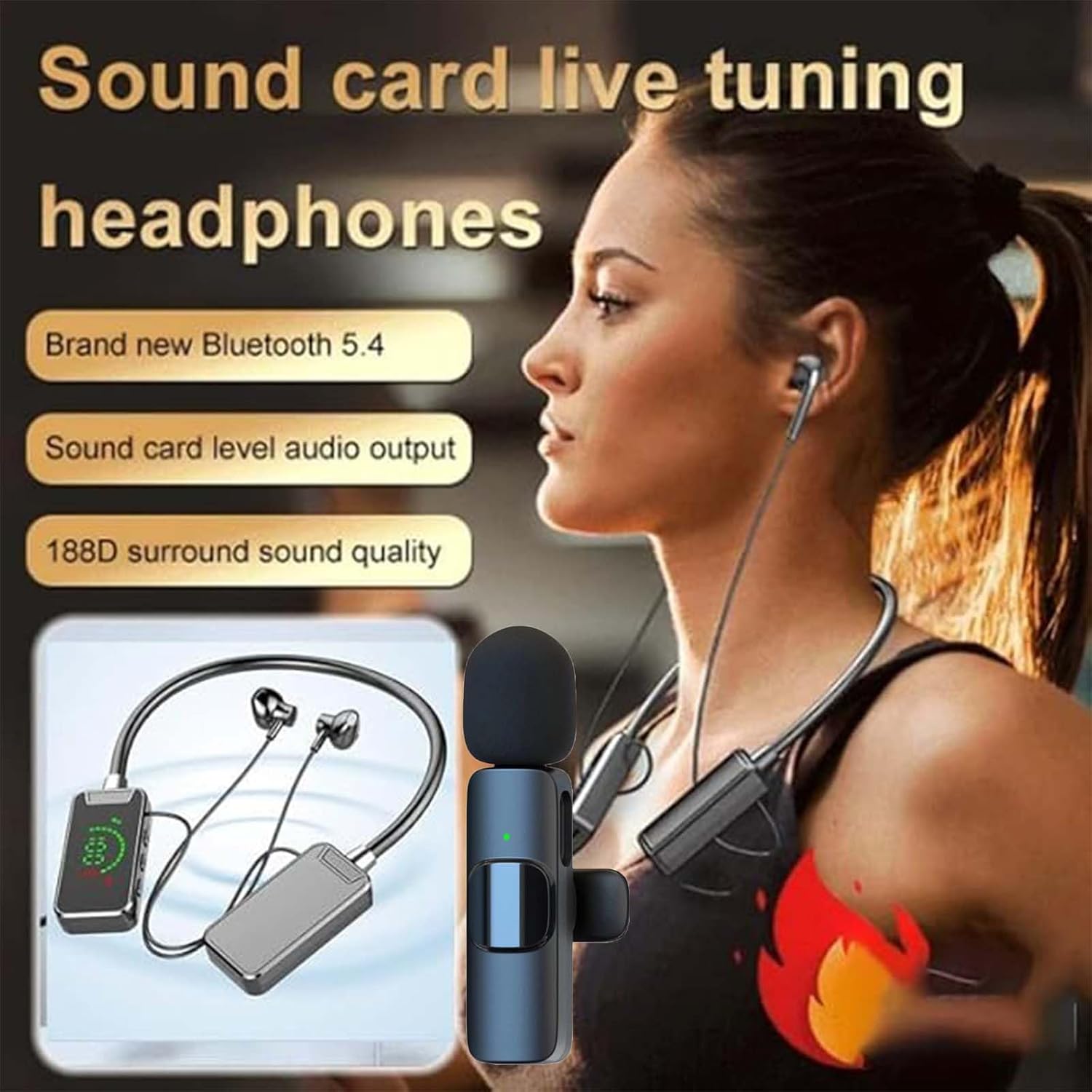
Image: The earphones highlighting Bluetooth 5.4, sound card level audio output, and 188D surround sound quality.

Image: An internal view illustrating the intelligent noise reduction technology for clear audio.

Image: The earphones showcasing their waterproof and sweatproof construction.

Image: Close-up of an earbud, illustrating sound wave output for enhanced audio quality.
5. Maintenance
Proper care ensures the longevity and optimal performance of your earphones.
- Cleaning: Use a soft, dry cloth to wipe the earphones. Do not use abrasive cleaners or solvents.
- Storage: Store the earphones in a cool, dry place away from direct sunlight and extreme temperatures.
- Water Exposure: While waterproof and sweatproof, avoid prolonged submersion in water. Ensure charging ports are dry before charging.
- Charging: Use only the provided Type-C cable or a certified equivalent for charging.
6. Troubleshooting
Refer to this section for common issues and their solutions.
| Problem | Possible Cause | Solution |
|---|---|---|
| No power | Battery is depleted. | Charge the earphones using the Type-C cable. |
| Cannot pair via Bluetooth | Earphones are not in pairing mode or too far from device. | Ensure earphones are powered on and in pairing mode. Move closer to the device. Restart both devices. |
| No sound | Volume is too low, device not connected, or incorrect audio output selected. | Increase volume. Reconnect earphones. Check audio output settings on your device. |
| Microphone not working for live streaming | Microphone not turned on, receiver not properly connected, or app permissions. | Ensure microphone is powered on. Verify receiver is fully inserted into phone. Check app microphone permissions. |
| TF card not playing | Card not inserted correctly, unsupported file format, or mode not switched. | Reinsert TF card. Ensure music files are in a supported format. Switch to TF card playback mode. |
7. Specifications
- Model: Wireless Sound Card Earphones
- Brand: Generic
- ASIN: B0DF2XJGH3
- Connectivity: Bluetooth 5.4, Wired (via receiver for live streaming)
- Control Type: Media Control (Three-button function)
- Audio Features: Integrated Sound Card, Intelligent Noise Reduction, 188D Surround Sound
- Charging Port: Type-C
- Additional Features: TF Card Slot, Accurate Power Display, Waterproof and Sweatproof
- Earphone Style: In-ear

Image: Close-up of the internal chip, indicating Bluetooth 5.4 technology.


