Introduction
This manual provides comprehensive instructions for the installation, operation, and maintenance of your Hikity Android13 Car Stereo. Designed for Ford Transit Tourneo Custom models from 2013 to 2017, this advanced car stereo system integrates features such as Wireless Carplay, Android Auto, GPS navigation, Wi-Fi connectivity, Bluetooth, FM/RDS radio, Mirror Link, and support for a reversing camera. Please read this manual thoroughly before using the product to ensure proper functionality and safety.
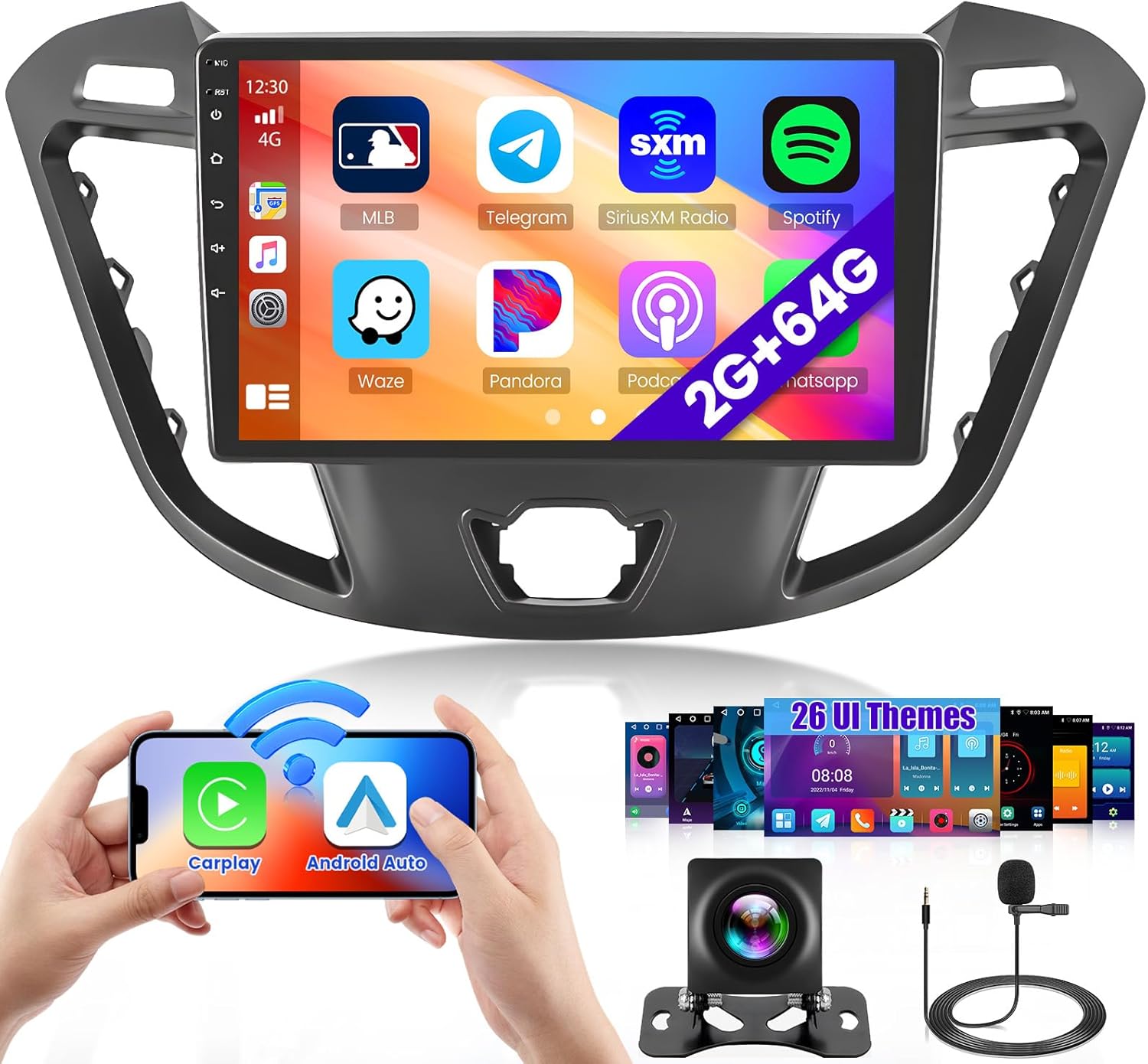
Image: The Hikity Android13 Car Stereo main unit, showcasing its 9-inch display with various application icons, indicating its smart functionality.
Safety Information
- Always ensure the vehicle is parked safely before operating the car stereo's advanced features.
- Do not attempt to disassemble or modify the unit. This may cause damage and void the warranty.
- Keep the unit away from water, moisture, and extreme temperatures.
- Ensure all wiring connections are secure and properly insulated to prevent short circuits.
- Professional installation is recommended for optimal performance and safety.
Setup and Installation
This car stereo is specifically designed for Ford Transit Tourneo Custom models manufactured between 2013 and 2017. The package includes the main head unit, necessary wiring harnesses, and a chassis plate for installation.
Vehicle Compatibility Check
Before installation, it is crucial to verify the compatibility with your vehicle's original center console. This unit is suitable for "low configuration A" models. If your vehicle has a "high configuration B" model with an original screen, this unit may not be compatible without additional adapters (not included). Please compare your vehicle's dashboard with the images provided below.

Image: Visual guide for identifying compatible "Low Configuration A" and incompatible "High Configuration B" car console types for installation.
Additionally, ensure that the power cable connection on the detailed page matches your original car's wiring. The provided cable does NOT support original cars equipped with a SHIELD system.
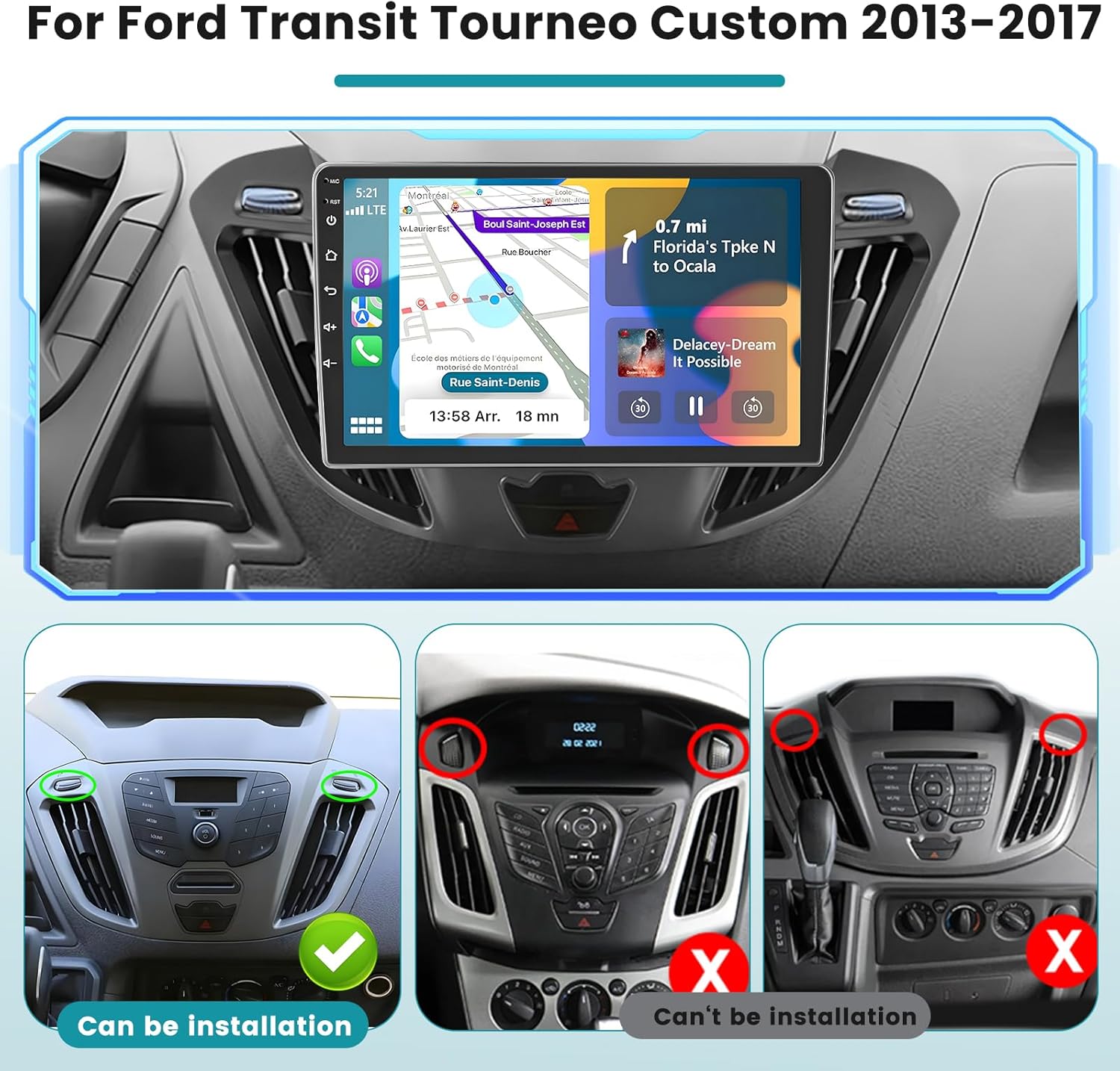
Image: Detailed view of the Ford Transit Tourneo Custom dashboard, highlighting areas for installation compatibility, showing compatible and incompatible configurations.
Steering Wheel Control (SWC) Setup
The unit supports steering wheel controls for added convenience. The setup method depends on whether your vehicle has a CANBUS decoder.
- Without CANBUS Decoder: Connect the steering wheel control wires (Key1/Key2) in the power cable to the corresponding port or wire of your original car. Then, navigate to "SteeringWheelKey" in the manual match settings to activate the button functions.
- With CANBUS Decoder: Connect the CANBUS before powering on the machine. Go to Settings > Factory Setup (Password 000000) > Can Settings to make SWC work properly. First, select the brand of the CANBUS decoder, then select the matching model and year according to the actual situation.

Image: Visual representation of the steering wheel control interface and connection points for setup, detailing both CANBUS and non-CANBUS methods.
Operating Instructions
Wireless Carplay & Android Auto
The Hikity car stereo supports both Wireless Carplay (for iOS phones) and Android Auto (for Android phones) via USB or Wi-Fi connection. Once successfully connected, you can access navigation, play your favorite music, make calls, and send/receive messages directly from the car stereo interface.
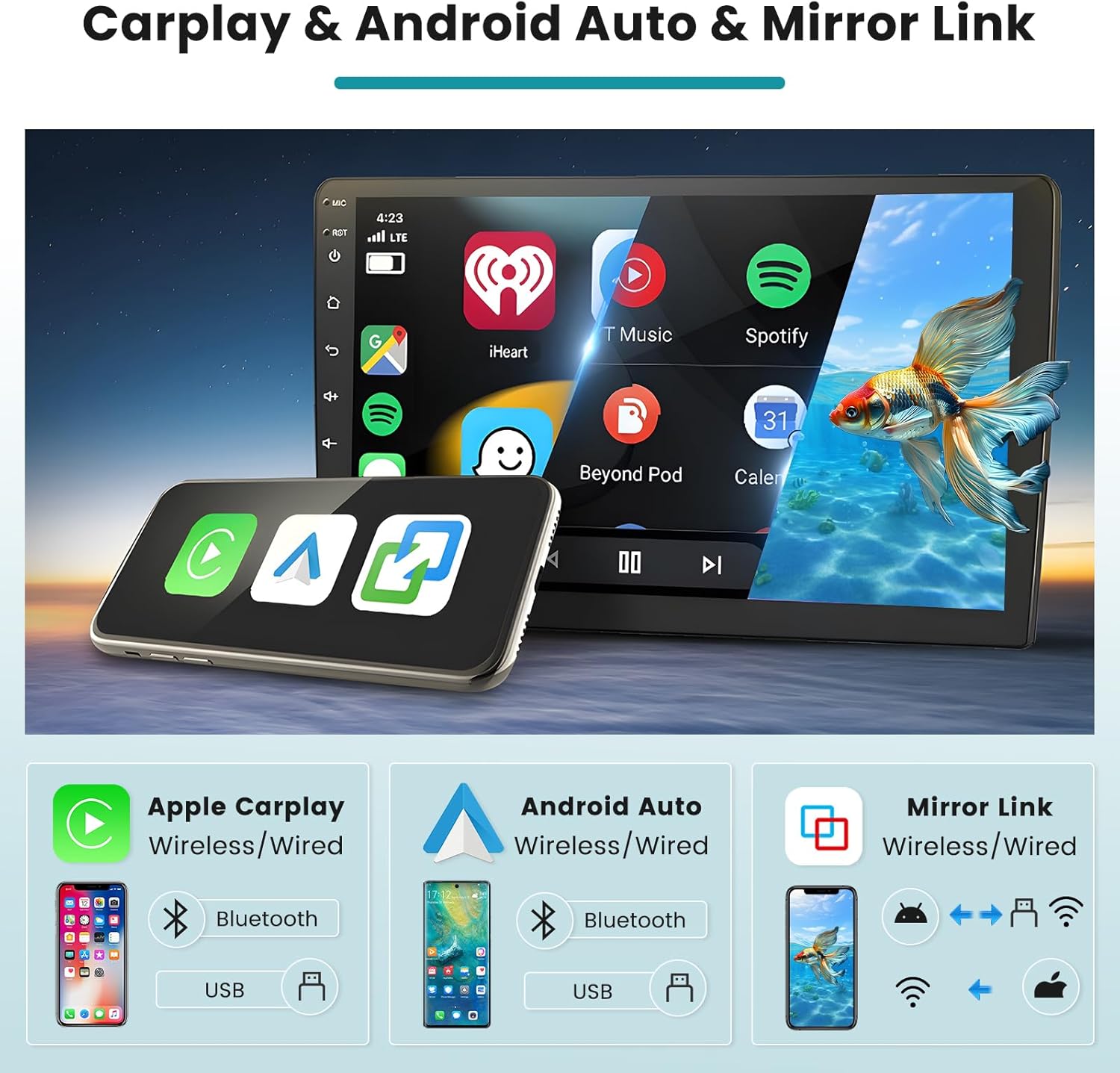
Image: Illustration of the wireless Carplay, Android Auto, and Mirror Link features, showing how a smartphone connects to the car stereo for integrated functionality.

Image: Side-by-side comparison of the Apple CarPlay and Android Auto user interfaces as displayed on the car stereo screen.
Mirror Link & DSP
The Mirror Link function allows you to project your mobile phone's screen onto the car stereo display. It supports both iOS and Android phones, with one-way connection for iOS devices. The Digital Sound Processor (DSP) feature provides an equalization adjustment function, allowing you to customize sound effects to your preference directly from the equalizer settings interface.
GPS Navigation & Wi-Fi Connection
Connect the car stereo to Wi-Fi to access the App Store, download various applications, and stream online videos from platforms like YouTube. The unit supports GPS/QZSS/SBAS and comes with a pre-installed offline navigation program. To use offline navigation, connect to Wi-Fi and download the necessary map data from the App Store.

Image: Depiction of GPS navigation capabilities and Wi-Fi connection, showing map interfaces and multimedia streaming options.
FM Radio, RDS & Bluetooth
Enjoy your favorite radio stations with the built-in FM tuner, which also supports RDS (Radio Data System) for enhanced information display. The Bluetooth connection enables hands-free calling and wireless music streaming from your phone's collection. Simply pair your device to make calls and play audio conveniently.
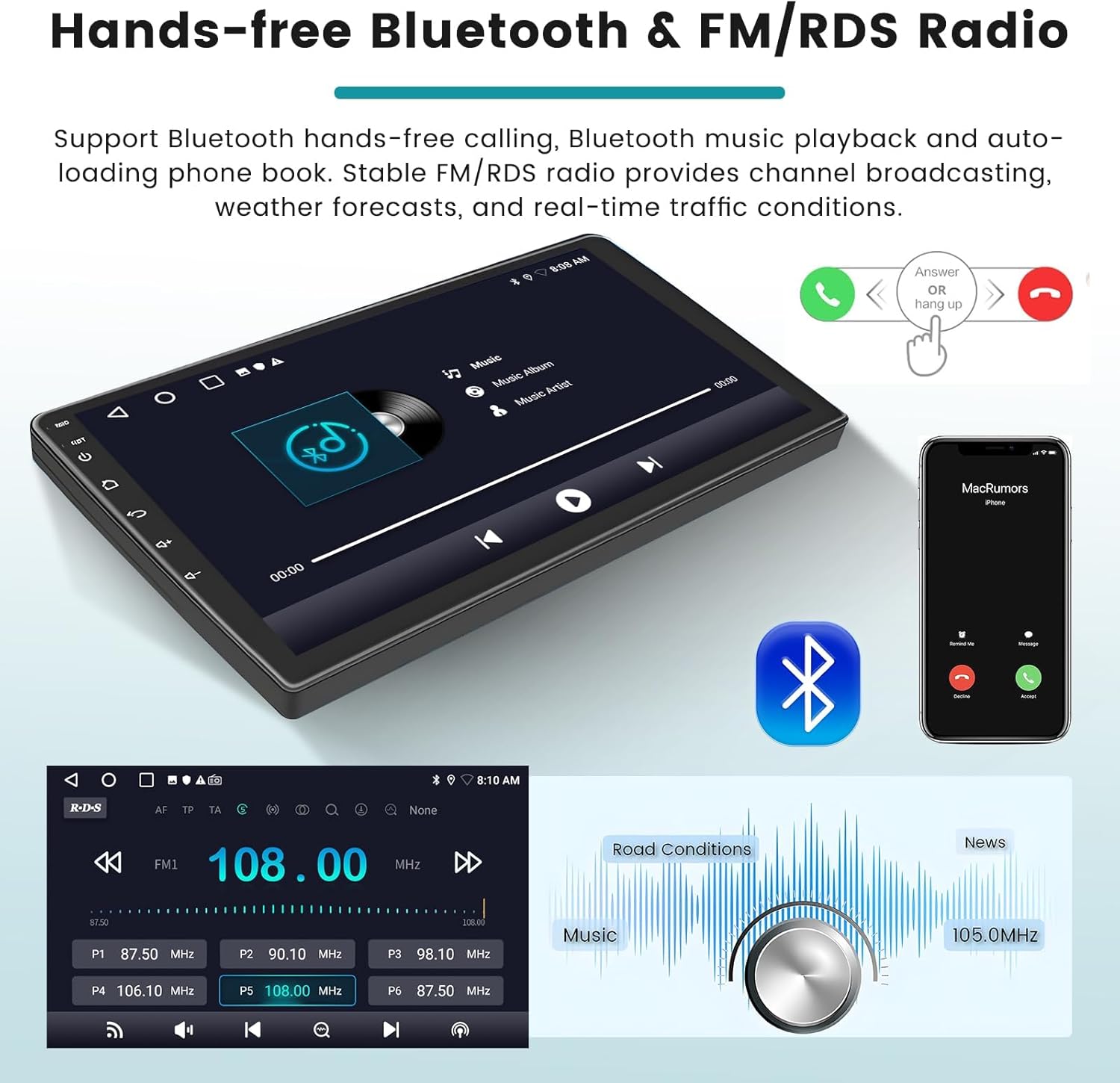
Image: User interface for hands-free Bluetooth calls and the FM/RDS radio, showing call management and radio frequency display.
Rear View Camera Support
Enhance your driving safety with support for an AHD reversing camera. When connected, the car stereo automatically displays the rear view with precision, assisting with parking and maneuvering.

Image: Display showing the rear view camera feed with guidelines, alongside the steering wheel control interface for integrated vehicle management.
UI Themes & EQ Settings
Personalize your car stereo experience with multiple EQ options and 26 different desktop themes. These customization features allow you to enjoy a superior music listening experience tailored to your preferences and switch your user interface style to match your mood.
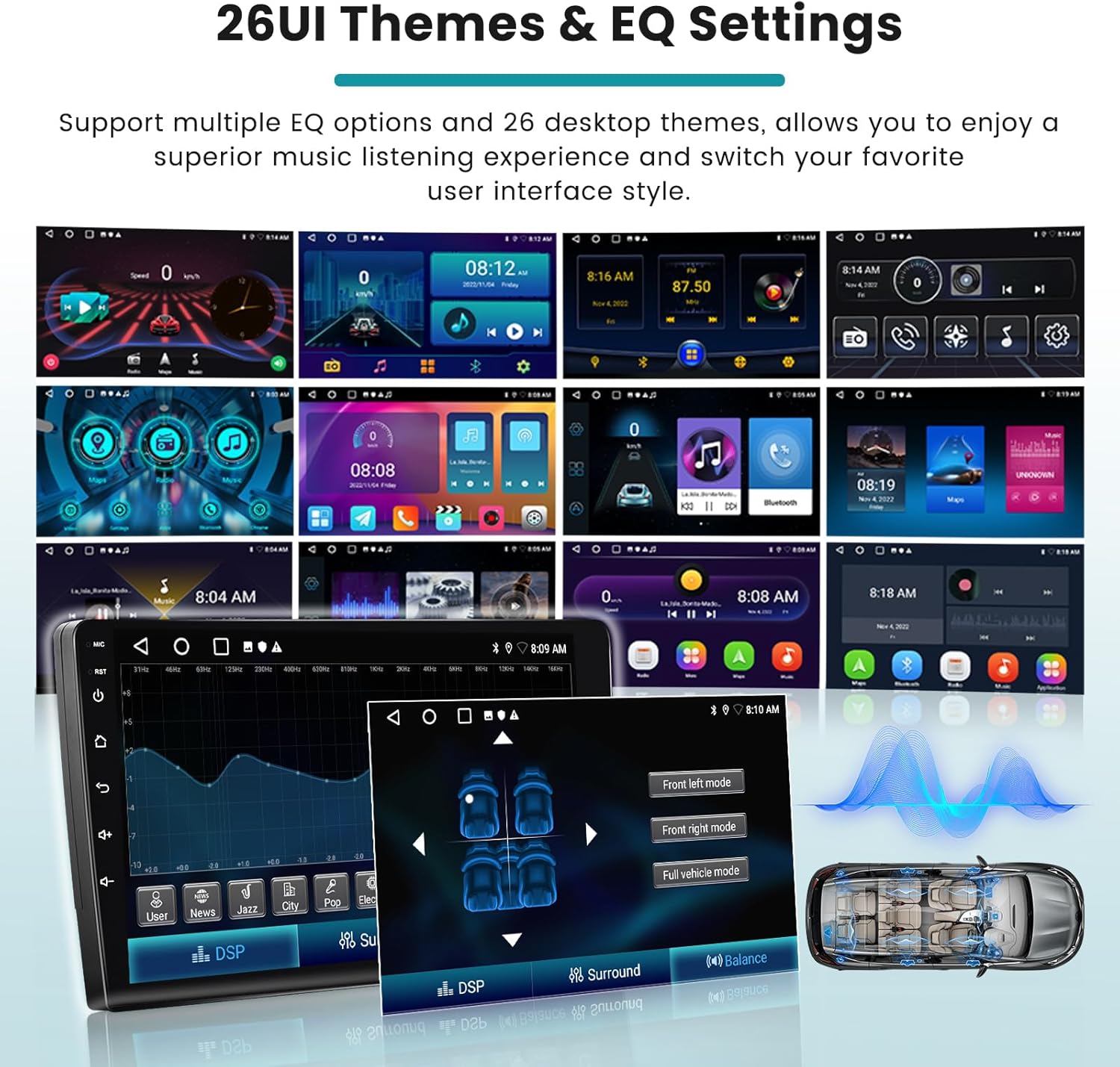
Image: A collage of various user interface themes and the equalizer settings screen, demonstrating the customization options available.

Image: Highlights of key features including the IPS touchscreen, Bluetooth call music playback, FM RDS radio, and DSP sound processing capabilities.
Maintenance
To ensure the longevity and optimal performance of your Hikity car stereo, follow these maintenance guidelines:
- Cleaning: Use a soft, dry cloth to clean the screen and exterior. Avoid abrasive cleaners or solvents that could damage the surface.
- Software Updates: Periodically check for available software updates via Wi-Fi to ensure you have the latest features and bug fixes. Follow the on-screen prompts for any update procedures.
- Environmental Conditions: Avoid exposing the unit to extreme temperatures, direct sunlight for prolonged periods, or high humidity.
Troubleshooting
If you encounter any issues with your car stereo, refer to the following common troubleshooting tips:
- No Power: Check all power connections and ensure the vehicle's ignition is on. Verify fuses if necessary.
- No Sound: Check speaker connections, volume levels, and audio source selection. Ensure the mute function is not activated.
- Bluetooth Connectivity Issues: Ensure Bluetooth is enabled on both the stereo and your mobile device. Try unpairing and re-pairing the devices.
- GPS Signal Loss: Ensure the GPS antenna is properly installed and has a clear view of the sky. Check Wi-Fi connection for map data downloads if using offline maps.
- Touchscreen Unresponsive: Try restarting the unit. If the issue persists, a factory reset might be necessary (note: this will erase all user data).
For persistent issues, please contact customer support.
Specifications
| Feature | Detail |
|---|---|
| Brand | Hikity |
| Model Number | f5f9bf6c-ec96-4b3d-81e7-d7e064cca477 |
| Screen Size | 9 Inches |
| Connections | Wi-Fi, Bluetooth, USB, FM RDS |
| Special Features | Carplay, Android Auto, Mirror Link, Bluetooth EQ, FM/RDS, WIFI, GPS, SWC, 26UI, Dual USB, Touch Screen |
| Total USB Ports | 2 |
| Compatible Devices | Smartphone |
| Audio Output Mode | APE/FLAC/WAV/MP3/WMA |
| Surround Sound Channel Configuration | 4 |
| Video Encoding | MKV/RMVB/AVI/MP4/MDV |
| Power Output | 45 Watts |
Warranty and Support
Manufacturer Warranty
This Hikity car stereo comes with a 2-year manufacturer's warranty from the date of purchase. This warranty covers defects in materials and workmanship under normal use. Please retain your proof of purchase for warranty claims.
Customer Support
For any questions, technical assistance, or warranty inquiries, please contact Hikity customer support. Our team is available to assist you.
Email: roinvouservices@163.com

Image: A customer support representative wearing a headset, symbolizing available assistance for product inquiries.