
1. Introduction
This manual provides detailed instructions for the setup, operation, and maintenance of your Guune Solar Trail Camera (Model SV-TCQW). Designed for wildlife scouting and outdoor security, this camera features 32MP photo resolution, 2.7K HD video recording, a rapid 0.2-second trigger speed, and advanced night vision capabilities. Its integrated solar panel and multiple power options ensure continuous operation in various environments. Please read this manual thoroughly to ensure proper use and to maximize the performance of your device.

Image: Guune Solar Trail Camera mounted on a tree, showcasing its camouflage design and solar panel.
2. Setup
Follow these steps to set up your solar trail camera:
- Power Source Installation: The camera features a built-in 2600mAh battery and a solar panel for continuous charging. For initial setup or extended use in low-light conditions, install 4 AA batteries (included) into the battery compartment. Alternatively, a DC adapter can be used.
- SD Card Insertion: Insert the included 64GB SD card into the designated slot. The camera supports up to 256GB SD cards. Ensure the card is inserted correctly until it clicks into place.
- Power On: Switch the camera to the 'ON' position. The internal screen will activate, allowing you to access settings.
- Mounting: Utilize the heavy-duty mounting bracket (included) to securely attach the camera to a tree, fence, or outdoor wall. The bracket is designed for year-round reliability and quick installation.

Image: Visual guide demonstrating how to open the battery cover, install AA batteries, insert the TF card, and switch the camera on.

Image: The complete package contents, showing the camera, wall mount kit, user manual, USB-C cable, and 4 AA batteries.
3. Operating the Camera
3.1 Image and Video Capture
The camera captures crystal-clear 32MP still images and 2.7K high-definition videos with enhanced audio. Its advanced image sensor and premium lens ensure vivid clarity day or night.

Image: Visual comparison demonstrating the superior clarity of 32MP image resolution compared to 12MP.
3.2 Motion Detection and Trigger Speed
Experience lightning-fast 0.2-second trigger speed and a 5-shot burst mode to capture every movement. The adjustable motion sensor minimizes false alarms while ensuring all relevant activity is recorded. The camera features a 90-degree sensing angle for wide coverage.

Image: Depiction of the camera's fast 0.2-second trigger speed, capturing a moving animal.

Image: Illustration of the camera's three PIR (Passive Infrared) sensors providing a 90-degree sensing angle for comprehensive motion detection.
3.3 Night Vision
Equipped with 850nm no-glow IR LEDs, the camera provides crystal-clear night photos and videos without spooking animals. The night vision range extends up to 65 feet (20 meters).

Image: Highlighting the HD Night Vision capability, showing non-illuminated infrared LEDs for discreet capture.
3.4 Smart Wireless Control (App)
Seamlessly connect your camera to your smartphone via Wi-Fi/Bluetooth using the "TrailCam Go" app. This allows for live previews, media downloads, and remote camera control. The Wi-Fi range is extended to 49 feet, offering greater flexibility in placement. You can also access SD card files via USB-C or a card reader.
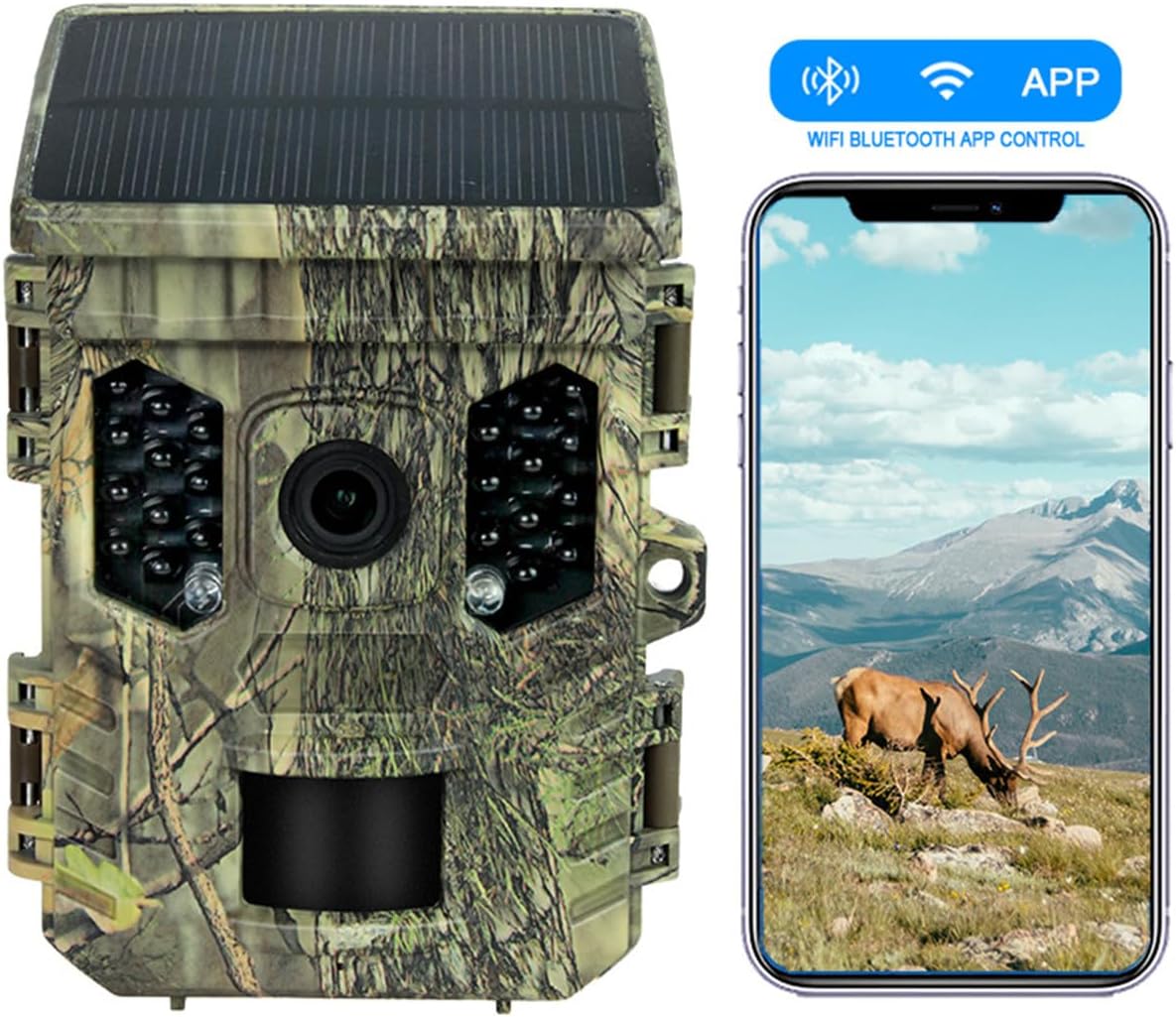
Image: The trail camera alongside a smartphone displaying the "APP" icon, indicating Wi-Fi and Bluetooth app control.
3.5 Official Product Videos
Video: Demonstrates the solar trail camera's functionality in an outdoor setting, showing its discreet operation.
Video: Showcases the night vision capabilities of the solar hunting camera, capturing clear footage in low-light conditions.
Video: An overview of the solar hunting trail camera, highlighting its features and practical application.
4. Maintenance
To ensure the longevity and optimal performance of your Guune Solar Trail Camera, consider the following maintenance tips:
- Weather Resistance: The camera is built with an IP66 waterproof rating, designed to withstand heavy rain, dust, and extreme temperatures ranging from -15°C to 60°C. While robust, avoid submerging the camera in water.
- Continuous Recording: The auto-overwrite feature ensures you never miss a shot by automatically overwriting old footage when the SD card is full. Regularly check the SD card for important recordings and back them up as needed.
- Lens Cleaning: Periodically clean the camera lens and IR LEDs with a soft, dry cloth to ensure clear image and video capture. Avoid abrasive materials that could scratch the surfaces.
- Solar Panel Care: Keep the solar panel clean and free from debris (leaves, dirt, snow) to ensure efficient charging of the internal battery.
5. Troubleshooting
If you encounter issues with your camera, refer to the following common troubleshooting steps:
- Camera Not Powering On: Ensure batteries are correctly installed and charged. Check the solar panel for obstructions. If using a DC adapter, verify the connection and power source.
- Poor Image/Video Quality: Clean the camera lens and IR LEDs. Ensure the camera is positioned correctly and not facing direct sunlight or strong light sources at night. Check settings for resolution and night vision mode.
- Motion Detection Issues: Adjust the motion sensor sensitivity in the camera settings. Ensure there are no obstacles directly in front of the PIR sensors.
- App Connectivity Problems: Ensure Wi-Fi and Bluetooth are enabled on your smartphone. Make sure the camera is within the 49ft Wi-Fi range. Restart both the camera and the app.
- SD Card Errors: Format the SD card using the camera's settings. If the issue persists, try a different compatible SD card.
6. Specifications
| Feature | Detail |
|---|---|
| Model Name | SV-TCQW hunting camera |
| Indoor/Outdoor Usage | Outdoor |
| Compatible Devices | Smartphone (IOS, Android) |
| Power Source | Solar Powered, 4 AA batteries, Type-C charging, DC adapter |
| Connectivity Protocol | Wi-Fi, Bluetooth |
| Mounting Type | Wall Mount |
| Video Capture Resolution | 2.7K (Effective 1080p) |
| Image Resolution | 32MP |
| Color | Camouflage/Brown |
| Night Vision Range | 65ft (20m) |
| Viewing Angle | 120 Degrees |
| Water Resistance Level | IP66 Waterproof |
| Item Weight | 9.3 ounces |
| Product Dimensions | 2.89 x 4.96 x 3.56 inches |
| Operating Temperature | -15°C to 60°C |
| Included Components | Camera body, 64GB SD card, Bracket, 4PCS Battery |
7. Warranty and Support
For warranty information, technical support, or service inquiries, please refer to the official Guune website or contact their customer service directly. Keep your purchase receipt as proof of purchase for any warranty claims.