1. Introduction
The Wodli Soft Start Kit for RV Air Conditioner is an advanced device designed to optimize the performance of your RV's air conditioning unit. By significantly reducing the initial surge of current during startup, this kit allows your air conditioner to operate more efficiently, quietly, and with less strain on your power source. This manual provides essential information for the proper installation, operation, and maintenance of your Wodli Soft Start Kit.
2. Product Features
- Reduced Startup Current: Decreases the starting current by 65%-70%, enabling a 15,000 BTU AC to start with a 2200W generator.
- Versatile Power Usage: Allows operation of AC and other appliances (refrigerators, microwaves, TVs) simultaneously with limited power sources.
- Ideal for Various Hookups: Compatible with 20A household hookups and allows two AC units on a 30A RV park hookup (requires two soft starters).
- Low Noise and Smooth Start: Minimizes noise and vibration during AC startup, enhancing comfort and extending compressor lifespan.
- 4 LED Indicators: Provides clear status feedback for normal operation, errors, startup, and self-test.
- Quick & Easy Installation: Features color-coded wires and detailed guidance for straightforward setup.
- Durable Design: Built with corrosion resistance, waterproofing (IP65), flame retardancy, short circuit protection, and overload protection.
3. What's in the Box
Upon opening your Wodli Soft Start Kit, please ensure all the following components are present:
- 1 x Soft Start for RV Air Conditioner Unit
Note: Additional fasteners or connectors may be required depending on your specific RV AC unit and installation method.
4. Specifications
| Specification | Detail |
|---|---|
| Brand Name | Wodli |
| Model Info | HF-QP-STA02 |
| Item Weight | 1.87 pounds |
| Product Dimensions | 3.5 x 7.5 x 2.5 inches |
| Efficiency | High |
| Capacity | 1.5 Tons (15,000 BTU) |
| Annual Energy Consumption | 1 Watts |
| Noise | 5 dB |
| Installation Type | Split System |
| Material Type | ABS Plastic |
| Voltage | 110 Volts |
| Wattage | 3 watts |
| Special Features | Easy Portability, Quiet Operation, Reduced Initial Power Surge, Vibration Proof, Waterproof |
For detailed dimensions, refer to the product image below.
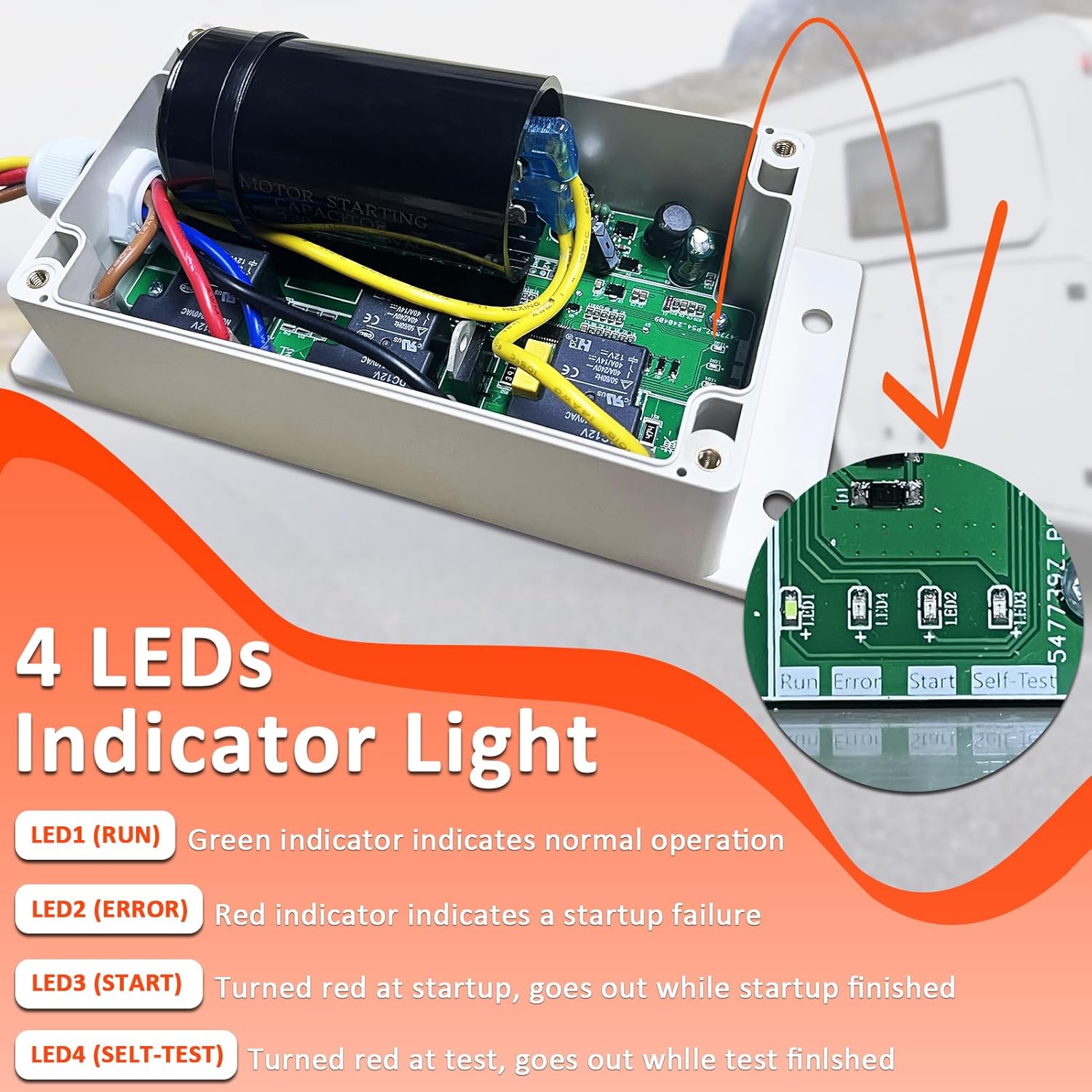
Figure 4.1: Wodli Soft Start Kit showing its dimensions (2.96 inches height, 3.55 inches width, 7.68 inches length).
5. Setup and Installation
Installation of the Wodli Soft Start Kit is designed to be straightforward. However, it requires working with electrical components. If you are not comfortable with electrical wiring, it is recommended to seek assistance from a qualified technician.
5.1 Safety Precautions
- ALWAYS DISCONNECT POWER to your RV's air conditioning unit and the entire RV electrical system before beginning any installation or maintenance.
- Ensure the power source is locked out and tagged to prevent accidental re-energization.
- Wear appropriate personal protective equipment (PPE), such as insulated gloves and safety glasses.
- Verify all connections are secure and properly insulated after installation.
5.2 General Installation Steps
- Access the AC Unit: Carefully remove the cover of your RV's air conditioning unit to expose the electrical components.
- Identify Wiring: Locate the compressor wiring. The Wodli Soft Start Kit features five color-coded wires for easy identification and connection. It is highly recommended to consult the specific wiring diagram for your particular RV AC model, which can often be found on the manufacturer's website or within your AC unit's existing documentation.
- Connect the Soft Start Kit: Follow the specific wiring diagram for your AC unit to connect the corresponding wires from the Wodli Soft Start Kit. Ensure all connections are firm and correct.
- Secure the Unit: Mount the Wodli Soft Start Kit securely within the AC unit's housing using appropriate fasteners. Ensure it is placed in a location that does not obstruct airflow or other components.
- Replace Cover and Restore Power: Once all connections are made and the unit is secured, replace the AC unit cover. Then, safely restore power to your RV.

Figure 5.1: Example of Wodli Soft Start Kit installation within an RV air conditioning unit.

Figure 5.2: Illustration of how the Wodli Soft Start Kit enables AC operation on 20A home hookups and two ACs on 30A RV park hookups.

Figure 5.3: Visual comparison demonstrating the ability to power a 15,000 BTU AC and other appliances with a 2200W generator after installing the soft start kit.
6. Operating Instructions
The Wodli Soft Start Kit operates automatically once installed. Its primary function is to manage the startup current of your air conditioner. The unit features four LED indicators to provide status feedback:
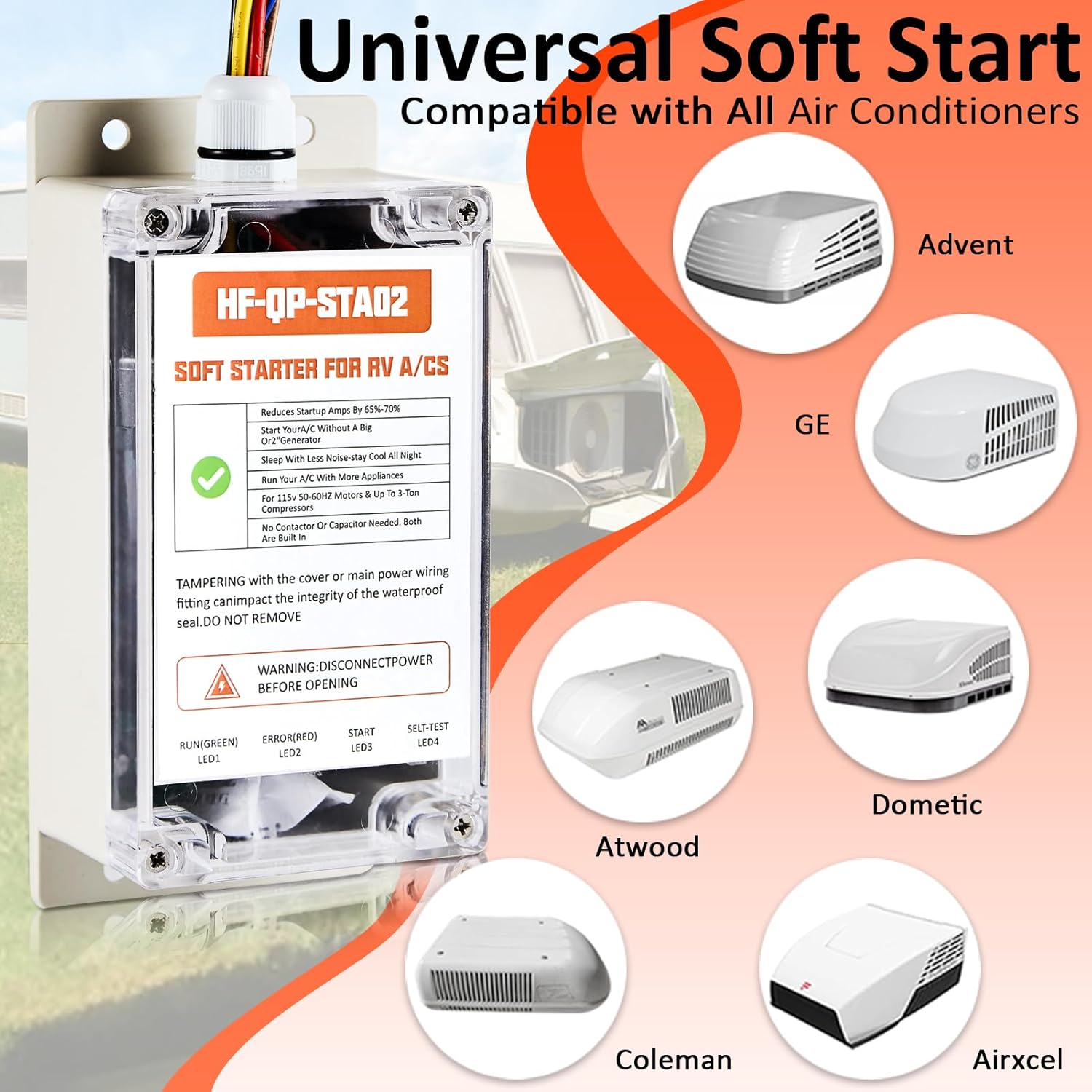
Figure 6.1: Detailed view of the 4 LED indicators on the Wodli Soft Start Kit.
- LED1 (RUN) - Green: Indicates normal operation. When this LED is green, the soft start kit is functioning correctly.
- LED2 (ERROR) - Red: Indicates a startup failure. If this LED is red, there might be an issue preventing the AC from starting properly.
- LED3 (START) - Red: Turns red at startup and goes out once the startup sequence is complete. This indicates the soft start process is active.
- LED4 (SELF-TEST) - Red: Turns red during a self-test and goes out when the test is finished. This LED is primarily for diagnostic purposes.
After installation, simply operate your RV air conditioner as usual. The soft start kit will automatically manage the power draw during compressor startup.
7. Maintenance
The Wodli Soft Start Kit is designed for durability and minimal maintenance. However, periodic checks can help ensure its longevity and optimal performance:
- Visual Inspection: Annually, or before extended trips, visually inspect the unit and its wiring for any signs of wear, damage, or loose connections. Ensure the housing is intact and free from cracks.
- Cleanliness: Keep the unit free from excessive dust, dirt, or debris. Use a soft, dry cloth to wipe down the exterior. Do not use harsh chemicals or abrasive cleaners.
- Secure Mounting: Verify that the unit remains securely mounted within the AC housing to prevent vibration-related issues.
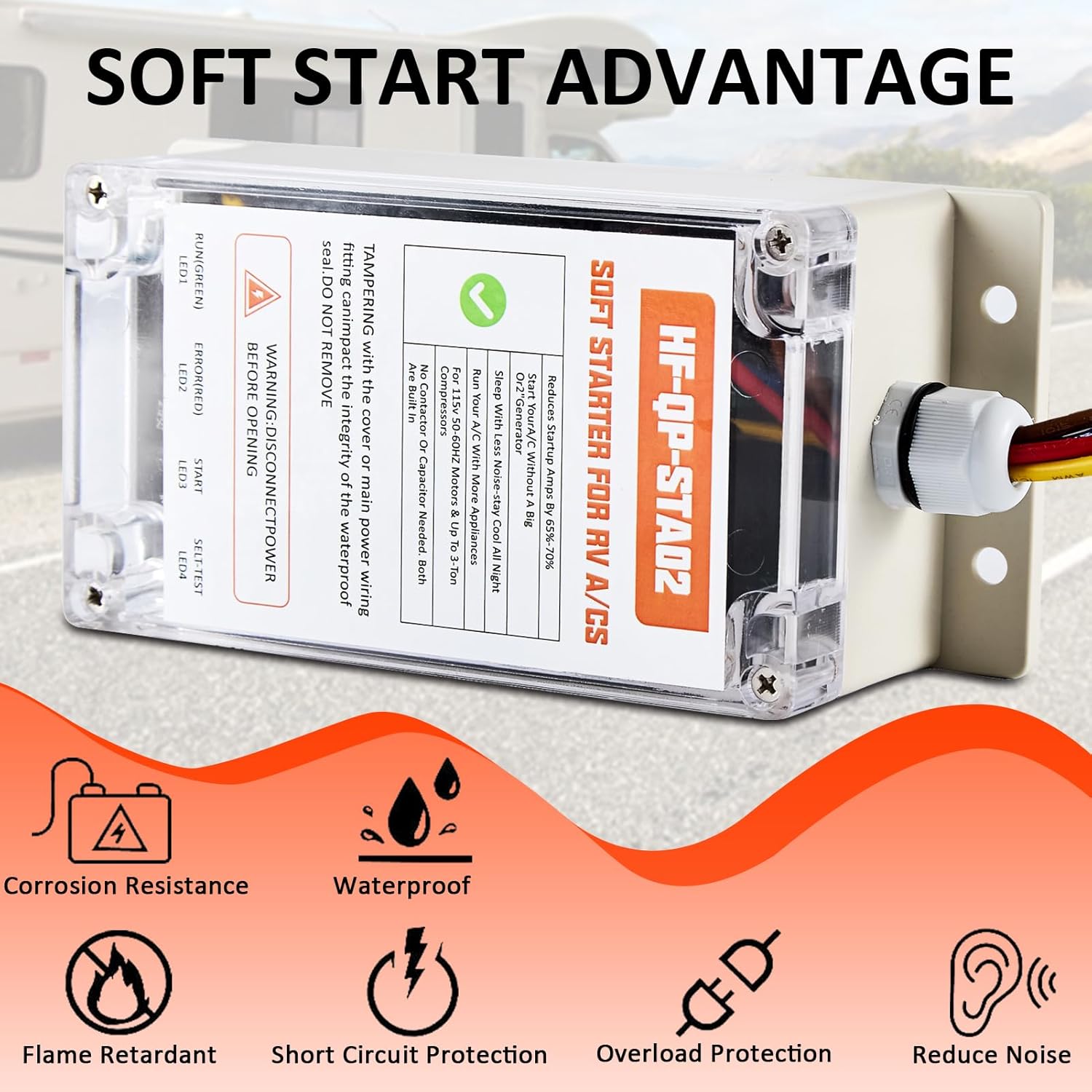
Figure 7.1: The Wodli Soft Start Kit is designed with features like corrosion resistance and waterproofing for enhanced durability.
8. Troubleshooting
If you encounter issues with your Wodli Soft Start Kit or your RV air conditioner after installation, refer to the following troubleshooting guide:
8.1 LED Indicator Diagnostics
- LED1 (RUN) is OFF: Check if the unit is receiving power. Ensure all electrical connections are secure and the RV's power supply is active.
- LED2 (ERROR) is RED: This indicates a startup failure.
- Verify all wiring connections are correct according to your AC unit's specific diagram.
- Ensure the AC unit itself is functioning properly (e.g., fan runs, thermostat is set correctly).
- Check for any external power supply issues (e.g., low voltage from generator or shore power).
- AC Unit Not Starting Smoothly / Circuit Breaker Trips:
- Confirm the soft start kit is correctly wired and the RUN LED is green.
- Ensure your generator or power source meets the minimum requirements for your AC unit, even with the soft start.
- If using a 30A hookup for two ACs, ensure both soft start kits are installed correctly.
8.2 General Troubleshooting Tips
- Power Cycle: Disconnect and reconnect power to the RV and AC unit to reset the system.
- Re-check Connections: Even if they appear correct, re-verify all wiring connections, especially the color-coded wires from the soft start kit to the AC compressor.
- Consult AC Manual: Refer to your RV air conditioner's original manual for specific troubleshooting steps related to the AC unit itself.
If problems persist after following these steps, please contact Wodli customer support for further assistance.
9. Official Product Video
Watch the official product video for an overview of the Wodli Soft Start Kit for RV Air Conditioner and its benefits.
Video 9.1: An official video from Wodli showcasing the Soft Start Kit for RV Air Conditioners, highlighting its features and advantages.
10. Warranty and Support
For information regarding the product warranty, including terms, conditions, and duration, please refer to the warranty card included with your purchase or visit the official Wodli website. Keep your proof of purchase for warranty claims.
For technical support, installation assistance, or any other inquiries, please contact Wodli customer service through the contact information provided on the product packaging or the official Wodli website.


