
BANLVS G59
BANLVS Smartwatch User Manual
Model: G59
Introduction
This manual provides comprehensive instructions for the BANLVS Smartwatch, Model G59. It covers setup, operation, maintenance, and troubleshooting to ensure you get the most out of your device. This smartwatch is designed for women, featuring a 1.83-inch HD display, Bluetooth calling, over 145 sports modes, and health monitoring functions including heart rate, SpO2, sleep tracking, and female health features. It is also IP68 waterproof.

Figure 1: BANLVS Smartwatch G59 with rose gold casing and pink strap.
Package Contents
Upon opening the package, please verify that all items listed below are present:
- 1 x BANLVS Smartwatch
- 1 x White Silicone Strap (replacement)
- 1 x Gold Steel Strap
- 1 x Charging Cable
- 1 x User Manual
Setup Guide
1. Initial Charging
Before first use, fully charge your smartwatch. Connect the magnetic charging cable to the charging points on the back of the watch and plug the USB end into a standard USB power adapter (not included). A full charge typically takes approximately 2 hours. The watch has an ultra-long battery life, providing 3 to 7 days of regular use and up to 15 days of standby time.
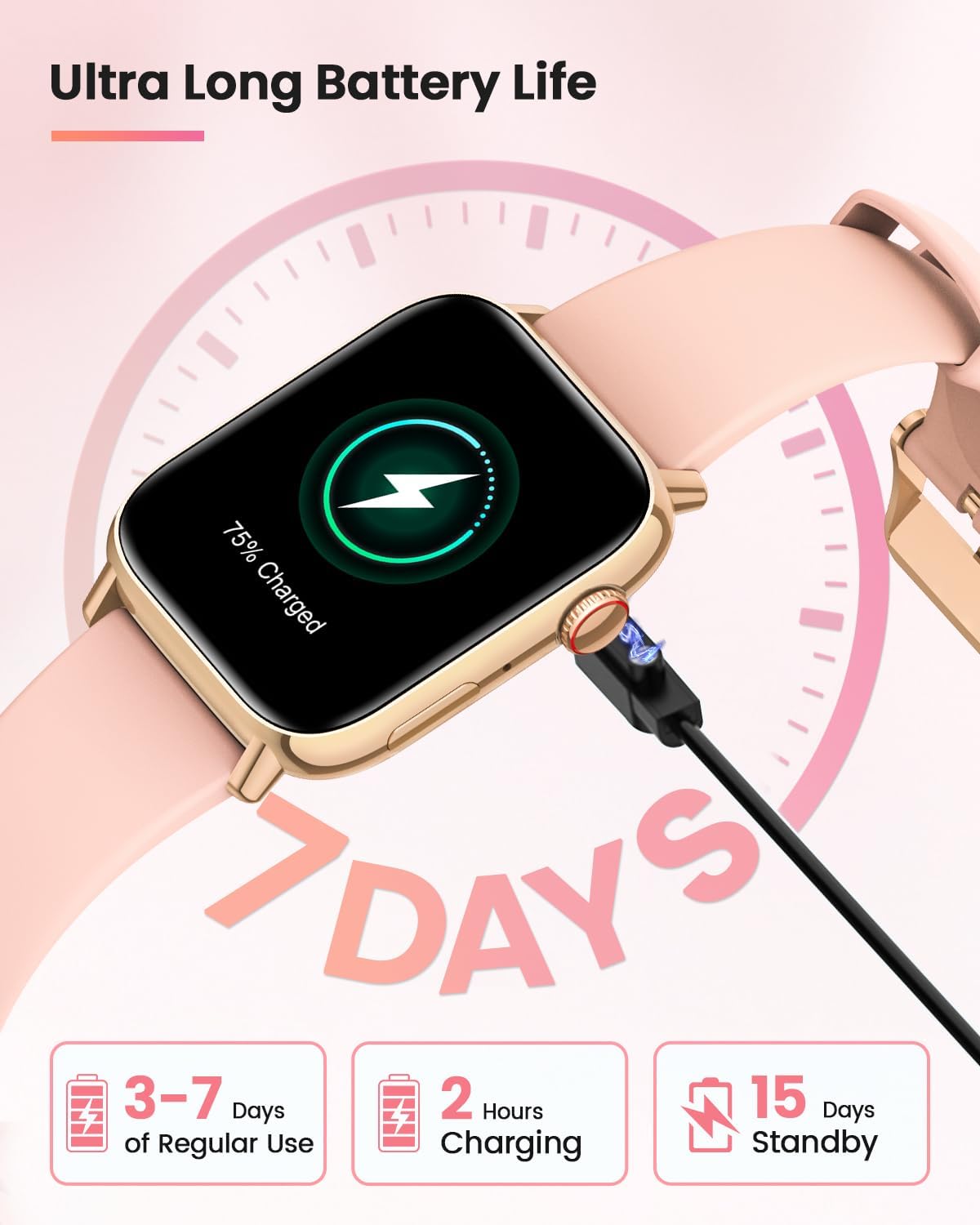
Figure 2: The smartwatch connected to its magnetic charging cable, illustrating the charging process.
2. App Installation and Pairing
To unlock the full potential of your BANLVS Smartwatch, download the companion application on your smartphone. The app is compatible with both iOS and Android devices. Refer to the QR code in the included manual or search for the app name (usually mentioned in the manual or on the watch screen during initial setup) in your device's app store.
- Download and install the app on your smartphone.
- Ensure Bluetooth is enabled on your smartphone.
- Open the app and follow the on-screen instructions to pair your smartwatch. This typically involves searching for the device and confirming a pairing code on both the watch and phone.
- Once paired, the watch will synchronize time and data with your phone.
Operating Instructions
1. Navigating the Touch Screen
The BANLVS Smartwatch features a 1.83-inch HD large touch screen for intuitive operation. Swipe left, right, up, or down to access different functions and menus. Tap to select options. The screen offers high resolution (240*280) and up to 1000 Nits brightness for clear visibility.

Figure 3: The smartwatch display showcasing its large touch screen and high-definition clarity.
2. Bluetooth Calling and Notifications
With Bluetooth 5.3 technology, the smartwatch allows for stable and fast connection for calls and notifications.
- Making/Receiving Calls: Once paired, you can make and receive calls directly from your watch. Access your contacts, dial pad, or answer incoming calls.
- Message Notifications: Receive real-time notifications from social media apps like Facebook, Instagram, and other messaging services directly on your watch screen.

Figure 4: The smartwatch showing various app notifications and icons for call management, highlighting its communication features.
3. Health Monitoring Features
The smartwatch provides comprehensive health tracking capabilities:
- Heart Rate Monitoring: Continuous 24-hour heart rate tracking.
- Blood Oxygen (SpO2) Monitoring: Measures blood oxygen levels.
- Sleep Tracking: Monitors sleep cycles (deep sleep, light sleep, awake time) to help understand and optimize sleep quality.
- Stress Monitoring and Breathing Exercises: Tracks stress levels and offers guided breathing exercises to help manage stress.
- Female Health Function: Monitors and records physiological data such as menstrual cycles and ovulation periods.
- Pedometer: Tracks daily steps and calories burned.
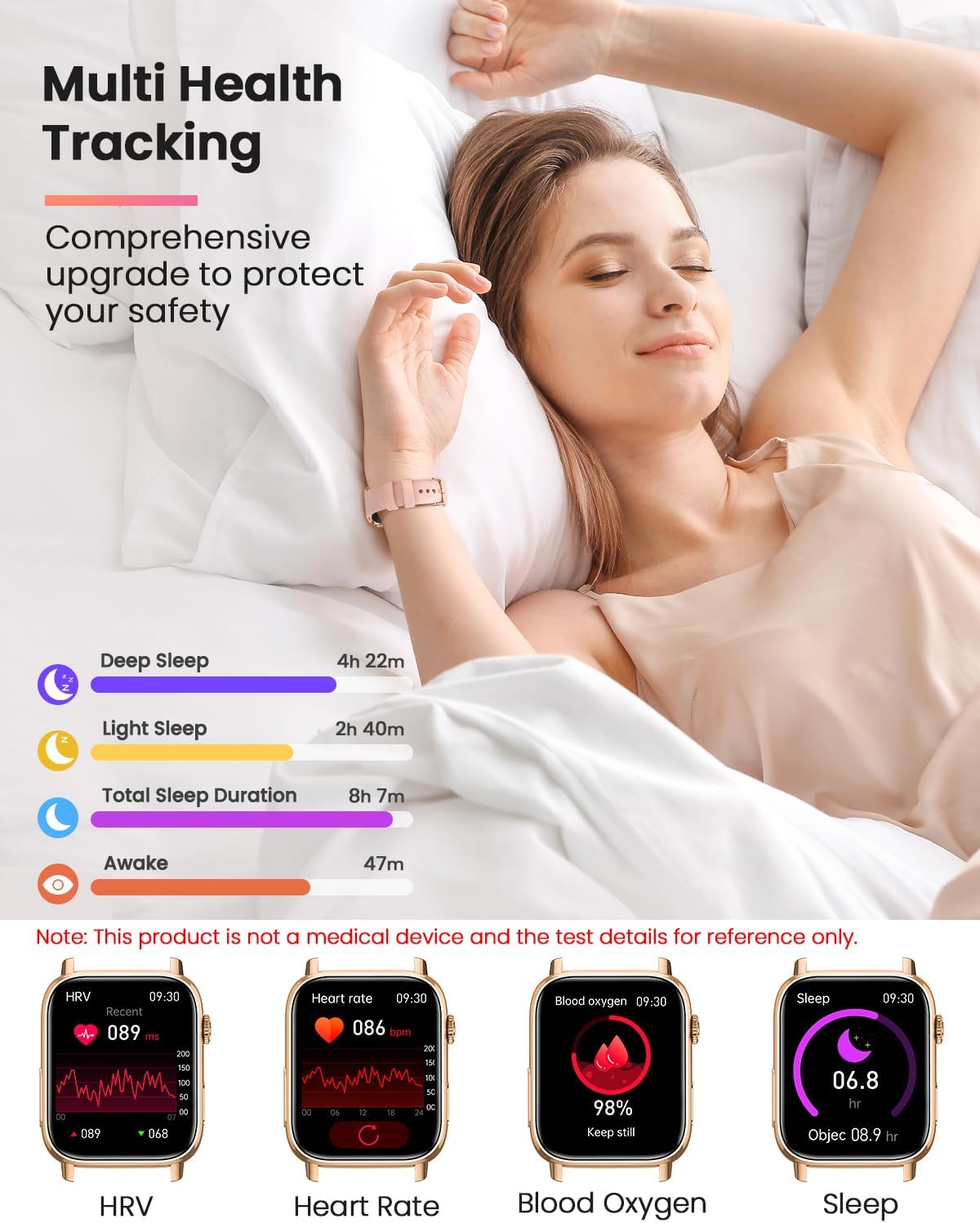
Figure 5: The smartwatch interface showing detailed health metrics like sleep duration, heart rate variability, and blood oxygen saturation.

Figure 6: The smartwatch displaying ECG data, providing one-second synchronization and AI analysis for precise health protection. Note: This product is not a medical device.

Figure 7: The smartwatch interface showing stress pressure data and guiding breathing exercises to help users manage stress.
4. Sports Modes
The smartwatch supports over 145 sports modes. It monitors real-time heart rate, steps, and calories burned during workouts, helping you optimize your training and track progress. The IP68 water resistance allows for use during various activities.
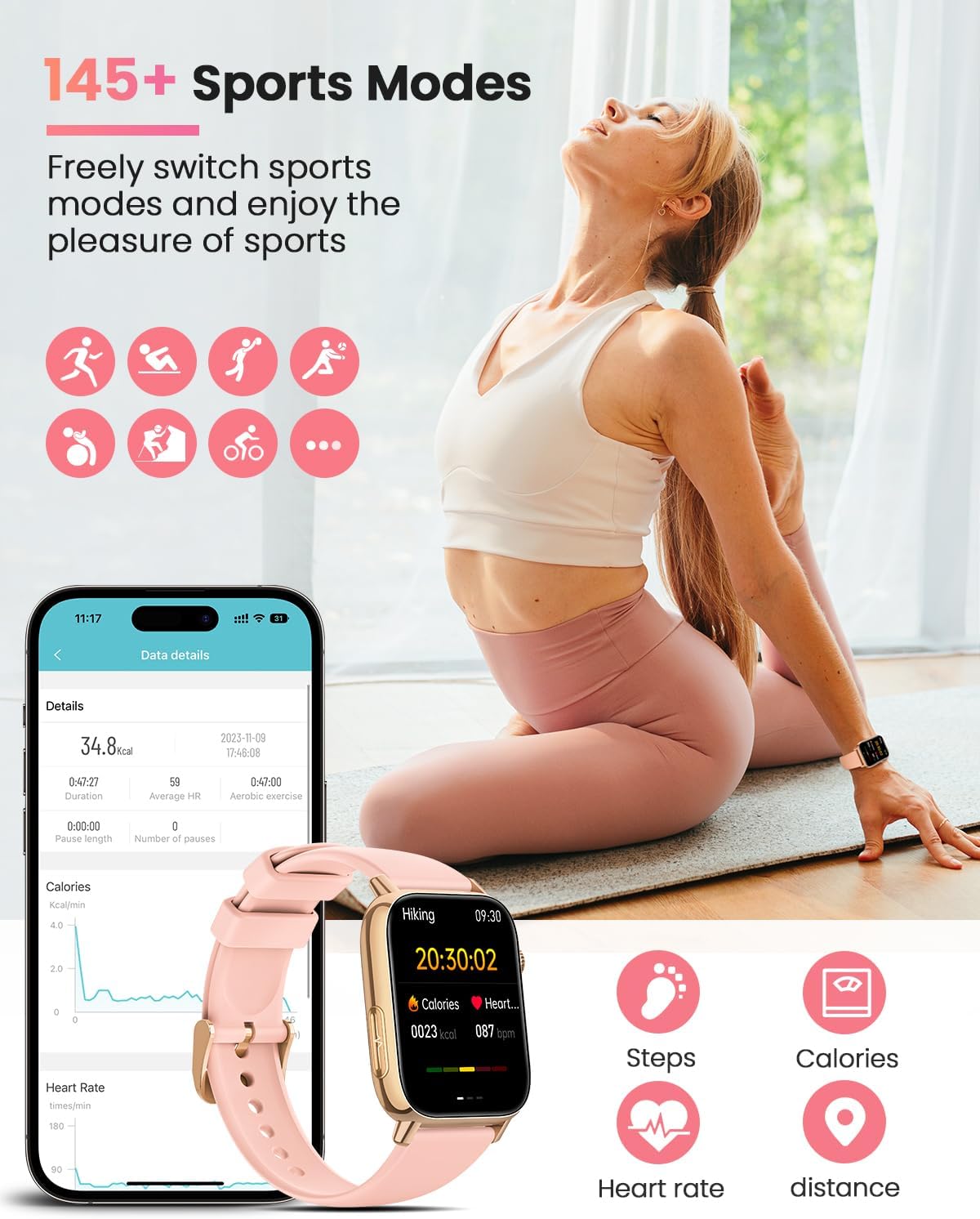
Figure 8: The smartwatch displaying various sports mode icons and detailed activity data such as duration, calories, and heart rate during a workout.
5. Customization
Personalize your smartwatch with over 200 online watch faces or create your own DIY watch faces through the companion app.
Maintenance
1. Cleaning and Care
To maintain the appearance and functionality of your smartwatch:
- Wipe the screen and strap regularly with a soft, dry, lint-free cloth.
- For stubborn stains, slightly dampen the cloth with water. Avoid using harsh chemicals or abrasive materials.
- Ensure the charging contacts are clean and dry before charging.
2. Water Resistance (IP68)
The BANLVS Smartwatch is rated IP68 for water resistance. This means it is protected against dust ingress and can withstand immersion in water up to 1.5 meters for up to 30 minutes. While it is suitable for daily use, hand washing, and light rain, it is not recommended for hot showers, saunas, or diving. Avoid exposing the watch to high-pressure water or corrosive liquids.
3. Battery Care
To prolong battery life:
- Avoid fully discharging the battery frequently.
- Charge the watch in a cool, dry environment.
- If storing the watch for an extended period, charge it to about 50% before storage.
Troubleshooting
| Problem | Possible Cause | Solution |
|---|---|---|
| Watch does not turn on or charge. | Low battery; charging cable not properly connected; faulty charger/cable. | Ensure the charging cable is securely connected to both the watch and power source. Try a different USB port or power adapter. Allow the watch to charge for at least 10 minutes before attempting to turn it on. |
| Cannot pair with smartphone. | Bluetooth off; app not open; watch not in pairing mode; interference. | Ensure Bluetooth is enabled on your phone. Open the companion app and follow pairing instructions. Restart both the watch and phone. Move closer to the watch to reduce interference. |
| Notifications not received. | App permissions not granted; notification settings off in app/phone; watch disconnected. | Check app permissions in your phone's settings to ensure notification access is granted. Verify notification settings within the smartwatch app. Ensure the watch is connected via Bluetooth. |
| Health data appears inaccurate. | Watch fit is too loose/tight; sensor dirty; movement during measurement. | Ensure the watch is worn snugly but comfortably on your wrist. Clean the sensor on the back of the watch. Remain still during measurements for best accuracy. Note that this product is not a medical device. |
| Cannot disable ringtone for calls/alarms. | Setting not found or not available directly on watch. | Check the companion application settings for options to manage call and alarm sounds, including enabling vibrate-only mode. If not found in the app, consult the detailed in-app help or manufacturer's support. |
Specifications
| Feature | Detail |
|---|---|
| Brand | BANLVS |
| Model Number | G59 |
| Color | Gold (Rose Gold) |
| Screen Size | 1.83 inches |
| Display Type | HD Touch Screen |
| Connectivity | Bluetooth 5.3 |
| Compatible Devices | Smartphone (iOS, Android) |
| Battery Type | Lithium-ion |
| Charging Time | Approx. 2 hours |
| Battery Life (Regular Use) | 3-7 days |
| Standby Time | Up to 15 days |
| Water Resistance | IP68 |
| Special Features | Bluetooth Calling, 145+ Sports Modes, Female Function, 24-hour Heart Rate, SpO2, Sleep Tracking, Stress Monitoring, Pedometer, Customizable Watch Faces (200+ online, DIY), Message Notifications, Calculator, Weather, Remote Photography, Music Player, Find Phone, Timer. |
Warranty and Support
The BANLVS Smartwatch comes with a manufacturer's warranty. For specific warranty terms and conditions, please refer to the documentation included with your product or contact BANLVS customer support. For technical assistance or further inquiries, please visit the official BANLVS website or contact their customer service channels.
Note: Information regarding spare parts availability and software updates is not explicitly provided by the manufacturer at the time of this manual's creation.
Related Documents - G59
 |
Manuel d'utilisation BANLVS Smartwatch : Paramètres, Fonctionnement et Connexion Guide complet pour la montre connectée BANLVS. Découvrez les paramètres du produit, les instructions d'utilisation des boutons et de l'écran, la charge, la connexion à l'application H Band, les appels Bluetooth, les fonctions de santé et les questions fréquentes. |
 |
P111S Smart Sports Watch User Manual and Guide Comprehensive user manual for the BANLVS P111S Smart Sports Watch. Covers setup, app connection (FitCloudPro), features like Bluetooth calls, health monitoring (heart rate, SpO2, sleep), sports modes, and troubleshooting. Compatible with iOS and Android. |
 |
Pack Relais de Protection G59 | Spécifications Techniques et Fonctionnement | DEIF Découvrez le Pack Relais de Protection G59 de DEIF, une solution complète pour la protection et le contrôle de générateurs synchrones. Ce document détaille ses spécifications techniques, ses fonctions de protection (saut de vecteur, ROCOF, sur/sous-fréquence et tension), ses réglages, et ses schémas de branchement. |
 |
DEIF G59 Protection Relay Package - Technical Specifications and Application Detailed technical specifications, application notes, and settings for the DEIF G59 protection relay package, designed for generator protection and mains decoupling. Includes features, measuring principles, connection diagrams, and order information. |