
Introduction
The ATEngeus Electric Air Duster is a powerful and efficient cleaning tool designed to remove dust and debris from various surfaces and electronic devices. Featuring a stepless knob switch for precise airflow control and a durable brushless motor, it offers a quiet yet strong cleaning experience. This manual provides detailed instructions for the safe and effective use of your air duster.

Image: Front view of the ATEngeus Air Dusters (TAD07 and TAD072).
Product Features
- Stepless Knob Switch Design: Allows for precise, stepless adjustment of wind speed by simply rotating the knob. This unique design provides flexible control over airflow, enabling single-handed operation.
- Brushless Motor: Equipped with a powerful brushless DC motor for extended lifespan and efficient cleaning. Delivers strong airflow with low noise, suitable for both home and office environments.

Image: Internal view highlighting the brushless motor and its specifications.
- Fast Charging: Features a Type-C USB charging port for quick recharging (2.5-3 hours for a full charge). Offers an economical and environmentally friendly alternative to compressed air cans.

Image: Charging capabilities and battery specifications.
- LED Lighting Design: An integrated LED light illuminates the cleaning area when the device is in operation, improving visibility in dark spaces.

Image: Air duster in use, demonstrating the LED lighting feature.
Package Contents
Your ATEngeus Air Duster package includes the following items:
- 1 x ATEngeus Electric Air Duster (TAD07 or TAD072 model)
- 2 x Cleaning Nozzles (e.g., round nozzle, flat nozzle)
- 4 x Cleaning Brushes (various types for different cleaning needs)
- 1 x Keyboard Puller
- 1 x Storage Bag
- 1 x Type-C USB Charging Cable

Image: All included accessories with the air duster.
Setup
- Charge the Device: Before first use, fully charge the air duster using the provided Type-C USB cable. Connect the cable to the duster's charging port and a compatible USB power source (e.g., computer, wall adapter, power bank). The charging indicator light will show charging status.
- Attach Nozzle: Select the appropriate cleaning nozzle for your task. Align the nozzle with the air outlet of the duster and firmly push it on until it clicks into place. Ensure it is securely attached before operation.
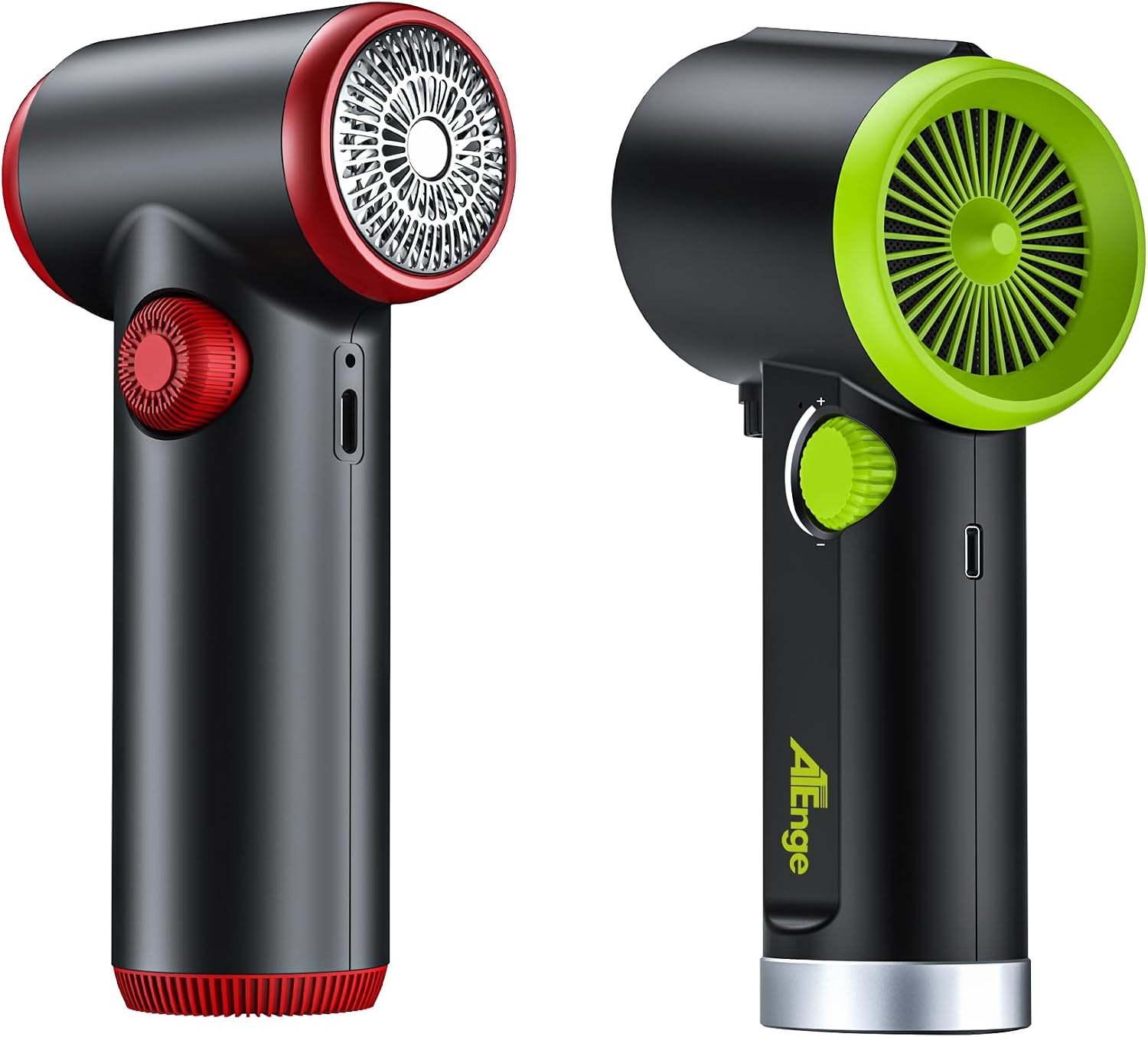
Image: Side view of the air duster, showing the charging port.
Operating Instructions
- Power On and Adjust Speed: To turn on the air duster and adjust the airflow, rotate the knob switch clockwise. The device will start, and the LED light will illuminate. Continue rotating the knob clockwise to increase the wind speed.
- Decrease Speed and Power Off: To decrease the wind speed, rotate the knob switch counter-clockwise. Continue rotating counter-clockwise until the device powers off completely.
- Cleaning: Direct the airflow towards the area you wish to clean. Use short bursts for delicate items or continuous airflow for larger areas. Utilize the various nozzles and brushes for optimal cleaning results on different surfaces (e.g., keyboards, computer cases, car interiors).

Image: Demonstrating stepless speed regulation on the red model.

Image: Demonstrating stepless speed regulation on the green model.
Image: Examples of various cleaning applications with different nozzles.
- Changing Nozzles/Brushes: To change a nozzle or brush, gently pull the currently attached accessory off the air outlet. Select the desired accessory and firmly push it onto the air outlet until it is secure.
Maintenance
- Cleaning the Device: Wipe the exterior of the air duster with a soft, dry cloth. Do not use harsh chemicals or abrasive cleaners. Ensure the device is powered off and unplugged before cleaning.
- Nozzle Cleaning: The nozzles and brushes can be cleaned with mild soap and water if necessary. Ensure they are completely dry before reattaching them to the duster.
- Storage: Store the air duster and its accessories in the provided storage bag in a cool, dry place, away from direct sunlight and extreme temperatures.
- Battery Care: To prolong battery life, avoid fully discharging the battery frequently. Recharge the device when the power is low. If storing for an extended period, charge the battery to about 50% every few months.
Troubleshooting
| Problem | Possible Cause | Solution |
|---|---|---|
| Device does not turn on. | Battery is depleted. | Charge the device fully using the Type-C USB cable. |
| Weak airflow. | Battery is low or nozzle is partially blocked. | Recharge the device. Check and clear any obstructions from the nozzle or air intake. Ensure the knob is turned to a higher speed setting. |
| Device stops unexpectedly. | Battery is depleted or device overheated. | Recharge the device. If overheated, turn off the device and allow it to cool down for a few minutes before resuming use. |
| Charging indicator not working. | Faulty cable or power source. | Try a different Type-C USB cable or a different USB power source. |
Specifications
- Model: TAD07 / TAD072
- Brand: ATEngeus
- Motor Type: Brushless DC Motor
- Battery Capacity: 6000mAh
- Charging Port: Type-C USB
- Charging Time: 2.5 - 3 hours
- Working Time: Up to 30 minutes
- Blowing Force: 0.5 - 2.47 oz
- Rotate Speed: 32000 - 100500 RPM
- Manufacturer: ATEngeus
- ASIN: B0DF2D8LWS
- Date First Available: August 23, 2024
Warranty and Support
ATEngeus is committed to providing high-quality products. If you encounter any problems during the use of your ATEngeus Air Duster, please do not hesitate to contact our customer support team. We are here to assist you with any questions or concerns.
Please refer to your purchase documentation or the ATEngeus official website for specific warranty details and contact information.