
1. Introduction
This manual provides comprehensive instructions for the setup, operation, and maintenance of your Fitonme E5F-B Smart Watch. Please read this manual thoroughly before using the device to ensure proper function and to maximize your user experience.
2. Package Contents
Verify that all items are present in your package:
- Fitonme E5F-B Smart Watch
- Charging Cable
- User Manual
3. Device Overview
The Fitonme E5F-B Smart Watch features a 1.83-inch TFT screen, Bluetooth call functionality, and various health and fitness tracking capabilities. It is designed for both men and women.

Image 1: Front view of the Fitonme E5F-B Smart Watch displaying an incoming call and watch face.
4. Setup and Initial Use
4.1 Charging the Device
Before first use, fully charge your smart watch. The device features fast charging and a 230mAh built-in battery.
- Connect the charging cable to the charging port on the back of the watch.
- Connect the other end of the cable to a USB power adapter (not included) or a computer's USB port.
- The watch screen will display the charging status. A full charge typically takes approximately 2 hours.

Image 2: The smart watch screen showing battery charging progress, indicating 80% and 100% charge levels.
4.2 App Installation and Pairing
To access all features, download and install the companion application on your smartphone.
- The smart watch is compatible with iOS 9.0 or later and Android 5.0 or later, requiring Bluetooth 5.0 or later.
- Search for the official Fitonme app in your phone's app store (Apple App Store for iOS, Google Play Store for Android).
- Install the app and follow the on-screen instructions to create an account and pair your watch via Bluetooth.
- Ensure Bluetooth is enabled on your smartphone during the pairing process.
5. Operating Instructions
5.1 Basic Navigation
The watch features a 1.83-inch TFT touch screen for navigation.
- Swipe Up/Down: Scroll through menus and notifications.
- Swipe Left/Right: Access quick functions or different watch faces.
- Tap: Select an item or confirm an action.
- Side Button: Typically used to return to the home screen or power on/off the device.
5.2 Communication Features
The smart watch supports Bluetooth calls and message notifications.
- Bluetooth Call: With a built-in microphone and speaker, you can make and receive calls directly from your watch after pairing with your phone. Access call logs and contacts.
- Message Notifications: Receive text messages and other app notifications on your watch. Note that sending text messages from the watch is not supported.
- Bluetooth Music: Control music playback on your paired smartphone.
- Voice Assistant: Utilize your phone's voice assistant directly from the watch.

Image 3: A user wearing the smart watch, with detailed views of Bluetooth call functionality, text message notifications, and personalized dial options.
5.3 Health and Fitness Tracking
The watch is equipped with LC11S heart rate chip, RTL8763ewe main control chip, and G-Sense SC7A20H for various health and fitness monitoring functions.
- Heart Rate Monitoring: Provides 24/7 heart rate tracking.
- Blood Oxygen (SpO2) Monitoring: Measures blood oxygen levels.
- Blood Pressure Monitoring: Provides blood pressure readings.
- Sleep Monitoring: Tracks sleep stages (light sleep, deep sleep, rapid eye movement, awake) to help analyze and improve sleep habits.
- Activity Tracking: Records calories consumed, walking distance, and steps taken.
- Sports Modes: Offers 24 types of sports modes, including outdoor running, cycling, skipping rope, badminton, table tennis, and tennis.
Important Note: All health data measured by the smart watch is for reference only and should not be used for medical diagnosis or treatment. Consult professional medical instruments for accurate health assessments.
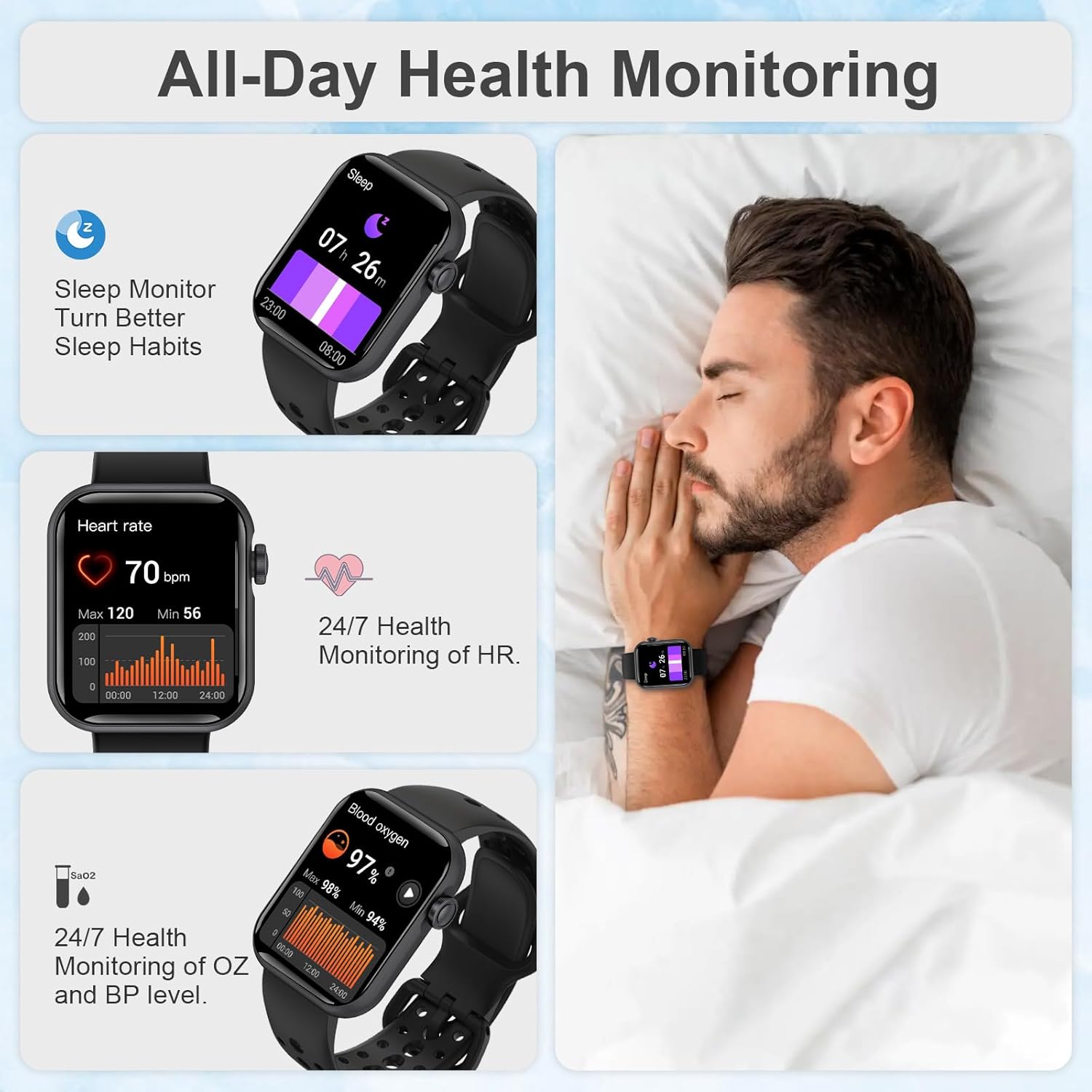
Image 4: Displays the watch's health monitoring features, including sleep tracking, heart rate, and blood oxygen levels, with a user sleeping in the background.

Image 5: Illustrates the watch's sports and activity tracking capabilities, showing calories, distance, steps, and various sport modes like running, cycling, and climbing.
5.4 General Functions and Settings
The watch offers a variety of customizable settings and utility functions:
- Watch Face Themes: Choose from list, nine-square grid, or honeycomb themes. Sync additional watch faces via the app.
- Brightness Adjustment: Adjust screen brightness for optimal visibility.
- Sound Switch: Control device sounds.
- Wrist Lift to Turn On Screen: Enable or disable this gesture.
- Do Not Disturb Mode: Silence notifications during specific times.
- Reminders: Alarm clock, sedentary reminder, heart rate reminder, goal reminder, low power reminder (at 15%).
- Utilities: Weather forecast, stopwatch, timer, find mobile phone, flashlight, remote control for phone camera.
- System Options: Restart, power off, factory reset, unit setting (metric/imperial), time system (12H/24H).
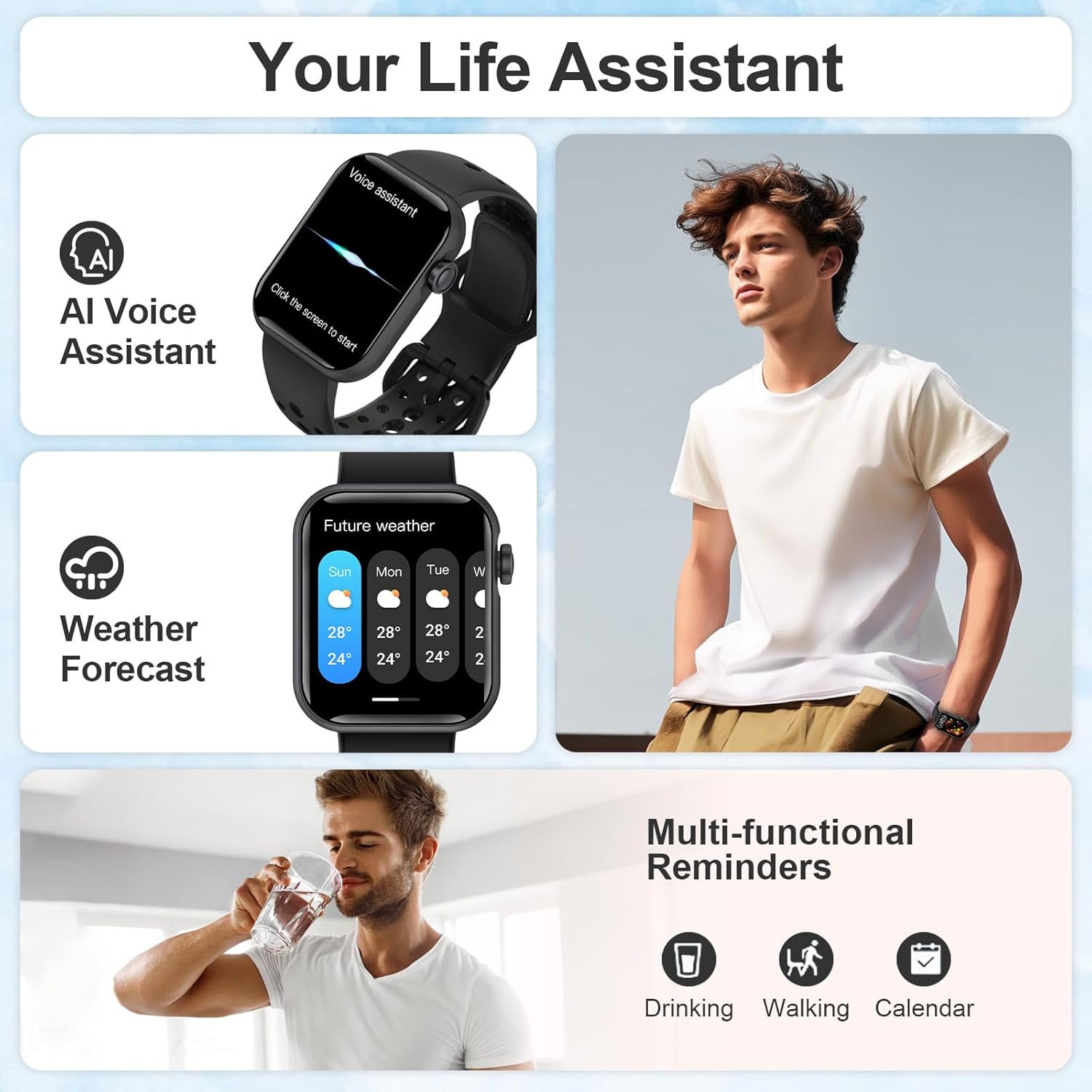
Image 6: Highlights the watch's "Life Assistant" features, including AI voice assistant, weather forecast, and multi-functional reminders for drinking, walking, and calendar events.
6. Maintenance
6.1 Cleaning
- Wipe the watch screen and strap regularly with a soft, dry cloth.
- For stubborn dirt, use a slightly damp cloth and then dry thoroughly.
- Avoid using harsh chemicals or abrasive materials, as these can damage the device.
6.2 Water Resistance
The Fitonme E5F-B Smart Watch is IP67 waterproof.
- This means it is resistant to dust and can withstand immersion in water up to 1 meter for up to 30 minutes.
- It is suitable for daily use, such as washing hands or light rain.
- Avoid prolonged immersion, hot water, or use during swimming, showering, or diving, as this may compromise the water resistance.
6.3 Storage
When not in use for extended periods, store the watch in a cool, dry place. Ensure it has some charge to prevent deep discharge of the battery.
7. Troubleshooting
7.1 Watch Not Turning On
- Ensure the watch is fully charged. Connect it to the charger for at least 30 minutes.
- Press and hold the side button for several seconds to power it on.
7.2 Unable to Pair with Phone
- Ensure Bluetooth is enabled on your phone and the watch.
- Make sure the watch is within range of your phone.
- Restart both your phone and the watch.
- Try unpairing and re-pairing the device through the app.
- Check if the app is updated to the latest version.
7.3 Inaccurate Health Data
- Ensure the watch is worn snugly on your wrist, but not too tight.
- Clean the sensor on the back of the watch.
- Remember that watch data is for reference only and not for medical purposes.
7.4 Short Battery Life
- Reduce screen brightness.
- Disable unnecessary notifications or features.
- Limit continuous heart rate monitoring if not needed.
- Ensure the watch is fully charged each time.
8. Specifications
| Feature | Detail |
|---|---|
| Model Number | E5F-B |
| Brand | Fitonme |
| Screen Size | 1.83 Inches |
| Display Type | TFT (Thin Film Transistor) |
| Resolution | 240*284 |
| Dimensions | 45.5mm x 38mm x 10.5mm |
| Strap Width | 22mm |
| Weight | 38 grams |
| Water Resistance | IP67 |
| Battery Capacity | 230mAh Lithium Ion |
| Battery Life | >7 days (typical use) |
| Standby Time | 30 days |
| Charging Time | Approx. 2 hours (fast charging) |
| Connectivity | Bluetooth 5.0 |
| Compatibility | iOS 9.0+, Android 5.0+ |
| Memory Storage | 128 MB |
| Operating System | Android (compatible with iOS and Android devices) |
| Special Features | Bluetooth Call, Heart Rate, SpO2, BP Monitoring, Sleep Tracking, 24+ Sports Modes, AI Voice Assistant, Sedentary Reminder |
9. Safety Information
- Do not attempt to disassemble or modify the device.
- Keep the device away from extreme temperatures and direct sunlight.
- Avoid exposing the device to strong magnetic fields.
- Dispose of the device and its battery according to local regulations.
- If you experience skin irritation, discontinue use and consult a doctor.