
1. Introduction
The YOUNGDO 150PSI Mini Bike Pump is a portable electric tire inflator designed for efficient and precise inflation of various items. Its compact size and advanced features make it a versatile tool for maintaining optimal tire pressure for bicycles, motorcycles, and sports balls. This manual provides essential information for safe and effective use of your new inflator.
2. Package Contents
Please check the package contents to ensure all items are present:
- Bicycle pump (1)
- Silicone cover (1)
- Keychain (1)
- Inflation tube (1)
- Balloon needle (1)
- Adapters for Presta and Schrader valves (1 set)
- Type-C charging cable (1)
- User’s Manual (1)
- Storage bag (1)

3. Product Features
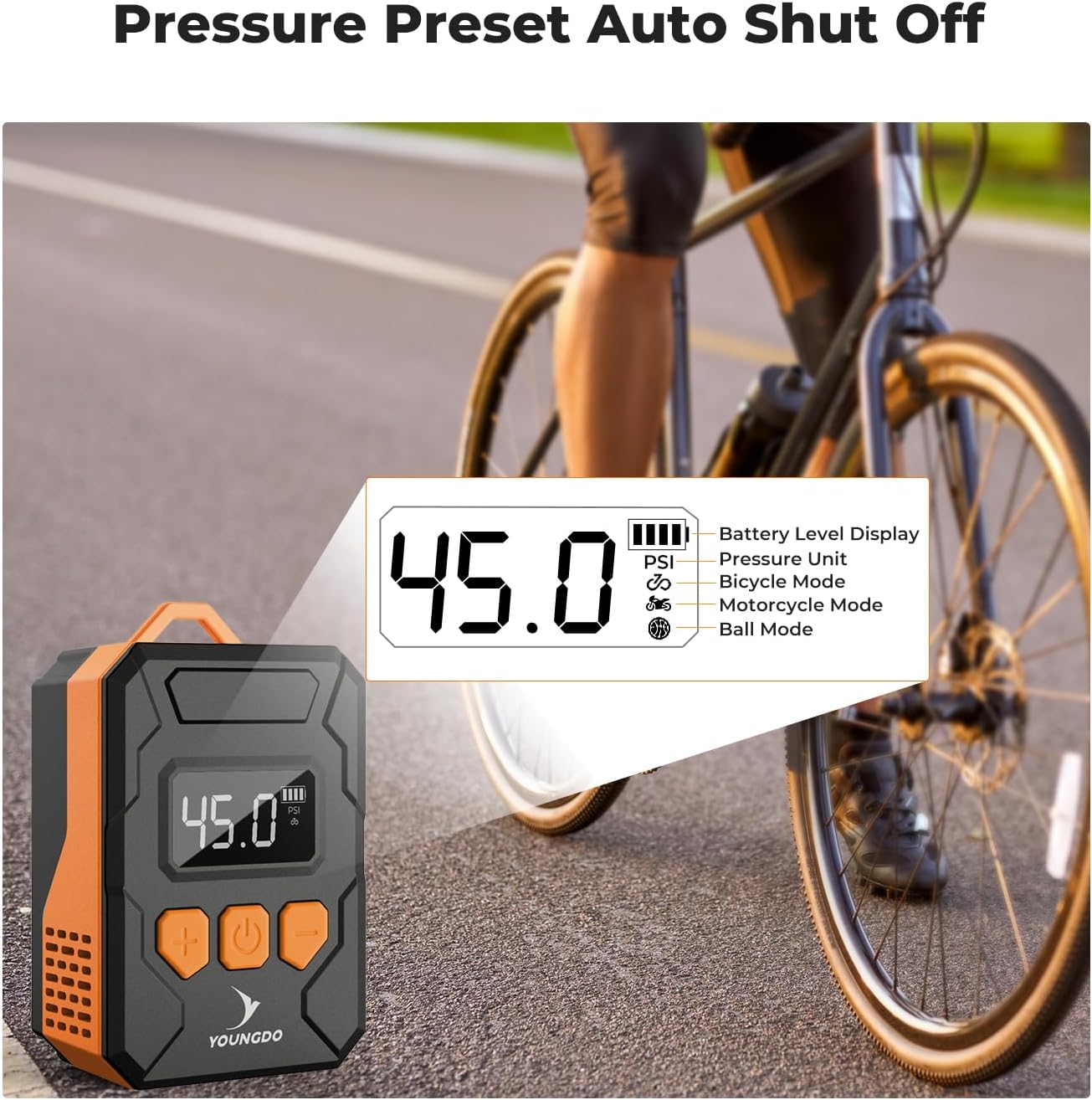
- Fast Inflation & Auto-Stop: Inflates a bicycle tire from 0 to 45 PSI in less than 1 minute. Operates with a precision of ±1 PSI and automatically stops when the preset pressure is reached.
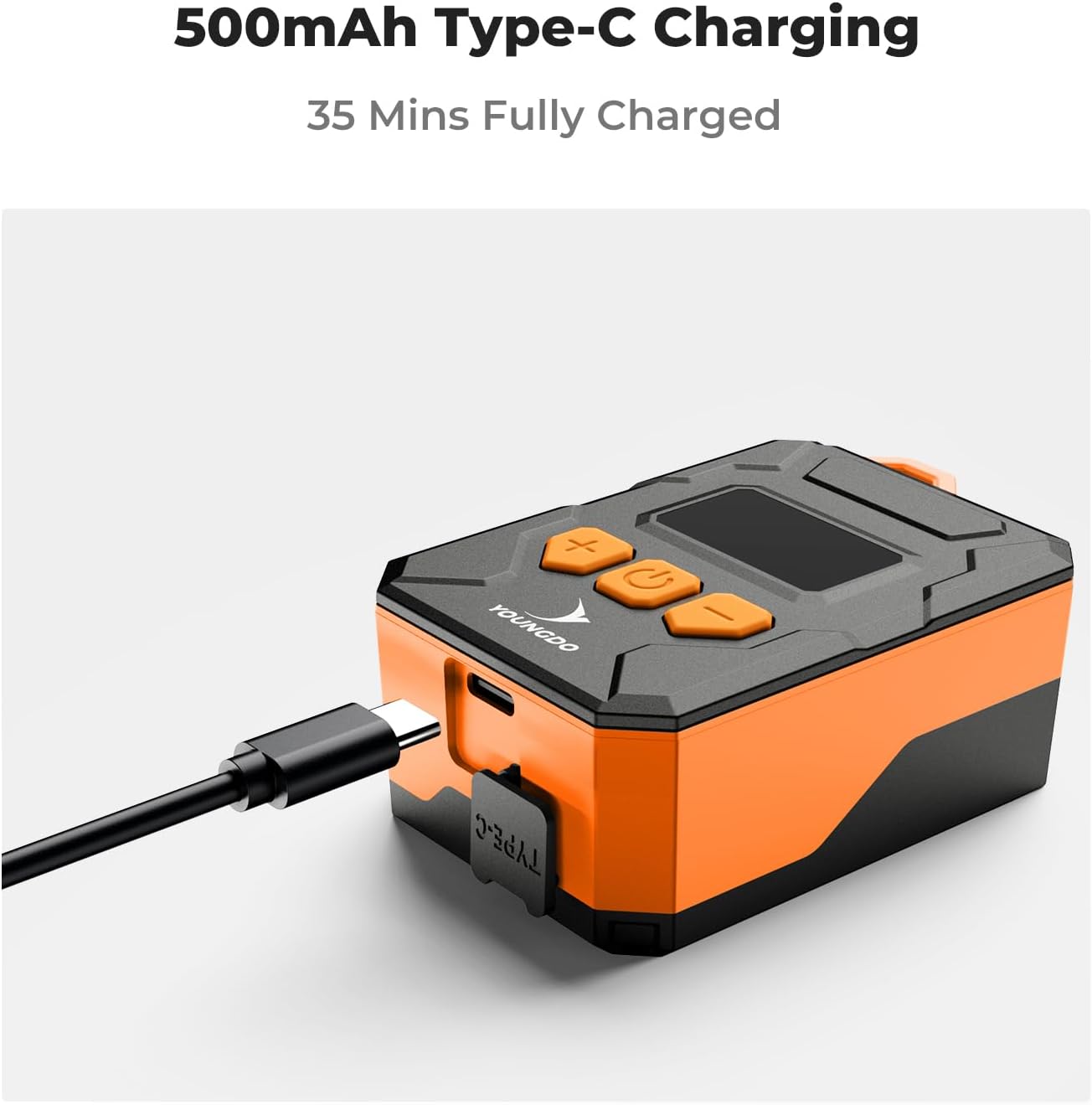
- Battery & Charging: Equipped with a 500mAh battery capacity. Charges effortlessly via the included Type-C USB charging cable.
- Valve Compatibility: Features compatibility with both Schrader and Presta valves, with necessary adapters included for user convenience.
- LCD Display & Pressure Detection: An easy-to-read LCD screen displays detailed pressure values up to a maximum of 150 PSI. The tire pressure monitoring feature allows users to set desired PSI (3-150 PSI) and prevents over-inflation.
- Portability: Weighs only 150g, making it compact and lightweight. Comes with a keychain and storage bag for easy carrying and minimal storage space.

4. Setup
- Charge the Device: Before first use, fully charge the pump using the provided Type-C USB cable. The battery indicator on the LCD screen will show charging status.
- Attach Silicone Cover: Place the silicone cover over the pump for added protection.
- Connect Inflation Tube: Screw the inflation tube securely into the inflation port on the pump.
- Select Valve Adapter: Identify the valve type of your tire (Presta or Schrader). Use the appropriate adapter if needed. For Schrader valves, the inflation tube connects directly. For Presta valves, attach the Presta adapter to the inflation tube. For balls, use the balloon needle.
5. Operating Instructions
- Power On: Press and hold the power button (center button) for 3 seconds to turn on the inflator. The LCD screen will light up. The device will automatically turn off if not used for 2 minutes.
- Select Mode: Press the mode button (minus button) to switch between three different inflation modes: bicycle, motorcycle, and ball. An icon on the display will indicate the selected mode.
- Set Pressure: Use the '+' and '-' buttons to adjust the desired pressure value (PSI). After setting, the numerical value will flash for 3 seconds, indicating the setting is complete.
- Connect to Valve: Securely attach the inflation tube (with the correct adapter) to the tire valve.
- Start Inflation: Press the power button again to start the inflation process. The pump will begin to inflate, and the real-time pressure will be displayed.
- Auto-Stop: The pump will automatically stop once the preset pressure is reached.
- Disconnect: Carefully disconnect the inflation tube from the valve.

6. Charging
The YOUNGDO Mini Bike Pump is equipped with a rechargeable 500mAh battery. To charge the device:
- Locate the Type-C charging port on the side of the pump.
- Connect the provided Type-C USB charging cable to the pump and to a compatible USB power source (e.g., wall adapter, power bank, computer USB port).
- The battery indicator on the LCD screen will show the charging progress.
- A full charge typically takes approximately 35 minutes.

7. Maintenance
- Keep the pump clean and free from dust and debris. Use a soft, dry cloth for cleaning.
- Store the pump in the provided storage bag when not in use to protect it from damage.
- Avoid exposing the pump to extreme temperatures or direct sunlight for prolonged periods.
- Ensure the charging port cover is properly sealed to prevent water or dust ingress.
8. Troubleshooting
- Device does not power on: Ensure the battery is fully charged. Press and hold the power button for 3 seconds.
- Inflation is slow or ineffective: Check that the inflation tube and adapters are securely connected to both the pump and the tire valve. Verify that the correct valve type is selected on the device.
- Pump stops unexpectedly: The pump may have reached the preset pressure, or the battery level might be low. Check the LCD display for indicators.
- Inaccurate pressure reading: Ensure the connection to the valve is tight and there are no air leaks.
9. Specifications
| Specification | Detail |
|---|---|
| Brand | YOUNGDO |
| Model Name | YD01.0178 |
| Item Weight | 150 Grams |
| Power Source | Battery Powered |
| Maximum Pressure | 150 Pound per Square Inch |
| Operation Mode | Automatic |
| Material | Plastic |
| Item Dimensions (LxWxH) | 2.09 x 1.38 x 3.35 inches |
10. Warranty and Support
Warranty: The product comes with a warranty. Please refer to the manufacturer's warranty details provided with your purchase for specific coverage terms and conditions.
Customer Support: For any questions, technical assistance, or warranty claims, please contact YOUNGDO customer support through the contact information provided in your product packaging or on the official YOUNGDO website.