
ExaDesk S04X Standing Desk
ExaDesk S04X Electric Standing Desk User Manual
Model: S04X Standing Desk | Brand: ExaDesk
Introduction
This manual provides comprehensive instructions for the assembly, operation, and maintenance of your ExaDesk S04X Electric Standing Desk. Designed for versatility in home office, computer, and gaming environments, this adjustable height desk offers a robust and ergonomic solution for your workspace needs. Please read this manual thoroughly before assembly and use to ensure safe and optimal performance.
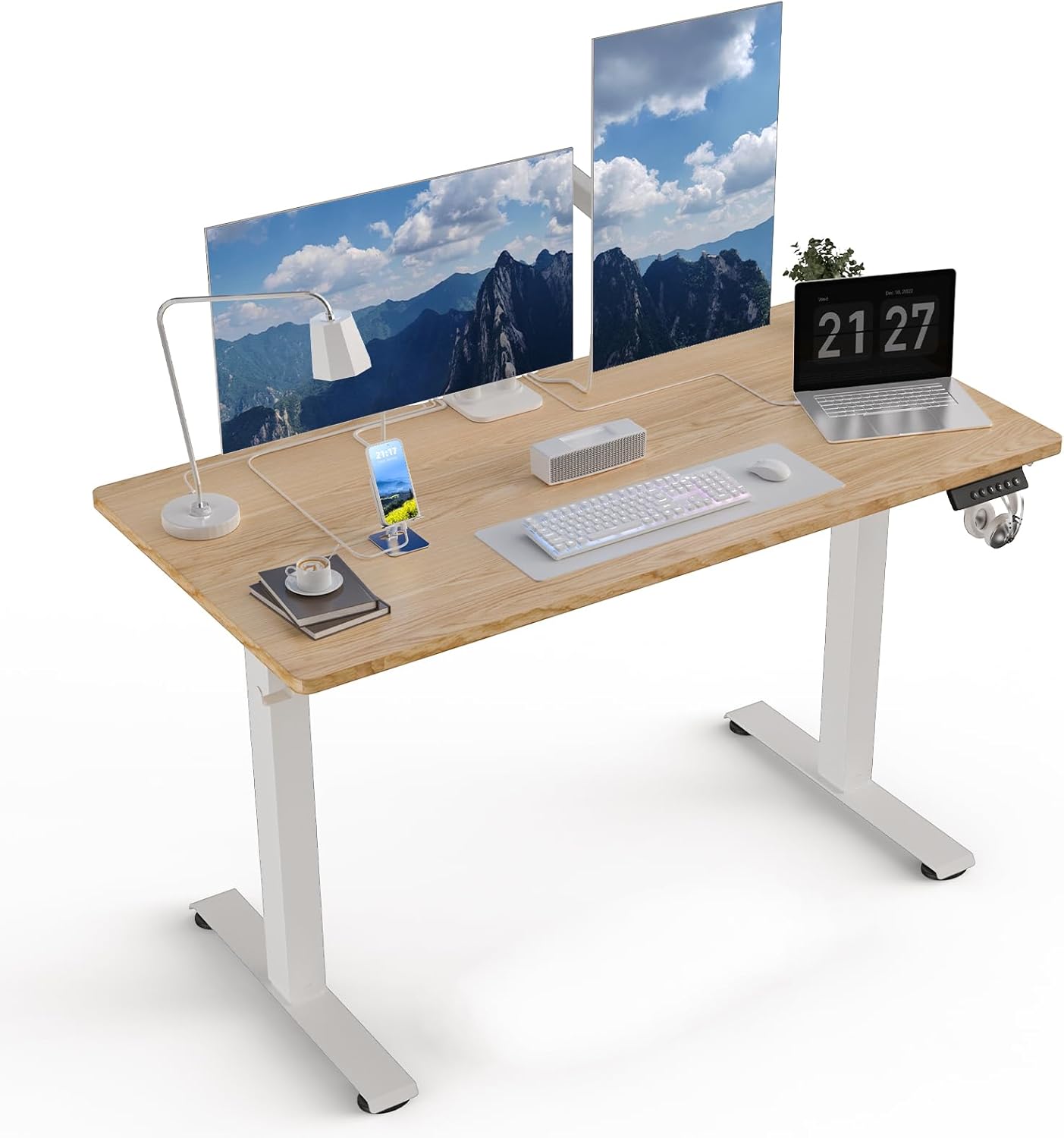
The ExaDesk S04X Electric Standing Desk, featuring a natural wood finish and white frame, provides a versatile and ergonomic workspace for various setups.
Safety Information
Your safety is paramount. Please adhere to the following guidelines:
- Always keep hands and body parts away from the moving parts of the desk during height adjustment.
- Ensure the desk is properly anchored to the floor to prevent tipping, especially when adjusting the height.
- Always follow the assembly instructions carefully to avoid injury from heavy components.
- Do not overload the desk beyond its specified weight capacity.
- Keep children and pets away from the desk during operation.
- Disconnect power before cleaning or performing any maintenance.
Components List
Before beginning assembly, verify that all components are present and undamaged. Refer to the included parts diagram for visual identification.
| Component | Description | Quantity |
|---|---|---|
| Desktop Panels | Two engineered wood panels forming the desk surface. | 2 |
| Lifting Columns (Legs) | Motorized steel legs for height adjustment. | 2 |
| Footings | Base supports for the lifting columns. | 2 |
| Hexagonal Bar | Connects the two lifting columns. | 1 |
| Side Wings/Brackets | Supports for attaching the desktop to the frame. | 2 |
| Control Panel | Digital display with height adjustment buttons and memory presets. | 1 |
| Power Adapter & Cables | For powering the electric motor. | 1 |
| Headphone Hook | Accessory hook for headphones or bags. | 1 |
| Assembly Hardware | Screws, corks, eccentric wheels, and tools. | Various |
Assembly Instructions
Assembly of the ExaDesk S04X Electric Standing Desk is designed to be straightforward, typically taking around 30 minutes. An electric drill may be helpful for some steps. Follow these steps carefully:
Official installation video for the S04X Electric Standing Desk, demonstrating each assembly step.
- Prepare the Desktop: Unpack the two desktop panels. Install the corks (M x 4) into the designated holes on both panels. Then, install the double-headed connecting rods of the snap springs (N x 2) to prepare for splicing.
- Splice Desktop Panels: Carefully align and splice the two table boards together. Ensure a secure fit. Lock the eccentric wheels (O x 4) to firmly join the panels.
- Attach Table Panel Fixing Plate: Install the table panel fixing plate (D x 1) to the underside of the spliced desktop.
- Install Hooks: Attach the headphone hooks (J x 2) to the desired locations on the underside of the desktop.
- Assemble Legs and Footings: Install the footings (E x 1, F x 1) to the table legs (G x 2) using M6*30 screws.
- Attach Assembled Legs and Brackets: Install the assembled table legs and brackets (H x 1) to the table frame using M6*12 screws.
- Insert Hexagonal Bar: Install the hexagonal bar (I x 1) through the designated openings in the table legs to connect them.
- Install Side Wings: Attach the side wings (C x 2) to the table frame using M6*12 screws.
- Connect Frame to Desktop: Carefully align the assembled table frame with the desktop. Secure the frame to the desktop using M6*12 and M6*50 screws.
- Install Manual Controller: Mount the manual controller (L x 1) to the underside of the desk using ST3.5*16 screws. Connect the necessary cables from the motor to the controller.
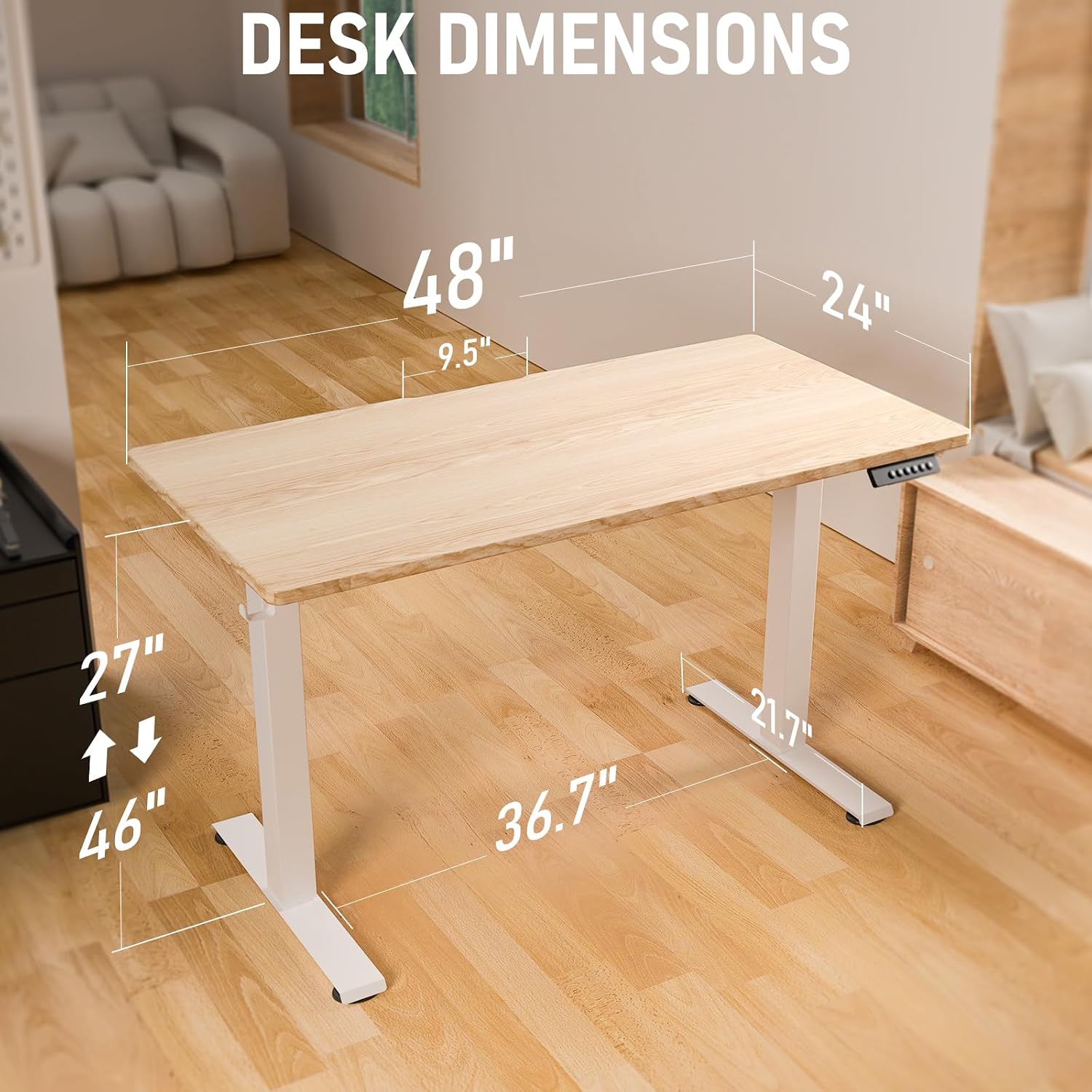
Detailed dimensions of the ExaDesk S04X, illustrating its compact yet functional design.
Operating Instructions
The ExaDesk S04X features an intuitive control panel for seamless height adjustment and memory functions.
Height Adjustment
- Adjusting Height: Use the up and down arrows on the control panel to freely select your desired desk height. The desk can be adjusted from a minimum of 27 inches (71 cm) to a maximum of 46.5 inches (119 cm).
- Smooth Operation: The uprated 2.0 motor provides powerful lifting performance with a setting speed of 25 mm/s and a noise level of less than 50 dB.
Memory Presets
- Saving Presets: The control panel allows you to save up to three favorite height settings. To save a setting, adjust the desk to the desired height, then press and hold one of the memory buttons (e.g., '1', '2', or '3') until you hear a beep or see a confirmation on the display.
- Recalling Presets: Simply press the corresponding memory button ('1', '2', or '3') to automatically move the desk to your saved height.

The desk's adjustable height range accommodates various users and activities, from sitting to standing.

The robust 2.0 motor ensures reliable and long-lasting height adjustment performance.
Maintenance
Proper maintenance will extend the lifespan of your ExaDesk S04X Electric Standing Desk.
- Cleaning: Wipe the desk surface with a soft, damp cloth. Avoid abrasive cleaners or harsh chemicals that could damage the finish.
- Motor Care: The motor is designed for durability (tested 30,000 times). No specific user maintenance is required for the motor itself.
- Cable Management: Utilize the integrated C-clip engroove design to keep cables tidy and prevent them from getting caught in moving parts.

The C-clip engroove design helps maintain a clean and organized workspace by managing cables effectively.
Troubleshooting
If you encounter issues with your ExaDesk S04X, refer to the following common solutions:
| Problem | Possible Cause | Solution |
|---|---|---|
| Desk does not move. | Power cable disconnected, motor error, or overload. | Check power connections. Unplug and replug the desk. Reduce weight on the desk. Refer to the control panel for error codes if displayed. |
| Uneven height adjustment. | Obstruction or uneven load. | Ensure no obstructions are beneath the desk. Redistribute weight evenly on the desktop. |
| Desk makes unusual noises. | Loose screws or internal component issue. | Check all assembly screws and tighten if loose. If noise persists, contact customer support. |
| Memory presets not working. | Presets not properly saved or power interruption. | Re-save your desired height settings. Ensure stable power supply. |
For issues not listed here, or if solutions do not resolve the problem, please contact ExaDesk customer support.
Specifications
- Brand: ExaDesk
- Model Number: S04X Standing Desk
- Product Dimensions: 24"D x 48"W x 27"H (Minimum Height)
- Adjustable Height Range: 27 inches (Minimum) to 46.5 inches (Maximum)
- Color: Natural (Desktop), White (Frame)
- Style: Modern
- Base Material: Metal (Steel)
- Top Material Type: Engineered Wood
- Item Weight: 72 Pounds
- Special Feature: Adjustable Height, Headphone Hook
- Motor: Uprated 2.0 Motor, tested for 30,000 cycles.
- Assembly: Required
Warranty and Support
ExaDesk stands behind the quality of its products.
- Warranty Type: Lifetime Warranty.
- For warranty claims, technical assistance, or any questions regarding your ExaDesk S04X Electric Standing Desk, please contact ExaDesk customer support through the official website or your purchase platform.
Ask a question about this manual
Ask about setup, troubleshooting, compatibility, parts, safety, or missing instructions. Manuals+ will review the question and use this page’s manual context to help answer it.