
1. Product Overview
This BrickBling LED Lighting Kit is designed to enhance your LEGO 75396 Return of The Jedi Desert Skiff and Sarlacc Pit model. The kit provides custom lighting elements to illuminate various features of your LEGO creation, bringing it to life with dynamic light effects.
Important Note: This package contains only the LED lighting kit. The LEGO building model (LEGO 75396 Desert Skiff and Sarlacc Pit) is not included.
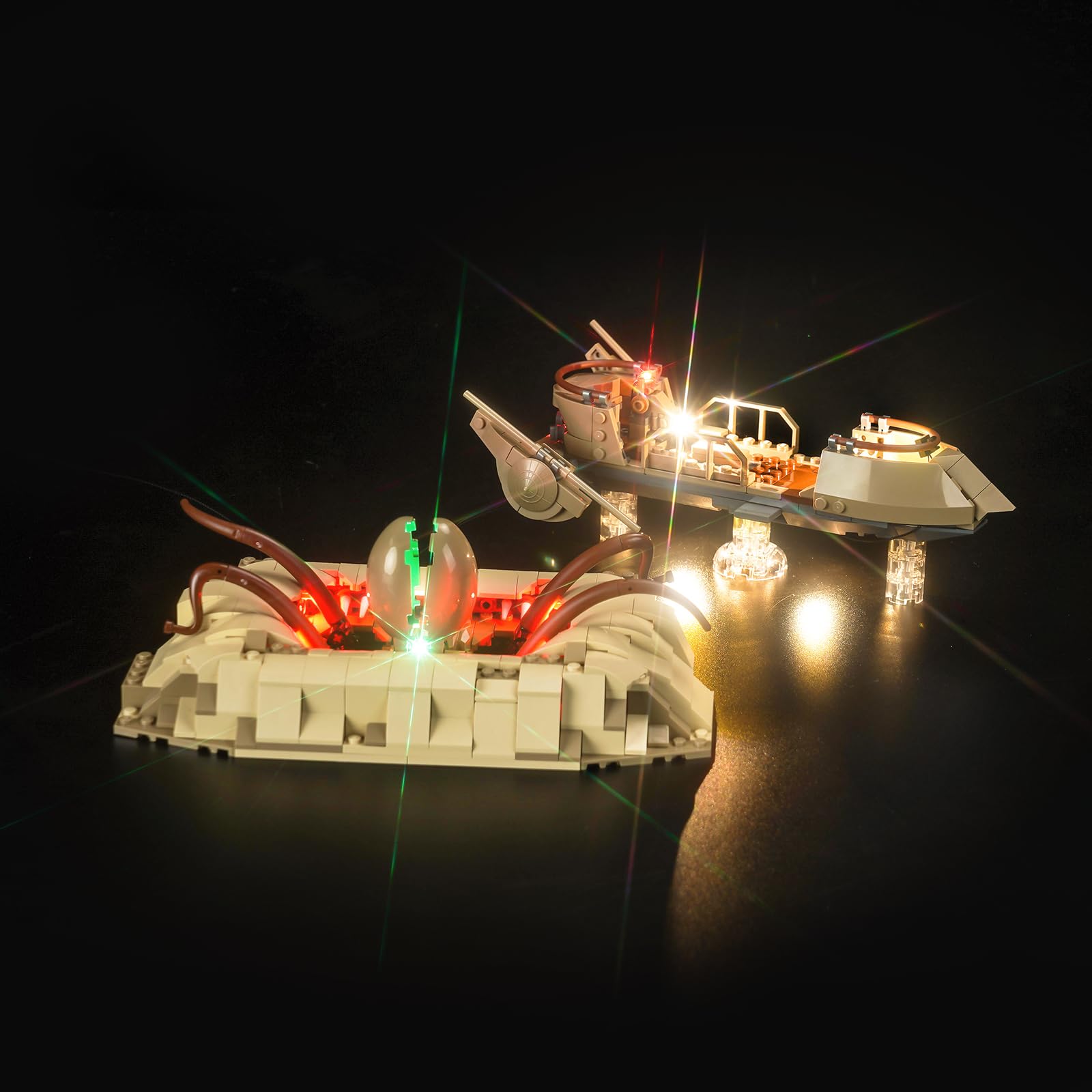
Image 1.1: The BrickBling LED Lighting Kit installed on the LEGO Desert Skiff and Sarlacc Pit models, showcasing the illuminated details.

Image 1.2: Clarification that the product includes only lighting accessories, not the LEGO models.
2. Safety Information
- Choking Hazard: Small parts are included. Not suitable for children under 3 years of age.
- Electrical Safety: The recommended voltage for the power supply is less than 5V. Exceeding this voltage may damage the lights or pose a safety risk.
- Handling Wires: To prevent damage to the light wires, avoid excessive pulling, bending, or shaking during installation and handling.
3. Package Contents
Please verify that all components listed below are present in your package upon receipt. If any parts are missing or damaged, please contact customer support.
- LED Light Kits (various individual lights and connecting wires)
- Instruction Guide (digital access details provided)
- 1 x 12 Expansion Board
- 1 x Power Cable (USB compatible)

Image 3.1: Visual representation of the accessories included in the BrickBling LED Lighting Kit.

Image 3.2: Another view of the package contents, highlighting the individual light components.
4. Setup and Installation
This lighting kit is designed for integration with your existing LEGO 75396 model. The light wires are lightweight and small, allowing them to be discreetly hidden within the model structure. Careful installation is advised to avoid damaging the LEGO model or the light components.
4.1 Accessing Detailed Instructions
A paper manual is not included in the package. For detailed, step-by-step installation instructions, including PDF guides and video tutorials, please refer to the website printed in the booklet that comes with your package. You will need to type the characters from the label on the back of the package to access the specific instructions for your model.

Image 4.1: Example of the detailed lighting effects achievable with proper installation.

Image 4.2: Detailed views of light integration within the LEGO models.
4.2 General Installation Tips
- Carefully separate LEGO bricks as needed to route wires.
- Connect the small LED lights to the expansion board.
- Ensure all connections are secure but not forced.
- Test each lamp pellet during installation to confirm functionality.
5. Operating Instructions
The lighting kit can be powered via a USB cable or batteries. This allows for flexible power options, including connecting to a power bank, a wall socket (with a suitable USB adapter, not included), or a computer's USB port.
- USB Power: Connect the provided power cable to the expansion board and then to any compatible USB power source (e.g., power bank, computer, USB wall adapter). Ensure the power source provides less than 5V.
- Battery Power: If your kit includes a battery box (batteries not included), insert the required batteries (typically AA or AAA, check your specific battery box for details) and connect the battery box to the expansion board.
Once connected to a power source, the lights should illuminate, bringing your LEGO model to life.
Video 5.1: Demonstration of the BrickBling LED Lighting Kit illuminating the LEGO Desert Skiff and Sarlacc Pit models, showcasing the final effect.
6. Maintenance
- Cleaning: Use a soft, dry cloth to gently wipe dust from the LED lights and wires. Avoid using liquids or abrasive cleaners.
- Wire Care: Continue to handle wires with care to prevent damage. Do not over-pull, bend sharply, or shake the wires.
- Storage: If disassembling or storing the kit, ensure wires are not tangled or pinched.
7. Troubleshooting
- Lights Not Illuminating:
- Check all wire connections to ensure they are firmly seated on the expansion board and individual lights.
- Verify the power source is functioning correctly (e.g., USB port is active, batteries are charged and correctly inserted).
- Ensure the power supply voltage is less than 5V.
- If only some lights are out, check the connections for those specific lights.
- Flickering Lights:
- Inspect wire connections for looseness.
- Ensure the power source provides stable power.
- Missing or Damaged Parts:
- Upon receiving the parcel, confirm all parts are present and test each lamp pellet. If issues are found, contact customer support immediately.
8. Specifications
| Attribute | Detail |
|---|---|
| Brand | BrickBling |
| Model Compatibility | LEGO 75396 Return of The Jedi Desert Skiff and Sarlacc Pit |
| Material | Acrylonitrile Butadiene Styrene (ABS), Copper |
| Light Source Type | Light Emitting Diode (LED) |
| Power Source | USB Cable or Battery (less than 5V recommended) |
| Batteries Included | No |
| Included Components | Light Kit, Power Supply (USB cable) |
9. Warranty and Support
BrickBling products are designed for quality and durability. For specific warranty information, please refer to the documentation provided with your purchase or contact BrickBling Lighting customer service directly.
- Returns: This product typically has a 30-day return policy. Please check your purchase details for specific terms.
- Customer Service: For technical assistance, missing parts, or any inquiries, please visit the official BrickBling website or contact the seller, BrickBling Lighting, through your purchase platform.