
MindWare 14477975
MindWare Hyper Stunt Drifter RC Car User Manual
Model: 14477975
Introduction
Welcome to the exciting world of the MindWare Hyper Stunt Drifter RC Car! This manual provides essential information for setting up, operating, and maintaining your new remote control vehicle. Please read through these instructions carefully before first use to ensure safe and optimal performance.
What's Included
Your MindWare Hyper Stunt Drifter package includes the following components:
- Hyper Stunt Drifter RC Car
- Handheld Controller
- 4 Obstacle Cones
- 2 Rechargeable Batteries (for car)
- USB Charger Cable
- Water Dropper (for fog effect)
- Instructions Manual (this document)
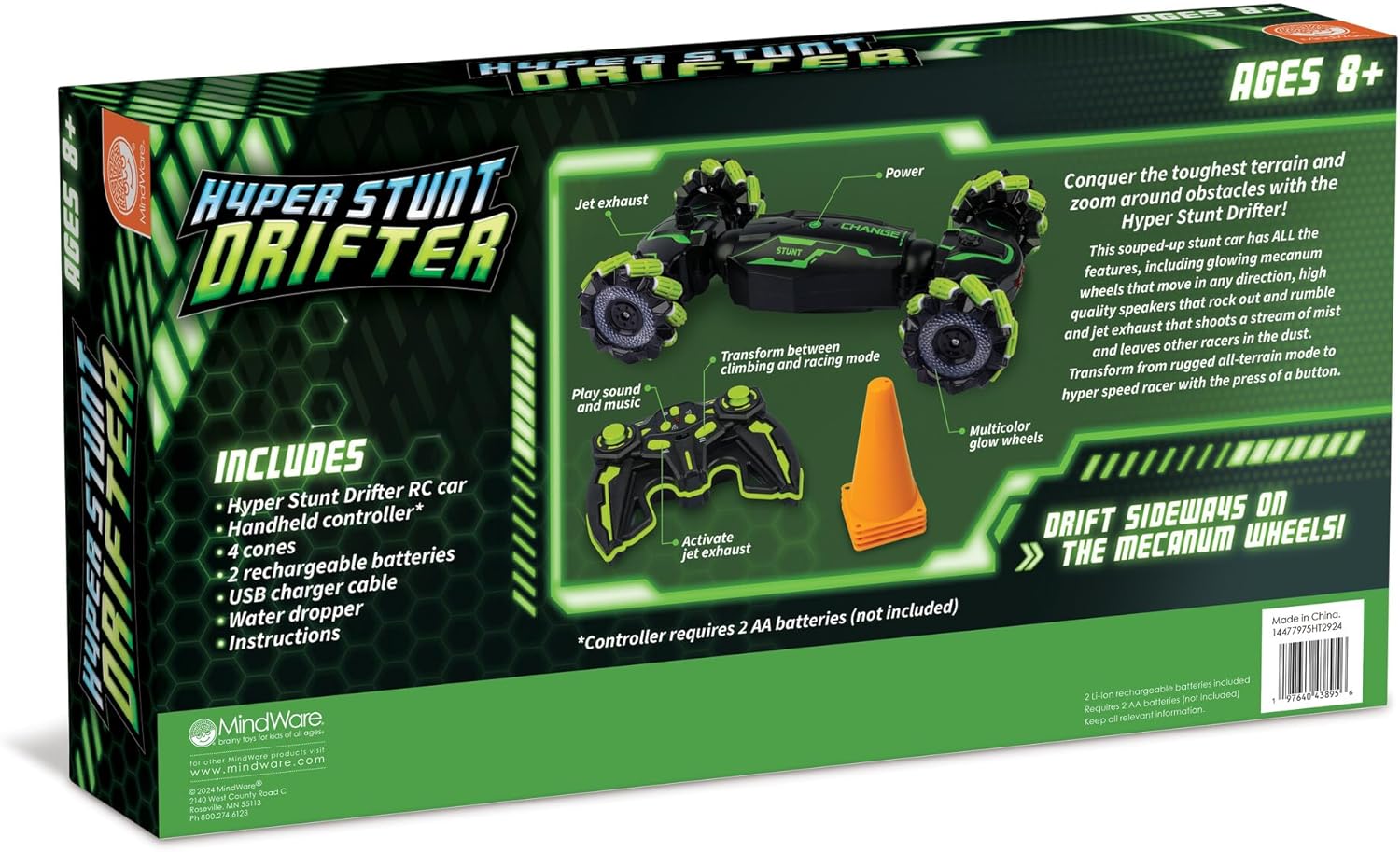
Image: All components included in the Hyper Stunt Drifter package.
Setup Guide
1. Battery Installation
For the RC Car:
- Locate the battery compartment on the underside of the Hyper Stunt Drifter RC car.
- Open the battery compartment cover.
- Insert one of the provided rechargeable batteries, ensuring correct polarity (+/-).
- Close the battery compartment cover securely.
For the Handheld Controller:
- The controller requires 2 AA batteries (not included).
- Open the battery compartment on the back of the controller.
- Insert 2 AA batteries, observing the correct polarity.
- Close the battery compartment cover.
2. Charging the RC Car Batteries
Use the provided USB charger cable to charge the rechargeable batteries for the RC car. Connect the battery to the USB cable, then plug the USB end into a standard USB power source (e.g., computer USB port, USB wall adapter). The charging indicator light will show the charging status. Ensure batteries are fully charged before first use for optimal performance.
3. Filling the Water Dropper for Fog Effect
The Hyper Stunt Drifter features a jet exhaust that emits a cool stream of mist. To activate this feature:
- Fill the small water dropper with clean tap water.
- Locate the water reservoir opening on the RC car (usually near the jet exhaust).
- Carefully squeeze water from the dropper into the reservoir until full. Do not overfill.
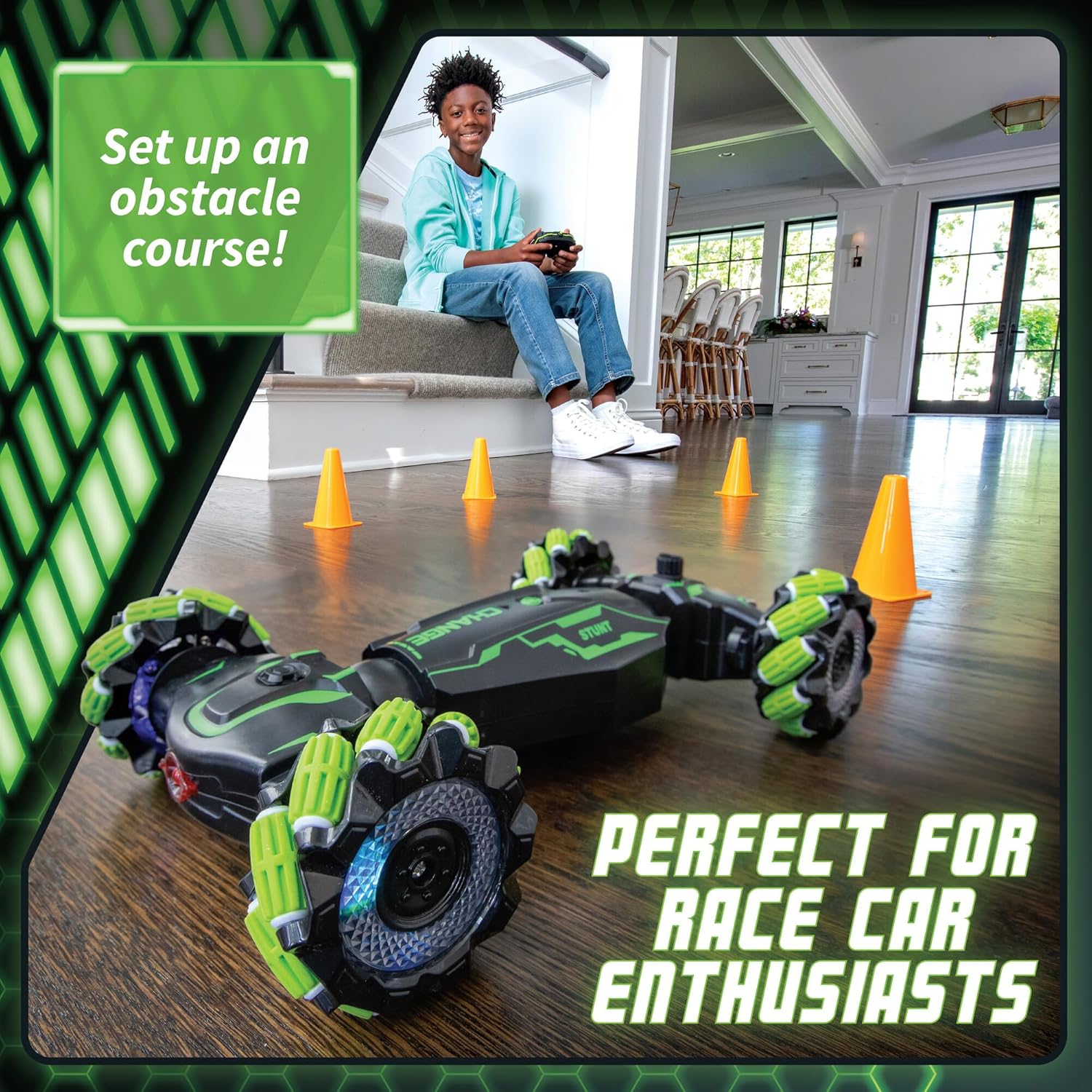
Image: The RC car with its jet exhaust activated, producing mist.
Operating Instructions
1. Powering On
Turn on the power switch on the RC car. Then, turn on the power switch on the handheld controller. The controller and car should automatically pair. An indicator light on the controller will confirm connection.
2. Basic Controls

Image: Demonstrates how to hold the controller and the car's transformation modes.
- Left Joystick: Controls forward and backward movement.
- Right Joystick: Controls left and right steering.
- Transformation Button: Press to switch between all-terrain (high clearance) and racing (low profile) modes.
- Sound/Music Button: Activates various sound effects and music.
- Jet Exhaust Button: Activates the mist-emitting jet exhaust.
3. Mode Transformation
The Hyper Stunt Drifter can transform between two distinct modes: an all-terrain mode for navigating obstacles and a racing mode for high-speed performance. Simply press the dedicated transformation button on the controller to switch between these modes. Observe the car's chassis adjust accordingly.

Image: Visual representation of the car's two transformation modes.
4. Special Features
- Glowing Mecanum Wheels: The wheels feature multicolor LED lights that illuminate during operation, enhancing the visual experience. These wheels allow for omnidirectional movement, including sideways drifting.
- Jet Exhaust: As described in the setup, activate the jet exhaust for a cool mist effect. Ensure the water reservoir is filled.
- Sound Effects & Music: Use the dedicated button on the controller to play various roaring sound effects and music, adding to the immersive driving scenario.
5. Setting Up an Obstacle Course
Use the included 4 obstacle cones to create your own challenging courses. Arrange them in various patterns to practice steering, drifting, and navigating tight spaces. This helps develop spatial awareness and fine motor skills.

Image: The RC car navigating an obstacle course set up with the included cones.
Maintenance
Cleaning
To clean your Hyper Stunt Drifter, gently wipe the exterior with a soft, damp cloth. Do not submerge the car in water or use harsh chemicals. Ensure no water enters the electronic components.
Battery Care and Storage
- Always remove batteries from the RC car and controller when not in use for extended periods to prevent leakage.
- Store the rechargeable batteries in a cool, dry place.
- Recharge batteries only with the provided USB charger cable.
- Do not expose batteries to extreme temperatures or direct sunlight.
Storage
Store the RC car and its components in a dry, dust-free environment, away from direct sunlight and extreme temperatures. Keeping the original packaging can help protect the product during storage.
Troubleshooting
| Problem | Possible Cause | Solution |
|---|---|---|
| Car does not respond to controller. |
|
|
| Jet exhaust not producing mist. |
|
|
| Car moves slowly or inconsistently. |
|
|
Specifications
- Product Dimensions: 10.5 x 6.25 x 2.75 inches
- Item Weight: 2 pounds
- Model Number: 14477975
- ASIN: B0DDVDLCLN
- Recommended Age: 8 years and up
- Car Batteries: 2 Rechargeable batteries (included)
- Controller Batteries: 2 AA batteries (not included)
- Manufacturer: MindWare
Warranty and Support
MindWare stands behind the quality of its products. For any questions, concerns, or issues regarding your Hyper Stunt Drifter RC Car, please contact MindWare customer support. Refer to the product packaging or the official MindWare website for the most current contact information and warranty details.
You can visit the official MindWare store for more information: MindWare Store on Amazon
Ask a question about this manual
Ask about setup, troubleshooting, compatibility, parts, safety, or missing instructions. Manuals+ will review the question and use this page’s manual context to help answer it.