
1. Introduction
Thank you for choosing the Generic MS-R30 PRO Professional Digital Coffee Scale with Timer. This precision electronic scale is designed for accurate weighing of coffee and other ingredients, featuring a built-in timer for optimal brewing. Please read this manual thoroughly before use to ensure proper operation and maintenance.

Image 1.1: The MS-R30 PRO Digital Coffee Scale with its USB Type-C charging cable. This image displays the scale's sleek black design, LED display, and the included charging accessory.
2. Safety Information
- Do not immerse the scale in water or other liquids.
- Avoid placing the scale on uneven or unstable surfaces.
- Do not overload the scale beyond its maximum capacity of 3kg (7 pounds).
- Keep the scale away from extreme temperatures and direct sunlight.
- Use only the provided USB Type-C cable or a compatible charger for charging.
- This device is for household use. Do not attempt to disassemble or repair the scale yourself.
3. Product Overview
The MS-R30 PRO features a minimalist design with an integrated LED touch screen and responsive touch controls.

Image 3.1: Detailed view of the MS-R30 PRO's integrated touch control and high-definition night vision display. This image highlights the "M" button for mode/timer control, the weight display, time display, battery indicator, and the power button.
Components:
- Weighing Platform: Textured surface for stability.
- LED Display: Backlit screen showing weight, time, and battery status.
- "M" Button: Mode/Unit selection, Timer control (start/pause/reset).
- Power Button: Power On/Off, Tare function.
- USB Type-C Charging Port: Located on the side for convenient charging.
- Anti-slip Silicone Pad: Provides stability and thermal insulation.

Image 3.2: Side view of the MS-R30 PRO scale, clearly showing the USB Type-C charging port.
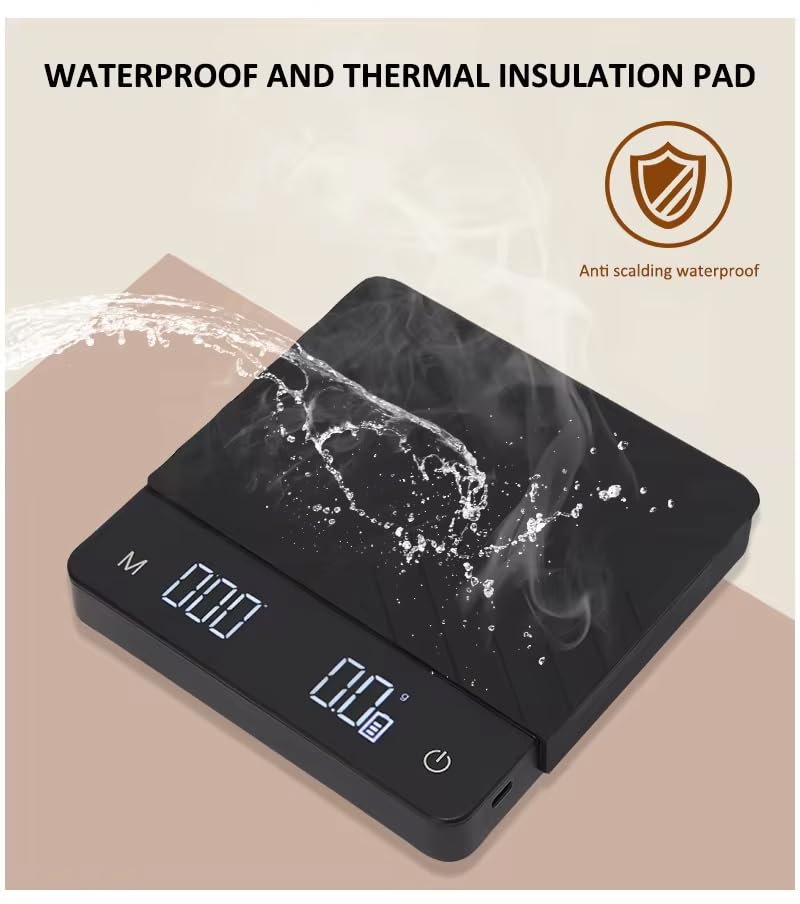
Image 3.3: The MS-R30 PRO scale highlighting its waterproof and thermal insulation pad, designed to prevent slippage and protect against heat.
4. Setup
- Unpack: Carefully remove the scale and all accessories from the packaging.
- Charge: Before first use, fully charge the scale using the provided USB Type-C cable and a compatible power adapter (not included). The battery indicator on the display will show charging status.
- Placement: Place the scale on a flat, stable, and level surface to ensure accurate readings. Avoid placing it near vibrating equipment or in drafty areas.
- Power On: Long press the Power Button (rightmost button) to turn on the scale.
5. Operating Instructions
5.1 Power On/Off
- To Power On: Long press the Power Button (rightmost button) until the display illuminates.
- To Power Off: Long press the Power Button until the display turns off. The scale also features an auto-shutoff function after a period of inactivity to conserve battery.
5.2 Unit Conversion
- Short press the "M" Button (leftmost button) to cycle through available units: grams (g), ounces (oz), and milliliters (ml). The selected unit will be displayed on the screen.
5.3 Tare Function
The tare function allows you to reset the scale to zero after placing a container on it, so you only measure the contents.
- Place an empty container on the weighing platform.
- Short press the Power Button. The display will reset to "0.0g".
- You can now add ingredients to the container, and only their weight will be displayed.
5.4 Weighing
- Ensure the scale is on and tared if using a container.
- Gently place the item(s) to be weighed onto the center of the weighing platform.
- Read the stable weight displayed on the LED screen.
5.5 Timer Function
The MS-R30 PRO includes a built-in timer, ideal for coffee brewing.
- Manual Start/Pause: Short press the "M" Button to start the timer. Short press again to pause.
- Timer Reset: Long press the "M" Button to reset the timer to "000".
- Automatic Timer (for Espresso/Drip Coffee): When the scale is tared and coffee begins to flow onto the platform (e.g., during espresso extraction or pour-over), the timer will automatically start. This feature simplifies the brewing process by eliminating the need for manual timer activation.
6. Maintenance
- Cleaning: Wipe the scale surface with a soft, slightly damp cloth. Do not use abrasive cleaners or immerse the scale in water. Ensure the scale is completely dry before storage or next use.
- Storage: Store the scale in a cool, dry place. Avoid placing heavy objects on the platform when not in use.
- Battery Care: Recharge the scale when the battery indicator shows low power. Avoid completely draining the battery frequently to prolong its lifespan.
7. Troubleshooting
| Problem | Possible Cause | Solution |
|---|---|---|
| "Lo" displayed | Low battery. | Recharge the scale using the USB Type-C cable. |
| "Err" displayed | Overload or unstable surface. | Remove items exceeding 3kg capacity. Place the scale on a flat, stable surface. |
| Inaccurate readings | Unstable surface, drafts, or calibration needed. | Ensure the scale is on a stable, level surface. Avoid drafts. If issues persist, try powering off and on again. |
| Scale does not turn on | Battery is completely drained. | Connect the scale to a power source using the USB Type-C cable and allow it to charge for a few minutes before attempting to power on again. |
8. Specifications
- Model: MS-R30 PRO
- Capacity: Up to 3kg (7 pounds)
- Accuracy: 0.1g
- Units: g, oz, ml
- Display: LED Touch Screen
- Battery: 1200mAh Lithium Battery (Rechargeable via USB Type-C)
- Material: Acrylonitrile Butadiene Styrene (ABS)
- Dimensions: Approximately 15.5 cm x 16 cm x 2.8 cm (6.10 in x 6.29 in x 1.10 in) - Refer to Image 8.1 for detailed dimensions.
- Special Features: Auto Shut Off, Automatic time measurement when coffee starts, Backlit Touch Screen, Smart Timer, Anti-slip silicone pad.

Image 8.1: Detailed dimensions of the MS-R30 PRO Digital Coffee Scale and its accompanying silicone pad. The scale measures approximately 15.5cm x 16cm x 2.8cm.
9. Warranty and Support
This product comes with a standard manufacturer's warranty. For specific warranty details, please refer to the documentation included with your purchase or contact the seller directly. For technical support or inquiries, please reach out to the retailer or manufacturer's customer service.