
1. Introduction
This manual provides comprehensive instructions for the safe and effective use of your oraolo Open Ear E60 Earbuds. Please read this manual thoroughly before using the product and retain it for future reference.
2. Product Overview
The oraolo Open Ear E60 Earbuds are designed for comfortable listening while maintaining environmental awareness. They feature an open-ear design, Bluetooth 5.4 connectivity, ENC Clear Talk technology, and IPX5 water resistance.
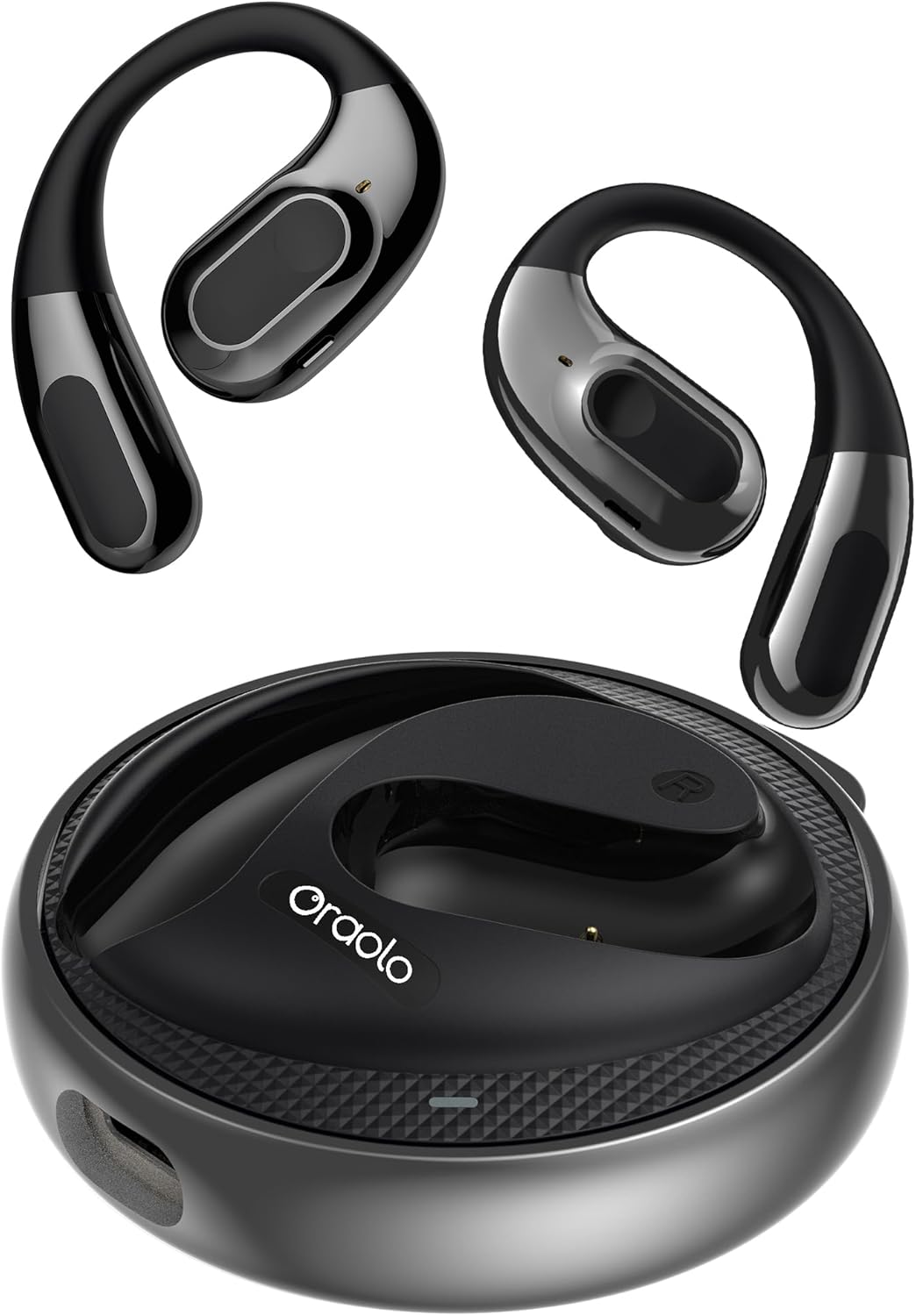
Image 2.1: The oraolo Open Ear E60 Earbuds and their charging case.
Key Features:
- Comfortable and Stable Fit: Open-ear design with ear hooks for various ear shapes, ensuring comfort and stability during extended wear.
- ENC Clear Talk: Advanced Environmental Noise Cancellation for clear calls by filtering ambient noise.
- Extended Playtime: Up to 8 hours of listening on a single charge, with a total of 32 hours using the charging case.
- Bluetooth 5.4: Provides stable connection and fast transmission speeds.
- 14.2mm Dynamic Drivers: Delivers rich audio for various music genres.
- IPX5 Water Resistance: Protects against sweat and light splashes.
- Environmental Awareness: Open-ear design allows users to hear their surroundings, enhancing safety during outdoor activities.
3. Setup
3.1 Charging the Earbuds and Case
- Place the earbuds into the charging case. Ensure they are correctly seated.
- Connect the charging case to a power source using the provided USB Type-C cable.
- The indicator lights on the case will show the charging status. A full charge for the case typically takes 1 hour.
The earbuds provide up to 8 hours of playback on a single charge, and the charging case extends the total listening time to 32 hours.

Image 3.1: Illustration of the charging process and battery life of the oraolo E60 Earbuds.
3.2 Pairing with a Bluetooth Device
- Open the charging case. The earbuds will automatically enter pairing mode, indicated by flashing lights.
- On your device (smartphone, tablet, etc.), enable Bluetooth.
- Search for available Bluetooth devices and select "oraolo E60" from the list.
- Once connected, a voice prompt will confirm successful pairing, and the indicator lights on the earbuds will turn off or show a steady light.

Image 3.2: Demonstrating the Bluetooth 5.4 pairing process with a smartphone.
3.3 Wearing the Earbuds
The oraolo E60 Earbuds feature an open-ear design with flexible ear hooks for a secure and comfortable fit.
- Identify the left (L) and right (R) earbuds.
- Gently place the earbud over your ear, positioning the speaker near your ear canal without inserting it directly.
- Adjust the ear hook to fit snugly and securely around the back of your ear.
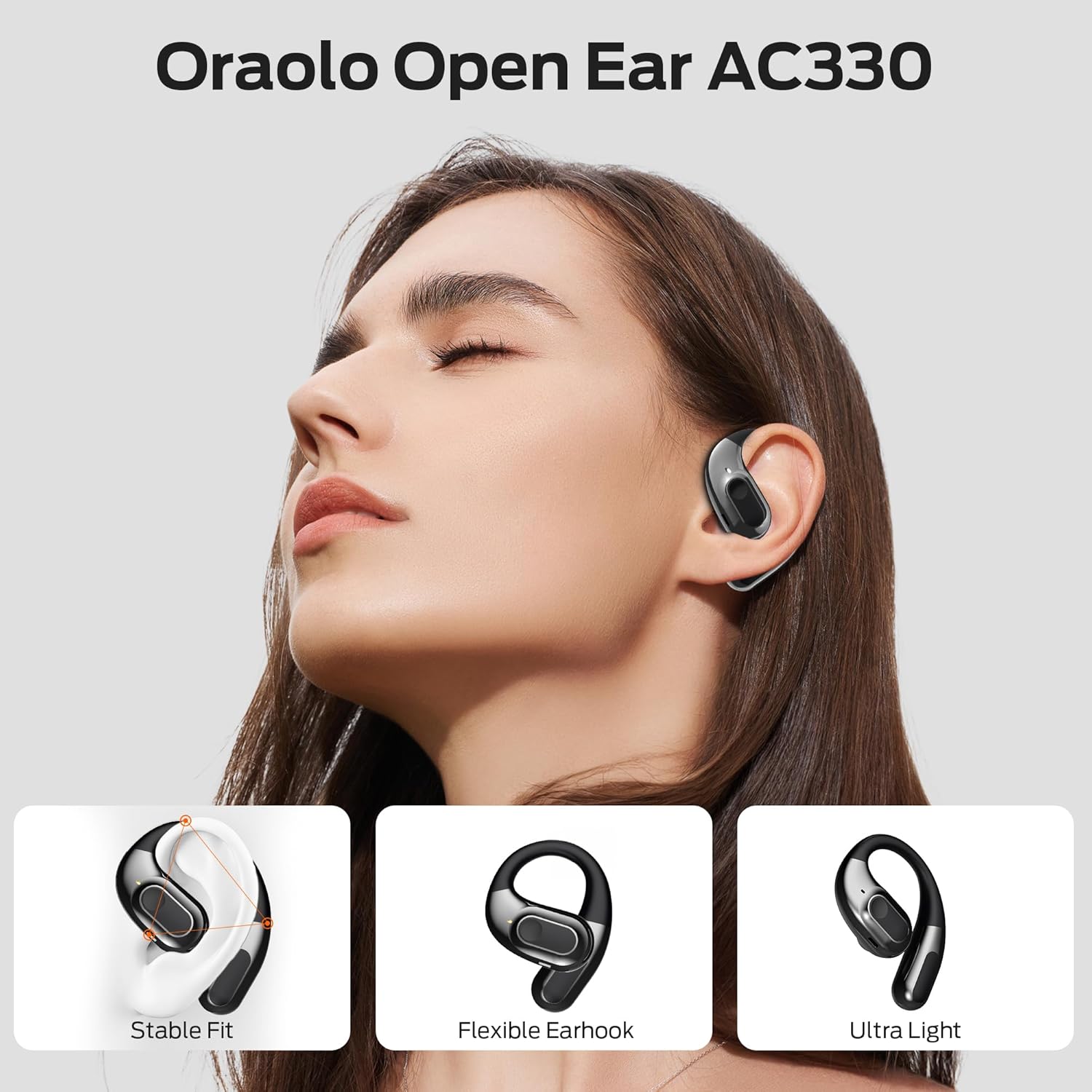
Image 3.3: A person wearing the oraolo Open Ear E60 Earbuds, highlighting the stable fit, flexible ear hook, and lightweight design.
4. Operating Instructions
4.1 Basic Controls (Touch Control)
The oraolo E60 Earbuds utilize touch controls for various functions. Specific touch gestures may vary; refer to the quick start guide included with your product for precise commands.
- Play/Pause: Single tap on either earbud.
- Next Track: Double tap on the right earbud.
- Previous Track: Double tap on the left earbud.
- Answer/End Call: Single tap on either earbud during an incoming call.
- Reject Call: Press and hold either earbud for 2 seconds during an incoming call.
- Activate Voice Assistant: Triple tap on either earbud.
4.2 Environmental Noise Cancellation (ENC)
The ENC feature is automatically active during calls to reduce background noise, ensuring clear communication. No manual activation is typically required for this function during calls.
5. Maintenance
5.1 Cleaning
- Regularly clean the earbuds and charging case with a soft, dry, lint-free cloth.
- Do not use abrasive cleaners, alcohol, or chemical solvents.
- Ensure charging contacts are free of dust and debris.
5.2 Storage
- Store the earbuds in their charging case when not in use to protect them and keep them charged.
- Avoid storing in extreme temperatures or high humidity.
5.3 Water Resistance (IPX5)
The oraolo E60 Earbuds are rated IPX5, meaning they are resistant to sweat and light splashes of water. They are not designed for submersion in water or for use during swimming. Ensure the earbuds are dry before placing them back into the charging case to prevent damage.

Image 5.1: The oraolo E60 Earbuds demonstrating IPX5 water resistance against splashes.
6. Troubleshooting
- No Sound: Ensure earbuds are charged, paired correctly, and volume is adjusted on both the earbuds and your device.
- Cannot Pair: Make sure Bluetooth is enabled on your device and the earbuds are in pairing mode. Try turning Bluetooth off and on again on your device.
- Intermittent Connection: Ensure there are no obstructions between the earbuds and your device. Keep the device within the Bluetooth range (typically 10 meters).
- Earbuds Not Charging: Check if the charging cable is securely connected and the charging contacts on both the earbuds and case are clean.
- One Earbud Not Working: Try resetting the earbuds (refer to the quick start guide for specific reset instructions) or re-pairing them.
7. Specifications
| Feature | Specification |
|---|---|
| Model Number | E60 |
| Brand | oraolo |
| Connectivity | Bluetooth 5.4 |
| Driver Size | 14.2 mm |
| Battery Composition | Lithium-ion |
| Earbud Playtime | Up to 8 hours |
| Total Playtime (with case) | Up to 32 hours |
| Charging Port | USB Type-C |
| Water Resistance Rating | IPX5 |
| Special Features | ENC Clear Talk, Sweat Resistant |
| Control Type | Touch Control |
8. Safety Information
- Do not disassemble or modify the product.
- Keep away from extreme temperatures, direct sunlight, and open flames.
- Avoid prolonged listening at high volumes to prevent hearing damage.
- Dispose of the product and its battery responsibly according to local regulations.
9. Warranty and Support
For warranty information or technical support, please refer to the warranty card included with your purchase or visit the official oraolo website. Contact details for customer service are typically provided on the product packaging or within the quick start guide.