
1. Introduction
Thank you for choosing the Dexter 800AG2-125.5AB1 Angle Grinder. This manual provides essential information for the safe and efficient operation, maintenance, and troubleshooting of your new tool. Please read this manual thoroughly before first use and keep it for future reference.
This angle grinder is designed for cutting and grinding metal and various coatings. Its 800W motor delivers 11,500 RPM, accommodating 4.1/2" / 5" (115/125mm) discs. The tool features a 3-meter power cord for extended reach and an ergonomic grip for comfortable handling.
2. Safety Instructions
Always follow basic safety precautions to reduce the risk of fire, electric shock, and personal injury when operating power tools.
- Wear appropriate personal protective equipment (PPE): Always wear safety glasses, hearing protection, and gloves. A dust mask is recommended for dusty operations.
- Secure the workpiece: Always clamp or secure the workpiece to prevent movement during operation.
- Maintain a clean work area: Cluttered areas invite accidents. Ensure your workspace is well-lit.
- Avoid dangerous environments: Do not use power tools in damp or wet locations, or expose them to rain. Keep the work area well-ventilated.
- Keep children and bystanders away: All visitors should be kept a safe distance from the work area.
- Store idle tools: When not in use, tools should be stored in a dry, high, or locked-up place, out of reach of children.
- Do not force the tool: It will do the job better and more safely at the rate for which it was designed.
- Use the right tool: Do not force a small tool or attachment to do the job of a heavy-duty tool.
- Check for damaged parts: Before using the tool, check for any damaged parts. A guard or other part that is damaged should be properly repaired or replaced by an authorized service center.
- Disconnect power: Always disconnect the tool from the power source before making any adjustments, changing accessories, or storing the tool.
- Use the auxiliary handle: Always operate the angle grinder with the auxiliary handle securely attached for maximum control.
3. Product Overview
Familiarize yourself with the components of your Dexter Angle Grinder.
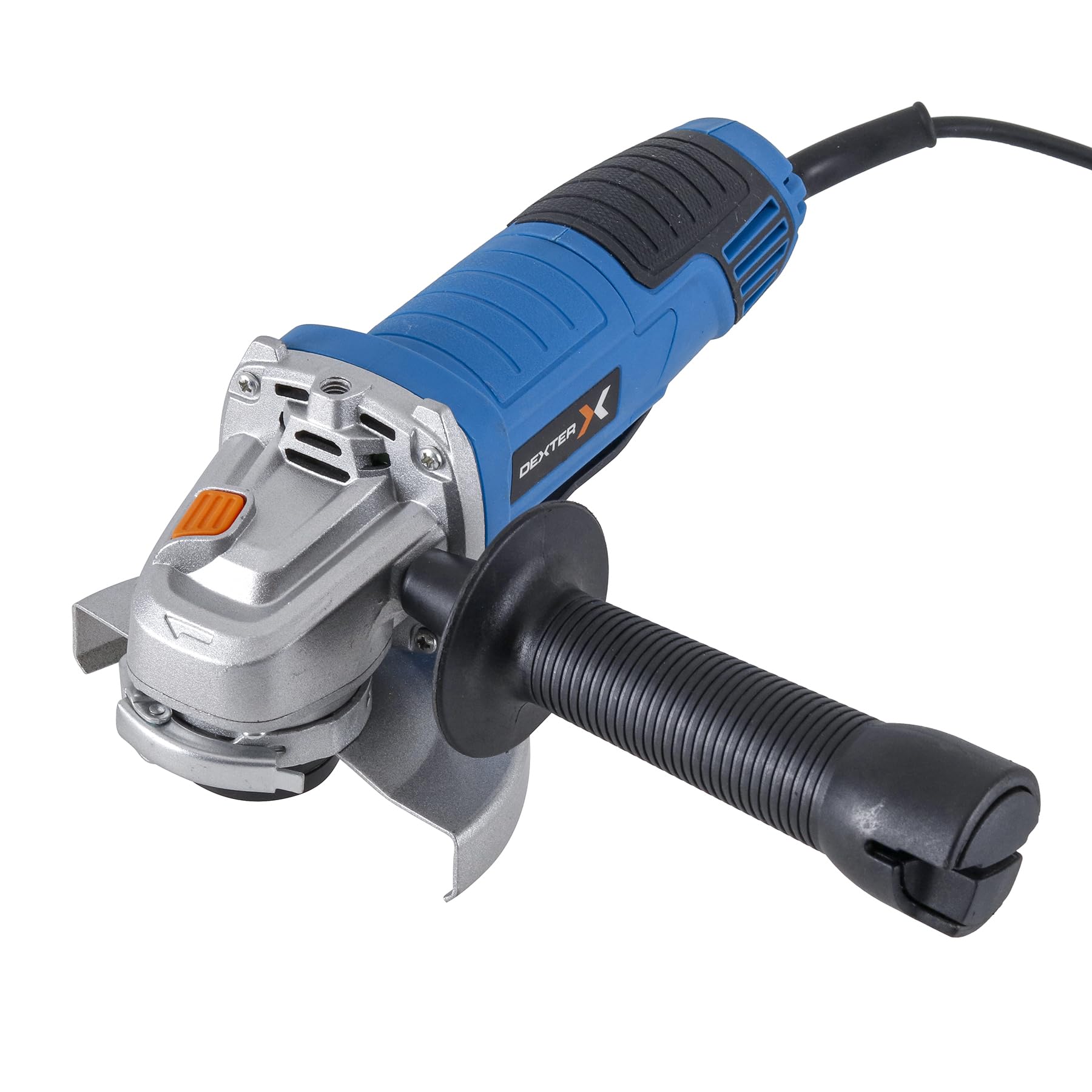
Figure 1: Overall view of the Dexter Angle Grinder, highlighting its powerful motor suitable for heavy-duty tasks.

Figure 2: Detail of the power switch, indicating the tool's robust power for demanding work.

Figure 3: View of the disc mounting area, designed for simple and quick disc changes.

Figure 4: Close-up of the spindle lock button, essential for secure disc changes.

Figure 5: The ergonomic handle design, ensuring light and comfortable use.
Included Components:
- 1 x Dexter 5" Angle Grinder
- 1 x Wrench
- 1 x Auxiliary Handle
- 1 x Disc Guard 115mm
- 1 x Disc Guard 125mm
4. Setup
4.1 Attaching the Disc Guard
- Ensure the grinder is unplugged from the power source.
- Select the appropriate disc guard (115mm or 125mm) for your chosen disc size.
- Position the disc guard over the spindle housing, ensuring it aligns with the mounting points.
- Secure the guard firmly using the provided screws or clamping mechanism. Ensure it is oriented to provide maximum protection during operation.
4.2 Installing the Auxiliary Handle
The auxiliary handle can be attached in three different positions (left, right, or top) to suit your working preference and ensure optimal control.
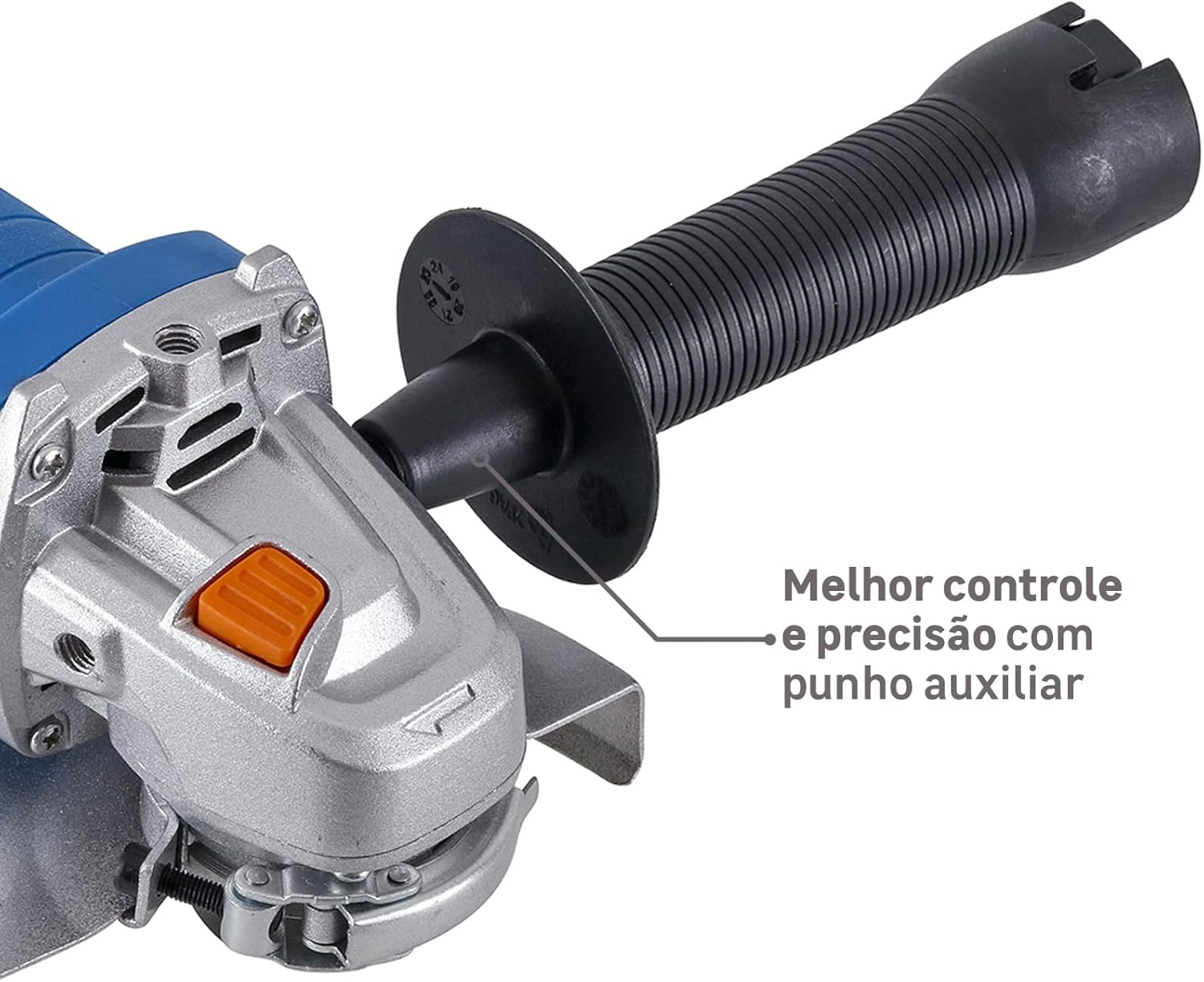
Figure 6: Angle grinder with auxiliary handle attached, providing enhanced control and precision.
- Identify the threaded holes on the grinder's gear housing.
- Screw the auxiliary handle clockwise into the desired position until it is securely tightened.
4.3 Mounting a Grinding/Cutting Disc
- Ensure the grinder is unplugged.
- Press and hold the spindle lock button (Figure 4) to prevent the spindle from rotating.
- Place the inner flange onto the spindle.
- Position the grinding or cutting disc onto the inner flange, ensuring it sits flat.
- Screw the outer flange onto the spindle, hand-tightening it.
- Use the provided wrench to firmly tighten the outer flange, ensuring the disc is securely mounted. Release the spindle lock button.
5. Operating Instructions
5.1 Powering On/Off
- To turn on the grinder, slide the power switch (Figure 2) forward.
- To turn off the grinder, slide the power switch backward to the 'OFF' position.
5.2 Grinding and Cutting Techniques
Always hold the grinder firmly with both hands, using the main handle and the auxiliary handle.
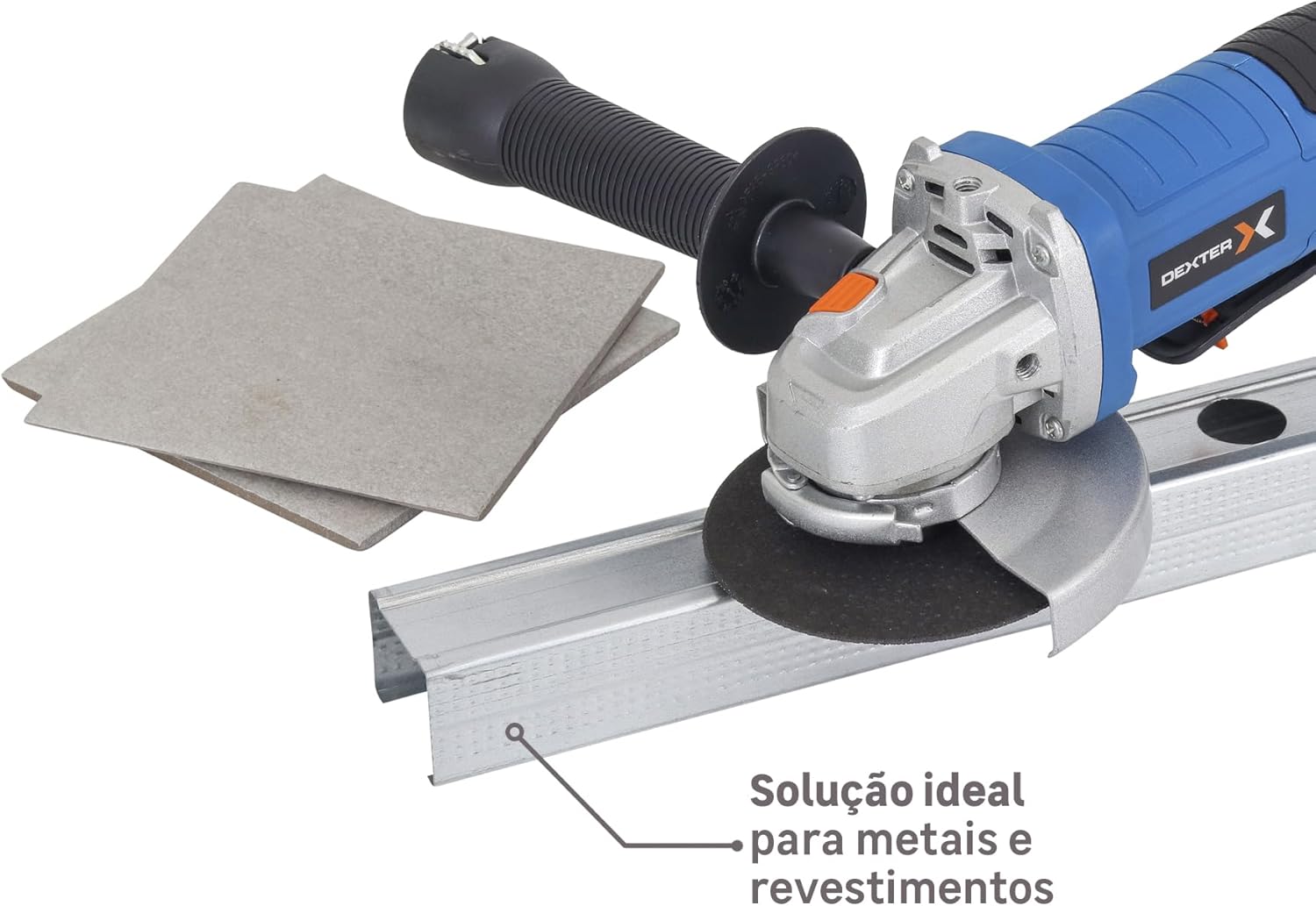
Figure 7: Angle grinder in use, demonstrating its effectiveness for cutting metal profiles and coatings.

Figure 8: Angle grinder being used for sanding a wooden surface, showcasing its versatility.
- For Grinding: Hold the grinder at an angle of approximately 15-30 degrees to the workpiece. Apply moderate pressure and move the tool evenly across the surface.
- For Cutting: Hold the grinder perpendicular to the workpiece. Allow the disc to cut through the material without forcing it. Ensure the workpiece is stable and supported.
- Avoid overloading: Do not apply excessive pressure, as this can reduce disc life and motor efficiency.
- Allow the tool to reach full speed: Before making contact with the workpiece, allow the disc to reach its full operating speed.
6. Maintenance
Regular maintenance ensures the longevity and safe operation of your angle grinder.
- Cleaning: Regularly clean the ventilation openings to prevent dust buildup, which can cause overheating. Use a soft brush or compressed air.
- Carbon Brushes: This tool uses a brushed motor. Carbon brushes are wear parts and should be checked periodically. If they are worn down, they must be replaced by qualified personnel.
- Power Cord: Inspect the power cord for any damage before each use. Do not use the tool if the cord is damaged.
- Disc Replacement: Replace worn or damaged discs immediately. Always use discs rated for the grinder's speed and application.
- Storage: Store the tool in a dry, secure place, out of reach of children.
7. Troubleshooting
| Problem | Possible Cause | Solution |
|---|---|---|
| Grinder does not start. | No power supply. Faulty power switch. Worn carbon brushes. | Check power outlet and cord. Contact service center. Have brushes replaced by qualified personnel. |
| Excessive vibration. | Disc improperly mounted. Damaged or unbalanced disc. | Re-mount disc securely. Replace disc. |
| Overheating. | Blocked ventilation slots. Overloading the tool. | Clean ventilation slots. Reduce pressure and allow tool to cool. |
| Sparks excessively. | Worn carbon brushes. | Have brushes replaced by qualified personnel. |
8. Specifications
| Feature | Specification |
|---|---|
| Model | 800AG2-125.5AB1 |
| Brand | Dexter |
| Power Source | Corded Electric |
| Voltage | 220V |
| Power | 800 W |
| Max Rotation Speed | 11,500 RPM |
| Motor Type | Brushed Motor |
| Speed Control | No |
| Disc Diameter (mm) | 125 mm |
| Disc Diameter (inches) | 5 inches |
| Disc Included | No |
| Product Weight | 1.77 kg |
| Spindle Lock | Yes |
| Spindle Thread | M14 |
| Recommended Use | Cutting and grinding metal and coatings |
| Usage Intensity | Moderate use up to 5 hours/day |
9. Warranty and Support
For warranty information, technical support, or service inquiries, please refer to the warranty card included with your product or contact your local Dexter authorized service center. Keep your purchase receipt as proof of purchase.


