
1. Introduction
This manual provides essential information for the proper installation, operation, and maintenance of the NEMAYING Original Fit for CAREL IR33W7HR20 Temperature Controller. Please read this manual thoroughly before using the device to ensure safe and efficient operation.
The CAREL IR33W7HR20 is a versatile temperature controller designed for precise temperature management in various applications. It features multiple inputs and outputs for comprehensive control.
2. Product Overview

This image displays the front of the CAREL IR33W7HR20 temperature controller. Visible elements include the product label with model number IR33W7HR20, serial number, and manufacturing date. The label also shows a detailed wiring diagram for power supply (AC 115...230V), digital outputs (DO1, DO2), and digital inputs (DI1, DI2). Safety certifications (UL, EAC, CE) are also present. The device is designed for panel mounting and has an IP65 rating.

This image shows the side view of the temperature controller, highlighting the various screw terminal blocks for electrical connections. These terminals are where power, sensor inputs, and output loads are connected. The design allows for secure and organized wiring.
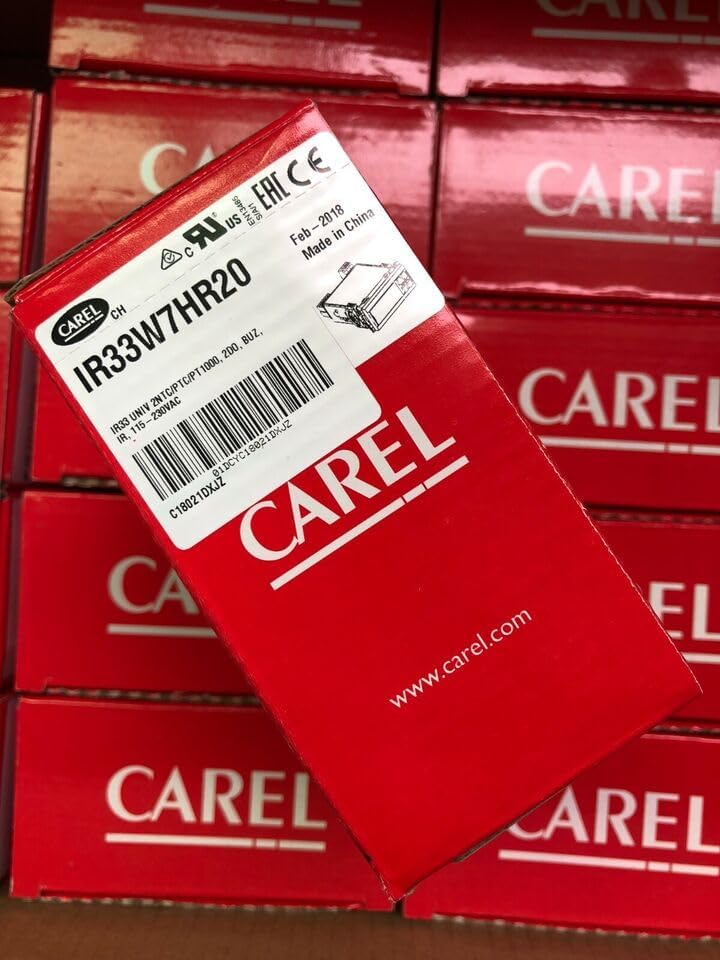
This image displays the red retail packaging box for the CAREL IR33W7HR20 controller. The box features the CAREL logo and product information, indicating it is an original product.
3. Setup and Installation
Proper installation is crucial for the controller's performance and safety. Refer to the wiring diagram on the device label (Figure 2.1) for precise connections.
3.1. Safety Precautions
- Ensure power is disconnected before any wiring or installation.
- Installation should be performed by qualified personnel.
- Use copper conductors only, as indicated on the device label.
- Adhere to local electrical codes and regulations.
3.2. Mounting
The IR33W7HR20 is designed for panel mounting. Ensure adequate ventilation around the unit to prevent overheating.
3.3. Wiring
Connect the power supply, sensors, and controlled devices to the appropriate terminals as per the wiring diagram on the product label. Pay close attention to the voltage requirements (AC 115...230V) and current ratings for outputs.
- Power Supply (L, N, GND): Connect to AC 115...230V.
- Digital Outputs (DO1, DO2): Connect to loads. Refer to the label for contact ratings (e.g., 8(4)A, 12LRA).
- Digital Inputs (DI1, DI2): Connect to external switches or sensors as required by your application.
- Sensor Inputs (C1, NC1, NO1, C2, NC2, NO2): Connect temperature sensors (e.g., NTC, PTC, PT1000) to the designated terminals.
4. Operating Instructions
Once installed and powered, the controller will display the current temperature or status. Specific operating procedures, parameter settings, and menu navigation will depend on the exact firmware version and application. Refer to the comprehensive CAREL IR33 series user manual for detailed programming instructions.
4.1. Basic Operation
- Display: Shows current temperature, setpoint, or alarm codes.
- Buttons: Typically used for navigating menus, adjusting setpoints, and acknowledging alarms.
4.2. Parameter Setting
Accessing and modifying parameters (e.g., setpoint, differential, alarm thresholds) usually involves a sequence of button presses. Consult the full CAREL documentation for parameter codes and their functions.
5. Maintenance
The CAREL IR33W7HR20 is designed for reliable operation with minimal maintenance. However, periodic checks can extend its lifespan and ensure optimal performance.
- Cleaning: Gently wipe the front panel with a soft, damp cloth. Do not use abrasive cleaners or solvents.
- Connections: Periodically check all wiring connections for tightness and signs of corrosion. Ensure copper conductors are used.
- Ventilation: Ensure that the ventilation openings are not obstructed to allow for proper heat dissipation.
6. Troubleshooting
If you encounter issues with your temperature controller, refer to the following common problems and solutions. For complex issues, contact technical support.
| Problem | Possible Cause | Solution |
|---|---|---|
| Controller does not power on. | No power supply; incorrect wiring; blown fuse. | Check power connections and voltage. Verify wiring against diagram. Check external fuse if applicable. |
| Incorrect temperature reading. | Faulty sensor; incorrect sensor type setting; poor sensor connection. | Check sensor wiring. Verify sensor type setting in parameters. Test sensor with a multimeter if possible. Replace sensor if faulty. |
| Output not activating. | Setpoint not met; output parameter incorrect; faulty relay. | Verify setpoint and differential settings. Check output mode parameter. Test load device. |
| Display shows error code. | Sensor error; internal fault; parameter error. | Refer to the full CAREL IR33 manual for specific error code meanings and troubleshooting steps. |
7. Specifications
Key technical specifications for the CAREL IR33W7HR20 Temperature Controller:
- Model: IR33W7HR20
- Brand: CAREL (Original Fit by NEMAYING)
- Power Supply: AC 115...230V
- Digital Outputs: DO1, DO2 (e.g., 8(4)A, 12LRA)
- Digital Inputs: DI1, DI2
- Panel Mounting: Yes
- Protection Rating: IP65 (front panel)
- Manufacturer: NEMAYING
- ASIN: B0DDR8H5HR
- UPC: 621572795417
8. Warranty and Support
Specific warranty information for this product is not provided in the available data. Please refer to the seller's or manufacturer's (NEMAYING) warranty policy at the time of purchase for details regarding coverage and duration.
For technical support, troubleshooting assistance beyond this manual, or inquiries about replacement parts, please contact the seller or NEMAYING customer service directly. Have your product model number (IR33W7HR20) and ASIN (B0DDR8H5HR) ready when contacting support.

