
PEAKPULSE LE1500AG
PEAKPULSE LE1500AG Golf Rangefinder User Manual
Model: LE1500AG
1. Introduction
This manual provides detailed instructions for the safe and effective use of your PEAKPULSE LE1500AG Golf Rangefinder. Please read this manual thoroughly before operating the device to ensure proper function and to prevent damage.

Image 1.1: The PEAKPULSE LE1500AG Golf Rangefinder. This device is designed for accurate distance measurement in golf.
2. Package Contents
Verify that all items listed below are included in your package:
- PEAKPULSE LE1500AG Golf Rangefinder
- Storage Bag
- User Manual
- Lens Cleaning Cloth
- CR2 Batteries (2 included)
- Lanyard

Image 2.1: Illustration of the items included in the product package.
3. Product Features
The PEAKPULSE LE1500AG Golf Rangefinder is equipped with several advanced features to enhance your golfing experience:
- Extended Ranging Capability: Measures distances from 10 to 1700 yards with an accuracy of ±0.5 yards.
- 6X Magnification and Enhanced LCD: Provides a clear, bright, and vivid image of your target. The adjustable knob allows for fast focus.
- Multiple Ranging Modes:
- Mode 1 (M1): Flagpole Locking + Slope Correction + Vibration.
- Mode 2 (M2): Horizontal Distance (HD) + Vibration + Continuous Measurement.
- Mode 3 (M3): Vertical Distance (VD) + Vibration + Continuous Measurement.
- Tournament Legal with Slope Switch: Easily switch between slope and non-slope modes in M1 for compliance with tournament rules.
- Tripod Screw Hole: Allows for mounting on a tripod to reduce hand shake and improve measurement stability.
- Fast Focus System: Achieves focus in approximately 0.3 seconds.
- Class I Laser Safety: The laser radiation output is less than 1mW with a wavelength of 905nm, ensuring safety for users.
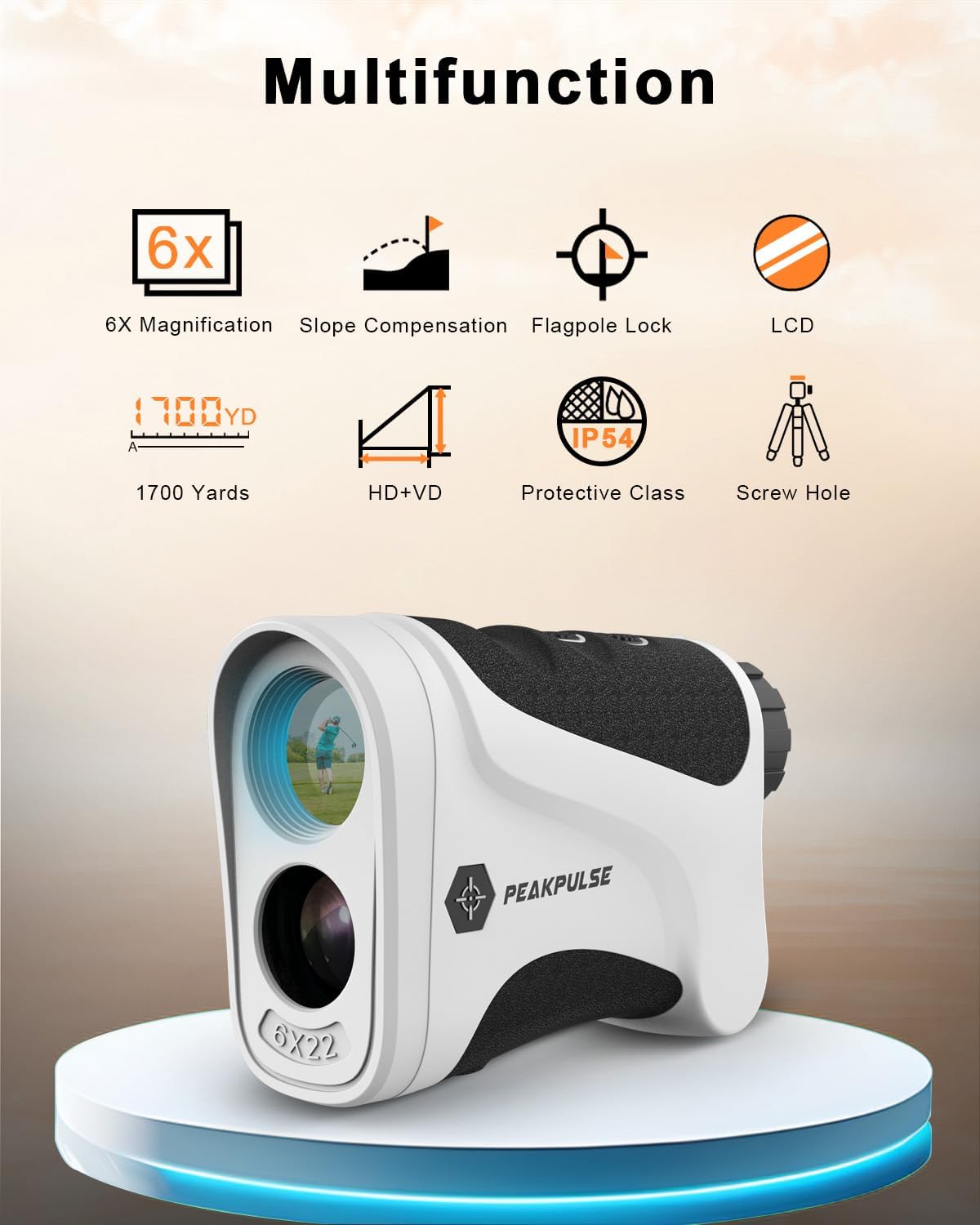
Image 3.1: Overview of key features including 6X magnification, slope compensation, flagpole lock, LCD, 1700 yards range, HD+VD, IP54 protection, and tripod screw hole.

Image 3.2: Illustration of slope compensation, showing how the rangefinder adjusts for uphill and downhill shots.

Image 3.3: Depiction of Horizontal Distance Mode (M2), which measures the horizontal distance to a target.

Image 3.4: Depiction of Vertical Distance Mode (M3), which measures the vertical distance to a target.
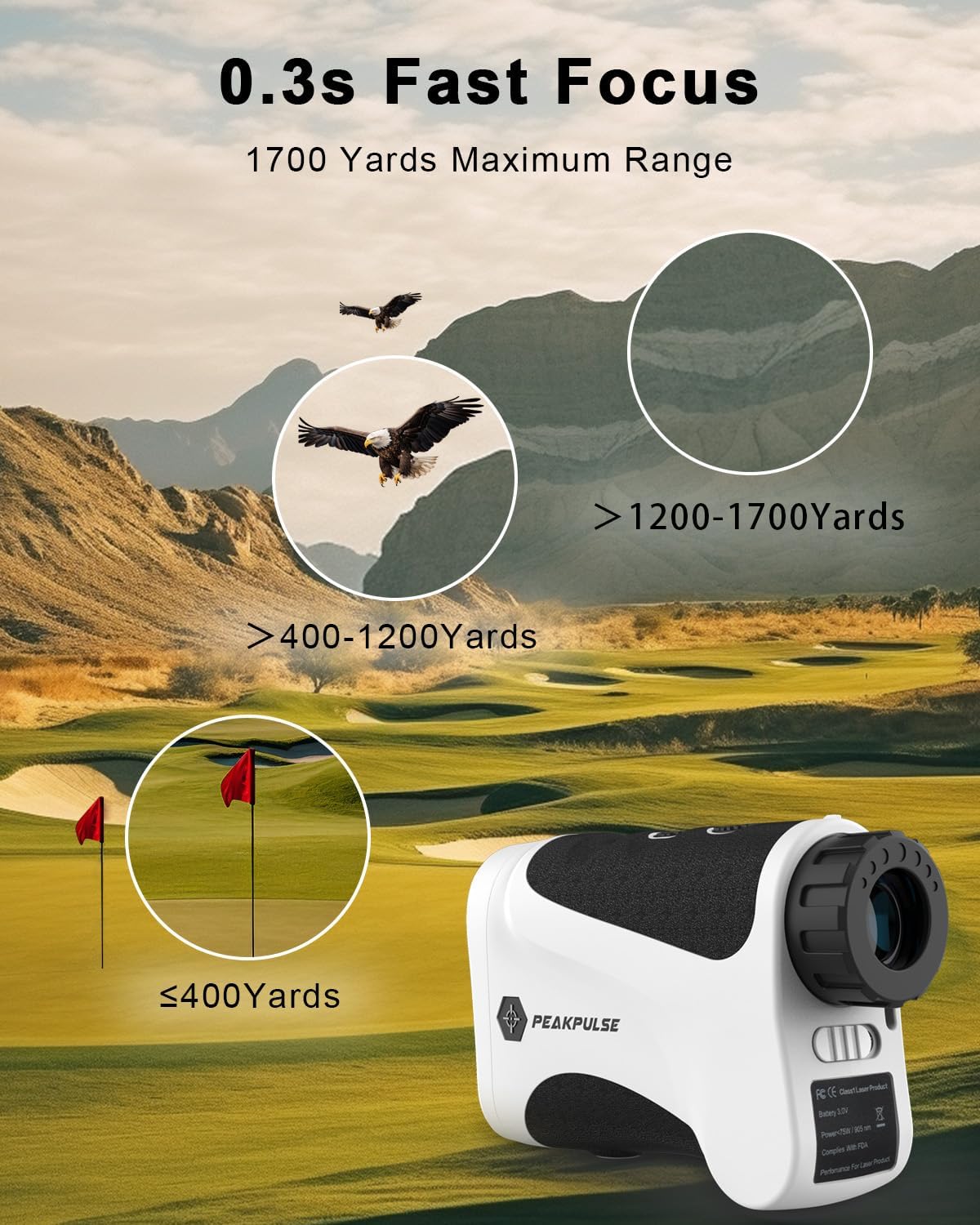
Image 3.5: Illustration of the 0.3s Fast Focus System, showing quick target acquisition.

Image 3.6: The ergonomic design for comfortable handling and the tripod nut design for stable measurements.

Image 3.7: Comparison illustrating the fast response speed of the PEAKPULSE rangefinder.

Image 3.8: Visual representation of the 90% light transmittance of the LCD screen for clearer viewing.

Image 3.9: Comparison showing the wider 6.3 degree field of view for better target acquisition.
4. Setup
4.1 Battery Installation
The PEAKPULSE LE1500AG uses two CR2 3V lithium batteries. Ensure the batteries are installed correctly before first use.
- Locate the battery compartment on the side of the rangefinder.
- Open the battery compartment cover.
- Insert two CR2 batteries, observing the correct polarity (+/-) as indicated inside the compartment.
- Close the battery compartment cover securely.
Important: Please remove any outer packaging film from the batteries before installation.

Image 4.1: Diagram showing the location and correct insertion of the CR2 battery.
5. Operating Instructions
5.1 Powering On/Off
- To power on, press the Power button once. The display will activate.
- The device will automatically power off after a period of inactivity to conserve battery.
5.2 Adjusting Focus
Rotate the eyepiece to adjust the focus until the display and target appear clear.

Image 5.1: Illustration of 6X magnification and the clarity of the LCD screen compared to other displays.
5.3 Switching Measurement Units (Yards/Meters)
With the device powered on, press and hold the Mode button to switch between Yards (Y) and Meters (M).
5.4 Selecting Ranging Mode
Press the Mode button repeatedly to cycle through the available ranging modes (M1, M2, M3).
5.5 Taking a Measurement
- Power on the rangefinder.
- Look through the eyepiece and aim the crosshair at your target.
- Press the Power button once to initiate measurement. The distance will be displayed on the LCD.
- For continuous measurement (available in M2 and M3), press and hold the Power button while sweeping across targets.

Image 5.2: Illustration of continuous measurement, showing how to measure multiple distances by holding the power button.
5.6 Slope Switch (Tournament Legal)
The LE1500AG features a physical slope switch. Slide the switch to enable or disable the slope compensation feature. When slope is disabled, the device is tournament legal.

Image 5.3: Depiction of the physical slope switch, allowing the user to enable or disable slope compensation for tournament play.
6. Maintenance
- Cleaning: Use the provided lens cleaning cloth to gently wipe the lenses. Do not use abrasive materials or chemical cleaners.
- Storage: Store the rangefinder in its protective storage bag when not in use. Keep it in a cool, dry place, away from direct sunlight and extreme temperatures.
- Battery Replacement: Replace batteries when the low battery indicator appears on the display. Always use new CR2 3V batteries.
- Water Resistance: The device has an IP54 protective rating, meaning it is resistant to dust and splashing water. Do not submerge the device in water.
7. Troubleshooting
| Problem | Possible Cause | Solution |
|---|---|---|
| Device does not power on. | Low or dead batteries; incorrect battery installation. | Replace batteries with new CR2 3V batteries. Ensure correct polarity. |
| Inaccurate readings. | Unstable aiming; dirty lenses; target too far or too small. | Ensure stable aiming (use tripod if available). Clean lenses with provided cloth. Ensure target is within range and visible. |
| Display is blurry. | Eyepiece not focused. | Rotate the eyepiece to adjust focus until the display is clear. |
| No slope compensation. | Slope switch is in the "off" position. | Slide the slope switch to the "on" position (if allowed by rules of play). |
8. Specifications
| Feature | Detail |
|---|---|
| Model | LE1500AG |
| Measurement Range | 10 - 1700 Yards |
| Accuracy | ±0.5 Yards |
| Magnification | 6X |
| Laser Wavelength | 905nm |
| Laser Class | Class I (less than 1mW) |
| Water Resistance | IP54 (Dust and splash resistant) |
| Battery Type | CR2 3V Lithium (2 included) |
| Product Dimensions | 11.43 x 7.62 x 3.81 cm |
| Item Weight | 160 g |
| Material | Plastic |
9. Safety Information
- Do not look directly into the laser aperture or directly at the sun through the rangefinder.
- Keep the device out of reach of children.
- Do not attempt to disassemble or modify the rangefinder. This can cause damage and void the warranty.
- Dispose of batteries according to local regulations.
- Avoid exposing the device to extreme temperatures or humidity.
10. Warranty and Support
PEAKPULSE offers a 1-Year Quality Guarantee for this product. If you encounter any issues or have questions regarding your PEAKPULSE LE1500AG Golf Rangefinder, please contact our customer service team.
Our customer service is available 24-hours online to assist you.

Image 10.1: Icon representing 24-hour customer service availability.
For support, please visit the official PEAKPULSE website or refer to the contact information provided with your purchase.
Ask a question about this manual
Ask about setup, troubleshooting, compatibility, parts, safety, or missing instructions. Manuals+ will review the question and use this page’s manual context to help answer it.