
M15
Easy SMX M15 Mobile Gaming Controller User Manual
Model: M15
1. Introduction
This manual provides comprehensive instructions for the setup, operation, maintenance, and troubleshooting of your Easy SMX M15 Mobile Gaming Controller. Please read this manual thoroughly before using the device to ensure optimal performance and longevity.
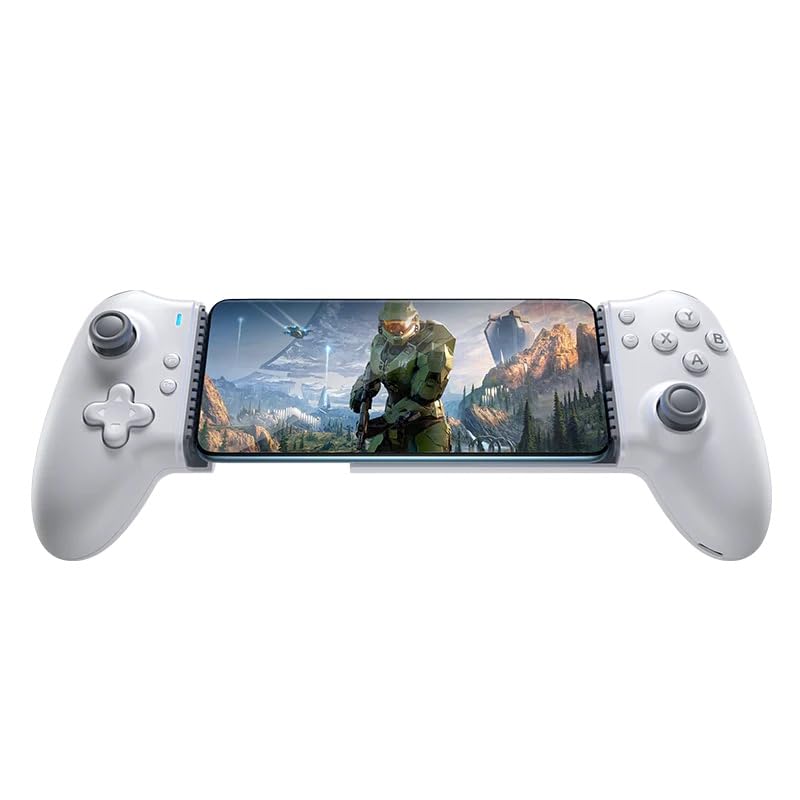
Figure 1: Easy SMX M15 Mobile Gaming Controller with a smartphone inserted.
2. Product Overview
The Easy SMX M15 is a mobile gaming controller designed for Android and iPhone 15 series devices. It features Hall Effect sticks for precise control, mechanical buttons for tactile feedback, adjustable vibration, and mappable back buttons to enhance your mobile gaming experience.
Key Features:
- Advanced Mechanical Buttons: D-pad and shoulder buttons use tactile switches; ABXY buttons use micro switches for precision.
- Hall Effect Sticks: Ensures precise, responsive control with no drift and increased durability.
- 6-Level Adjustable Vibration: Customizable sensory feedback via an upgraded micromotor.
- 2 Mappable Back Buttons: Program up to 21 custom actions for complex combos.
- Adaptive Type-C Connector: Direct connection for compatible devices.
- Enlarged Stretchable Dimension: Accommodates phones from 102 mm to 176 mm.
- Laser Engraved Anti-slip Texture: Provides a secure grip.
- 4-level Turbo Support: For rapid input in games.
3. Setup & Connection
The M15 controller connects directly to your mobile device via its integrated Type-C connector.
3.1 Compatibility
The controller is compatible with Android 9.0 (Pie) and later, and the iPhone 15 series. It supports a wide range of mobile phones with a stretchable dimension from 102 mm to 176 mm.
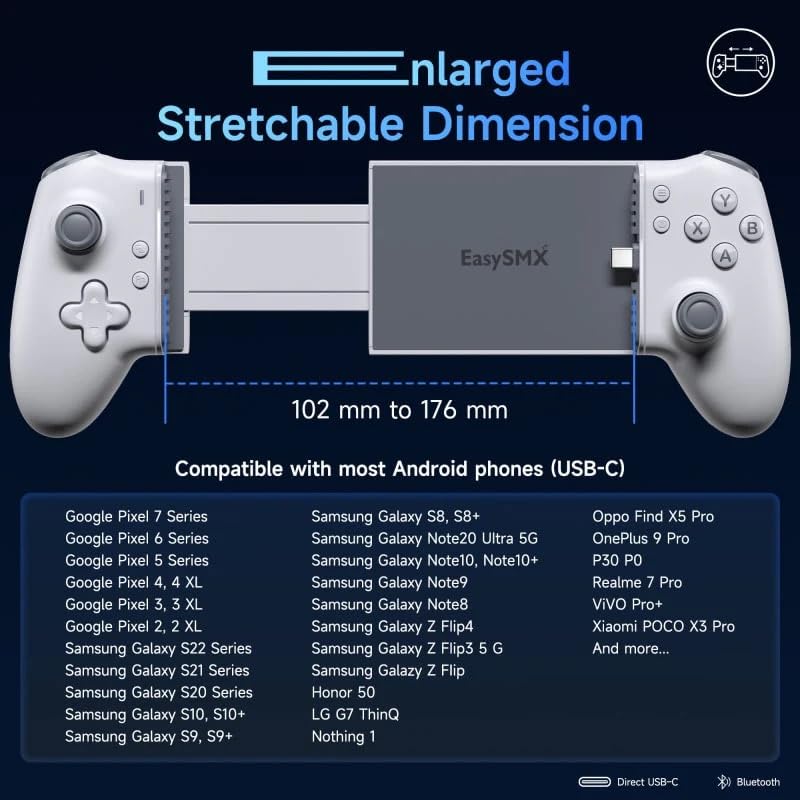
Figure 2: Controller stretchable dimension and compatibility list.
3.2 Initial Connection
- Gently extend the controller to fit your smartphone.
- Align the Type-C connector on the controller with the charging port on your phone.
- Carefully insert your phone into the controller, ensuring a secure connection.
- The controller should be automatically recognized by your device.
The controller supports various gaming platforms and cloud gaming services, transforming your mobile device into a handheld console experience.
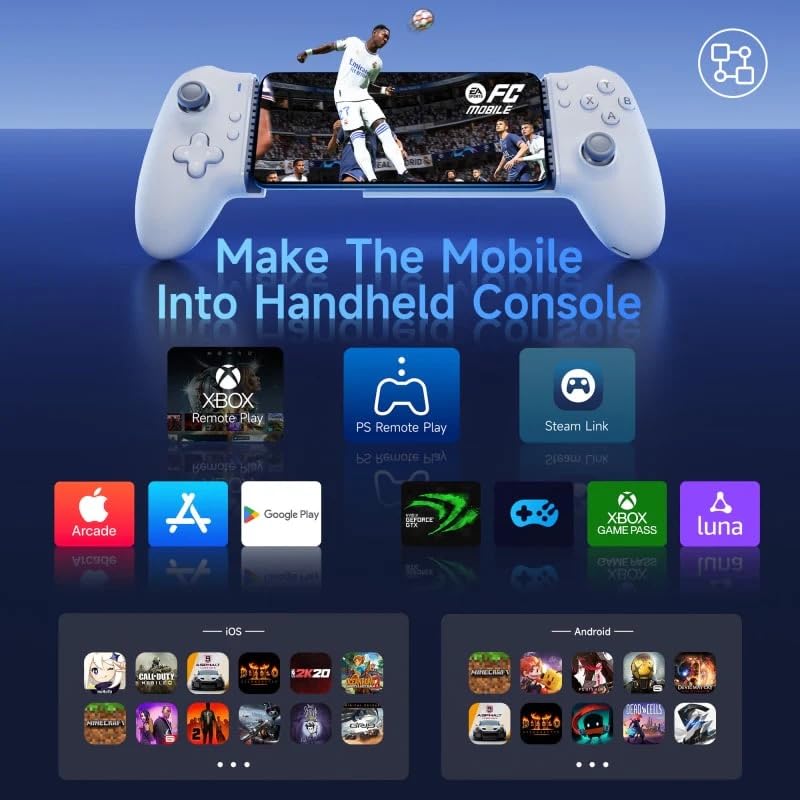
Figure 3: Supported gaming platforms and applications.
4. Operating Instructions
4.1 Button Functions
The M15 controller features a standard layout with D-pad, ABXY buttons, analog sticks, and shoulder buttons (L1/R1, L2/R2).
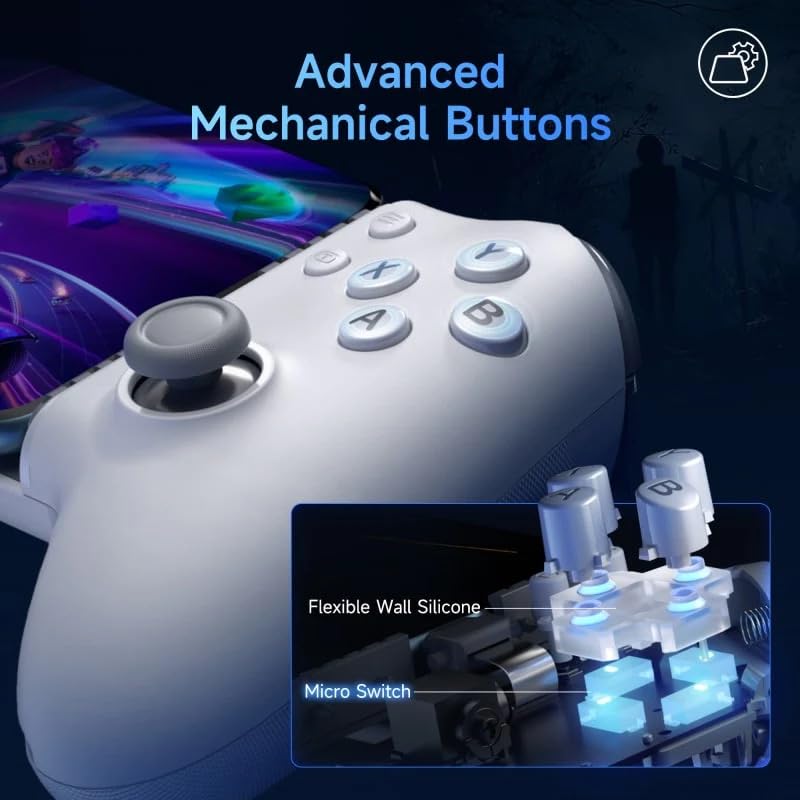
Figure 4: Advanced Mechanical Buttons mechanism.
4.2 Hall Effect Sticks
The analog sticks utilize Hall Effect technology, providing precise and drift-free control with enhanced durability compared to traditional analog sticks.
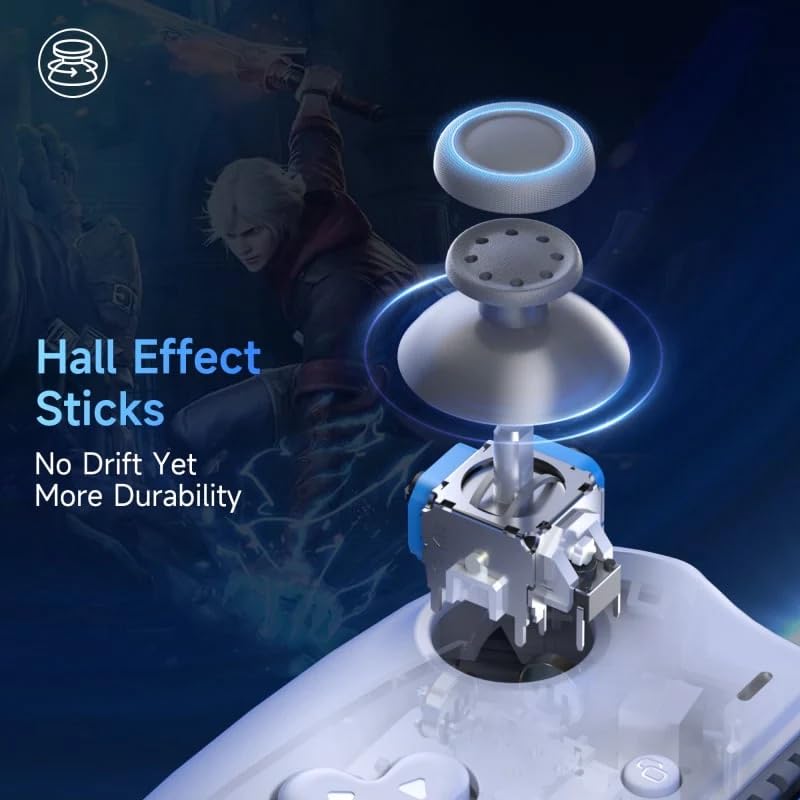
Figure 5: Hall Effect Sticks technology.
4.3 Triggers (L2/R2)
The L2 and R2 triggers incorporate Hall Effect sensors for longer durability and faster actuation. They also support a toggle quick trigger function (FN + Left/Right Trigger).
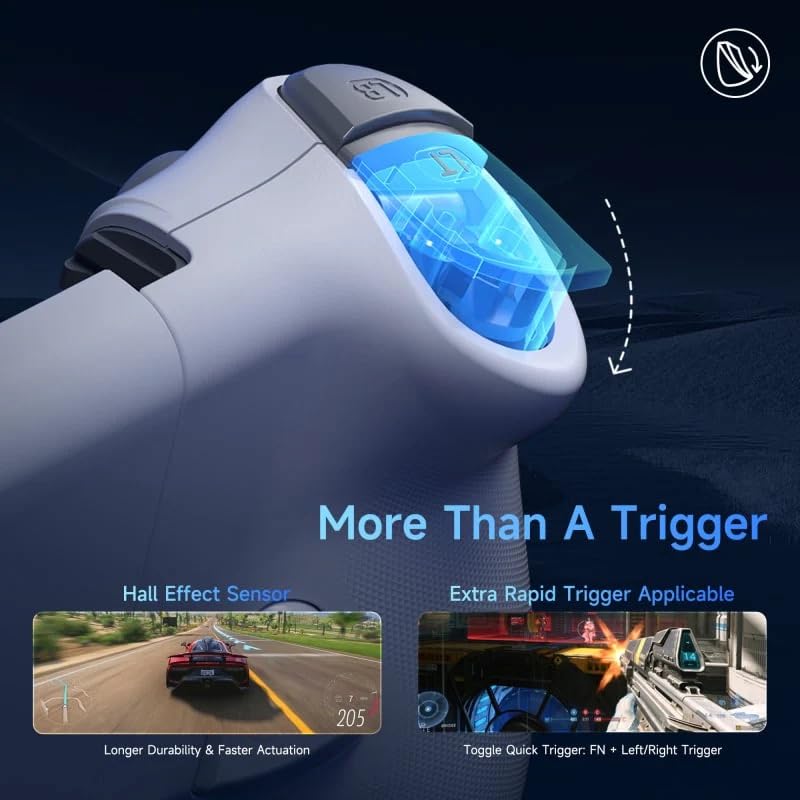
Figure 6: Trigger functionality and Hall Effect Sensor.
4.4 Adjustable Vibration
The controller features an upgraded micromotor with 6 levels of adjustable vibration. This allows you to customize the intensity of haptic feedback for a more immersive gaming experience. (Note: Vibration functionality may vary or be limited in streaming games.)
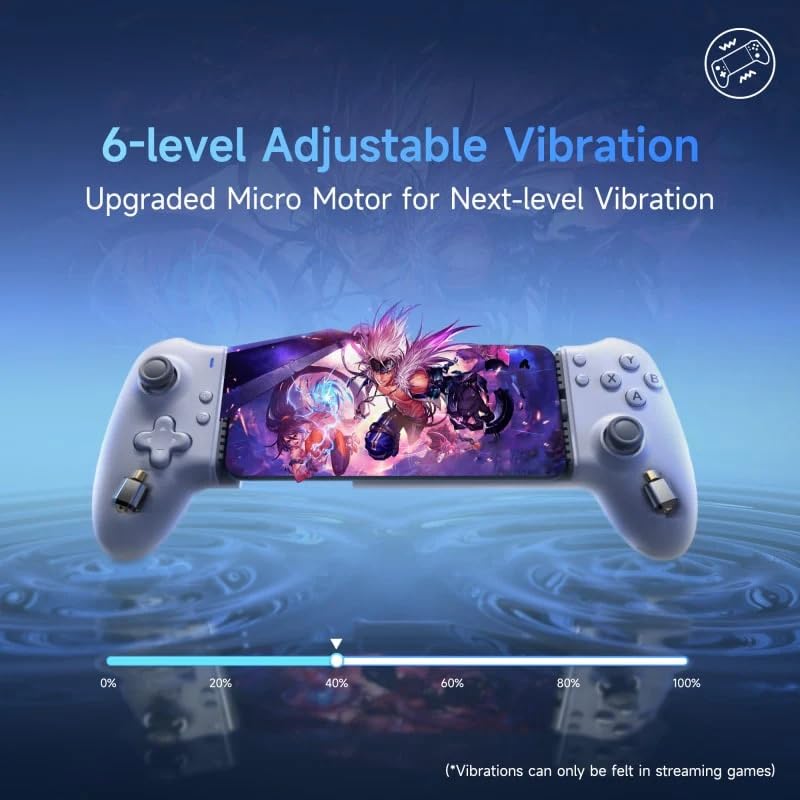
Figure 7: 6-level Adjustable Vibration.
4.5 Mappable Back Buttons (M1/M2)
The two mappable back buttons (M1 and M2) allow for personalized command programming. You can program up to 21 custom actions, including complex combos, turbo functions, or button remapping.
- Combo: Assign a sequence of button presses (e.g., M1=A+B+LT).
- Turbo: Assign a button with rapid fire (e.g., M1=A+X+LT).
- Remap: Assign a single button to another (e.g., M1=A, M2=B).
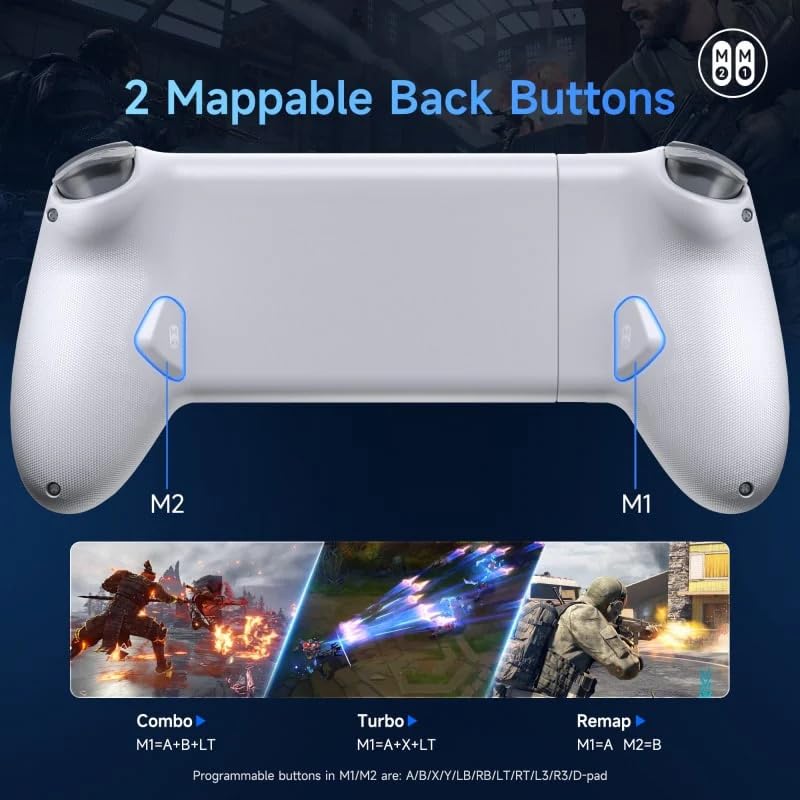
Figure 8: Mappable Back Buttons (M1/M2) functionality.
4.6 Turbo Function
The controller supports 4 levels of Turbo speed, allowing for rapid, repeated input of a button press. Consult your game's settings or the controller's specific instructions for activating and adjusting Turbo mode.
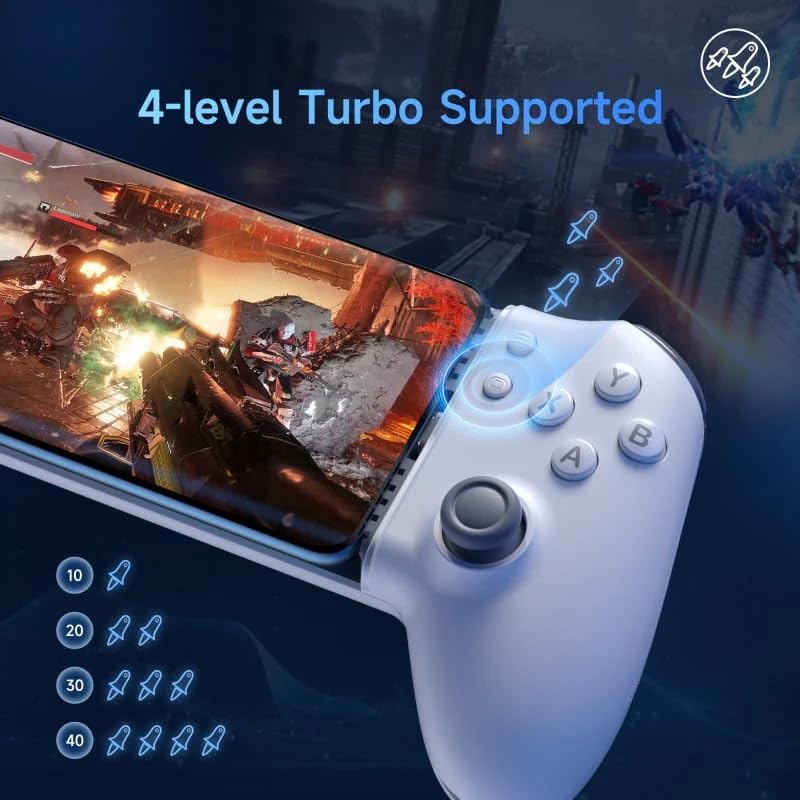
Figure 9: 4-level Turbo Support.
5. Maintenance
- Cleaning: Use a soft, dry cloth to clean the controller. Do not use abrasive cleaners or solvents.
- Storage: Store the controller in a cool, dry place away from direct sunlight and extreme temperatures.
- Handling: Avoid dropping the controller or subjecting it to strong impacts.
6. Troubleshooting
- Controller not recognized: Ensure your phone's Type-C port is clean and the controller is securely connected. Restart your phone and try again.
- Buttons/Sticks not responding: Check if the controller is properly seated. Ensure your game supports external controllers.
- Vibration not working: Verify that the game supports vibration feedback. Check the vibration level settings on the controller.
- Lag or input delay: Ensure your phone's operating system is up to date. Close unnecessary background applications.
7. Specifications
| Feature | Detail |
|---|---|
| Connection Method | Direct Type-C connector |
| Compatible Models | Android 9.0 (Pie) and later, iPhone 15 series |
| Interface | Type C |
| Net Weight | 195g |
| Dimensions | 21.75 × 10.40 × 5.10 cm |
| Stretchable Dimension | 102 mm to 176 mm |
| Manufacturer | RRtronics Creations |
| Release Date | October 11, 2024 |
8. Warranty and Support
For warranty information and technical support, please refer to the documentation included with your purchase or contact the manufacturer directly. Keep your proof of purchase for warranty claims.
Manufacturer: RRtronics Creations