
1. Product Overview
The NetumScan NS-800NC is a versatile book and document camera designed for efficient scanning, real-time projection, and video recording. It features an 8MP CMOS sensor, multi-language OCR technology, and intelligent image correction for various document types up to A4 size. Its foldable and portable design makes it suitable for diverse environments, including offices, classrooms, and home use.

Figure 1.1: NetumScan NS-800NC A4 Document Camera in operation, capturing a document.
2. Package Contents
Verify that all items are present in the package:
- NetumScan NS-800NC Document Camera (8MP lens, auto-focus, three-level dimming)
- USB Cable
- Soft Positioning Pad (Black)
- User Manual
3. Setup
- Unfold the Camera: Gently unfold the camera arm from its compact storage position until it is upright and stable.
- Position the Soft Pad: Place the black soft positioning pad on a flat surface where you intend to scan. Ensure the pad is centered under the camera lens.
- Connect to Computer: Plug the USB cable from the document camera into an available USB port on your Windows, Mac, or Linux computer.
- Install Software: Download and install the NetumScan Pro software from the official NetumScan website. Refer to the user manual for specific download instructions. Ensure the software is installed correctly for full functionality, including OCR.

Figure 3.1: The built-in LED lights provide illumination for scanning.
4. Operating Instructions
4.1 Basic Scanning
Once the software is installed and the camera is connected, launch the NetumScan Pro application. The live feed from the camera will appear on your computer screen.
- Place Document: Position the document, book, or object you wish to scan on the soft positioning pad, ensuring it is within the A4 scanning area.
- Adjust Camera: Adjust the camera arm height and angle to ensure the entire document is in view and properly focused. The camera features auto-focus for convenience.
- Capture: Click the 'Scan' button within the software to capture the image. The captured image will appear in the software interface.

Figure 4.1: Automatic shooting and batch scanning of documents.
4.2 OCR Text Recognition
The NetumScan Pro software includes powerful Optical Character Recognition (OCR) technology. This allows you to convert scanned document images into editable text formats.
- Select Output Format: After scanning, select an output format such as Word, PDF (Text), or TXT from the software options.
- Recognize Text: The software will process the image and convert the text. It supports multi-language, symbol, and number recognition.
- Export: Export the recognized text to your desired editable file.
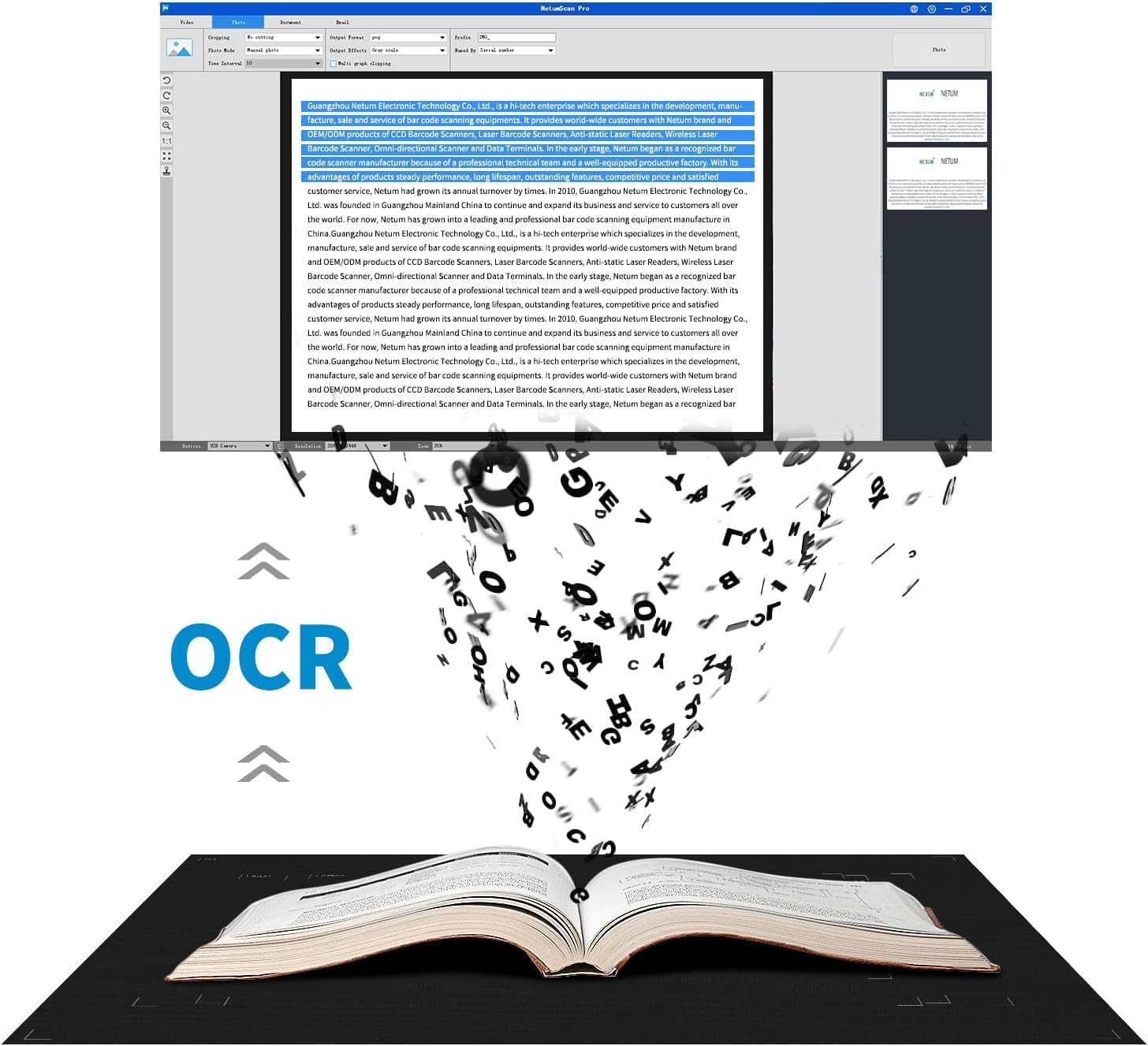
Figure 4.2: OCR technology in action, converting physical text to digital.
4.3 Real-time Projection & Video Recording
The camera supports real-time video display and recording, making it ideal for presentations, online teaching, and distance learning.
- Live Video: The live feed from the camera can be projected onto a larger screen or shared during video conferences.
- Video Recording: Use the software to record video of your documents or demonstrations.

Figure 4.3: Real-time projection in a classroom setting.
4.4 Continuous Shooting
For scanning multiple pages, the continuous shooting feature allows for rapid digitization.
- Automatic Page Turning: Simply turn pages of a book or document, and the camera will automatically capture images at set intervals.
- Intelligent Correction: The software automatically corrects skewed images and flattens curved pages from books.
Video 4.1: Demonstration of the NetumScan NS-800NC A4 Book & Document Camera's continuous shooting and intelligent correction features.
4.5 Document Merging
The software can merge multiple smaller documents or cards into a single file.
- Scan Individual Items: Scan each card or small document separately.
- Merge: Use the software's merging function to combine the individual scans into a single, organized document.
5. Features & Controls
- 8MP CMOS Sensor: Captures high-resolution images.
- Auto-Focus: Automatically adjusts focus for clear images.
- LED Lights: Built-in LED lights with three-level dimming for optimal illumination in various lighting conditions.
- Adjustable Arm: The camera arm is foldable and adjustable for different heights and angles, enhancing portability and scanning flexibility.
- USB Connectivity: Connects to your computer via USB.
Video 5.1: Overview of the 13MP (Note: Product is 8MP) Book Document Camera Scanner, highlighting its adjustable arm and features.
6. Specifications
| Feature | Specification |
|---|---|
| Brand | NetumScan |
| Model Number | NS-800NC (Only A4) |
| Scanner Type | Document |
| Connectivity Technology | USB |
| Resolution | 800 dpi (8MP CMOS Sensor) |
| Item Weight | 1.1 pounds (0.5 Kilograms) |
| Package Dimensions | 14.02 x 6.42 x 3.62 inches |
| Date First Available | August 20, 2024 |
7. Troubleshooting
- Software Not Recognizing Camera:
- Ensure the USB cable is securely connected to both the camera and the computer.
- Try connecting to a different USB port.
- Restart your computer and the NetumScan Pro software.
- Verify that the correct drivers are installed.
- Blurry Images:
- Ensure the document is flat and well-lit.
- Adjust the camera height and angle to achieve optimal focus. The camera has an auto-focus feature.
- Check the LED light settings for appropriate brightness.
- OCR Issues:
- Ensure the document is clear and well-focused before scanning.
- Select the correct language for OCR in the software settings.
- For books, ensure the patented curve flattening technology is enabled in the software.
8. Warranty & Support
For warranty information, technical support, or service inquiries, please refer to the documentation included with your product or contact NetumScan customer service directly. Keep your purchase receipt for warranty claims.