
1. Important Safety Information
Please read all instructions before operating the Uarzt Remote Control Combine Harvester. Keep this manual for future reference.
Warning: No specific safety warnings are applicable beyond general toy safety guidelines. Always supervise children during play.
Recommended age: 36 months - 12 years.
2. Package Contents
Verify that all items are present in the package:
- RC Combine Harvester Tractor Toy
- Remote Control
- 2 x 500 mAh Rechargeable Batteries
- USB Charging Cable
- Water Injector (for steam effect)
- User Manual (this document)

Image: All components included in the Uarzt RC Combine Harvester package.
3. Setup Guide
3.1. Battery Installation (Harvester)
- Locate the battery compartment on the underside of the combine harvester.
- Use a screwdriver to open the battery cover.
- Connect one of the 3.7V 500mAh rechargeable batteries to the connector inside the compartment.
- Place the battery securely into the compartment and close the cover.
- Ensure the power switch (located near the battery compartment) is in the "OFF" position before installation.
Video: Demonstration of battery installation and water filling for the Uarzt RC Combine Harvester.
3.2. Remote Control Battery Installation
The remote control requires 2 AA batteries (not included). Open the battery compartment on the back of the remote and insert the batteries, observing polarity.
3.3. Charging the Batteries
- Connect the rechargeable battery to the provided USB charging cable.
- Plug the USB cable into a standard USB power adapter (e.g., phone charger, computer USB port).
- The charging LED light on the cable will indicate charging status. Refer to the manual for specific light indicators (e.g., red for charging, green for full).
- A full charge typically takes approximately 2-3 hours.
3.4. Attaching the Corn Head
Align the corn head attachment with the front mounting points of the harvester. Gently push until it clicks into place. Ensure it is securely fastened before operation.

Image: The Uarzt RC Combine Harvester with the corn head attachment ready for use.
3.5. Filling Water for Steam Effect
- Locate the water inlet on the top rear section of the harvester.
- Open the small cover.
- Use the provided water injector bottle to carefully add a few drops of clean water into the inlet. Do not overfill.
- Close the cover securely.
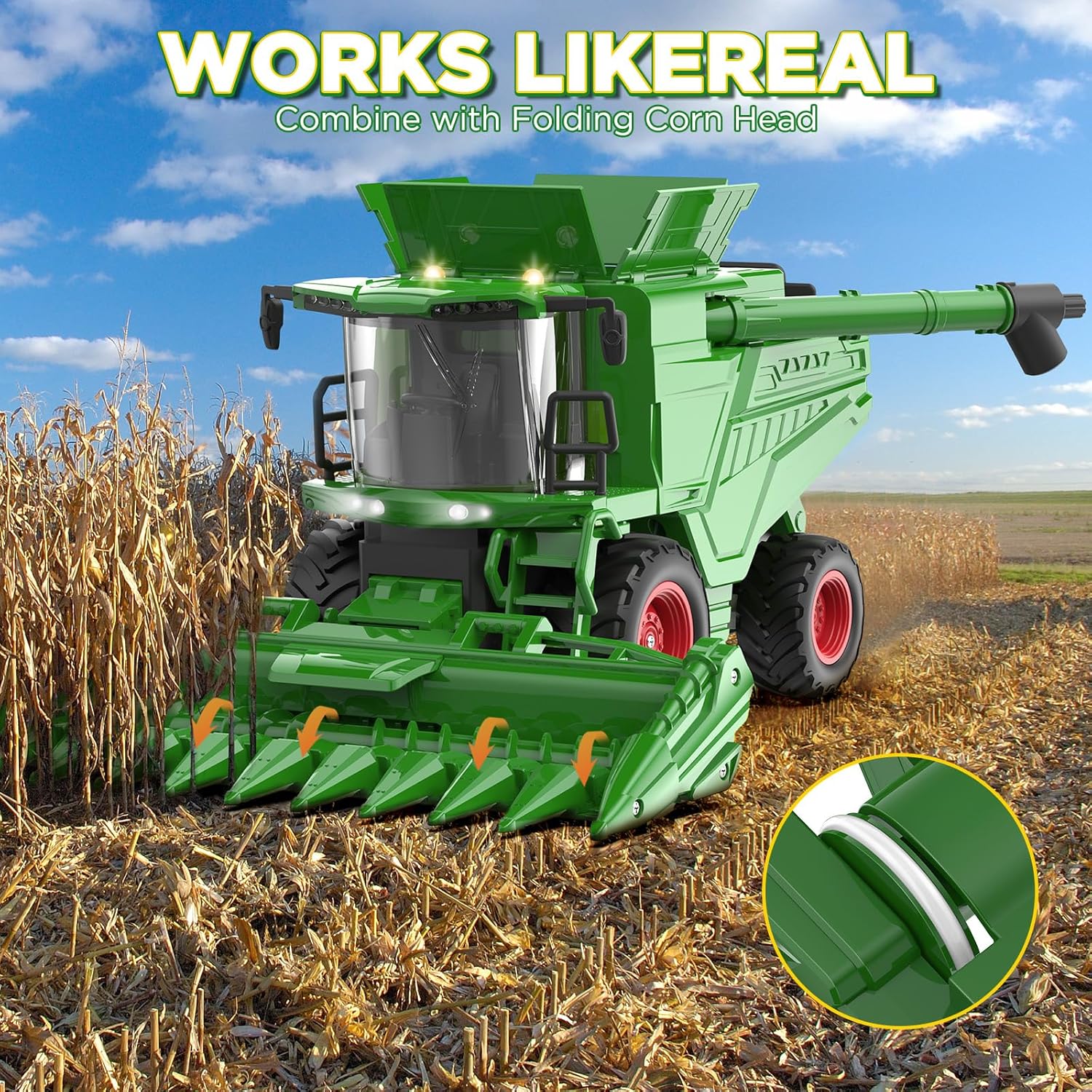
Image: Detail of the water inlet for the steam effect on the harvester.
4. Operating Instructions
4.1. Powering On and Pairing
- Turn on the power switch on the combine harvester (located near the battery compartment).
- Turn on the remote control. The remote and harvester should automatically pair.
- If pairing fails, turn both devices off and on again.
4.2. Basic Controls
The remote control allows for various movements and functions:
- Forward/Backward: Use the left joystick (or designated button) to move the harvester forward or backward.
- Left/Right: Use the right joystick (or designated button) to steer the harvester left or right.
- Corn Head Movement: The corn head attachment can be controlled to simulate cutting action. Refer to the remote control diagram for specific buttons.
- Lights and Sounds: Activate realistic engine sounds, flashing lights, and the steam effect using dedicated buttons on the remote. A "one key mute" function is available for sound control.
- Grain Bin and Spout: The grain bin cover can be opened, and the spout can be manually spun to simulate grain unloading.

Image: The Uarzt RC Combine Harvester demonstrating its lights, sounds, and steam features.
Video: A detailed demonstration of the Uarzt RC Combine Harvester's functions, including driving, lights, and the rotating corn head.
5. Maintenance
- Cleaning: Wipe the toy with a soft, dry cloth. Avoid using water or harsh chemicals, especially near electronic components.
- Storage: Store the harvester and remote control in a cool, dry place away from direct sunlight when not in use. Remove batteries from the remote if storing for extended periods.
- Battery Care: Always use the provided charging cable. Do not overcharge batteries.
6. Troubleshooting
| Problem | Possible Cause | Solution |
|---|---|---|
| Harvester does not turn on. | Battery is dead or not installed correctly. Power switch is off. | Charge the battery. Reinstall the battery, ensuring correct polarity. Turn the power switch to "ON". |
| Remote control not responding. | Remote batteries are dead. Not paired with harvester. | Replace remote control batteries. Turn both harvester and remote off, then on again to re-pair. |
| Steam effect not working. | Water reservoir is empty. | Refill the water reservoir using the provided injector. |
| Harvester moves slowly or erratically. | Low battery in harvester. Obstruction in moving parts. | Charge the harvester battery. Check for and remove any obstructions. |
7. Product Specifications
| Feature | Detail |
|---|---|
| Product Dimensions | 10 x 8 x 8.6 inches |
| Item Weight | 2.18 pounds |
| Manufacturer Recommended Age | 36 months - 12 years |
| Batteries | 2 Lithium Ion batteries (included) |
| Scale | 1/24 Scale |
| Special Features | Lights, Sounds, Steam Effect, Rotating Corn Head, Openable Grain Bin, Spinning Spout |
8. Warranty and Support
For warranty information or customer support, please refer to the official Uarzt store or contact their customer service directly. Protection plans are available for purchase separately.
Visit the Uarzt Store on Amazon for more details.