
Yaheetech YHM-900(0.25A)(B)
Yaheetech 9ft Pre-lit Spruce Artificial Christmas Tree Instruction Manual
Model: YHM-900(0.25A)(B)
Introduction
This manual provides detailed instructions for the assembly, operation, and maintenance of your Yaheetech 9ft Pre-lit Spruce Artificial Christmas Tree. Please read all instructions carefully before setup and use to ensure safe and proper operation. This artificial Christmas tree features a snow-flocked design, hinged branches, and 900 multicolor LED lights, offering a festive and convenient holiday decoration solution.
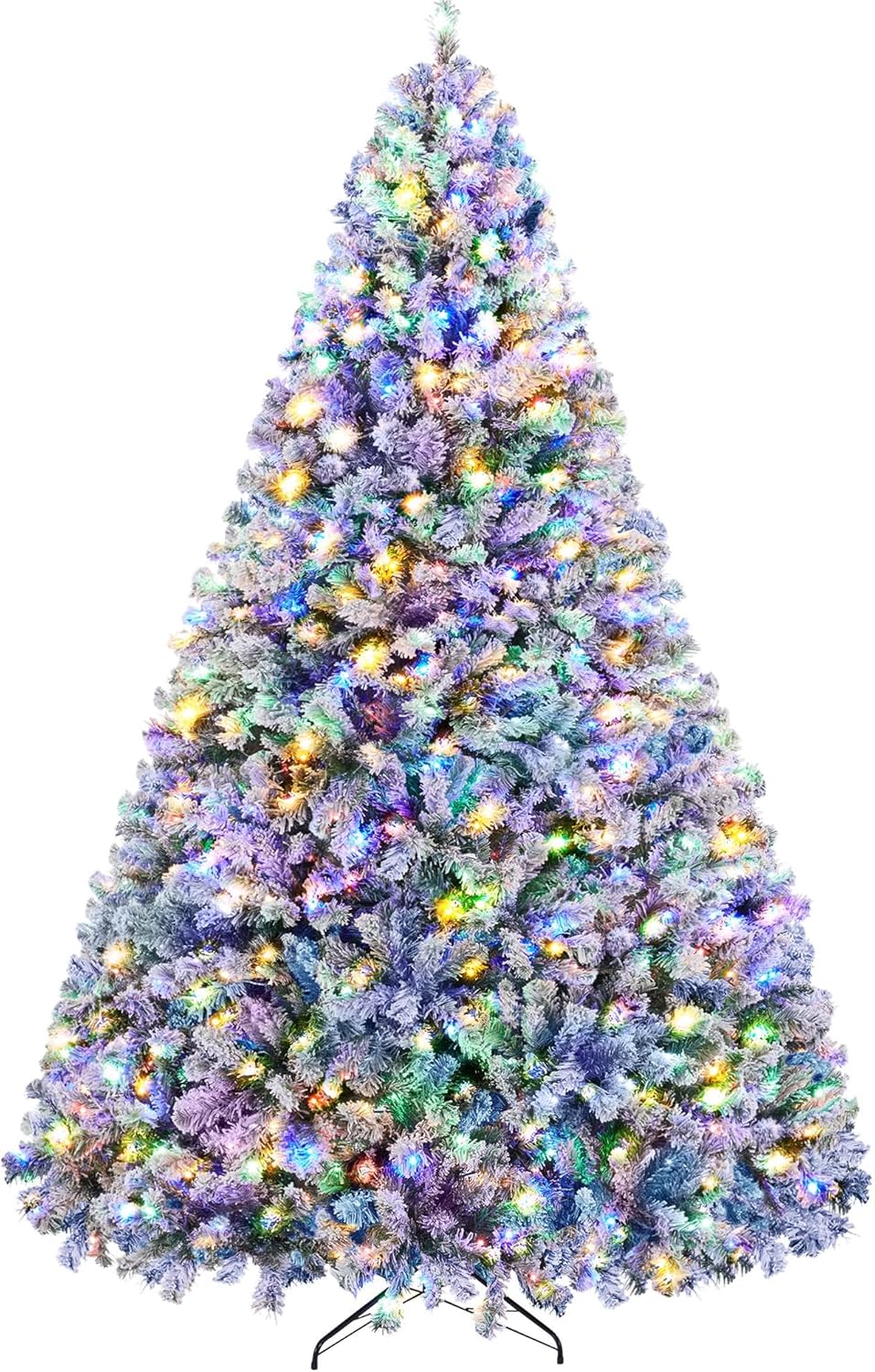
Image: The Yaheetech 9ft Pre-lit Spruce Artificial Christmas Tree, showcasing its full, snow-flocked appearance with multicolor LED lights illuminated.
Safety Information
- Ensure the tree is placed on a stable, level surface to prevent tipping.
- Keep the tree away from heat sources, open flames, and direct sunlight.
- Do not overload electrical outlets. Connect the tree to a suitable power source.
- Inspect the power cord and lights for any damage before each use. Do not use if damaged.
- This product is intended for indoor and outdoor decorative displays. Avoid prolonged exposure to extreme weather conditions if used outdoors.
- Keep small children and pets away from the tree during assembly and disassembly.
- Unplug the tree from the power source when not in use or before performing any maintenance.
Package Contents
Please verify that all parts are present before beginning assembly:
- Tree Sections (A, B, C, etc., depending on height)
- Metal Folding Stand
- Screws for Stand (typically 3)
- Power Adapter for LED Lights
- Foot Pedal Switch (integrated with power cord)
Setup Instructions
Follow these steps to assemble your artificial Christmas tree:
- Assemble the Stand: Open the metal folding stand and insert the screws into the designated holes to secure the legs. Ensure the stand is stable and fully extended.

Image: A diagram illustrating the hinged structure of the branches, the integrated LED lights, the foldable metal stand, and the snow-flocked appearance of the tree.
- Insert the Bottom Section: Carefully insert the largest tree section (usually marked 'A' or the bottom section) into the center hole of the assembled stand. Tighten the screws on the stand to firmly secure the tree section.
- Connect Middle Sections: Insert the next tree section (e.g., 'B') into the top of the previous section. Ensure the sections are firmly seated. Connect the electrical cords between the sections if applicable.
- Attach Top Section: Place the smallest tree section (usually marked 'C' or the top section) onto the top of the last assembled section. Connect any remaining electrical cords.
- Fluff the Branches: Starting from the bottom, gently pull down and spread out each branch and individual tip. Work your way up the tree, shaping the branches to create a full and natural appearance. This process may take some time to achieve the desired fullness.

Image: A fully assembled and decorated Yaheetech Christmas tree standing in a living room, surrounded by wrapped gifts, demonstrating its impressive size and festive glow.
- Connect to Power: Plug the power adapter into a standard electrical outlet. The tree's lights are pre-wired.
Operating Instructions
Your Yaheetech Pre-lit Christmas Tree comes with integrated LED lights that offer multiple lighting modes. The lights are controlled via a foot pedal switch located on the power cord.
- Power On/Off: Press the foot pedal once to turn the lights on. Press it again to turn the lights off.
- Change Light Modes: While the lights are on, repeatedly press the foot pedal to cycle through the 9 adjustable light modes. Each press will switch to the next mode.
Available Light Modes:
- Steady warm white
- Steady multicolor
- Steady pastel
- Fading warm white to multicolor
- Fading warm white
- Fading multicolor
- Flashing warm white
- Flashing multicolor
- Flashing warm white to multicolor

Image: A visual representation of the various light modes available on the tree, including steady warm white, steady multicolor, and fading/flashing options.
Maintenance
- Cleaning: To clean the tree, gently wipe the branches with a dry cloth. Do not use liquid cleaners or solvents.
- Storage: Before storing, ensure the tree is completely dry. Disassemble the tree by reversing the setup steps. Store the sections in their original box or a suitable storage bag in a cool, dry place away from direct sunlight and extreme temperatures.
- Flocking: The snow-flocked appearance may shed some material during initial setup and handling. This is normal and does not affect the tree's quality.
Troubleshooting
| Problem | Possible Cause | Solution |
|---|---|---|
| Lights are not working. | Power cord not plugged in; loose connection between sections; faulty bulb. | Ensure all sections are securely connected and the power cord is fully plugged into a working outlet. Check the foot pedal switch. If individual bulbs are out, they may need replacement (refer to manufacturer for specific bulb types). |
| Tree is unstable. | Stand not fully opened or secured; uneven surface. | Ensure the metal stand is fully extended and the screws are tightened. Place the tree on a flat, level surface. |
| Tree does not look full. | Branches not properly fluffed. | Spend adequate time shaping and spreading out each branch and individual tip, starting from the bottom and working upwards. |
If you encounter issues not listed here or if solutions do not resolve the problem, please contact Yaheetech customer support.
Specifications
| Feature | Detail |
|---|---|
| Brand | Yaheetech |
| Model Number | YHM-900(0.25A)(B) |
| Product Dimensions | 69"D x 69"W x 108.5"H (9ft height) |
| Color | Green & White (Snow Flocked) |
| Material | Polyvinyl Chloride (PVC) |
| Item Weight | 53.4 Pounds |
| Branch Tips Count | 2108 |
| Light Type | Multicolor LED Lights |
| Light Count | 900 |
| Special Features | Bendable Branch, Flame Resistant, Hinged Structure |
| Base Type | Metal Folding Stand |
| Recommended Use | Indoor and outdoor decorative displays, holiday celebrations, event theming |
Warranty and Support
For warranty information, product support, or to purchase replacement parts, please visit the official Yaheetech website or contact their customer service department. Keep your purchase receipt for warranty claims.
Customer Support: Visit the Yaheetech Store on Amazon
Related documentsYHM-900(0.25A)(B)


Ask a question about this manual
Ask about setup, troubleshooting, compatibility, parts, safety, or missing instructions. Manuals+ will review the question and use this page’s manual context to help answer it.