
LOUTOC RC833
LOUTOC TCL Smart TV Voice Remote Control User Manual
Model: RC833
1. Introduction
This manual provides detailed instructions for the LOUTOC TCL Smart TV Voice Remote Control, designed for use with TCL Android/Google TV models. It covers setup, operation, maintenance, troubleshooting, and product specifications to ensure optimal performance and user experience.
The remote control features voice functionality and dedicated shortcut buttons for popular streaming services and TV functions.
2. Compatibility
This remote control is compatible with the following TCL TV series and models:
Compatible TV Series:
- C64, C74, C805, C84
- MQLED80, MQLED87
- P74, QLED770, QLED870, UHD870
Compatible TV Models:
43C645, 43QLED770, 50C645, 50C805, 50MQLED80, 50QLED770, 55C645, 55C745, 55C805, 55C845, 55MQLED80, 55MQLED87, 55MQLED770, 55QLED870, 65C645, 65C745, 65C805, 65C845, 65MQLED80, 65MQLED87, 65MQLED770, 65QLED870, 75C645, 75C745, 75C805, 75C845, 75MQLED80, 75MQLED87, 75QLED770, 75QLED870, 85C645, 85C805, 85C845, 85MQLED80, 85MQLED87, 85P745, 85QLED770, 85UHD870, 98C805, 98MQLED80, 98P745, 98UHD870.
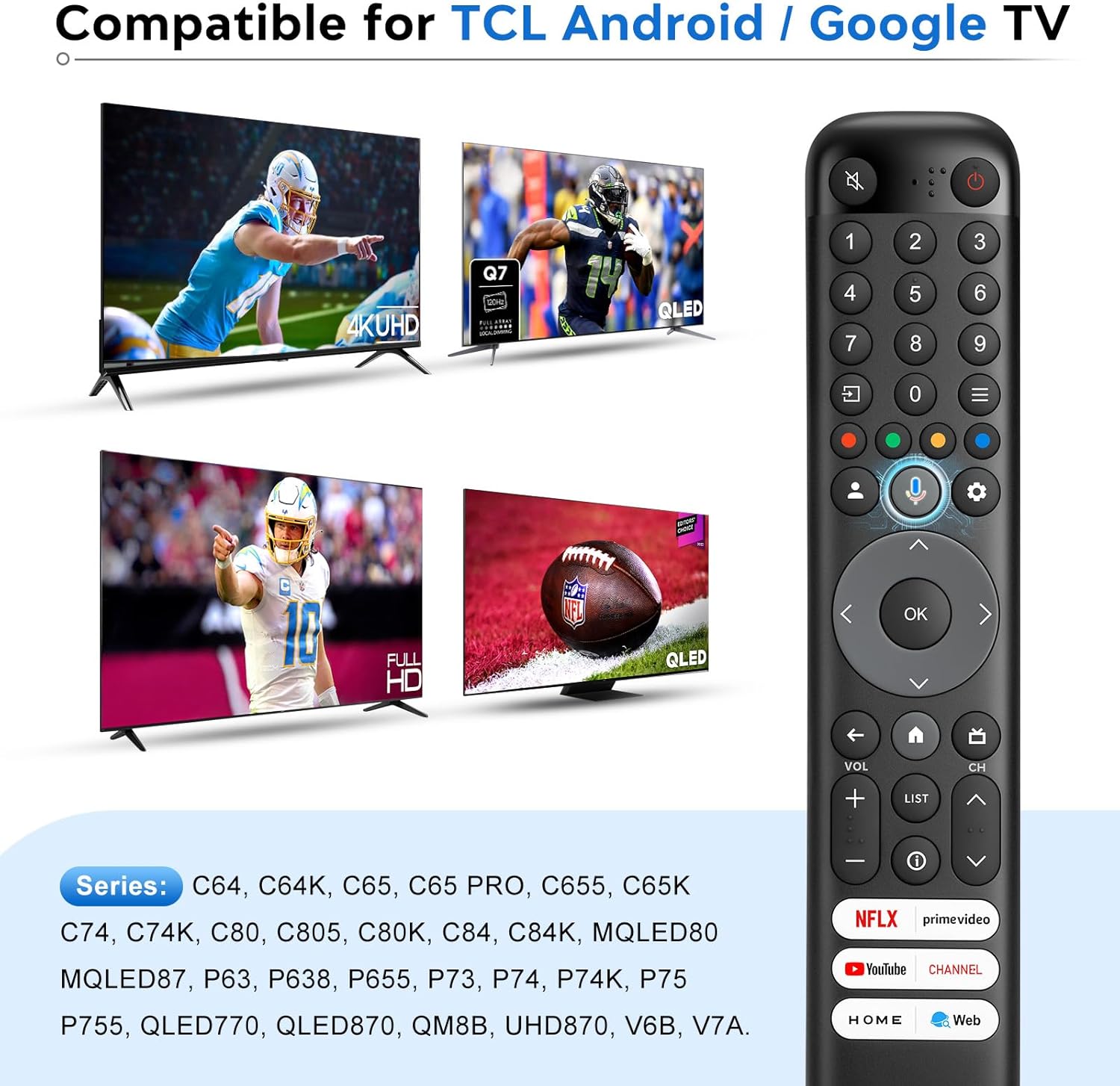
Image: The remote control is compatible with a wide range of TCL Android and Google TV models, including 4K UHD and QLED displays.
3. Setup and Pairing
3.1. Battery Installation
The remote control requires 2 x AAA batteries (not included). To install:
- Open the battery compartment cover on the back of the remote control.
- Insert two AAA batteries, ensuring correct polarity (+ and -).
- Close the battery compartment cover securely.
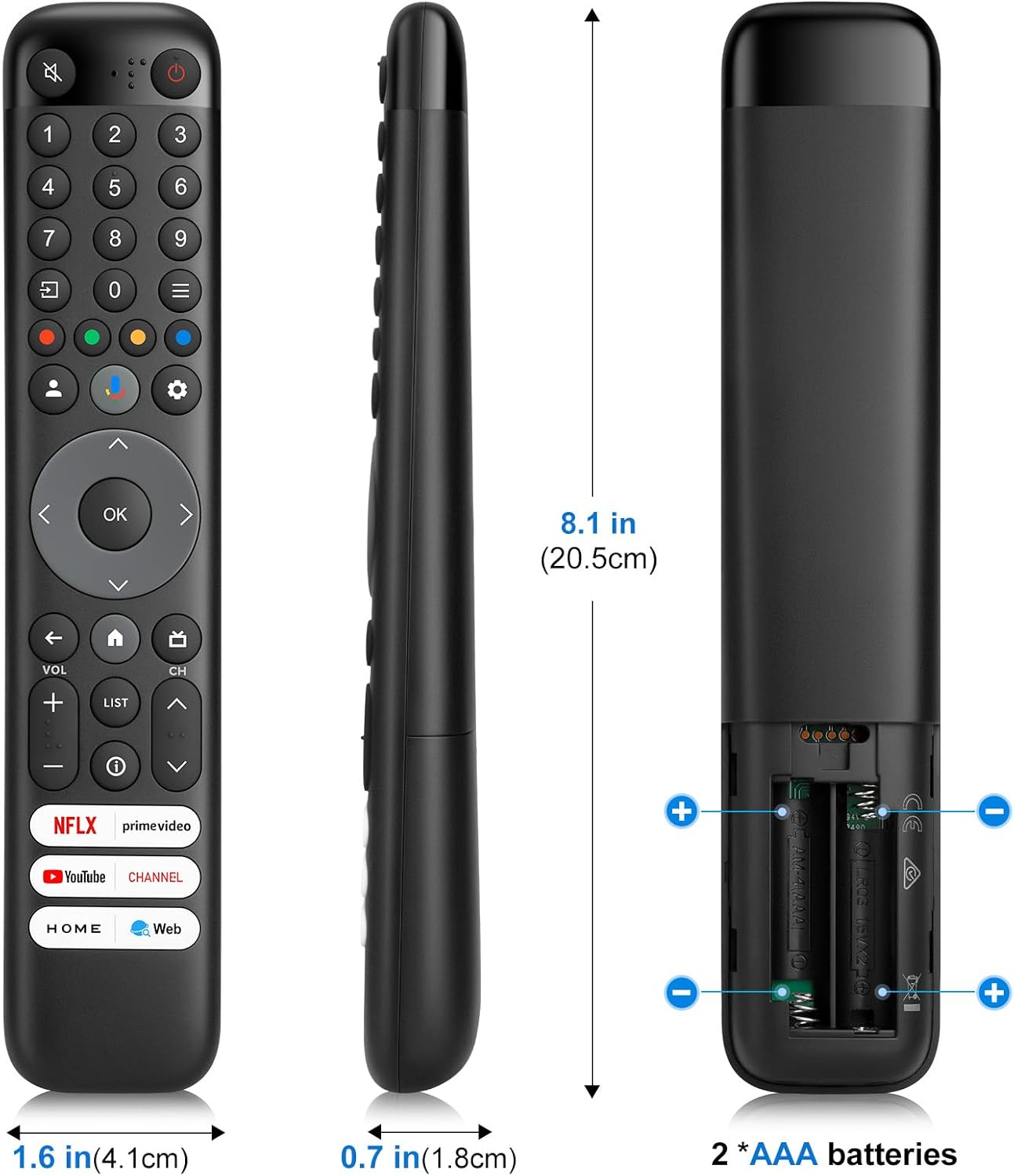
Image: The back of the remote control indicating the battery compartment for two AAA batteries.
3.2. Voice Function Pairing Steps
To enable the voice control feature, the remote must be paired with your TCL Android/Google TV. Follow these steps:
- Press the Voice button (microphone icon) on the remote control first.
- Press and hold the HOME (house icon) and OK (center button) buttons on the remote control simultaneously.
- Keep the remote control within one meter (approximately 3 feet) of the TV during the pairing process.
- When your TV displays "Google Assistant" on the screen, the pairing process is complete, and the voice function is ready for use.

Image: Visual guide for pairing the remote control, illustrating the sequence of button presses and proximity requirement.
Note: This remote control is available only for selected models. The remote control type may be changed without notice. The App buttons may differ depending on the model. Follow the on-screen guide to pair the remote control with the TV when pressing the Google Assistant button for the first time. Google TV is the name of this device's software experience and a trademark of Google LLC. The Google Assistant is not available in certain languages and countries.
4. Operating Instructions
The LOUTOC remote control provides intuitive access to your TCL Smart TV's features. Below is a guide to its main functions:

Image: An overview of the remote control's buttons and their corresponding functions.
- Power Button (⑂): To switch the TV on and off, or put it in standby.
- Numeric Buttons (0-9): To enter channel numbers or digits.
- Quick Settings Button (☰): To display the Quick Settings panel.
- Colour Buttons (Red, Green, Yellow, Blue): Used for HbbTV functions or Teletext pages.
- User Center Button (👤): To access the User Center.
- Google Assistant Button (🎤): Press to talk to Google Assistant. (Available only in Google TV mode and when network connection is normal).
- Dashboard Menu Button (⚙): To display the dashboard menu.
- Navigation Direction Buttons (◀, ▲, ►, ▼): For navigating menus and options.
- OK Button (OK): To confirm an entry or selection. (Available to display the channel list in TV mode).
- Back Button (←): To return to the previous menu or exit an App.
- Home Button (🏠): To access the Smart TV homepage.
- EPG/Guide Button (📺): To access the Electronic Program Guide (EPG) (only available for digital channels). Or access to DTV EPG. (Available only in Google TV mode).
- Volume Buttons (VOL +/-): To control the volume.
- Channel Buttons (CH +/-): To change channels.
- List Button (LIST): To access DTV channel list.
- Information Button (ⓘ): To display program information, if available.
4.1. Shortcut Buttons
The remote control includes dedicated shortcut buttons for quick access to popular streaming services and functions:
- Netflix
- Prime Video
- YouTube
- TCL Channel
- TCL Home
- Web
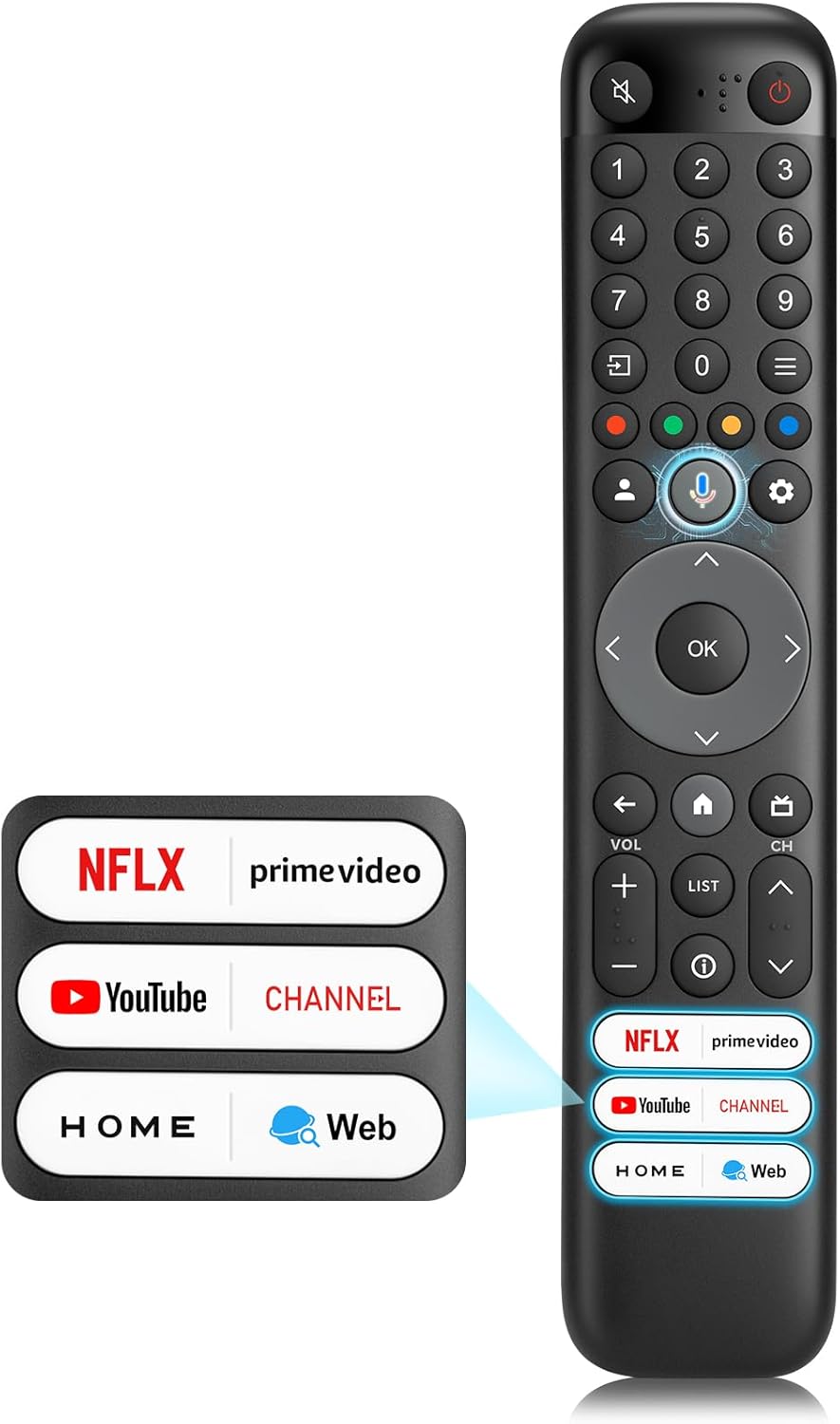
Image: The remote control featuring six dedicated shortcut buttons for popular applications and functions.

Image: A visual representation of the remote control's six shortcut buttons, surrounded by the logos of the applications they access.
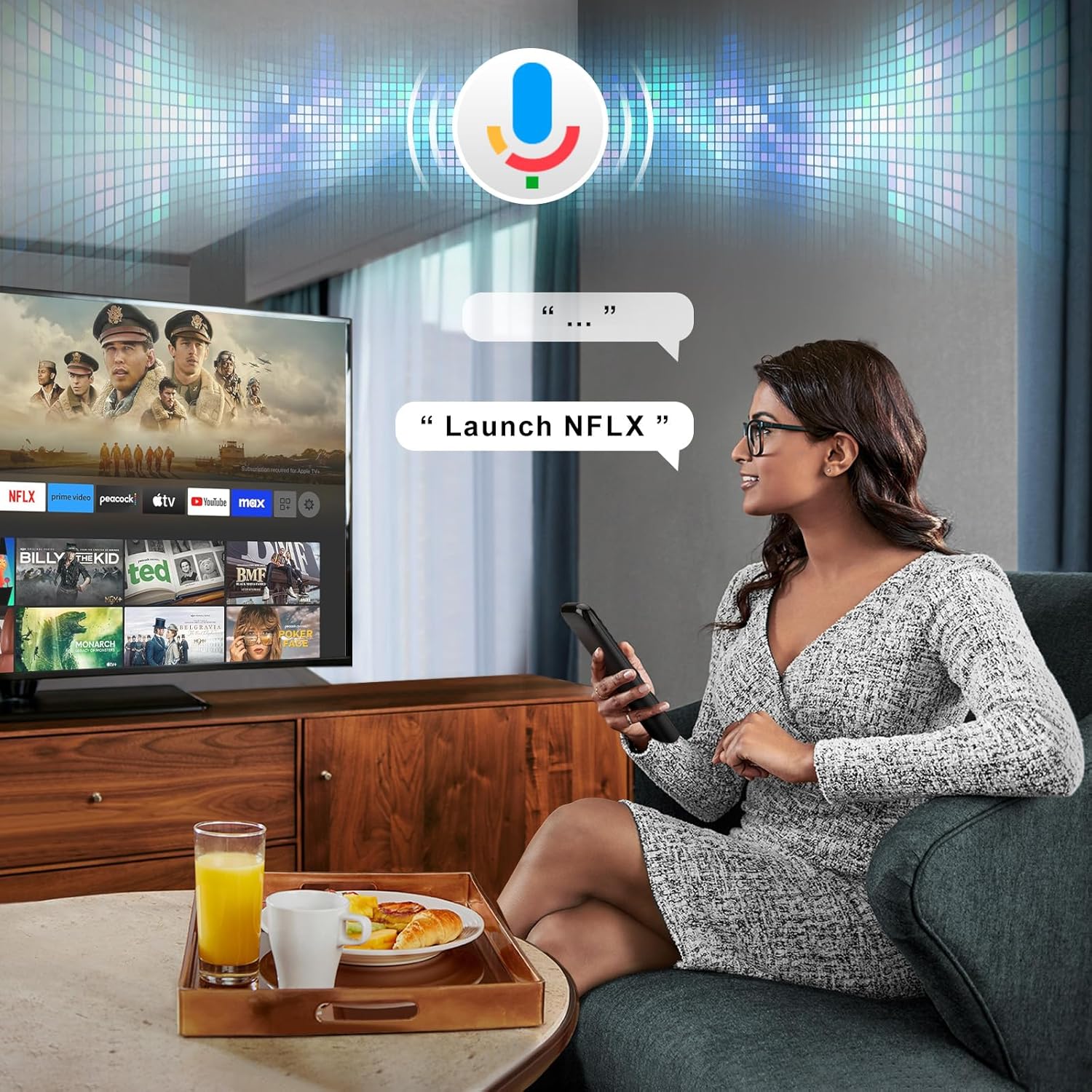
Image: A user demonstrating the voice search feature, speaking a command to the remote control which is then displayed on the TV screen.
5. Maintenance
- Keep the remote control clean by wiping it with a soft, dry cloth.
- Avoid exposing the remote control to extreme temperatures, humidity, or direct sunlight.
- Do not drop the remote control or subject it to strong impacts.
- If the remote control will not be used for an extended period, remove the batteries to prevent leakage.
6. Troubleshooting
| Problem | Possible Cause / Solution |
|---|---|
| Remote control not responding. |
|
| Voice function not working. |
|
| Limited range or delayed response. |
|
7. Specifications
| Feature | Detail |
|---|---|
| Brand | LOUTOC |
| Model Number | RC833 |
| Compatible Devices | TCL Android/Google TV (Specific series and models listed in Section 2) |
| Power Source | 2 x AAA Batteries |
| Transmission Distance | Over 8 meters / 26 feet |
| Color | Black |
| Special Features | Digital Display, Ergonomic Design, Voice Search |
| Package Dimensions | 21 x 5.1 x 2.2 cm |
| Item Weight | 90 g |
Image: Detailed dimensions of the remote control and its battery requirements.

Image: An infographic summarizing key performance features such as transmission distance, response time, battery type, and shortcut buttons.
8. Support and Warranty
For any questions regarding your LOUTOC remote control or your order, please contact customer support directly. We aim to respond to inquiries within 12 hours on working days.
Information regarding specific warranty terms may be provided at the point of purchase or within the product packaging. Please retain your proof of purchase for warranty claims.
Ask a question about this manual
Ask about setup, troubleshooting, compatibility, parts, safety, or missing instructions. Manuals+ will review the question and use this page’s manual context to help answer it.