
1. Introduction
This manual provides essential information for the safe and effective use of your Vannect R1 Recumbent Exercise Bike. Please read it thoroughly before assembly, operation, or maintenance. Keep this manual for future reference.
2. Safety Information
Always follow basic safety precautions when using this exercise equipment to reduce the risk of injury, fire, or damage.
- Consult your physician before starting any exercise program.
- Ensure all parts are securely assembled before each use.
- Keep children and pets away from the equipment during operation.
- Place the exercise bike on a stable, level surface.
- Wear appropriate exercise attire and footwear.
- Stop exercising immediately if you feel faint, dizzy, or experience pain.
- The maximum user weight for this bike is 180 kg (397 lbs).
3. Product Overview
The Vannect R1 Recumbent Exercise Bike is designed for low-impact cardio workouts at home. It features a comfortable, adjustable seat, 16 levels of magnetic resistance, and a functional LCD monitor with app connectivity.
Key Features:
- 16 Levels of Magnetic Resistance: Easily adjust intensity for varied workouts.
- LCD Monitor & App Connectivity: Track real-time data (distance, time, calories, pulse) and connect to Kinomap and Zwift via Bluetooth.
- Wide Adjustable Seat: Provides comfort and support, protecting your lower back and knees.
- Quiet Operation: Powerful magnets and a double-belt system ensure a smooth and silent workout.
- Integrated Transport Wheels: For easy relocation and storage.

Figure 3.1: Overview of the Vannect R1 Recumbent Exercise Bike.

Figure 3.2: Digital monitor displaying workout data and tablet holder.
4. Setup and Assembly
The Vannect R1 Recumbent Exercise Bike comes 90% pre-assembled, making setup quick and straightforward. Typically, assembly can be completed within 30 minutes.
Assembly Steps:
- Unpack all components from the box and verify against the parts list in the included user manual.
- Attach the front and rear stabilizers to the main frame using the provided bolts and tools.
- Secure the seat post and seat assembly to the main frame.
- Install the pedals, ensuring they are tightened correctly (left pedal is reverse threaded).
- Connect the monitor cables and attach the handlebars and monitor to the front post.
- Perform a final check to ensure all bolts are tightened and the bike is stable.

Figure 4.1: The exercise bike is 90% pre-assembled for quick setup.
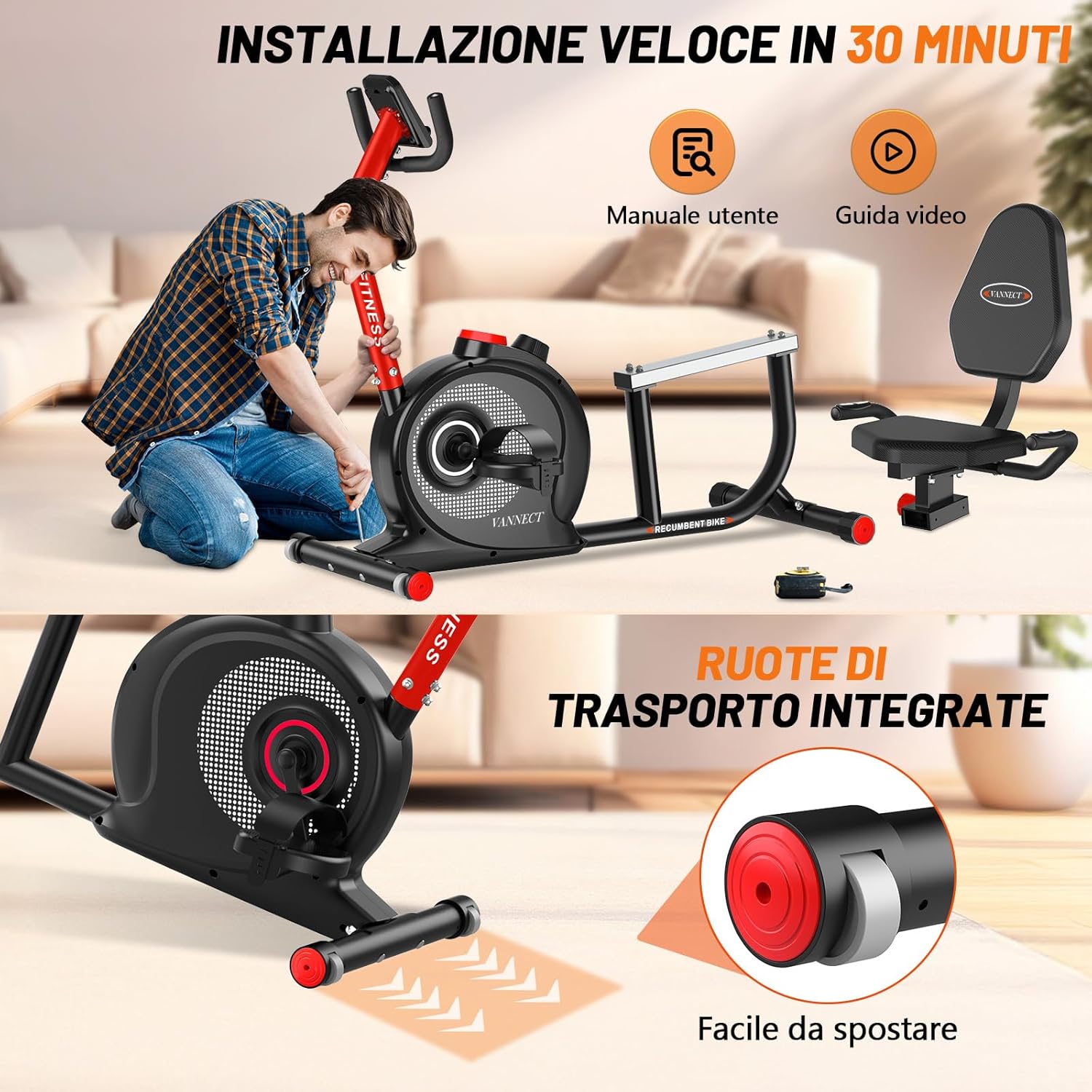
Figure 4.2: Visual guide for assembly and integrated transport wheels for easy movement.
5. Operating Instructions
5.1 Adjusting Resistance
The Vannect R1 features 16 levels of magnetic resistance. To adjust the resistance:
- Locate the tension control knob, usually positioned below the handlebars.
- Turn the knob clockwise to increase resistance (higher intensity).
- Turn the knob counter-clockwise to decrease resistance (lower intensity).
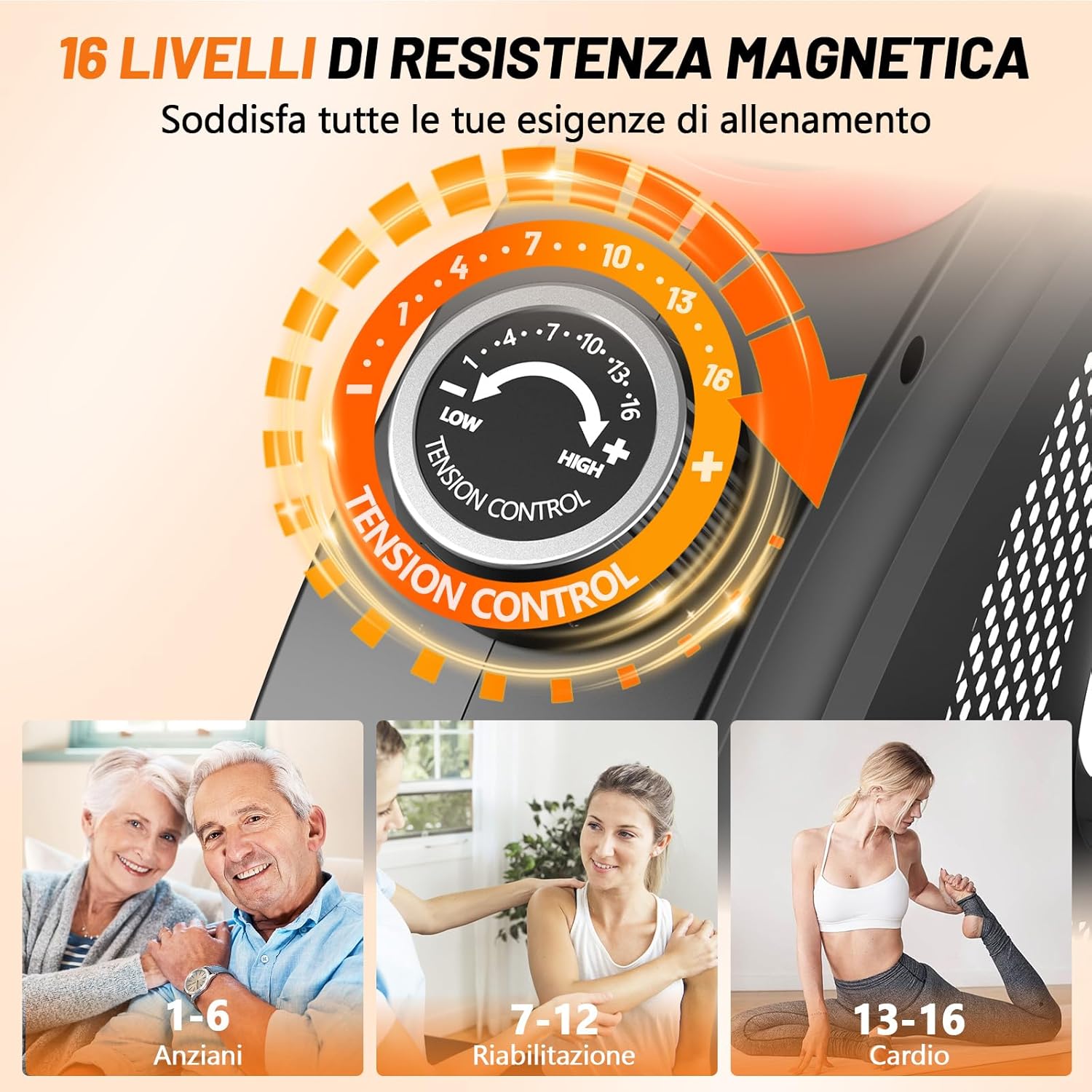
Figure 5.1: The resistance control knob allows selection from 1 to 16 levels.
5.2 Using the LCD Monitor
The integrated LCD monitor displays your workout data. It typically shows:
- SCAN: Automatically cycles through all data metrics.
- TIME: Duration of your workout.
- SPEED: Current cycling speed.
- DISTANCE: Total distance covered.
- CALORIES: Estimated calories burned.
- PULSE: Heart rate (if equipped with pulse sensors on handlebars).
- ODO: Odometer (total accumulated distance).
Use the 'MODE' button to select specific display functions or 'RESET' to clear current workout data.

Figure 5.2: Detailed view of the LCD monitor and its functions.
5.3 App Connectivity (Bluetooth)
The Vannect R1 can connect to fitness apps like Kinomap and Zwift via Bluetooth for virtual training and tracking.
- Download the desired fitness app (Kinomap, Zwift, etc.) on your smartphone or tablet.
- Ensure Bluetooth is enabled on your device.
- Open the app and follow its instructions to search for and connect to your Vannect R1 exercise bike. The bike should appear as a discoverable device.
- Once connected, the app will display your workout data and allow access to virtual training features.

Figure 5.3: Connect your exercise bike to compatible apps for enhanced training.
5.4 Seat Adjustment
Adjust the seat position for optimal comfort and proper leg extension during your workout.
- Loosen the adjustment knob located beneath the seat.
- Slide the seat forward or backward to achieve the desired position.
- Ensure your knee has a slight bend at the bottom of the pedal stroke.
- Tighten the adjustment knob securely before use.

Figure 5.4: Details of the adjustable seat, padded backrest, and other ergonomic features.
6. Maintenance
Regular maintenance ensures the longevity and safe operation of your exercise bike.
- Cleaning: Wipe down the bike with a damp cloth after each use to remove sweat and dust. Avoid abrasive cleaners.
- Check Connections: Periodically check all bolts, nuts, and moving parts to ensure they are secure. Tighten if necessary.
- Lubrication: The magnetic resistance system is generally maintenance-free. Do not attempt to lubricate internal components unless specifically instructed by customer support.
- Storage: Store the bike in a dry, cool place away from direct sunlight and extreme temperatures. Use the transport wheels to move it easily.
7. Troubleshooting
If you encounter issues with your Vannect R1, refer to the following common problems and solutions:
| Problem | Possible Cause | Solution |
|---|---|---|
| Monitor not displaying data. | Loose cable connection; dead batteries. | Check all cable connections to the monitor. Replace batteries if applicable. |
| Resistance not changing. | Tension cable disconnected or damaged. | Inspect the tension cable connection to the resistance mechanism. Contact customer support if damaged. |
| Unusual noise during operation. | Loose parts; friction. | Check all bolts and nuts for tightness. Ensure no foreign objects are near moving parts. |
| Bluetooth connection issues. | Bluetooth off; app issues; interference. | Ensure Bluetooth is on. Restart the app and your device. Move closer to the bike. |
If the problem persists, please contact Vannect customer support.
8. Specifications
| Specification | Detail |
|---|---|
| Model Number | R1 |
| Product Dimensions (L x W x H) | 111 x 46.5 x 101 cm (approx. 43.7 x 18.3 x 39.8 inches) |
| Item Weight | 29 kg (approx. 64 lbs) |
| Maximum Supported Weight | 180 kg (approx. 397 lbs) |
| Resistance Mechanism | Magnetic |
| Resistance Levels | 16 |
| Power Source | Pedal-powered (for monitor) |
| Material | Metal |
| Connectivity | Bluetooth (FTMS compatible with Kinomap, Zwift) |
| Color | Red |
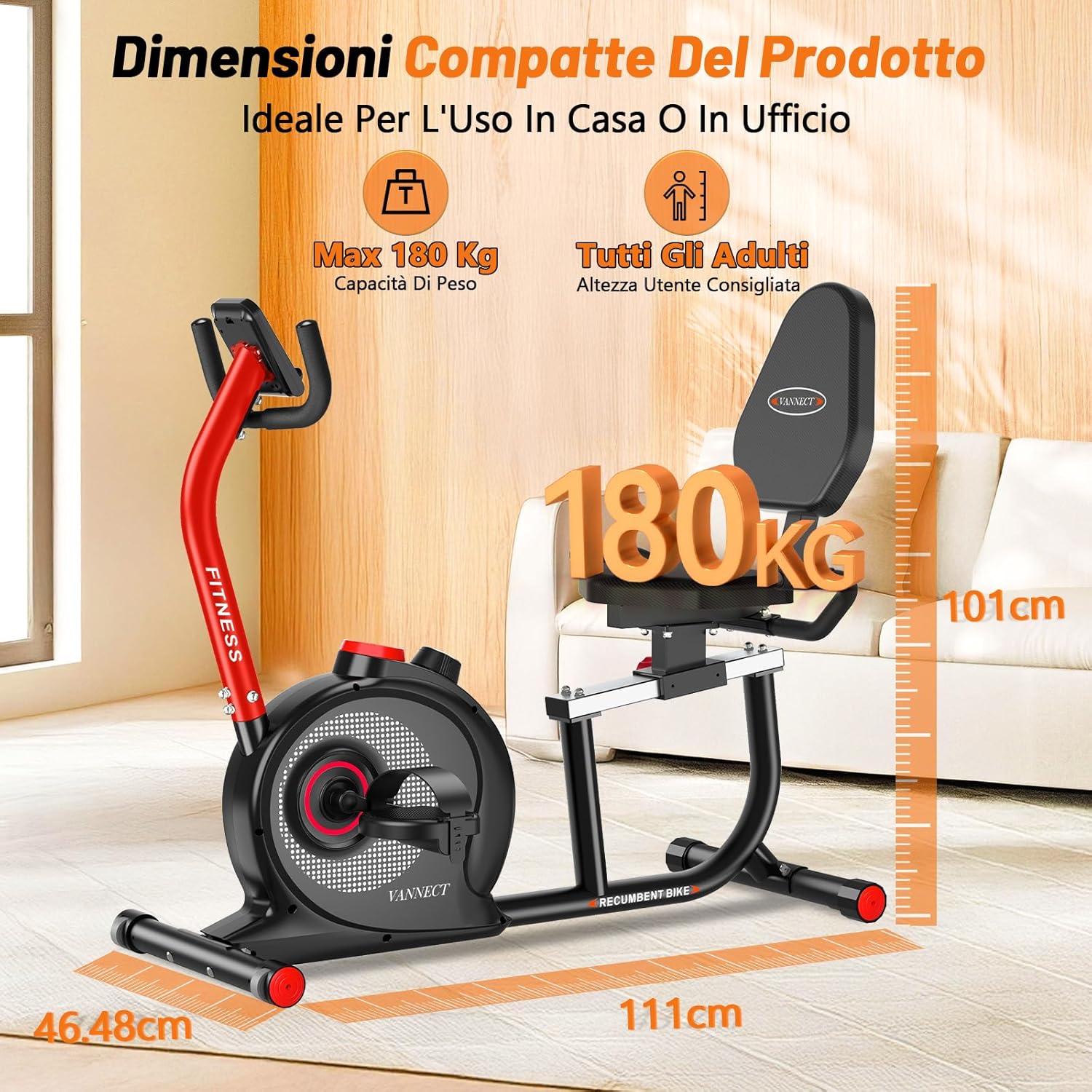
Figure 8.1: Product dimensions of the Vannect R1 Recumbent Exercise Bike.
9. Warranty and Support
Vannect offers a 5-year warranty for the R1 Recumbent Exercise Bike, demonstrating our commitment to quality and customer satisfaction.
For any questions, concerns, or technical assistance, please do not hesitate to contact us. Our customer support team aims to respond to all inquiries within 16 hours.
How to Contact Support:
- Log in to your Amazon account.
- Go to "Your Orders".
- Find your order ID for the Vannect R1 Recumbent Exercise Bike.
- Click on "Contact Seller" or "Contact Us".
Additionally, professional guidance may be available through factory engineer videos provided by Vannect.

Figure 9.1: Vannect's commitment to quality service and customer support.
10. Product Videos
Watch these official product videos for visual guidance on assembly, features, and usage.
Video 10.1: Vannect R1 Recumbent Exercise Bike Product Overview (0:47). This video demonstrates the key features and benefits of the exercise bike.
Video 10.2: Vannect R1 Recumbent Exercise Bike Features Highlight (0:33). This video provides a quick look at the main functionalities and design aspects of the bike.