
TKMARS TK913
TKMARS GPS Tracker User Manual
Model: TK913
Introduction
This manual provides comprehensive instructions for the setup, operation, and maintenance of your TKMARS TK913 GPS Tracker. The TK913 is a compact, portable 4G LTE tracking device designed for real-time positioning of vehicles, assets, and personal belongings. It features a strong built-in magnet for easy attachment and offers various alert functions to enhance security.
What's in the Box
- 4G TK913 GPS Tracker
- USB Cable
- SIM Card (International SIM card included, optional to use)
- User Manual
Setup Guide
Follow these steps to prepare your TK913 GPS Tracker for use:
- SIM Card Activation:
If using the included SIM card, it is pre-activated. If using your own SIM card, ensure it is activated and has SMS, call, and internet functions. Disable PIN lock and voicemail on the SIM card before insertion.
- Insert SIM Card:
Carefully insert the SIM card into the designated slot on the TK913 tracker. Ensure correct orientation as indicated on the device or in the quick start guide.

Image: The TK913 tracker showing its compact size, magnetic base, and SIM card insertion point.
- Initial Activation & Location Test:
Place the tracker outdoors to ensure good GPS signal reception. Insert the SIM card. Call or send the SMS command "G123456#" to the SIM card number in the tracker. You should receive a text message with a Google Map link. Click the link to verify the tracker's location.
- APN Configuration (If Needed):
If the tracker shows "Not Enabled" or "not activate" in the app after logging in, you need to set the APN. Obtain the APN information from your SIM card provider. For example, for SpeedTalk SIM in the US, APN is "mobilenet". Send the SMS command:
apn123456 mobilenet(replace "mobilenet" with your actual APN). You should receive "apn ok". Remove and re-insert the SIM card to reboot the device. - App Download & Login:
Download the "WINNES GPS" app from your mobile app store or scan the QR code provided in the manual or on the product packaging. Log in using the tracker's ID number (usually found on the device itself).

Image: Screenshot of the WINNES GPS app interface and the associated website, showing QR codes for app download and the website address www.mytkstar.net.
Operating Instructions
The TK913 offers various functions for effective tracking and monitoring:
- Real-time Tracking:
Monitor the precise location of your tracker in real-time via the WINNES GPS app, SMS, or web platform. The device provides updates with a minimum interval of 10 seconds, offering accuracy up to 5 meters.

Image: An illustration showing the TK913 GPS tracker, a smartphone displaying the real-time tracking map, and a car, demonstrating the device's primary function.

Image: A visual representation of real-time tracking on Google Maps, highlighting the three positioning methods: APP, SMS, and website.
- Historical Route Playback:
Review up to 180 days of historical travel routes. This feature allows you to see where the tracker has been, including location and time of stay, accessible through the app or web platform.
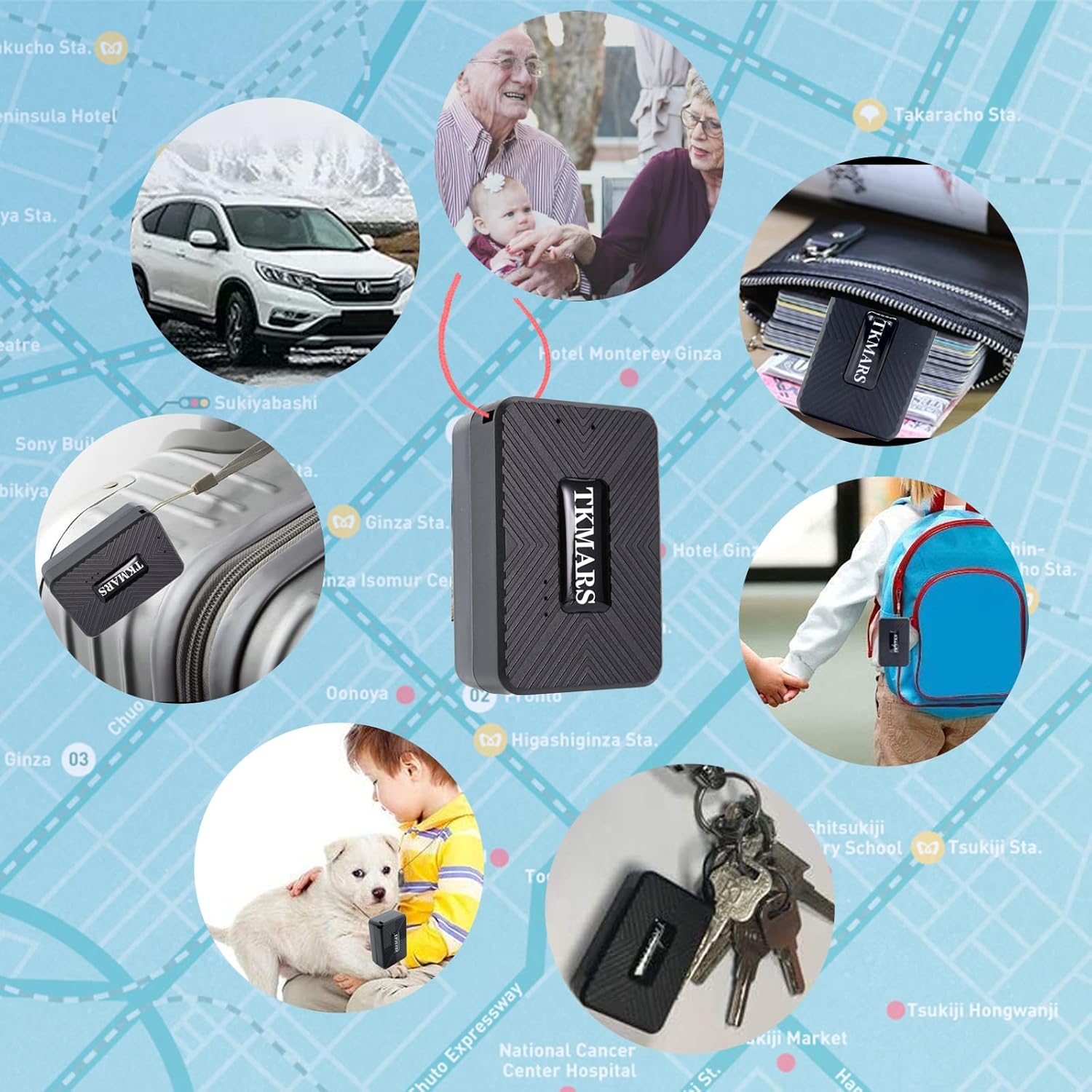
Image: Screenshots demonstrating the setup of a geo-fence zone and the playback interface for historical routes on a smartphone.
- Multi-Function Alerts:
The TK913 provides various safety alarm functions to enhance security:
- Vibration Alarm: Receive an alert via app or SMS if the device moves after being stationary for more than 5 minutes.
- Overspeed Alarm: Set a speed limit, and receive an alert if the tracker exceeds it.
- Geo-fence Alarm: Define a virtual area on the map; you will be notified when the tracker enters or exits this boundary.
- Low Battery Alarm: Receive an alert when the device's battery level is low, prompting you to recharge.
- Movement Alarm: Similar to vibration, alerts when the device detects movement.

Image: Illustrations depicting the vibration alarm (car accident scenario) and overspeed alarm (car speeding) features of the TK913 tracker.

Image: Visuals illustrating multi-facility management for multiple trackers, a low battery alarm indicator, and the strong magnetic attachment feature of the TK913.
- Microphone Monitor (Voice Monitor):
Send the SMS command
monitor123456to the tracker's SIM card number. Once activated, you can call the tracker's number to listen to the surrounding sounds near the device.
Image: A smartphone screen showing a call in progress, illustrating the microphone monitor function where a user can listen to sounds near the tracker.
- Multi-Device Management:
If you own multiple TKMARS trackers, you can create a single account in the WINNES GPS app or web platform to manage and monitor all your devices simultaneously.
Maintenance
- Charging:
The TK913 is equipped with a rechargeable Lithium Ion battery. Charge the device using the provided USB cable. Battery life varies depending on usage and tracking frequency. It is recommended to charge the device regularly, typically weekly or as indicated by the low battery alarm.
- Cleaning:
Wipe the device with a soft, dry cloth. Avoid using harsh chemicals or abrasive cleaners, which may damage the device's casing.
- Storage:
When not in use for extended periods, store the tracker in a cool, dry place. Ensure the battery is partially charged (around 50%) before storage to prolong its lifespan.
Troubleshooting
If you encounter issues with your TK913 GPS Tracker, refer to the following common problems and solutions:
| Problem | Possible Cause / Solution |
|---|---|
| Tracker is offline / Not showing location |
|
| Inaccurate location |
|
| Cannot receive SMS commands |
|
| Battery drains quickly |
|
Specifications
- Model Number: TK913
- Dimensions: 2.17 x 1.42 x 0.83 inches (approx. 55 x 36 x 21 mm)
- Weight: 3.84 ounces (approx. 58g)
- Connectivity: 4G LTE Cellular
- Positioning Accuracy: Up to 5 meters
- Battery: 1 Lithium Ion battery (included), 1500mAh
- Special Features: Alert Notification, Geo-Fence, Location History, Magnetic, Real-Time Tracking, Rechargeable, Water Resistant
- Supported Application: Mobile APP (WINNES GPS), Text Messaging, Web Search
Warranty and Support
For warranty information, please refer to the documentation included with your purchase or visit the official TKMARS website. For technical support or further assistance, please contact TKMARS customer service through their official website or the contact information provided with your product.
Official Website: www.mytkstar.net
Related documentsTK913


Ask a question about this manual
Ask about setup, troubleshooting, compatibility, parts, safety, or missing instructions. Manuals+ will review the question and use this page’s manual context to help answer it.