
1. Introduction
Thank you for choosing the ACRUNU Smart Bike Tail Light, Model Sr1. This intelligent rear light is designed to enhance your cycling safety and visibility, especially during night rides. It features advanced brake sensing, automatic on/off functionality, and a durable, waterproof design. Please read this manual carefully to ensure proper installation, operation, and maintenance of your new tail light.
2. Product Features
- Brake Sensing: Automatically illuminates brighter for three seconds upon braking to alert vehicles behind.
- Intelligent On/Off: Automatically turns off after 40 seconds of no vibration and lights up when motion is detected, conserving battery.
- Photosensitive Sensing: Adjusts brightness automatically, lighting up in dark environments and turning off in bright environments.
- Memory Gear Function: Remembers the last used lighting mode when turned on again.
- Ultra-Long Battery Life: 400mAh battery provides 12-60 hours of operation, rechargeable via USB-C in 2.5 hours.
- IPX6 Waterproof: Designed to withstand various weather conditions, ensuring reliable performance.
- Six Lighting Modes: Offers versatile illumination options for different riding conditions.
- Two Installation Methods: Compatible with most bicycles via saddle rail or seat post mounting.
3. Package Contents
Please check the box to ensure all items are present:
- 1 x ACRUNU Bike Tail Light
- 1 x USB-C Charging Cable
- 1 x Saddle Bracket
- 1 x Seatpost Strap Bracket
- 4 x Cable Ties
- 2 x Straps
- 1 x User Manual (this document)

Image: Contents of the ACRUNU Smart Bike Tail Light package, including the light unit, charging cable, various mounting brackets, and ties.
4. Setup and Installation
The ACRUNU Smart Bike Tail Light offers two primary installation methods: Saddle Rail Mounting and Seat Post Mounting.
4.1. Saddle Rail Mounting
- Attach the saddle bracket to the rails under your bicycle seat.
- Secure the bracket firmly using the provided cable ties or straps.
- Slide the tail light onto the mounted saddle bracket until it clicks into place.

Image: Attaching the saddle bracket to the bicycle seat rails.
4.2. Seat Post Mounting
- Wrap the seatpost strap bracket around your bicycle's seat post.
- Tighten the strap securely to prevent movement.
- Slide the tail light onto the mounted seatpost bracket until it clicks into place.

Image: Attaching the seatpost strap bracket to the bicycle seat post.

Image: Visual representation of both saddle rail and seat post mounting options for the tail light.
5. Operating Instructions
5.1. Power On/Off
Press and hold the power button (located on the center of the light) for approximately 2 seconds to turn the light on or off.
5.2. Changing Lighting Modes
Once the light is on, short press the power button to cycle through the available lighting modes. The light will remember the last mode used thanks to the memory gear function.
5.3. Smart Features
- Brake Sensing: When the light detects a decrease in speed (braking), it will automatically illuminate at maximum brightness for three seconds to signal your deceleration to others. This feature is active in Smart Mode.
- Intelligent On/Off (Motion Sensing): If no vibration is detected for 40 seconds, the light will automatically turn off to save power. It will automatically turn back on when vibration (movement) is detected.
- Photosensitive Sensing: The light automatically adjusts its brightness based on ambient light conditions. It will turn on in dark environments and turn off in bright environments to optimize visibility and battery life.
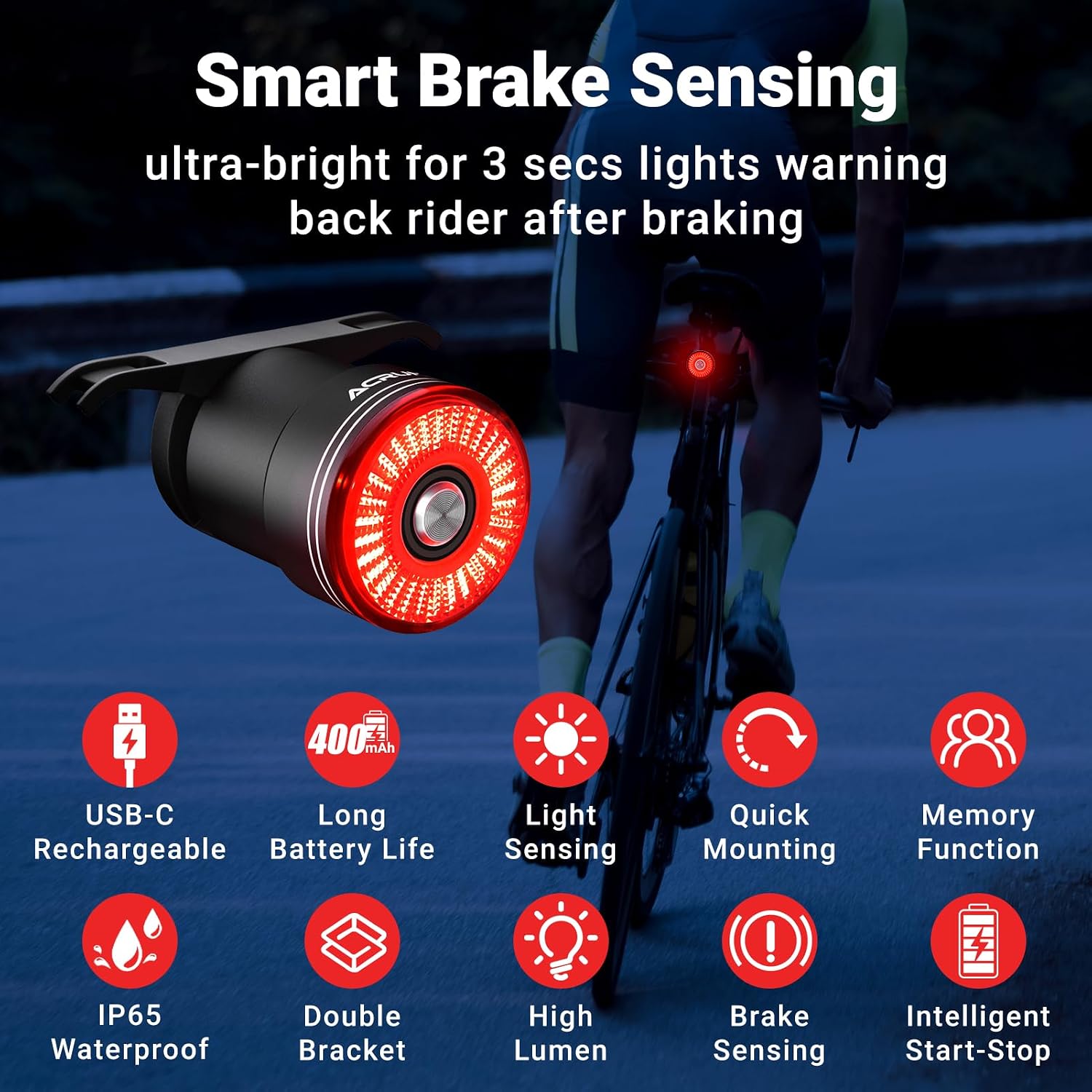
Image: Overview of smart features including USB-C rechargeable, long battery life, light sensing, quick mounting, memory function, IP65 waterproof, double bracket, high lumen, brake sensing, and intelligent start-stop.

Image: Demonstrates the brake sensing feature, showing the light brightening when braking, and the motion sensing feature, showing the light turning off after 40 seconds of no movement and turning on with touch.

Image: Illustrates the memory function, where the light powers on in the last used mode.
Video: An official product video demonstrating the ACRUNU Smart Bike Tail Light's features, including smart brake sensing, memory function, long-lasting battery, IPX6 waterproofing, and automatic wake-up via vibration induction. The video highlights the light's high-brightness LED beads and compact aluminum alloy shell.
6. Lighting Modes
The ACRUNU Smart Bike Tail Light features six versatile lighting modes:
- Steady On: Constant illumination.
- Breathing Flash: Light fades in and out smoothly.
- Slow Light Flash: Slow, consistent flashing.
- Rhythm Flash: A rhythmic flashing pattern.
- Strobe: Rapid, high-frequency flashing.
- Fast Flash: Quick, consistent flashing.

Image: Displays five light-up modes (Everbright, Breath Flash, Slow Flash, Fast Flash, Double Flash) and their approximate battery life durations.
7. Charging
The tail light is equipped with a 400mAh battery and is rechargeable via a USB-C port.
- Locate the USB-C charging port on the light (usually covered by a rubber flap for waterproofing).
- Connect the provided USB-C charging cable to the light and to any standard USB power source (e.g., computer, power bank, wall adapter).
- A full charge takes approximately 2.5 hours. The indicator light will change to show charging status (e.g., red for charging, green for fully charged).
- Ensure the rubber flap is securely closed after charging to maintain the IPX6 waterproof rating.

Image: The ACRUNU Smart Bike Tail Light connected to a laptop via its USB-C charging cable, illustrating its USB rechargeable capability.
8. Maintenance
- Cleaning: Wipe the light with a soft, damp cloth to remove dirt and debris. Do not use abrasive cleaners or solvents.
- Waterproofing: The light has an IPX6 waterproof rating. Ensure the USB-C port cover is always securely closed to prevent water ingress. While it can withstand splashes and rain, avoid submerging it in water.
- Storage: Store the light in a cool, dry place when not in use. If storing for an extended period, charge the battery periodically to maintain its health.

Image: The ACRUNU Smart Bike Tail Light with water droplets, demonstrating its IP65 water-resistance, suitable for use on rainy days.
9. Troubleshooting
| Problem | Possible Cause | Solution |
|---|---|---|
| Light does not turn on. | Battery is depleted. | Charge the light using the provided USB-C cable. |
| Light turns off unexpectedly. | Intelligent On/Off feature activated (no motion for 40 seconds). | This is normal operation. The light will turn back on when motion is detected. |
| Brake sensing not working. | Light is not in Smart Mode or insufficient deceleration. | Ensure the light is in a mode that supports brake sensing. Apply brakes firmly to trigger the sensor. |
| Light does not charge. | Cable or power source issue; charging port obstruction. | Try a different USB-C cable or power source. Check the charging port for debris. |
| Light is dim or flickering. | Low battery; dirt on lens. | Recharge the battery. Clean the light lens with a soft cloth. |
10. Specifications
- Model Name: Bike Tail Light
- Style: Sr1
- Color: Black
- Material: Aluminum
- Power Source: Battery Powered
- Battery Capacity: 400mAh
- Charging Time: Approximately 2.5 hours
- Battery Life: 12-60 hours (depending on mode)
- Water Resistance Level: IPX6 Waterproof
- Item Weight: 22.7 Grams
- Mounting Type: Seat/Seatpost Mount
- Number of Settings: 6 lighting modes
- Auto Part Position: Rear
- Item Package Dimensions L x W x H: 3.35 x 2.76 x 1.57 inches
11. Warranty and Support
This ACRUNU Smart Bike Tail Light comes with a 2 Month Manufacturer Warranty. Please retain your proof of purchase for warranty claims.
For any questions, technical support, or warranty inquiries, please contact ACRUNU customer service through the platform where you purchased the product or visit the official ACRUNU store online.
We are committed to providing high-quality products and supreme services.