
1. Introduction
Thank you for choosing the Apkezel High-Speed Electric Air Duster. This device is designed to provide efficient and eco-friendly cleaning for a wide range of electronics and household items. Featuring a powerful brushless motor and a rechargeable battery, it offers a convenient alternative to traditional compressed air cans. Please read this manual thoroughly before use to ensure proper operation and maintenance.
2. Product Overview
The Apkezel Electric Air Duster is a compact and powerful cleaning tool. Its key features include:
- 150,000 RPM Brushless Motor: Provides strong airflow for effective dust removal with reduced noise and extended lifespan.
- Three Adjustable Speed Settings: Allows for versatile cleaning tailored to different needs.
- 6000mAh Rechargeable Battery: Offers long operating times and convenient Type-C fast charging.
- Portable and Lightweight Design: Easy to carry and store, comparable in size to a mobile phone.
- Magnetic Nozzle: Facilitates easy attachment and removal of accessories.
- Eco-Friendly: A reusable alternative to chemical-based compressed air cans.

Figure 2.1: Apkezel High-Speed Electric Air Duster with charging cable and cleaning brushes.

Figure 2.2: Illustration of the magnetic nozzle design for easy assembly and disassembly.
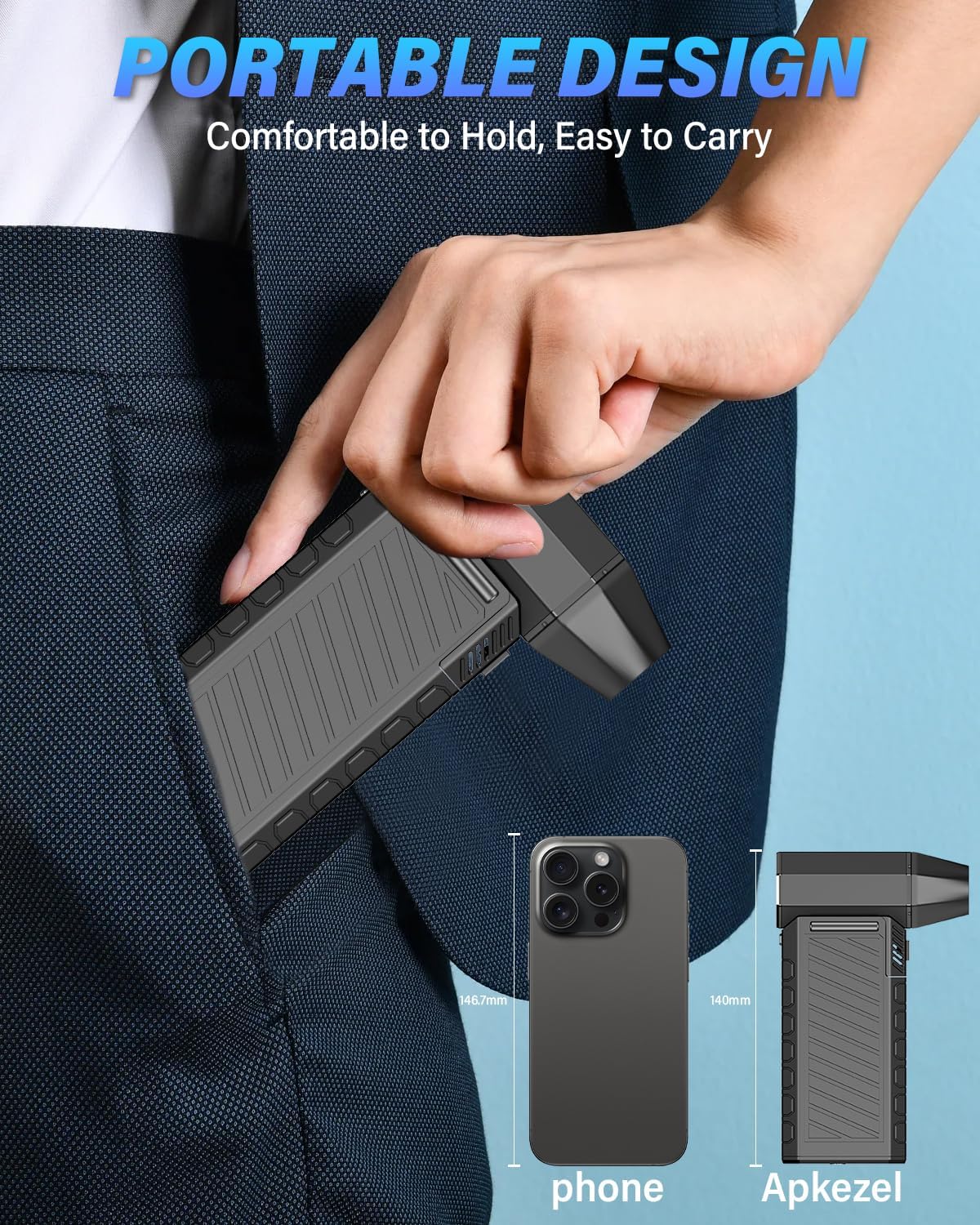
Figure 2.3: The compact and portable design of the Apkezel Air Duster, shown next to a smartphone for scale.
3. Package Contents
Please check the package for the following items:
- Apkezel High-Speed Electric Air Duster
- Magnetic Nozzle
- USB Type-C Charging Cable
- Cleaning Brushes (various types)
- User Manual
4. Setup
4.1 Initial Charging
Before first use, fully charge the air duster. The device is equipped with a 6000mAh lithium battery and supports Type-C fast charging.
- Connect the provided USB Type-C charging cable to the charging port on the air duster.
- Connect the other end of the cable to a compatible USB power source (e.g., laptop, power bank, car charger, or wall adapter).
- The charging indicator light will illuminate. A full charge typically takes approximately 3 hours.
- Once fully charged, disconnect the charging cable.
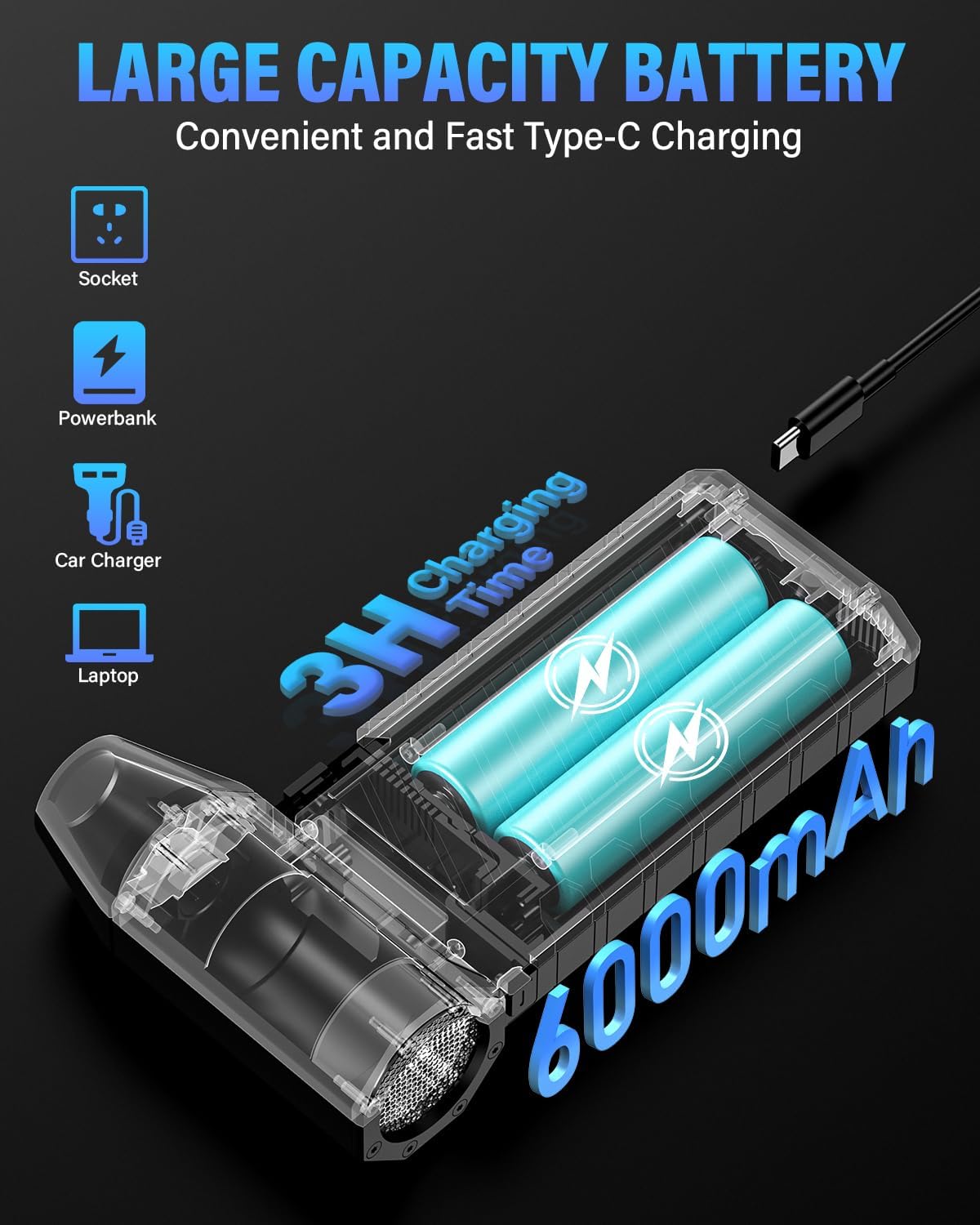
Figure 4.1: Illustration of the 6000mAh battery and Type-C charging capability.
4.2 Attaching the Nozzle
The air duster features a magnetic nozzle for easy attachment.
- Align the magnetic nozzle with the air outlet of the main unit.
- The nozzle will snap into place securely due to the magnetic connection.
- To remove, gently pull the nozzle away from the unit.
5. Operating Instructions
5.1 Power On/Off and Speed Adjustment
The air duster has a power button and a speed adjustment function.
- Power On: Press and hold the power button for a few seconds until the device turns on at the lowest speed setting.
- Adjust Speed: Briefly press the power button to cycle through the three available speed settings (Low, Medium, High).
- Power Off: Press and hold the power button for a few seconds until the device turns off.

Figure 5.1: The three adjustable speed settings (60,000 RPM, 90,000 RPM, 150,000 RPM) for various cleaning tasks.
5.2 Cleaning Applications
The Apkezel Air Duster is suitable for a variety of cleaning tasks:
- Electronics: Computers, keyboards, laptops, cameras, printers, game consoles.
- Automotive: Car interiors, dashboards, seats.
- Household: Sofas, pet hair removal, small inflatables (floats, inflatable beds).
- Outdoor: Assisting with campfire ignition.
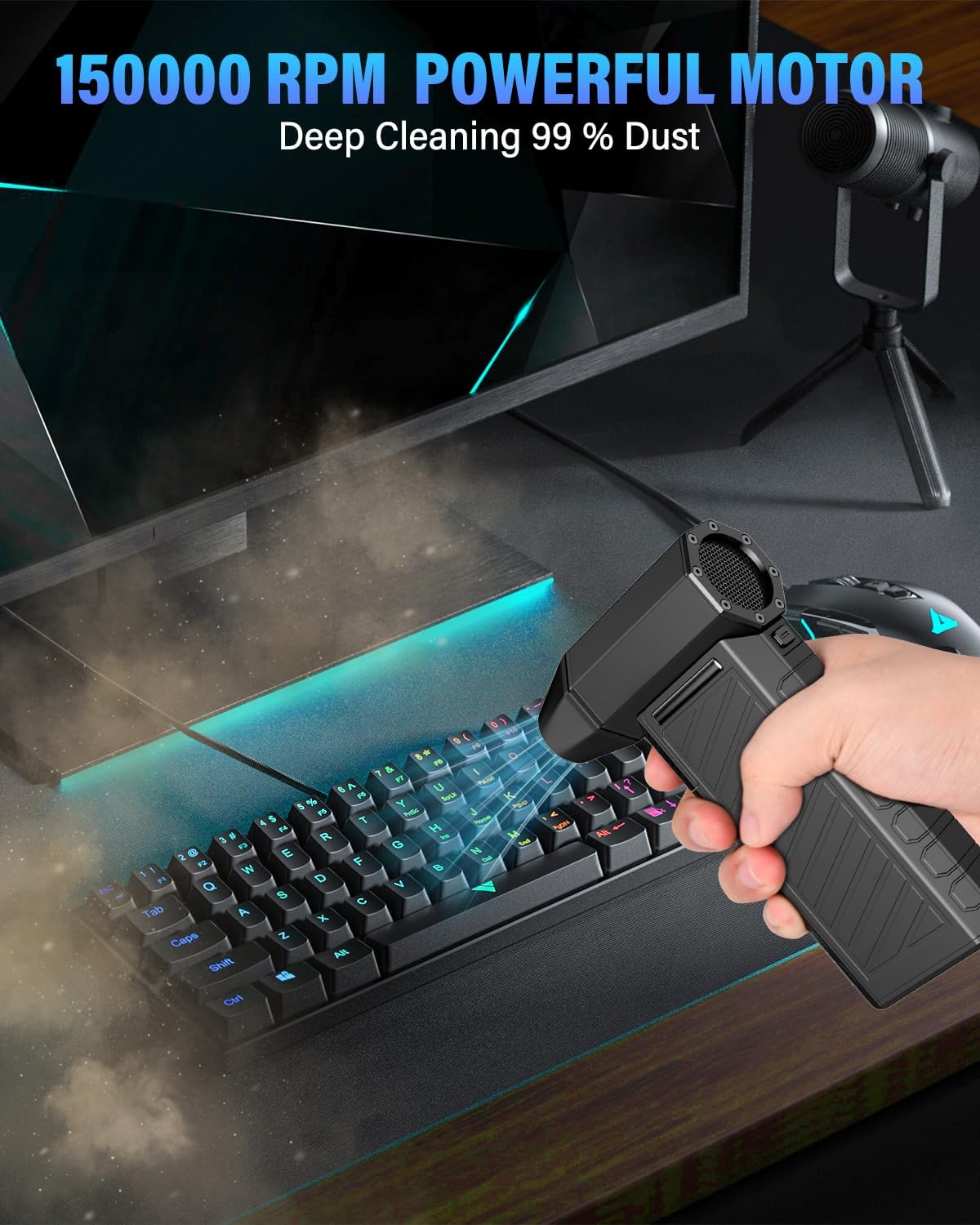
Figure 5.2: Using the air duster to effectively clean a computer keyboard.
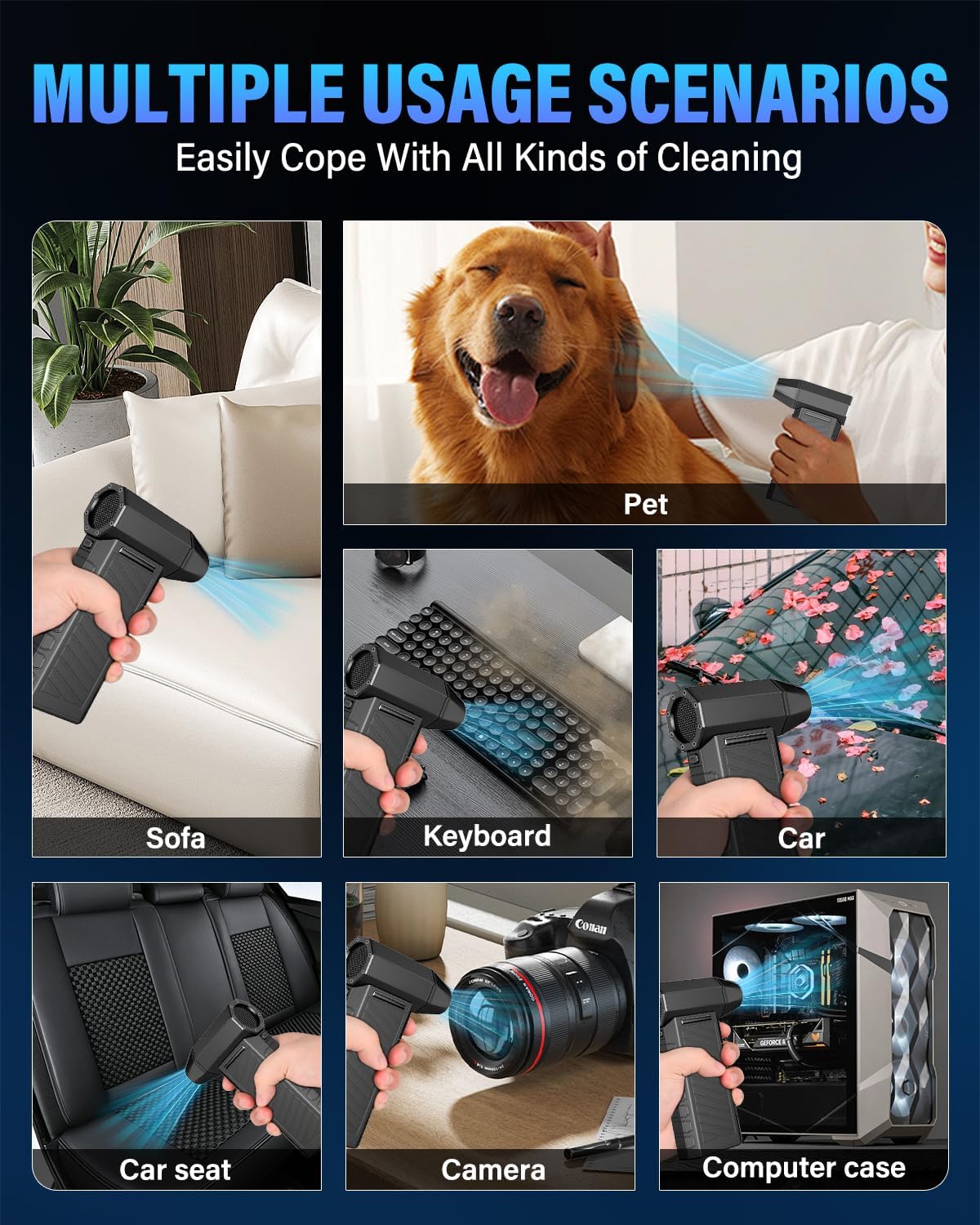
Figure 5.3: Multiple usage scenarios demonstrating the versatility of the air duster for cleaning various items.
6. Maintenance
6.1 Cleaning the Device
To maintain optimal performance, keep the air duster clean.
- Ensure the device is powered off before cleaning.
- Wipe the exterior of the unit with a soft, dry cloth.
- Use the provided cleaning brushes to remove any dust or debris from the air intake and outlet areas.
- Do not use liquid cleaners or immerse the device in water.
6.2 Storage
Store the air duster in a cool, dry place away from direct sunlight and extreme temperatures. Ensure the battery is partially charged (around 50%) if storing for extended periods to prolong battery life.
7. Troubleshooting
If you encounter issues with your Apkezel Air Duster, refer to the following common solutions:
| Problem | Possible Cause | Solution |
|---|---|---|
| Device does not turn on. | Battery is depleted. | Charge the device fully using the provided Type-C cable. |
| Weak airflow. | Low battery or incorrect speed setting. | Charge the battery or increase the speed setting. Ensure air intake/outlet is not blocked. |
| Nozzle detaches easily. | Nozzle not properly aligned or magnetic connection is weak. | Re-attach the nozzle, ensuring it is correctly aligned with the magnetic connection points. |
If the problem persists, please contact customer support.
8. Specifications
| Feature | Specification |
|---|---|
| Brand | Apkezel |
| Motor Type | Brushless Motor |
| Max Speed | 150,000 RPM |
| Blowing Force | Up to 50 m/s |
| Noise Level | Below 60 dB |
| Battery Capacity | 6000 mAh Lithium Battery |
| Charging Port | USB Type-C |
| Charging Time | Approx. 3 hours |
| Operating Time | 30-120 minutes (depending on speed) |
| Dimensions | Approx. 14 x 10 x 4 cm |
| Weight | Approx. 318 grams |
| Material | High-hardness, high-temperature resistant ABS |
| UPC | 768657034228 |
| ASIN | B0DDNK8MB6 |
9. Safety Information
Please observe the following safety precautions:
- Keep the device away from water and moisture.
- Do not operate the device near flammable liquids or gases.
- Avoid directing the airflow directly at eyes, skin, or delicate internal components of electronics for extended periods.
- Do not block the air intake or outlet during operation.
- Keep out of reach of children.
- Use only the provided charging cable or a certified Type-C cable for charging.
- Do not attempt to disassemble or repair the device yourself. Contact qualified personnel for service.
10. Warranty and Support
Apkezel products are manufactured to high-quality standards. For warranty information, technical support, or any questions regarding your product, please refer to the contact information provided at the point of purchase or visit the official Apkezel website.