1. Product Overview
This manual provides instructions for the installation and use of the Generic 230A W2300A W2301A W2302A W2303A series toner cartridges. These cartridges are designed to deliver high-quality print output for compatible HP printers.
2. Printer Compatibility
These toner cartridges are compatible with the following HP printer models:
- HP Pro 4203dw
- HP Pro 4203dn
- HP MFP 4303fdw
Please confirm your printer model before installation to ensure compatibility.

Figure 2.1: Compatible toner cartridges (230A W2300A W2301A W2302A W2303A) and printer models (HP Pro 4203dw, 4203dn, MFP 4303fdw).
3. Safety Information and Precautions
- Do not touch the drum core during installation to prevent scratching and affecting print quality.
- Avoid touching the chip on the toner cartridge to ensure optimal performance.
- Before installing a new cartridge, it is recommended to clean any remaining toner or paper debris from the printer using a vacuum cleaner or soft cloth. Do not blow toner into the printer.
4. Installation Guide
Follow these steps to properly install the toner cartridge:
- Prepare the Printer: Ensure the printer is turned off and unplugged. Open the printer's toner access door.
- Unpack the Cartridge: Take the new toner cartridge out of its packaging.
- Shake the Cartridge: Gently shake the toner cartridge horizontally 4-8 times to evenly distribute the toner inside.
- Remove Orange Protection Buckles: Carefully remove the orange protection buckles located on both sides of the toner cartridge.
- Remove Isolation Paper (if present): If there is a black isolation paper, slowly pull it out in the direction indicated.
- Pull Out the Seal: Pull the sealing strip evenly and straight until it is completely removed. Avoid breaking it. The seal's length is approximately twice the length of the toner cartridge.
- Remove Protective Cover: Remove any remaining protective covers or films from the cartridge.
- Install the Cartridge: Align the toner cartridge with the guide rails inside the printer. Push the cartridge smoothly until it clicks firmly into place.
- Close Printer Door: Close the toner access door.
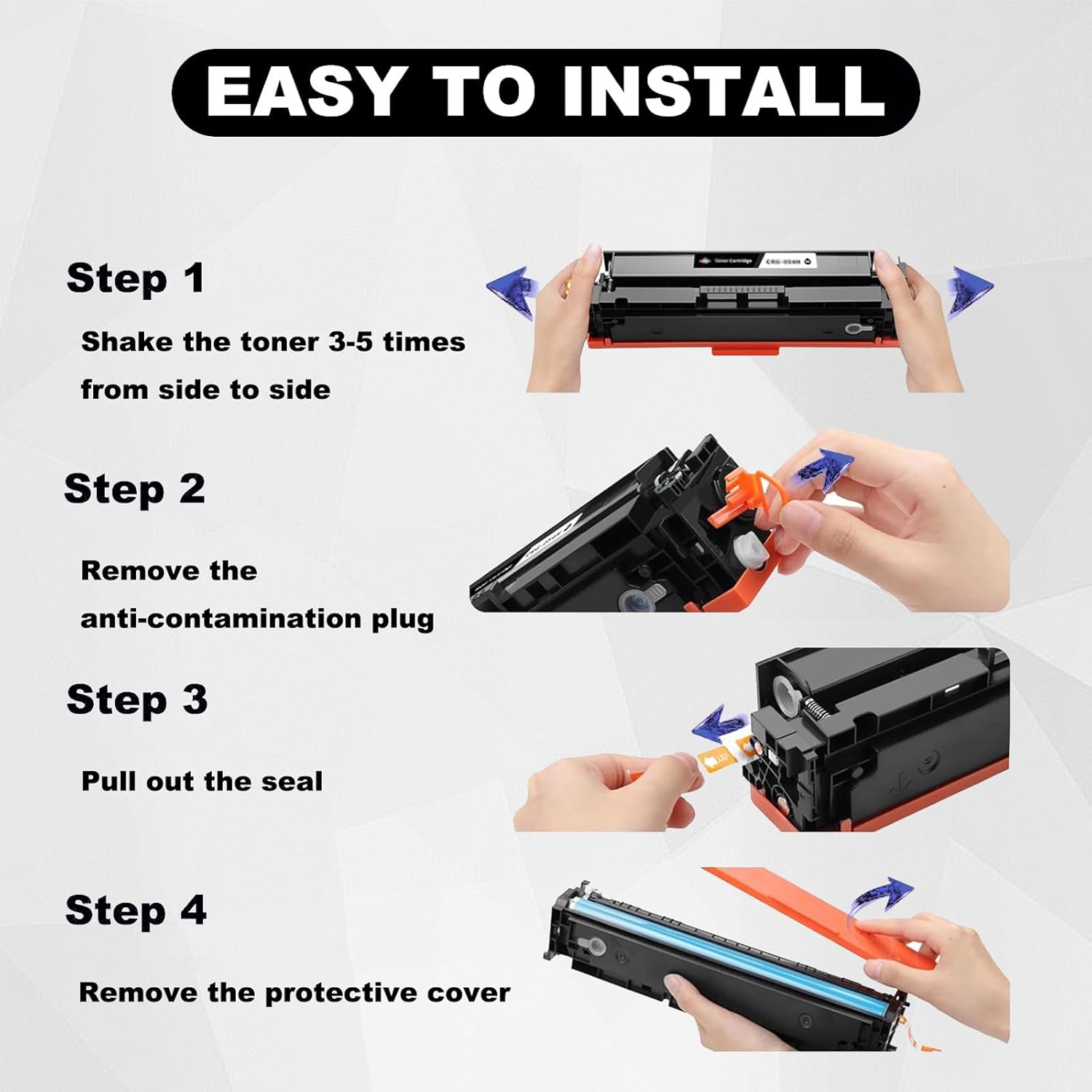
Figure 4.1: Visual steps for installing the toner cartridge, including shaking, removing the anti-contamination plug, pulling the seal, and removing the protective cover.
5. Operating Information
5.1. Page Yield
The estimated page yield for these toner cartridges is based on 5% coverage of an A4 paper page:
- Black Toner Cartridge (W2300A): Up to 2000 pages
- Color Toner Cartridges (W2301A, W2302A, W2303A): Up to 1800 pages each

Figure 5.1: Expected page yield for black (2000 pages) and color (1800 pages) toner cartridges at 5% A4 coverage.
5.2. Print Quality
These toner cartridges are designed to produce clear text and vibrant colors, meeting professional color standards for accurate color reproduction.

Figure 5.2: Example of print quality demonstrating clear and sharp black text alongside clear and bright colors, adhering to professional color standards.
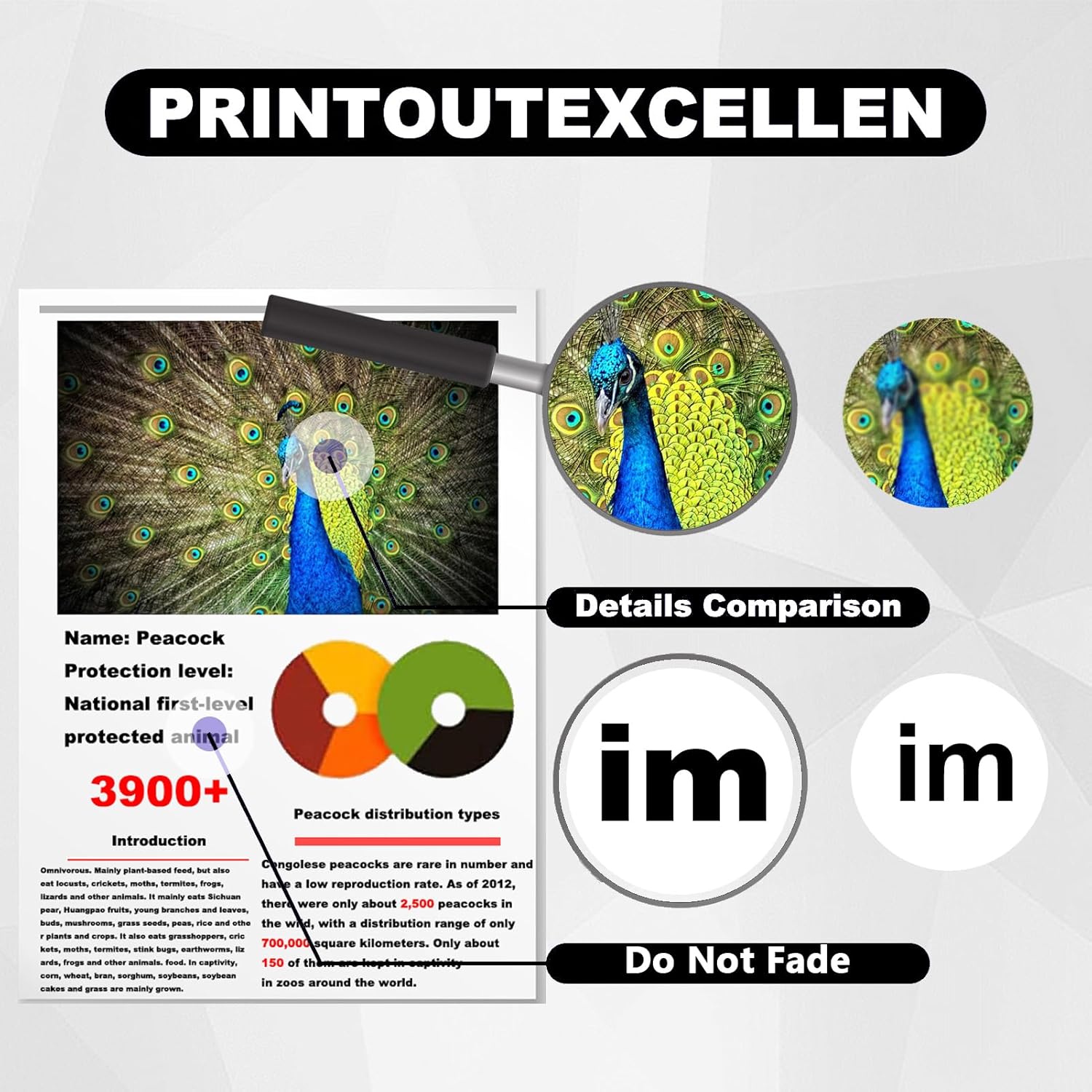
Figure 5.3: Demonstration of print excellence, highlighting fine details and color accuracy, with an emphasis on fade resistance.
6. Maintenance
To maintain optimal printer performance and print quality, ensure the printer's interior is free from dust and toner residue. Regularly clean the printer's components as recommended by the printer manufacturer.
7. Troubleshooting
If you encounter any printing issues after installing the toner cartridge, consider the following:
- Poor Print Quality: Ensure the cartridge was shaken properly before installation. Check if the sealing strip was fully removed.
- Cartridge Not Recognized: Verify that the cartridge is seated correctly in its slot. Ensure the chip on the cartridge was not touched or damaged during installation.
- Streaks or Smudges: Clean the printer's internal components as per your printer's manual.
For persistent issues, please refer to the "Support and Warranty" section for contact information.
8. Specifications
| Feature | Detail |
|---|---|
| Product Type | Toner Cartridge |
| Model Numbers | 230A, W2300A, W2301A, W2302A, W2303A |
| Compatible Printers | HP Pro 4203dw, 4203dn, MFP 4303fdw |
| Black Page Yield | Up to 2000 pages (5% A4 coverage) |
| Color Page Yield | Up to 1800 pages (5% A4 coverage) |
| Product Dimensions | 0.39 x 0.39 x 0.39 inches |
| Item Weight | 2.2 pounds (approximately 1 Kilogram) |
| Certifications | ISO9001, ISO14001 |

Figure 8.1: Illustrates the wide range of applications for these toner cartridges, suitable for home, school, and office environments.
9. Support and Warranty
We are committed to providing excellent customer service. If you have any questions or encounter issues with your toner cartridge, please contact us directly. We guarantee a response within 24 hours and will provide solutions to resolve your problem.
For support, please refer to the contact information provided with your purchase or on the product packaging.


