
robotistan 22613
Robotistan SolarX V2 Sun-Tracking Solar Panel DIY Kit Instruction Manual
Brand: robotistan
Model: 22613
1. Introduction
The Robotistan SolarX V2 is an educational DIY kit designed to introduce users to the principles of solar energy and sun-tracking technology. This kit allows you to build a functional solar panel system that automatically adjusts its position to follow the sun, maximizing energy capture. It incorporates an Arduino Nano microcontroller, light-dependent resistors (LDRs), and servo motors to demonstrate intelligent solar tracking. This manual provides comprehensive instructions for assembly, operation, maintenance, and troubleshooting.

Image: The SolarX V2 kit is designed as a playful and educational DIY experience.
2. Safety Information
- Adult Supervision: This kit contains small parts and electronic components. Adult supervision is recommended, especially for younger users.
- Power Source: Use only the specified power source (1 Lithium Ion battery, included) or a compatible USB power adapter. Incorrect power sources can damage the device or pose a fire hazard.
- Component Handling: Handle electronic components with care to avoid damage from static electricity or physical impact.
- Outdoor Use: While designed for outdoor use, ensure the kit is placed on a stable surface and protected from extreme weather conditions (heavy rain, strong winds) to prevent damage.
- Wiring: Ensure all wiring connections are secure and correct before applying power to prevent short circuits.
3. Package Contents
Verify that all components listed below are present in your kit:

Image: Detailed view of all components included in the SolarX V2 DIY kit.
- 1x Solar Panel (6V)
- 1x Robotistan Arduino Nano
- 1x SolarX PCB
- 4x LDR Sensors
- 2x Servo Motors
- 3x Wooden Parts (for frame assembly)
- 1x Educational Booklet
- 2x Connecting Cables (multi-pin)
- 1x USB Cable
- 1x 1500mAh Li-Ion Battery
- 1x Screwdriver
- 5x Plastic Bolts
- 5x Plastic Nuts
- 15x Nuts (metal)
- 10x Screws (various sizes)
- 3x Standoff-Spacer (various sizes)
- 1x Double-Sided Tape
- 1x Robotistan Keychain (accessory)
Unboxing Video
Video: An official unboxing video for the SolarX V2 kit, showing the contents as they appear in the package.
4. Setup and Assembly
Follow these steps to assemble your SolarX V2 kit. Refer to the included educational booklet for detailed visual instructions and QR codes for video tutorials.
4.1. Base Assembly
Begin by assembling the wooden base components. Ensure all pieces fit snugly and are secured with the provided screws and nuts.

Image: The fully assembled SolarX V2 kit, highlighting the wooden base structure and connected electronics.
4.2. Mounting LDR Sensors
Attach the four LDR (Light Dependent Resistor) sensors to the designated slots on the top wooden panel. These sensors detect light intensity from different directions, enabling the sun-tracking functionality.
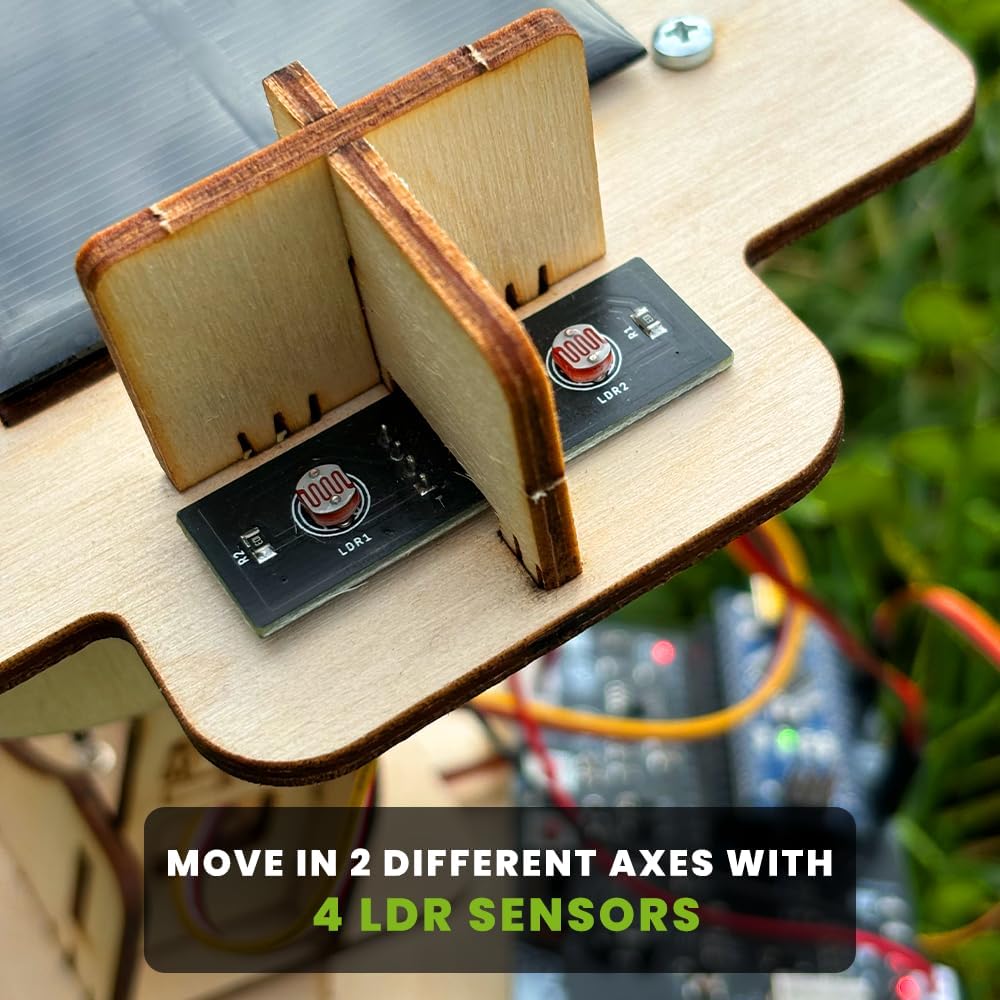
Image: A close-up view of the four LDR sensors, crucial for detecting sunlight direction.
4.3. Integrating Servo Motors and Solar Panel
Install the two servo motors, which will control the movement of the solar panel. Secure the solar panel to the movable frame, ensuring it can pivot freely. Connect the servo motors and LDR sensors to the SolarX PCB and Arduino Nano using the provided connecting cables.
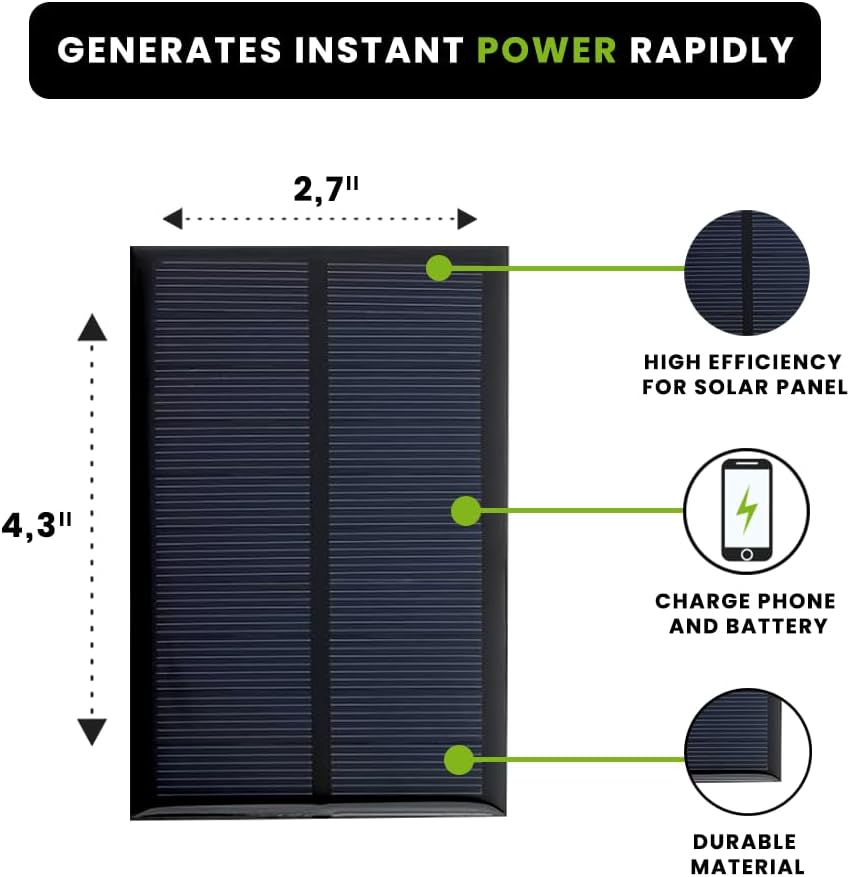
Image: The solar panel, measuring 2.7" x 4.3", is designed for high efficiency and durability.
4.4. Wiring and Power Connection
Carefully follow the wiring diagram in the educational booklet to connect all electronic components to the SolarX PCB and Arduino Nano. Once all connections are secure, insert the 1500mAh Li-Ion battery into its holder or connect the USB cable for power.
Video: A demonstration of a similar solar tracking starter kit assembly, providing visual guidance for connecting components.
5. Operating Instructions
5.1. Initial Power-Up
Once assembled and powered, the Arduino Nano will execute the pre-programmed code. The servo motors will begin to adjust the solar panel's orientation based on the light readings from the LDR sensors. The system is designed to automatically track the brightest light source.

Image: The SolarX V2 features 2-axis 180° rotatable sun tracking for optimal light capture.
5.2. Sun Tracking Functionality
Place the SolarX V2 kit in an area with direct sunlight. The LDR sensors will detect the sun's position, and the Arduino will command the servo motors to tilt and rotate the solar panel to face the sun directly. This continuous adjustment maximizes the solar panel's efficiency throughout the day.
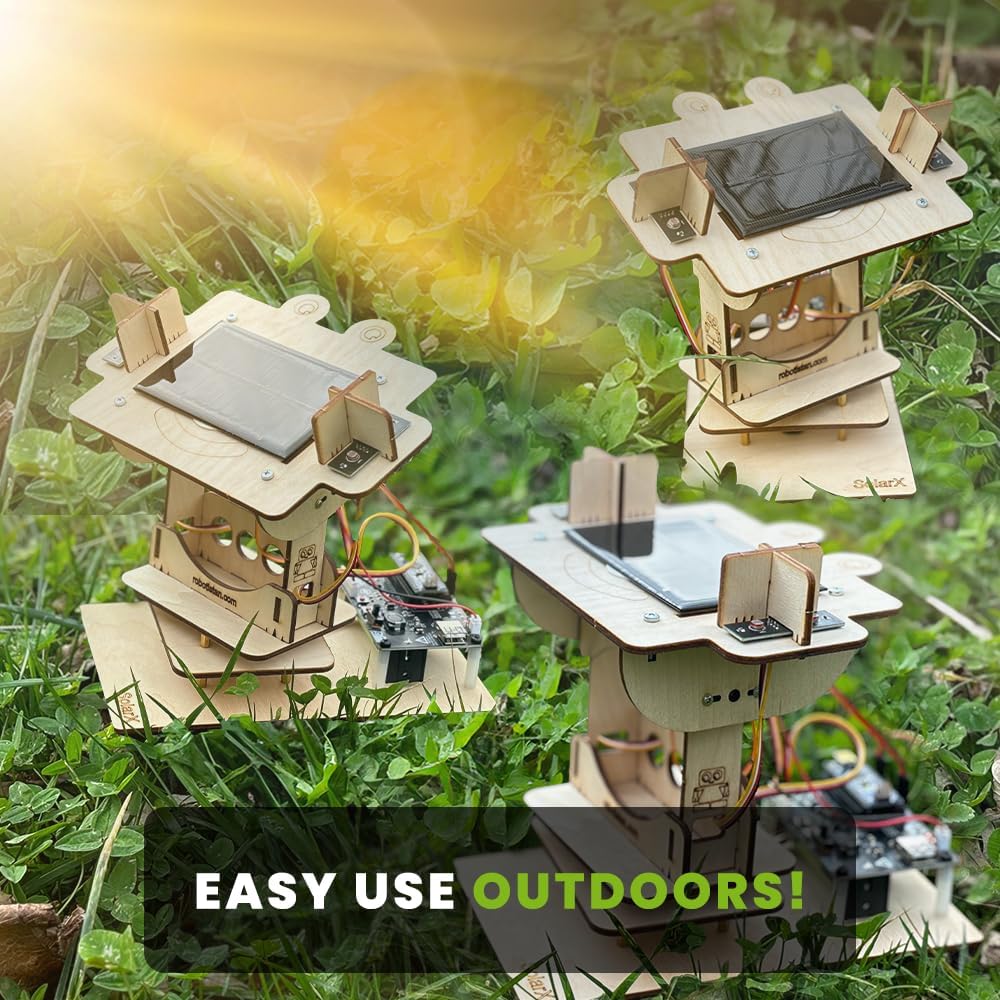
Image: SolarX V2 kits are designed for easy and effective outdoor use.
5.3. Charging Devices
The generated solar energy can be used to charge small electronic devices. Connect your phone or power bank to the designated charging port on the SolarX PCB. The kit is capable of powering microcontrollers, LEDs, and other low-power components, or charging a small battery.

Image: The SolarX V2 kit can be used to charge various devices, such as smartphones.
6. Maintenance
- Cleaning: Regularly wipe the solar panel surface with a soft, damp cloth to remove dust and debris, ensuring maximum light absorption.
- Component Check: Periodically inspect all connections and components for any loose wires or signs of wear.
- Battery Care: If using the Li-Ion battery, ensure it is charged regularly and stored in a cool, dry place when not in use.
- Environmental Protection: While robust, avoid prolonged exposure to heavy rain or extreme temperatures to extend the lifespan of the electronic components.
7. Troubleshooting
| Problem | Possible Cause | Solution |
|---|---|---|
| Solar panel not tracking the sun. | LDR sensors are not detecting light correctly or are misaligned. Servo motors are not functioning. | Check LDR sensor connections and ensure they are facing the correct directions. Verify servo motor connections and functionality. Re-upload Arduino code if necessary. |
| No power output for charging. | Insufficient sunlight. Loose connections. Battery low/faulty. | Ensure direct sunlight exposure. Check all power connections. Verify battery charge or try powering via USB. |
| Erratic or no movement from servo motors. | Loose servo connections. Incorrect wiring. Servo motor damage. | Inspect servo wiring and connections to the PCB. Ensure the Arduino code is correctly uploaded and running. Replace servo if damaged. |
| Arduino Nano not powering on. | Power supply issue. USB cable faulty. | Check battery connection or try a different USB cable/power source. Ensure the battery is charged. |
8. Specifications
- Model Number: 22613
- Product Dimensions: 2 x 3 x 1 inches (assembled, approximate)
- Item Weight: 1.48 pounds
- Power Source: 1 Lithium Ion battery (included)
- Microcontroller: Arduino Nano R3 (compatible)
- Sensors: 4x LDR (Light Dependent Resistors)
- Actuators: 2x Servo Motors (for 2-axis tracking)
- Solar Panel Output: 6V (specific current/wattage not provided)
9. Warranty and Support
For detailed support, refer to the educational booklet included in your kit. It contains visual installation steps and QR codes for accessing video tutorials and additional learning resources. For further assistance, please contact Robotistan customer support through their official channels.
Specific warranty information is not provided in the product details. Please refer to your purchase documentation or contact the seller for warranty terms and conditions.
Ask a question about this manual
Ask about setup, troubleshooting, compatibility, parts, safety, or missing instructions. Manuals+ will review the question and use this page’s manual context to help answer it.