
Rainbuvvy Smartwatch
Rainbuvvy Smart Watch User Manual
Model: Smartwatch
Brand: Rainbuvvy
1. Introduction
Thank you for choosing the Rainbuvvy Smart Watch. This device is designed to enhance your daily life with its advanced features, including a 1.78-inch AMOLED HD display, built-in GPS, Bluetooth calling, comprehensive fitness tracking, and smart notifications. This manual provides detailed instructions to help you set up, operate, and maintain your new smartwatch.

Figure 1.1: Rainbuvvy Smart Watch, showcasing its sleek design and vibrant display.
2. What's in the Box
Please verify that all items are present in your package:
- Smart Watch
- Charger
- User Manual
3. Product Overview
The Rainbuvvy Smart Watch features a slim and lightweight design, making it comfortable for all-day wear. It incorporates a high-resolution AMOLED display and a multi-functional side button for intuitive control.

Figure 3.1: Detail of the dual-color button, which can be rotated for navigation.
3.1 Physical Components
- Display: 1.78-inch AMOLED HD color screen with 3D curved tempered glass.
- Side Button/Crown: Used for navigation, menu access, and specific functions.
- Sensors: Located on the rear for health monitoring.
- Charging Ports: Magnetic charging pins on the rear.
4. Setup
4.1 Charging the Smart Watch
Before first use, fully charge your smartwatch. Connect the magnetic charger to the charging pins on the back of the watch and plug the USB end into a power source (e.g., computer USB port, USB wall adapter).

Figure 4.1: The smartwatch connected to its magnetic charger, indicating charging status.
4.2 Installing the "Fitbeing" App
To unlock the full potential of your smartwatch, download and install the "Fitbeing" app on your smartphone. The app is available on both the Google Play Store (for Android devices) and the Apple App Store (for iOS devices).
- Scan the QR code in the manual or on the watch display (if available) to directly download the app.
- Alternatively, search for "Fitbeing" in your phone's app store and install it.
4.3 Pairing with Your Smartphone
After installing the app, follow these steps to pair your smartwatch:
- Ensure Bluetooth is enabled on your smartphone.
- Open the "Fitbeing" app and create an account or log in.
- Follow the in-app instructions to add a new device. The app will search for your smartwatch.
- Select your Rainbuvvy Smart Watch from the list of discovered devices.
- Confirm the pairing request on both your phone and the watch.
The smartwatch is compatible with smartphones running iOS 12 or Android OS 7 or above.
5. Operating Instructions
5.1 Navigating the Display
The smartwatch features a responsive touchscreen and a side button for navigation:
- Swipe Up/Down: Scroll through menus and notifications.
- Swipe Left/Right: Access quick panels or different widgets.
- Tap: Select an item or open an application.
- Press Side Button: Return to the home screen or access the app menu.
5.2 Making and Receiving Bluetooth Calls
With its built-in speaker and microphone, the smartwatch allows you to manage calls directly from your wrist when connected to your phone via Bluetooth.
- To Make a Call: Access the dialer or contacts from the watch menu.
- To Receive a Call: An incoming call notification will appear on the watch. Tap the green icon to answer or the red icon to decline.
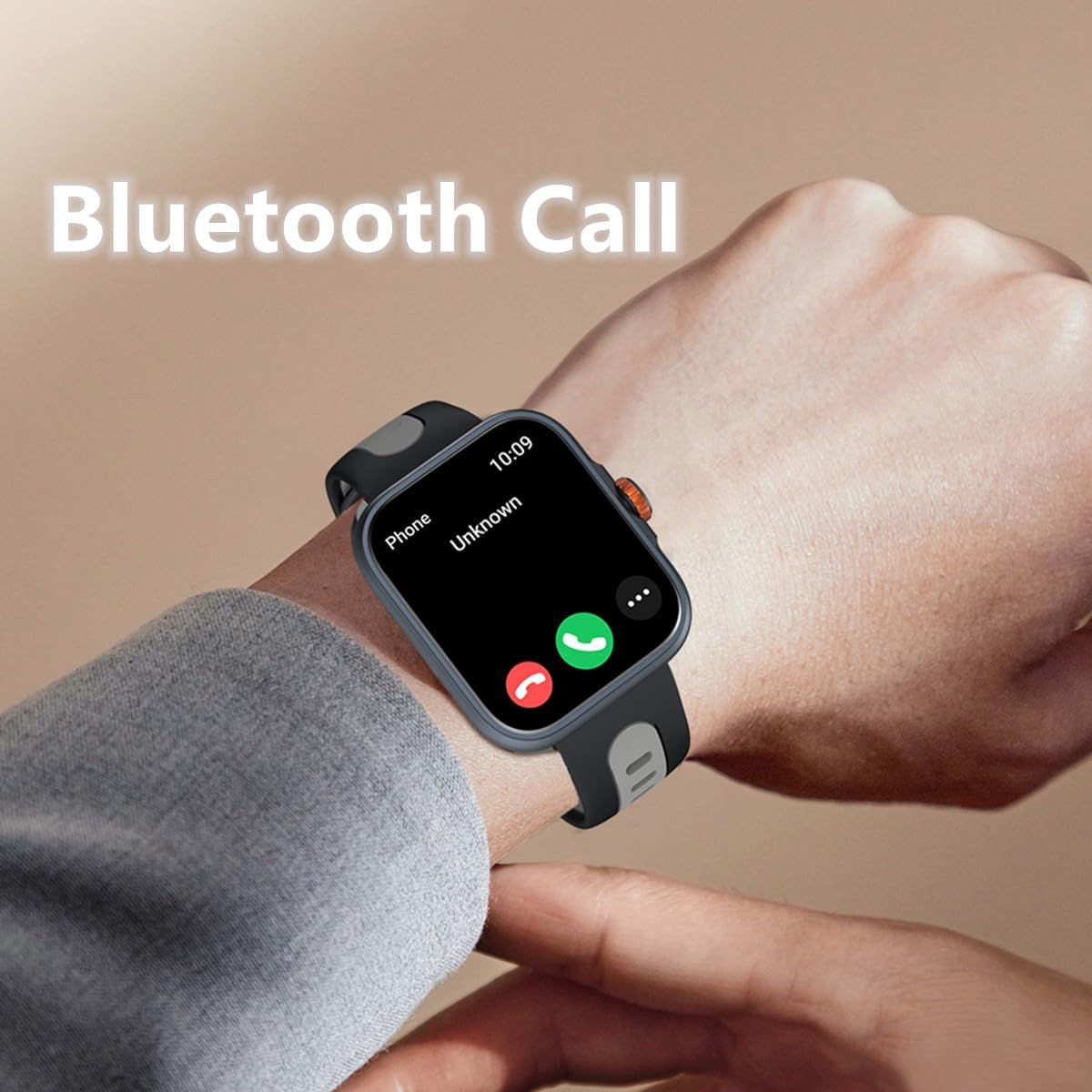
Figure 5.1: Answering a Bluetooth call directly from the smartwatch.
5.3 Receiving Message Notifications
Stay informed with real-time notifications for SMS, Email, and social media apps like WhatsApp, Twitter, Facebook, and Instagram. Ensure notification permissions are enabled in the "Fitbeing" app and your phone settings.

Figure 5.2: The smartwatch supports notifications from various communication platforms.
5.4 Using the Built-in Voice Assistant (Alexa)
The smartwatch features a built-in voice assistant, allowing you to ask for news, weather updates, set reminders, and more using voice commands.

Figure 5.3: Interacting with the voice assistant for quick information and commands.
5.5 Tracking Fitness and Sports Activities
The watch supports over 100 sports modes, including running, cycling, hiking, and yoga. The built-in GPS accurately tracks your distance and pace, and you can view your workout routes in the app.
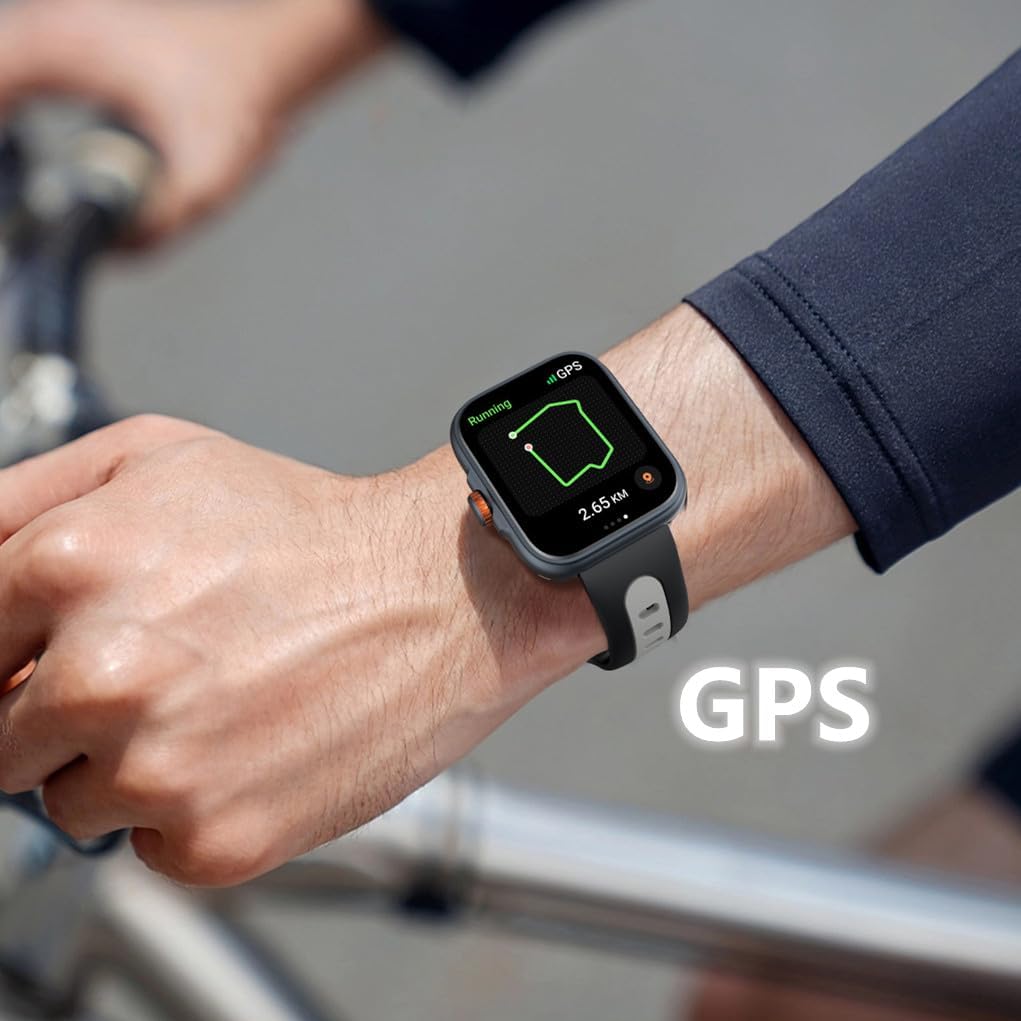
Figure 5.4: Real-time GPS tracking during outdoor activities.
5.6 Customizing Watch Faces
Personalize your smartwatch with over 100 online watch faces available in the "Fitbeing" app. You can also upload your own photos to create custom backgrounds.
5.7 Monitoring Health Data
The smartwatch provides comprehensive health monitoring features:
- Sleep Tracker: Monitors your sleep patterns and quality.
- Heart Rate: Continuous heart rate monitoring.
- Stress Monitoring: Helps you track and manage stress levels.
- Blood Oxygen Saturation (SpO2): Measures blood oxygen levels.
- Physiological Cycle Reminder: Supports real-time recording and reminders for menstrual cycles.

Figure 5.5: Sleep tracking interface on the smartwatch.

Figure 5.6: Stress monitoring and physiological cycle tracking features.
5.8 Controlling Music
Control music playback on your smartphone directly from your wrist. Play, pause, skip tracks, and adjust volume without taking out your phone.

Figure 5.7: Music control interface on the smartwatch.
5.9 Remote Camera Control
Use your smartwatch as a remote shutter for your smartphone camera, making it easier to take group photos or selfies.

Figure 5.8: Music and camera remote control features.
5.10 Other Smart Functions
The smartwatch includes several practical daily functions:

Figure 5.9: Various smart functions available on the watch.
- Weather Forecast: Get real-time weather updates.
- Alarm Clock: Set alarms directly from your wrist.
- Timer & Stopwatch: Useful for workouts or daily tasks.
- Sedentary Reminder: Prompts you to move after periods of inactivity.
- Find Phone: Helps locate your paired smartphone by making it ring.
6. Water Resistance
The Rainbuvvy Smart Watch features an IP68 waterproof design, meaning it is resistant to dust and can withstand immersion in water up to 1.5 meters for 30 minutes. It is suitable for daily use, such as hand washing, rain, and shallow water activities. However, it is not recommended for hot showers, saunas, or diving, as steam and hot water can compromise the seal.
7. Maintenance
To ensure the longevity and optimal performance of your smartwatch, follow these maintenance guidelines:
- Cleaning: Regularly wipe the watch and strap with a soft, dry cloth. For stubborn dirt, use a slightly damp cloth and then dry thoroughly. Avoid harsh chemicals or abrasive materials.
- Charging: Use only the provided charger. Ensure the charging pins are clean and dry before connecting.
- Storage: Store the watch in a cool, dry place when not in use.
- Avoid Extreme Conditions: Do not expose the watch to extreme temperatures, direct sunlight for prolonged periods, or strong magnetic fields.
8. Troubleshooting
If you encounter issues with your Rainbuvvy Smart Watch, refer to the following common problems and solutions:
| Problem | Possible Cause | Solution |
|---|---|---|
| Watch does not turn on | Low battery | Charge the watch for at least 30 minutes. |
| Cannot pair with phone | Bluetooth off, app issue, watch not discoverable | Ensure phone Bluetooth is on. Restart both watch and phone. Reinstall "Fitbeing" app. |
| Notifications not received | App permissions, phone settings | Check notification permissions in "Fitbeing" app and phone settings. Ensure app is running in background. |
| Inaccurate health data | Improper fit, sensor obstruction | Ensure watch is snug on wrist. Clean sensors on the back of the watch. |
| GPS tracking issues | Weak signal, environmental factors | Ensure you are in an open area with clear sky. Wait for GPS signal acquisition. |
9. Specifications
Detailed technical specifications for the Rainbuvvy Smart Watch:

Figure 9.1: Key dimensions of the Rainbuvvy Smart Watch.
- Display: 1.78 Inches AMOLED HD Color Display (368*448 resolution)
- Dimensions (Watch Body): Approximately 38.6mm (width) x 12.6mm (thickness)
- Strap Length: Approximately 260mm
- Item Weight: 4.8 ounces (approx. 28g for watch body)
- Battery Capacity: 350 Milliamp Hours (Lithium Polymer)
- Connectivity: Bluetooth 5.3
- GPS: Built-in GPS
- Water Resistance: IP68
- Operating System Compatibility: Android OS 7 or above, iOS 12 or above
- Model Number: Smartwatch
10. Warranty and Support
Rainbuvvy is committed to providing high-quality products. For information regarding product warranty, returns, or technical support, please refer to the official Rainbuvvy website or contact customer service through your point of purchase. Protection plans may also be available for extended coverage.
For further assistance, you may visit the Rainbuvvy Store on Amazon.
Related documentsSmartwatch


Ask a question about this manual
Ask about setup, troubleshooting, compatibility, parts, safety, or missing instructions. Manuals+ will review the question and use this page’s manual context to help answer it.