
1. Important Safety Information
Please read and understand all instructions before assembly and use. Retain this manual for future reference.
- Always follow the assembly instructions carefully.
- Ensure the TV stand is level and securely assembled before use.
- Do not exceed the load limit of 82 pounds (approximately 37 kg).
- Keep fingers and other body parts away from pinch points during assembly and use.
- Use appropriate safety gear when lifting heavy items.
- Place the TV stand on a flat, stable surface to prevent tipping.
- Do not allow children to climb on the TV stand or drawers.
2. Product Overview
The Cubehom 71-inch Black LED TV Stand is designed to accommodate televisions up to 75 inches. It features a modern aesthetic with integrated LED lighting and ample storage.
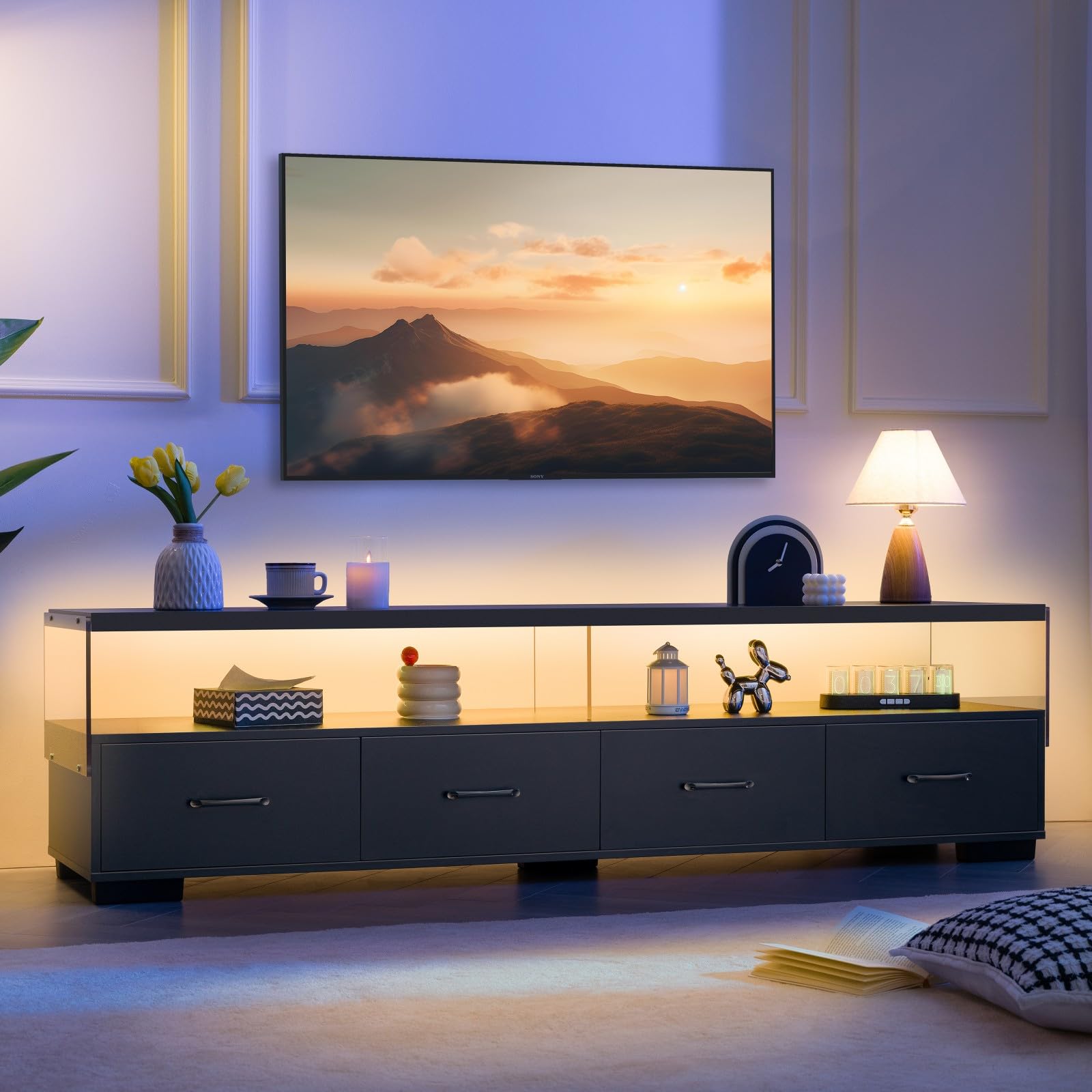
Figure 2.1: Overall view of the Cubehom 71-inch Black LED TV Stand.
Key Features:
- Dimensions: 70.87"W x 15.75"D x 18.7"H (180cm W x 40cm D x 47.5cm H).
- Material: Crafted from durable engineered wood.
- Storage: Four spacious pull-out drawers and open shelving for media devices and decorative items.
- LED Lighting: Integrated LED light strips with multiple color options to enhance ambiance.
- Design: Modern black finish with a contemporary silhouette.

Figure 2.2: Product dimensions and TV size compatibility.

Figure 2.3: Detailed view of a storage drawer with internal measurements.
3. Package Contents
Before beginning assembly, ensure all parts and hardware are present and undamaged. Refer to the included assembly manual for a detailed list of components. All necessary tools for assembly are included in the package.

Figure 3.1: The entertainment center with its storage features.
4. Assembly Instructions
Assembly of the Cubehom LED TV Stand is designed to be straightforward. Each component is carefully numbered, and clear, step-by-step instructions are provided in the separate assembly guide included with your product. It is recommended to have a second person assist with assembly for stability and ease.
General Assembly Steps:
- Unpack Components: Carefully remove all parts from the packaging and lay them out on a clean, soft surface to prevent scratches. Verify all parts against the included parts list.
- Assemble Frame: Follow the numbered steps to connect the main frame components using the provided hardware.
- Install Drawers: Assemble the drawer boxes and install the metal silent slides onto both the drawers and the TV stand frame. Ensure smooth operation.
- Attach Acrylic Panels: Secure the high-definition acrylic sheets to create the open shelving area.
- Install LED Strip: Adhere the LED light strip to the designated area within the open shelving.
- Final Checks: Ensure all connections are tight and the stand is stable.
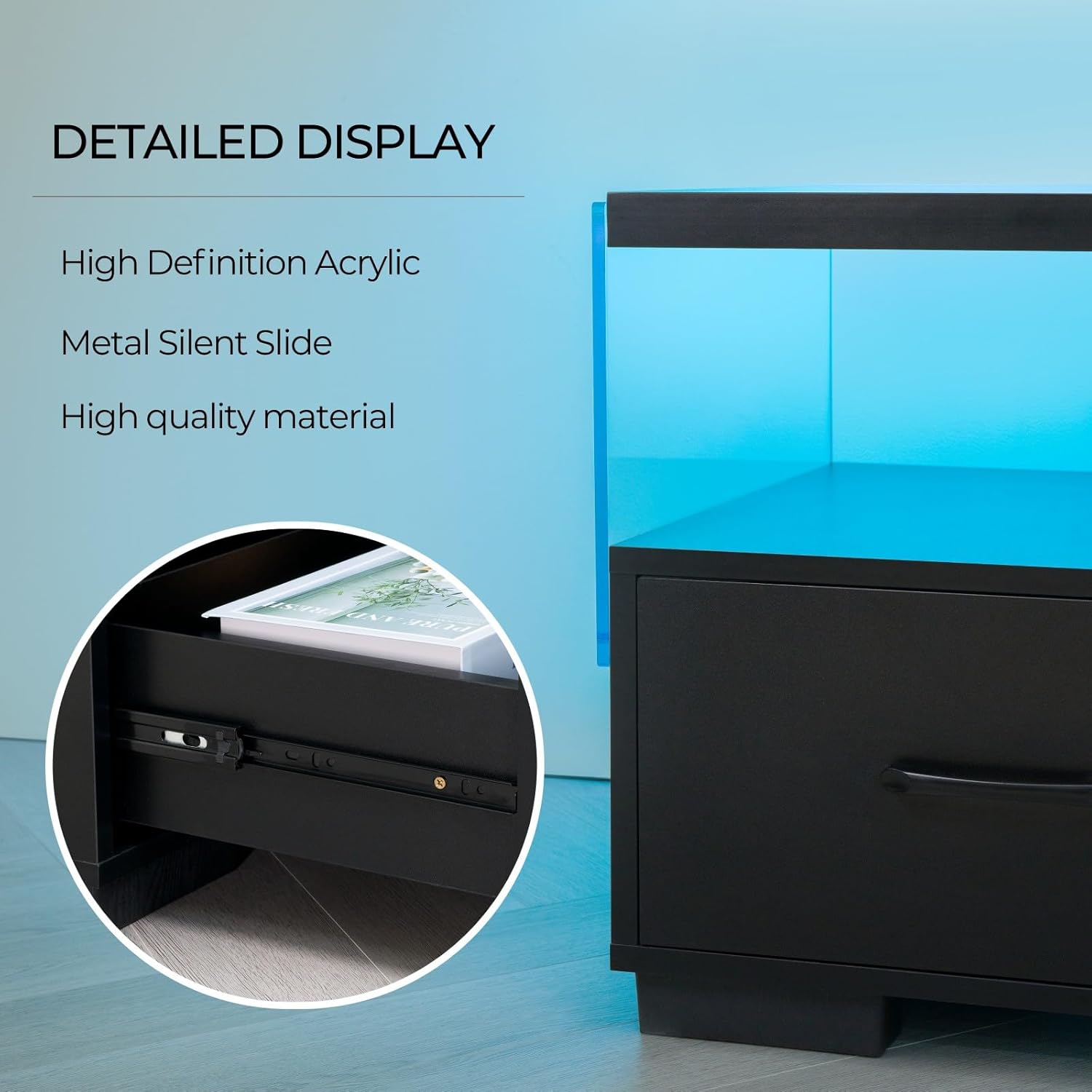
Figure 4.1: Detail of drawer slides and acrylic panel.
Video 4.2: This video demonstrates the assembly process and highlights key features of the TV stand, including the LED lighting and storage drawers. It provides a visual guide to help with setup.
5. Operating Instructions
LED Light Strip Operation:
The integrated LED light strip can be controlled via a remote control or a mobile application. This allows for customization of colors and lighting modes.
- Power On/Off: Use the dedicated power button on the remote or in the app to turn the LED lights on or off.
- Color Selection: Select from 16 RGB colors using the color palette on the remote or app.
- Lighting Modes: Choose from various lighting modes, including static, flash, strobe, fade, and smooth transitions.
- Brightness Control: Adjust the brightness level to suit your preference.
- Music Mode: Some models may feature a music mode where lights synchronize with audio.
- Timer Switch: Set a timer for the lights to automatically turn off.

Figure 5.1: LED light remote control and color options.

Figure 5.2: TV stand in a gaming environment with LED lighting.
Drawer Operation:
The four pull-out drawers are designed for smooth operation. To open, gently pull the handle. To close, push the drawer back until it is fully seated.
6. Maintenance and Care
- Cleaning: Wipe the surfaces with a soft, damp cloth. Avoid harsh chemicals or abrasive cleaners, as these can damage the finish.
- Dusting: Regularly dust the TV stand to maintain its appearance.
- Spills: Clean up spills immediately to prevent staining or damage to the engineered wood.
- Hardware: Periodically check all screws and fasteners to ensure they remain tight. Retighten if necessary.
- LED Lights: If the LED strip requires cleaning, gently wipe it with a dry, soft cloth. Do not use liquids directly on the LED components.
7. Troubleshooting
Common Issues and Solutions:
- LED Lights Not Working:
- Check if the power adapter is securely plugged into both the LED strip and a working power outlet.
- Ensure the remote control has fresh batteries and is pointed directly at the receiver.
- If using an app, ensure Bluetooth or Wi-Fi connection is active and the app is correctly paired.
- Drawers Not Sliding Smoothly:
- Verify that the drawer slides are correctly installed and aligned.
- Check for any obstructions within the drawer tracks.
- Ensure the TV stand is level on the floor. Uneven surfaces can affect drawer alignment.
- Stand is Wobbly:
- Re-check all assembly hardware to ensure screws are fully tightened.
- Ensure the TV stand is placed on a flat, even surface. Use shims if necessary to level it.
8. Specifications
| Feature | Specification |
|---|---|
| Brand | Cubehom |
| Model Name | LED TV Stand |
| Color | Black |
| Product Dimensions (W x D x H) | 70.87" x 15.75" x 18.7" (180cm x 40cm x 47.5cm) |
| Item Weight | 82 Pounds (approx. 37 kg) |
| Material | Engineered Wood |
| Mounting Type | Floor Mount, Freestanding |
| Number of Drawers | 4 |
| Number of Shelves | 3 (including top surface and two open compartments) |
| Special Feature | Integrated LED Light Strip |
| Assembly Required | Yes |
9. Warranty and Support
For warranty information or technical support, please refer to the documentation included with your purchase or contact Cubehom customer service directly. Keep your purchase receipt as proof of purchase.