1. Safety Information
Please read all safety information carefully before using the Quansheng UV-K6 radio to ensure safe and optimal performance.
- Do not operate the radio in explosive atmospheres (e.g., flammable gases, dust particles, metallic powders).
- Do not disassemble or modify the radio. Unauthorized modifications can void your warranty and may cause damage.
- Use only original or approved batteries and chargers. Improper charging can lead to fire or explosion.
- Avoid exposing the radio to extreme temperatures, direct sunlight, or excessive moisture.
- Keep the radio and its accessories out of reach of children.
- Maintain a safe distance from the antenna during transmission to minimize RF exposure.
2. Package Contents
Verify that all items listed below are present in your package:
- 1 x Quansheng UV-K6 Transparent Radio Body
- 1 x 7.2V 1600mAh Li-ion Battery
- 1 x SMA Female Dual-Band Antenna
- 1 x Belt Clip
- 1 x User Manual
- 1 x Desktop Charger (110V~240V)
- 1 x Lanyard
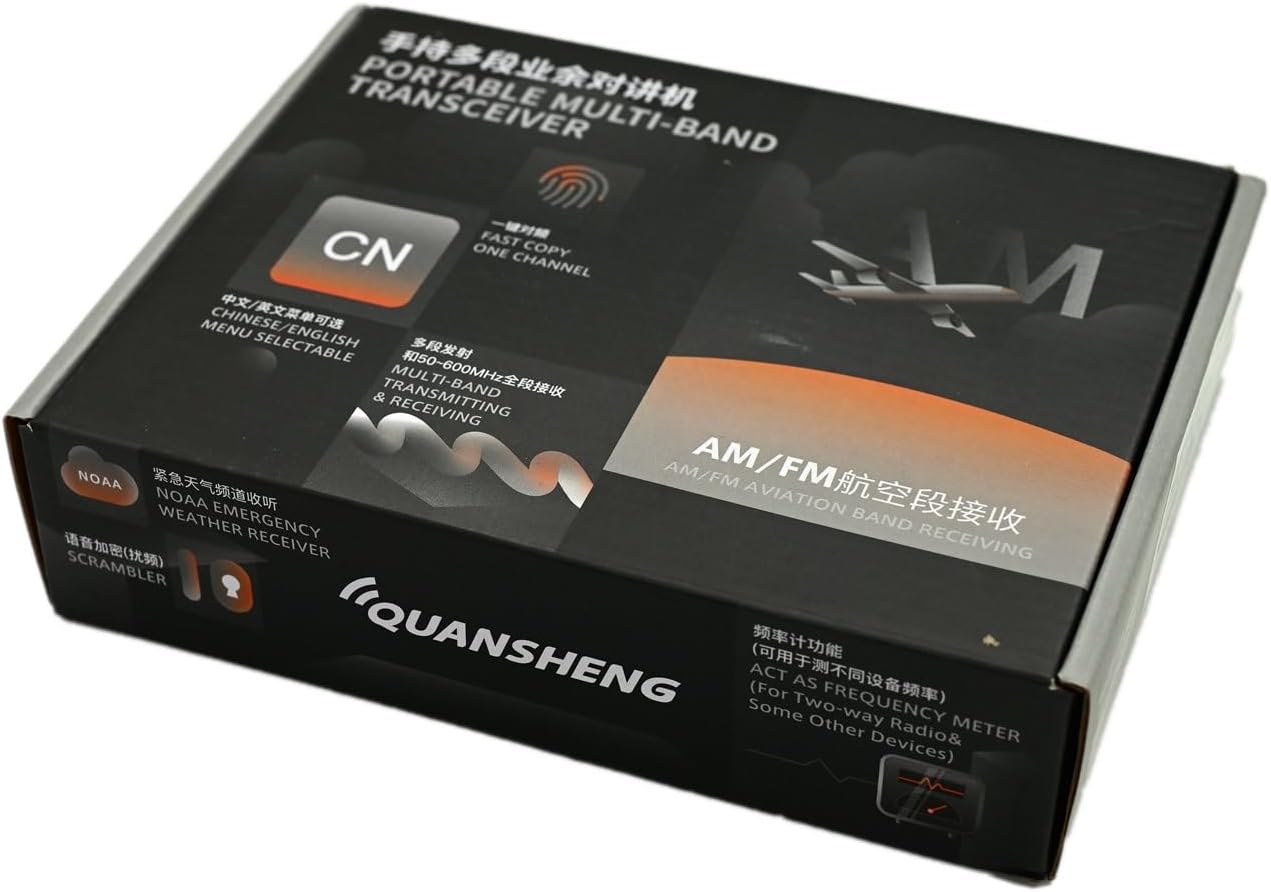
Image: The Quansheng UV-K6 radio and its included accessories neatly packaged in the product box.
3. Product Overview
The Quansheng UV-K6 features a transparent shell, allowing a view of its internal components, combined with robust functionality for various communication needs.
3.1 Radio Components

Image: Front view of the Quansheng UV-K6 transparent two-way radio, showcasing its display, keypad, and attached antenna.
- Antenna: For transmitting and receiving radio signals.
- Display Screen: Shows frequency, channel number, battery status, and other operational indicators.
- Keypad: Numeric and function keys for inputting frequencies, selecting channels, and accessing menus.
- PTT (Push-to-Talk) Button: Located on the side, used to transmit your voice.
- Speaker/Microphone: Integrated for audio output and input.
- Power/Volume Knob: Controls power on/off and adjusts volume.
- Flashlight: Integrated high-light flashlight for illumination.
- USB Type-C Port: For convenient charging.

Image: A hand holding the Quansheng UV-K6 radio, demonstrating its ergonomic design and transparent casing.
4. Setup
4.1 Battery Installation
To install the battery:
- Align the battery with the grooves on the back of the radio.
- Slide the battery upwards until it clicks securely into place.
- To remove, press the battery release latch (if present) and slide the battery downwards.

Image: The Quansheng UV-K6 radio body separated from its 7.2V 1600mAh Li-ion battery, showing the connection points.
4.2 Antenna Attachment
Screw the SMA female dual-band antenna clockwise onto the connector at the top of the radio until it is finger-tight. Do not overtighten.
4.3 Charging the Battery
The radio can be charged using the included desktop charger or via the USB Type-C port.
- Desktop Charger: Place the radio into the charging cradle. Ensure the charging indicator light illuminates.
- USB Type-C Charging: Connect a USB Type-C cable to the port on the side of the radio and to a compatible USB power source.
A full charge typically takes several hours. The charging indicator will change color or turn off when charging is complete.
4.4 Attaching the Belt Clip and Lanyard
Secure the belt clip to the designated area on the back of the radio using the provided screws. Attach the lanyard to the loop on the top or side of the radio for added security.
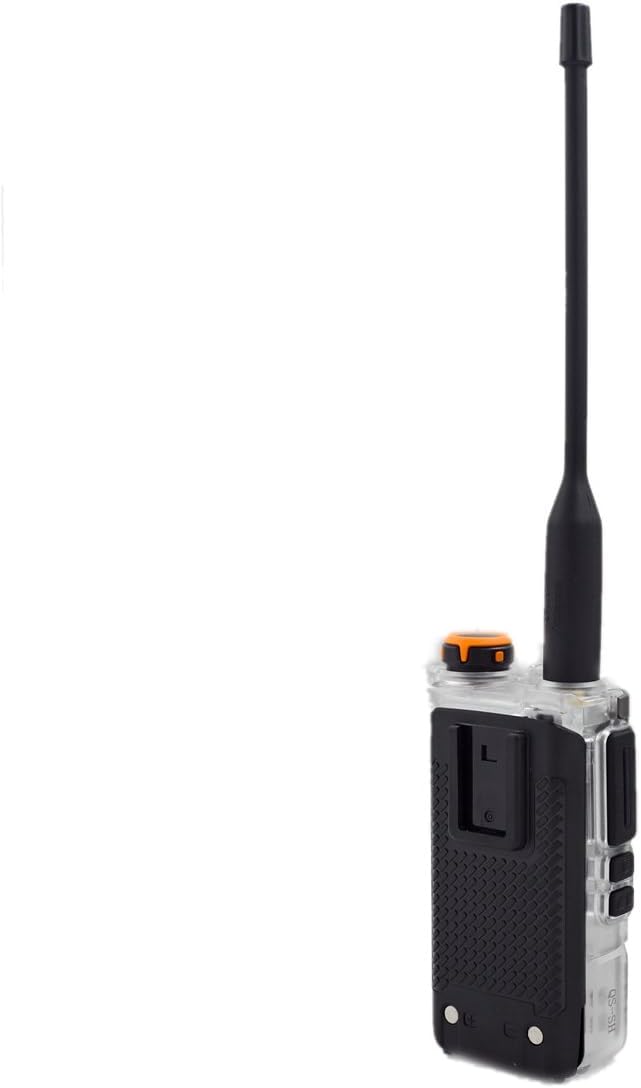
Image: Rear view of the Quansheng UV-K6 radio, showing the attached belt clip for convenient carrying.
5. Operating Instructions
5.1 Power On/Off and Volume Control
Rotate the Power/Volume knob clockwise to turn the radio on and increase volume. Rotate counter-clockwise to decrease volume and turn the radio off.
5.2 Channel and Frequency Selection
The UV-K6 supports both channel mode and frequency mode (VFO).
- Channel Mode: Use the UP/DOWN arrow keys or the keypad to select a pre-programmed channel.
- Frequency Mode (VFO): Directly input the desired frequency using the numeric keypad.
- Press the VFO/MR button to switch between modes.
5.3 Transmitting and Receiving
- To receive, simply ensure the radio is on and tuned to an active frequency/channel.
- To transmit, press and hold the PTT button. Speak clearly into the microphone. Release the PTT button to stop transmitting and return to receive mode.
5.4 VOX Function (Voice Operated Transmission)
The VOX function allows hands-free transmission. When activated, the radio will automatically transmit when it detects your voice.
- Access the menu and navigate to the VOX setting.
- Adjust the VOX sensitivity level as needed.
5.5 FM Radio and Airband Reception
The UV-K6 can receive standard FM radio broadcasts and airband frequencies.
- Press the FM button to enter FM radio mode.
- Tune to desired FM or airband frequencies using the keypad or scan function.
5.6 NOAA Weather Alert
The radio supports reception of NOAA weather alerts for critical weather information.
- Access the menu to enable NOAA weather alert functionality.
- The radio will automatically scan and alert you to severe weather broadcasts.
5.7 Flashlight Operation
The integrated high-light flashlight can be activated via a dedicated button or menu option (refer to your specific radio's button layout).
5.8 Wireless Frequency Copy
This feature allows the UV-K6 to wirelessly copy frequencies from other compatible radios.
- Enter the wireless copy mode (refer to menu for specific steps).
- Place the two radios in close proximity and initiate the copy process.
6. Advanced Features
6.1 Memory Channels
The UV-K6 supports up to 200 memory channels for storing frequently used frequencies and settings.
- To save a frequency to memory, tune to the desired frequency, access the menu, and select the "Save Channel" option.
- To recall a memory channel, switch to channel mode and select the desired channel number.
6.2 DTMF and 1750 Tones
The radio supports DTMF (Dual-Tone Multi-Frequency) signaling and 1750Hz tones for repeater access and other functions.
- DTMF tones can be sent by pressing the keypad buttons during transmission.
- The 1750Hz tone is typically activated via a dedicated button or menu option for repeater activation.
6.3 Cross-Communication Function
This feature allows the radio to operate on different frequency bands simultaneously for cross-band repeat or monitoring.
- Refer to the detailed menu guide for specific instructions on configuring cross-communication settings.
6.4 Emergency Alarm
The emergency alarm function can be activated to emit a loud siren and/or transmit an alert signal to other radios.
- Consult the menu settings to configure the emergency alarm type and activation method.
7. Maintenance
Proper maintenance ensures the longevity and optimal performance of your Quansheng UV-K6 radio.
- Cleaning: Use a soft, damp cloth to wipe the radio's surface. Do not use harsh chemicals or abrasive cleaners.
- Battery Care:
- Avoid overcharging or completely discharging the battery.
- Store the battery in a cool, dry place when not in use for extended periods.
- Storage: Store the radio in a dry, dust-free environment away from direct sunlight and extreme temperatures.
- Water Resistance: While the radio is rated as waterproof, avoid submerging it for prolonged periods or exposing it to high-pressure water jets. Ensure all port covers are securely closed.
8. Troubleshooting
If you encounter issues with your radio, refer to the following common problems and solutions:
| Problem | Possible Cause | Solution |
|---|---|---|
| Radio does not power on. | Battery is low or not installed correctly. | Charge the battery or re-install it securely. |
| Cannot transmit or receive. | Incorrect frequency/channel, antenna not attached, or out of range. | Verify frequency/channel, ensure antenna is secure, move closer to other radios. |
| Poor audio quality. | Volume too low, interference, or microphone/speaker obstruction. | Adjust volume, move away from interference sources, check for obstructions. |
| Battery drains quickly. | Frequent transmission, high power setting, or aging battery. | Reduce transmission time, use lower power setting when possible, consider replacing battery if old. |
9. Specifications
Key technical specifications for the Quansheng UV-K6 Transparent Two-Way Radio:
| Feature | Detail |
|---|---|
| Brand | QUANSHENG |
| Model Number | UVK6 Transparent |
| Color | Transparent |
| Frequency Range | VHF: 136-174 MHz, UHF: 400-470 MHz, Full Band Receive: 50-600 MHz |
| Number of Channels | 200 Memory Channels |
| Maximum Range | Up to 8 Kilometers (terrain dependent) |
| Battery | 7.2 Volts (DC), 1600 mAh Li-ion |
| Weight | 550 Grams |
| Water Resistance | Waterproof (Étanche) |
| Special Features | Emergency Alarm, Long Range, Lightweight, Rechargeable, Dust Resistant, NOAA Weather Alert, Airband Receiver, USB Type-C Charging, Wireless Frequency Copy, DTMF, 1750 Tones |
| Compatible Devices | HAM Two-Way Radio, Analog Signal |
10. Warranty and Support
The Quansheng UV-K6 Transparent Two-Way Radio comes with a commitment to quality and support.
- Spare Parts Availability: Spare parts for this model are guaranteed to be available for 3 years from the date of purchase.
- Technical Support: For any technical assistance, troubleshooting beyond this manual, or warranty inquiries, please contact your authorized dealer or the manufacturer's customer service.


