
1. Product Overview
The HIENA Professional Hair Clipper Set & Trimmer Kit is designed for precise hair cutting and grooming. This comprehensive kit includes both a main hair clipper and a detail trimmer, along with various accessories to achieve different hair lengths and styles. It features durable blades, powerful motors, and long-lasting rechargeable batteries for convenient cordless operation.

Image 1.1: The complete HIENA Professional Hair Clipper Set and Trimmer Kit, showcasing the main clipper, trimmer, various guide combs, charging cables, cleaning brush, and oil.
2. Package Contents
Before first use, please verify that all items listed below are included in your package:
- Hair Clipper
- Hair Trimmer
- 4 x Cutting Combs for Main Clipper (1.5mm, 3mm, 4.5mm, 6mm)
- 4 x Cutting Combs for Trimmer (1mm, 3mm, 5mm, 7mm)
- USB Charging Cable (for clipper)
- USB Charging Cable (for trimmer)
- Cleaning Brush
- Comb
- Haircut Cloak
- User Manual

Image 2.1: A visual representation of all components included in the HIENA Professional Hair Clipper Set & Trimmer Kit, laid out for easy identification.
3. Key Features
3.1 Excellent Blade Quality
The clippers are equipped with upgraded stainless steel blades, designed for sharpness and durability, ensuring a smooth and efficient cutting experience without snagging or pulling hair.
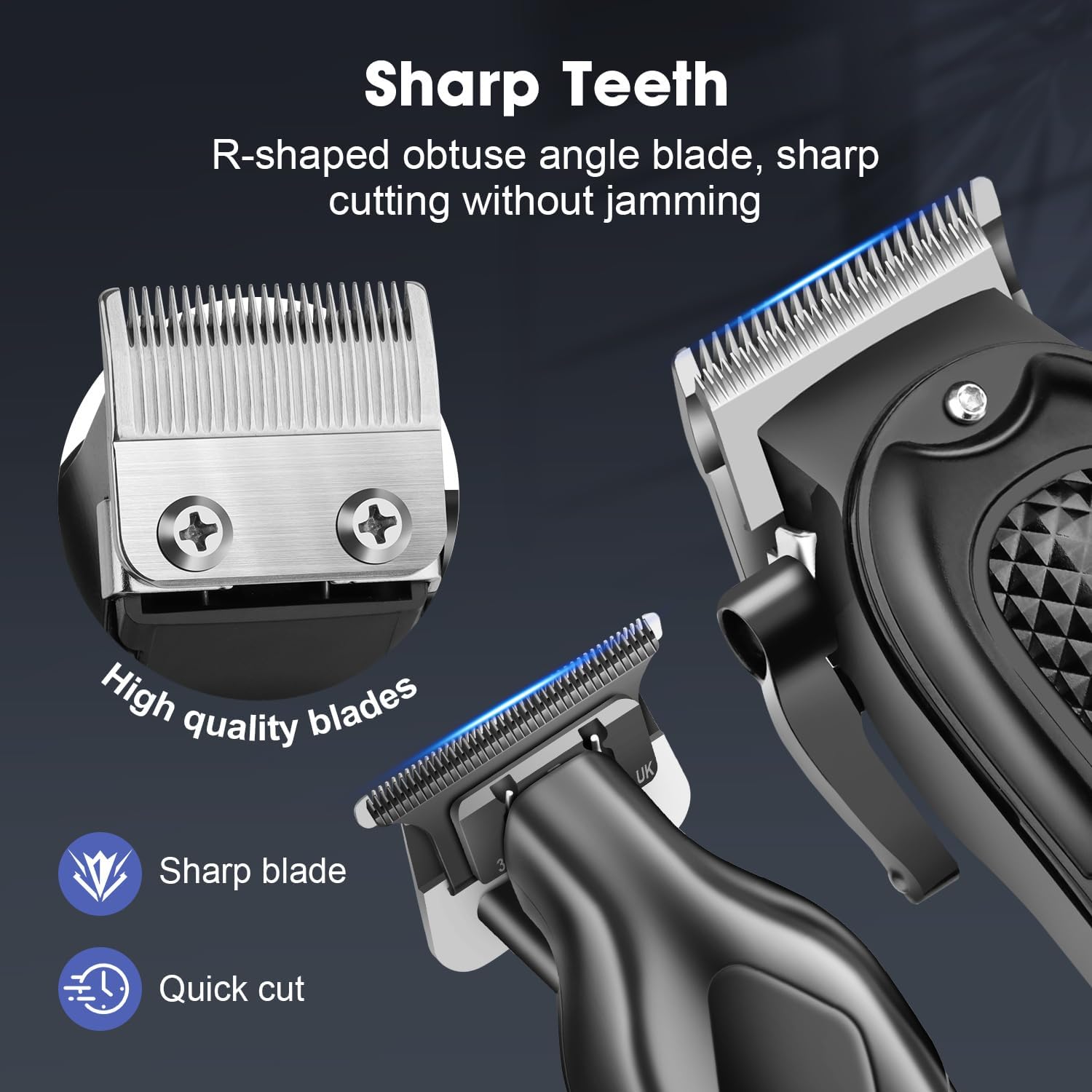
Image 3.1: Detail of the R-shaped obtuse angle blade, highlighting its sharp cutting edge designed to prevent jamming.
3.2 Adjustable Blades & Limit Combs
The main clipper features an adjusting lever for easy blade length adjustments. Additionally, it comes with 4 limit combs (1.5mm, 3mm, 4.5mm, 6mm). The trimmer includes 4 separate combs (1mm, 3mm, 5mm, 7mm), offering a wide range of length options for various styles.

Image 3.2: Illustration of the precise length control mechanism, showing the adjustable lever and how it changes the cutting length.
3.3 Powerful & Quiet Motor
Both the clipper and trimmer are equipped with powerful and durable motors capable of cutting various hair types with ease. Despite their power, they maintain relatively low noise levels, ensuring a comfortable grooming experience for both the user and those nearby.

Image 3.3: Depiction of the powerful motor and noise reduction technology, emphasizing high performance and time-saving benefits.
3.4 Digital Display
The main hair clipper features an intelligent digital display that provides real-time information on battery percentage, oil reminder, and charging status, allowing you to easily monitor the device's operational status.

Image 3.4: A close-up view of the digital display, showing the battery indicator, oil reminder, and charging reminder icons.
3.5 Large Capacity Battery & USB Charging
The large hair clipper is equipped with a durable battery that fully charges in approximately 90 minutes, providing up to 300 minutes of continuous use. The trimmer's battery lasts for up to 120 minutes on a single charge, making both devices suitable for extended use and travel. Both devices support convenient USB charging.

Image 3.5: The clipper and trimmer shown connected via USB for charging, with details on their respective charging and working times.
4. Safety Information
Please read and understand all safety precautions before using the product.
- Always use the haircut cloak to protect your face and eyes during use.
- Keep small parts, such as guide combs and cleaning tools, away from children to prevent choking hazards.
- Do not ingest or inhale any parts of the kit.
- Ensure the device is fully charged before use to avoid performance issues.
- Do not immerse the clippers or trimmer in water. Clean blades with the provided brush and a damp cloth only.
- Store the product in a dry place, away from direct sunlight and extreme temperatures.
5. Setup and Operation
5.1 Charging the Device
Before first use, fully charge both the hair clipper and the trimmer. Connect the provided USB charging cable to the charging port on each device and plug the other end into a compatible USB power source (e.g., computer, wall adapter). The main clipper's digital display will show charging progress. The trimmer will indicate charging status via an LED light.
- Main Clipper Charging Time: Approximately 90 minutes for a full charge.
- Trimmer Charging Time: Approximately 120 minutes for a full charge.
5.2 Attaching Guide Combs
To attach a guide comb, align the comb with the clipper/trimmer blade and push firmly until it clicks into place. Ensure it is securely fastened before use. To remove, gently pull the comb away from the blade.
5.3 Operating the Clippers/Trimmer
Press the power button to turn on the device. For the main clipper, you can adjust the blade length using the side lever. Select the desired guide comb for your preferred hair length. Move the clipper/trimmer against the direction of hair growth for an even cut. For detailed trimming, use the trimmer without a comb or with the smaller guide combs.
Video 5.1: An instructional video demonstrating the unboxing, attachment of guide combs, and basic operation of the HIENA Professional Hair Clipper Set and Trimmer Kit. This video also shows the blade adjustment and cleaning process.
6. Maintenance
6.1 Cleaning the Blades
After each use, turn off the device and remove any attached guide combs. Use the provided cleaning brush to remove loose hairs from the blades. For a more thorough cleaning, you may gently wipe the blades with a damp cloth. Ensure the blades are completely dry before storage.
6.2 Oiling the Blades
Regular oiling of the blades is crucial for maintaining optimal performance and extending the lifespan of your clippers and trimmer. Apply a small drop of lubricating oil (not included, but standard clipper oil is recommended) to the blades after every few uses, or when the digital display indicates an oil reminder. Turn on the device for a few seconds to distribute the oil evenly.
7. Troubleshooting
| Problem | Possible Cause | Solution |
|---|---|---|
| Clipper/Trimmer not turning on. | Low battery or no charge. | Charge the device fully using the provided USB cable. |
| Poor cutting performance or pulling hair. | Blades are dull, dirty, or not oiled. | Clean the blades thoroughly and apply lubricating oil. If issues persist, blades may need replacement. |
| Device making unusual noise. | Blades are not properly aligned or need lubrication. | Ensure blades are correctly aligned and apply oil. If noise continues, contact customer support. |
| Digital display not working. | Device is off or battery is completely drained. | Turn on the device or connect it to a charger. |
8. Specifications
| Feature | Detail |
|---|---|
| Product Dimensions | 6.69 x 1.97 x 1.57 inches; 1.1 Pounds |
| Item Model Number | HYN-212+023 |
| Batteries | 1 Lithium Ion batteries required (included) |
| Manufacturer | HIENA PRO |
| Charging Time (Main Clipper) | Approx. 90 minutes |
| Working Time (Main Clipper) | Up to 300 minutes |
| Working Time (Trimmer) | Up to 120 minutes |
| Blade Material | Upgraded Stainless Steel |
| Included Components | Brush, Comb, Cutting Combs, Hair Clipper, Hair Trimmer, Haircut Cloak, Manual, USB Charging Cable |
9. Warranty and Support
This product comes with a manufacturer's warranty. Please refer to the warranty card included in your package for specific terms and conditions. For technical support, troubleshooting assistance, or inquiries about replacement parts, please contact HIENA PRO customer service through the retailer's platform or the contact information provided in your product packaging.